

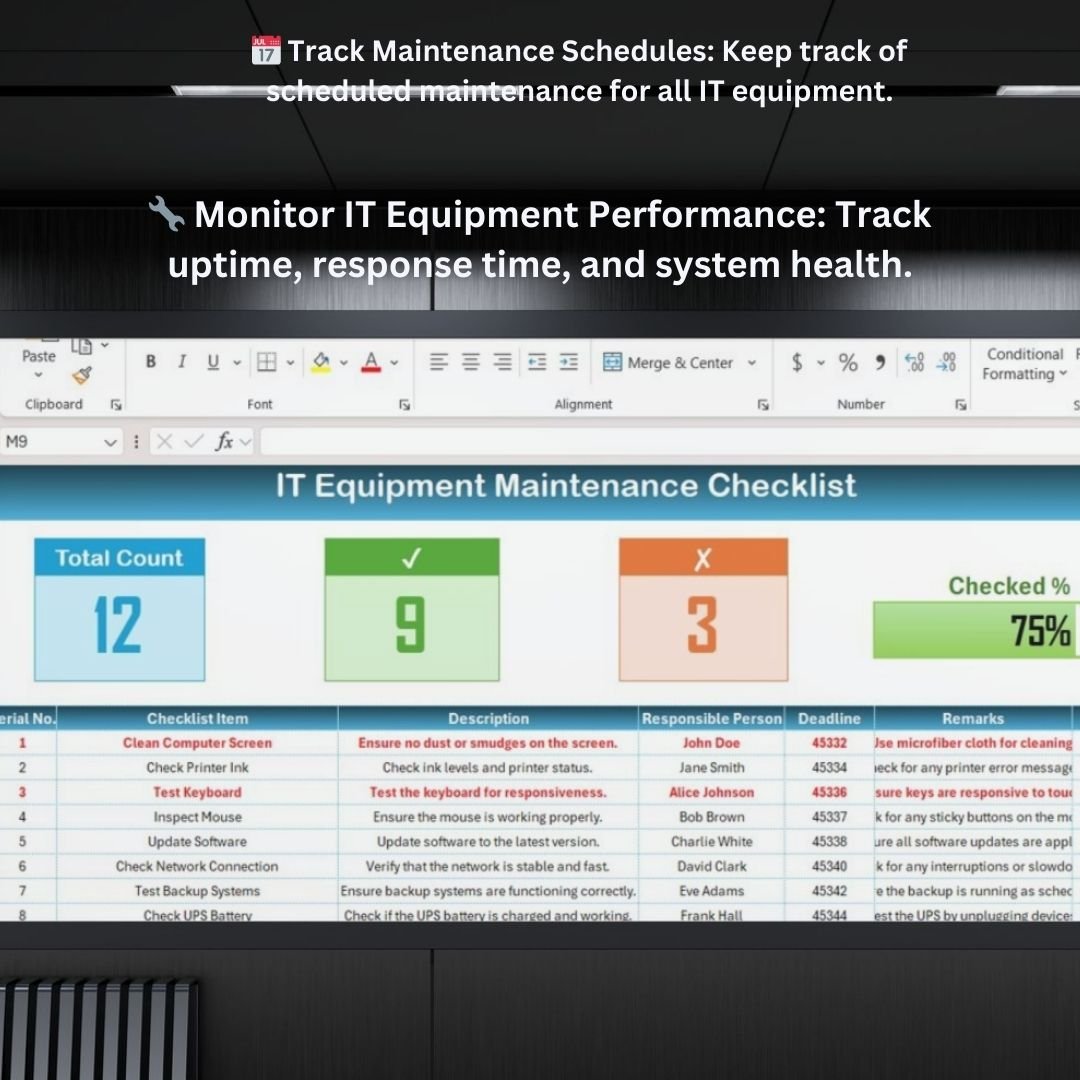


The IT Equipment Maintenance Checklist in Excel is an invaluable tool for IT managers, office administrators, and businesses looking to streamline the maintenance of their IT assets. Whether you’re managing servers, computers, printers, or networking equipment, this Excel-based checklist helps you keep track of all maintenance activities, ensuring your IT infrastructure operates smoothly and efficiently.
By organizing and tracking maintenance schedules, repair tasks, and performance assessments, this checklist helps you prevent downtime, extend the lifespan of your IT assets, and reduce costly repairs. It also assists in budgeting for IT equipment maintenance, ensuring your business stays operational without the unexpected costs associated with neglected equipment.
Key Features of the IT Equipment Maintenance Checklist in Excel
📅 Track Maintenance Schedules
Set up and manage maintenance schedules for all your IT equipment. Ensure routine tasks like software updates, hardware checks, and system backups are done on time to maintain optimal performance.
🔧 Monitor IT Equipment Performance
Track the condition of your IT equipment and monitor key performance indicators (KPIs) such as uptime, response times, and functionality. Identify equipment that requires repairs or upgrades.
💡 Maintenance History Tracking
Keep a detailed record of all maintenance activities, including repair logs, maintenance dates, and any parts replaced. This creates a comprehensive history that helps you assess the longevity of your IT assets.
📊 Cost Tracking & Budgeting
Track maintenance costs and keep your budget on point. Monitor spending on repairs, part replacements, and service fees to ensure your IT equipment maintenance stays within the budget.
🔄 Customizable Maintenance Tasks
Tailor the checklist to your needs. Add or remove maintenance tasks based on the specific requirements of your IT assets and operational needs. Customize each task with priority levels and deadlines.
🖥️ Interactive & Easy-to-Use Layout
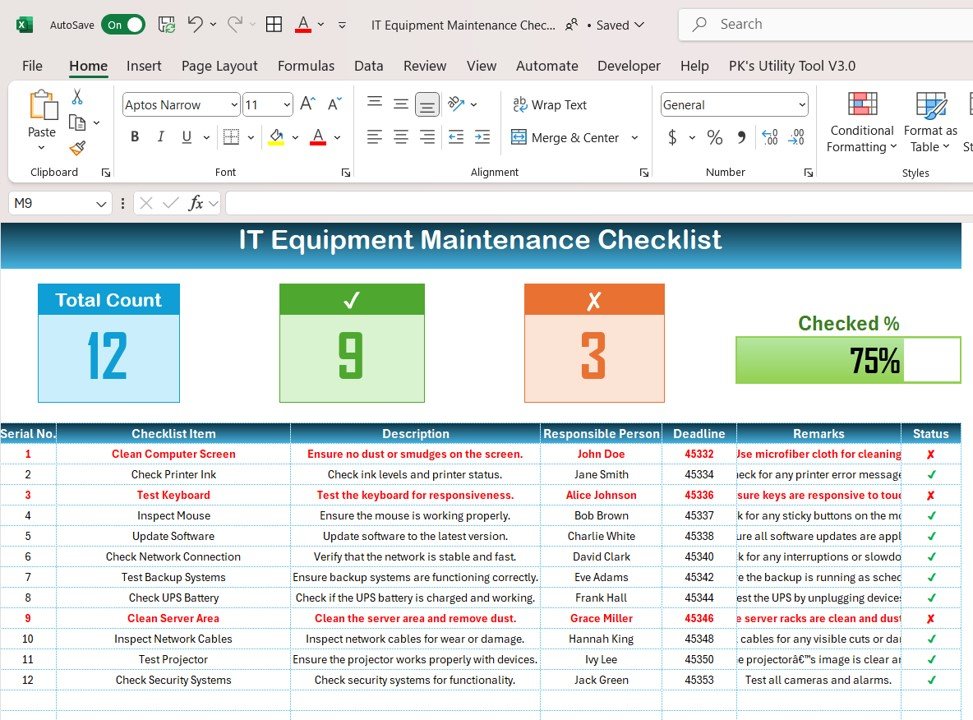
The checklist is designed with a user-friendly, interactive layout, allowing you to easily track and update your maintenance tasks. Use dropdowns, checkboxes, and color-coded indicators to monitor progress and status.
Why You’ll Love the IT Equipment Maintenance Checklist in Excel
✅ Prevent Downtime & Equipment Failures
Track all maintenance tasks to ensure your IT equipment is in peak working condition, reducing the likelihood of costly failures and downtime.
✅ Optimize IT Equipment Lifespan
Regular maintenance helps extend the life of your IT assets. By tracking performance and addressing issues early, you can avoid expensive replacements and repairs.
✅ Manage IT Maintenance Costs
Monitor repair costs, replacement parts, and service fees to stay within budget. This helps ensure that your IT equipment maintenance is cost-effective and sustainable.
✅ Improve IT Performance & Efficiency
Track performance metrics, monitor system health, and ensure all necessary updates and patches are applied on time to optimize the efficiency of your IT equipment.
✅ Fully Customizable & Scalable
Adapt the checklist to suit the size and needs of your organization, whether you’re managing a few devices or overseeing an extensive network of IT equipment.
What’s Inside the IT Equipment Maintenance Checklist Template in Excel?
- Maintenance Schedule Tracker: Set and monitor maintenance schedules for all your IT equipment.
- Performance Tracking: Monitor the performance of each piece of IT equipment, including key metrics like uptime and response time.
- Maintenance History Log: Keep detailed records of repairs, parts replaced, and service dates.
- Cost Tracking & Budgeting: Track spending on IT maintenance and repairs to keep your budget under control.
- Customizable Tasks & Deadlines: Modify tasks and set deadlines to fit your specific maintenance needs.
- Interactive Layout: Use easy-to-use features like dropdowns, checkboxes, and color coding to track the status of maintenance tasks.
How to Use the IT Equipment Maintenance Checklist in Excel
1️⃣ Download the Template: Get instant access to the IT Equipment Maintenance Checklist in Excel.
2️⃣ Input Your IT Equipment Data: Enter information about your IT assets, including maintenance schedules, performance metrics, and repair details.
3️⃣ Track Maintenance Tasks & Deadlines: Use the checklist to track each maintenance task, its priority, and completion status.
4️⃣ Monitor Performance & Costs: Keep an eye on performance metrics, spending, and the condition of your IT equipment.
5️⃣ Optimize Maintenance Schedules: Use the data to schedule proactive maintenance and reduce the risk of unplanned downtime.
Who Can Benefit from the IT Equipment Maintenance Checklist in Excel?
🔹 IT Managers & IT Support Teams
🔹 Facilities Managers & Office Administrators
🔹 E-commerce & Retail Businesses
🔹 Businesses with Extensive IT Infrastructure
🔹 Small to Medium Enterprises (SMEs)
🔹 Large Organizations with Multiple IT Assets
Ensure your IT infrastructure is running smoothly with the IT Equipment Maintenance Checklist in Excel. Track maintenance schedules, monitor performance, and reduce costly repairs by staying proactive with your IT equipment management.
Click here to read the Detailed blog post
Visit our YouTube channel to learn step-by-step video tutorials
Youtube.com/@PKAnExcelExpert






























Reviews
There are no reviews yet.