


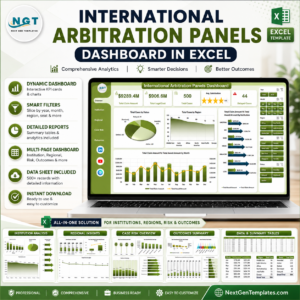
International Arbitration Panels Dashboard in Excel gives arbitration teams, legal operations managers, case administrators, finance analysts, and law-firm partners a ready-to-use reporting workbook for claim amount, award amount, legal cost, total cases, satisfaction, delays, panel type, institution, seat, region, outcome, risk level, and settlement performance. The template includes 7 worksheet tabs, 5 dashboard pages, 5 headline cards, 20 chart views, multiple slicers, a Data Sheet, and a Support Sheet. It is built for teams that want practical arbitration analytics in Excel without a recurring legal SaaS subscription.
Key Features of International Arbitration Panels Dashboard in Excel
- 5 analytical dashboard pages: Overview Page, Institution, Regional, Case Risk, and Outcomes.
- 5 high-level cards: Total Claim Amount, Total Legal Cost, Total Cases, Avg. Satisfaction, and Delayed Cases.
- Interactive slicers: Filter by available case, institution, region, risk, status, outcome, industry, seat, month, and year fields.
- Arbitration metrics: Compare claim amount, award amount, legal cost, recovery percentage, settlement percentage, case duration, and delayed cases.
- Refreshable Excel model: Update the Data Sheet, click Refresh All, and connected pivots and charts refresh together.
What’s Inside the International Arbitration Panels Dashboard in Excel
1. Overview Page
The Overview Page gives a quick executive snapshot of arbitration performance. Cards summarize Total Claim Amount, Total Legal Cost, Total Cases, Avg. Satisfaction, and Delayed Cases, while slicers allow fast filtering.
Total Cases by Status: This chart shows case distribution by status so users can see open, pending, settled, awarded, or delayed work at a glance. It helps teams understand current caseload movement before deeper analysis.
Total Cases by Region: This visual compares arbitration volume across regions. It helps identify where case demand is concentrated and where regional strategy or staffing may need attention.
Total Claim Amount Vs Total Award Amount by Institution: This chart compares claimed value against awarded value for each institution. It helps teams review recovery patterns and institution-level financial outcomes.
Total Claim Amount Vs Total Award Amount by Month: This trend compares monthly claim and award amounts. It helps spot seasonal changes, spikes, and periods where outcomes moved away from claim value.

International Arbitration Panels Dashboard in Excel
2. Institution
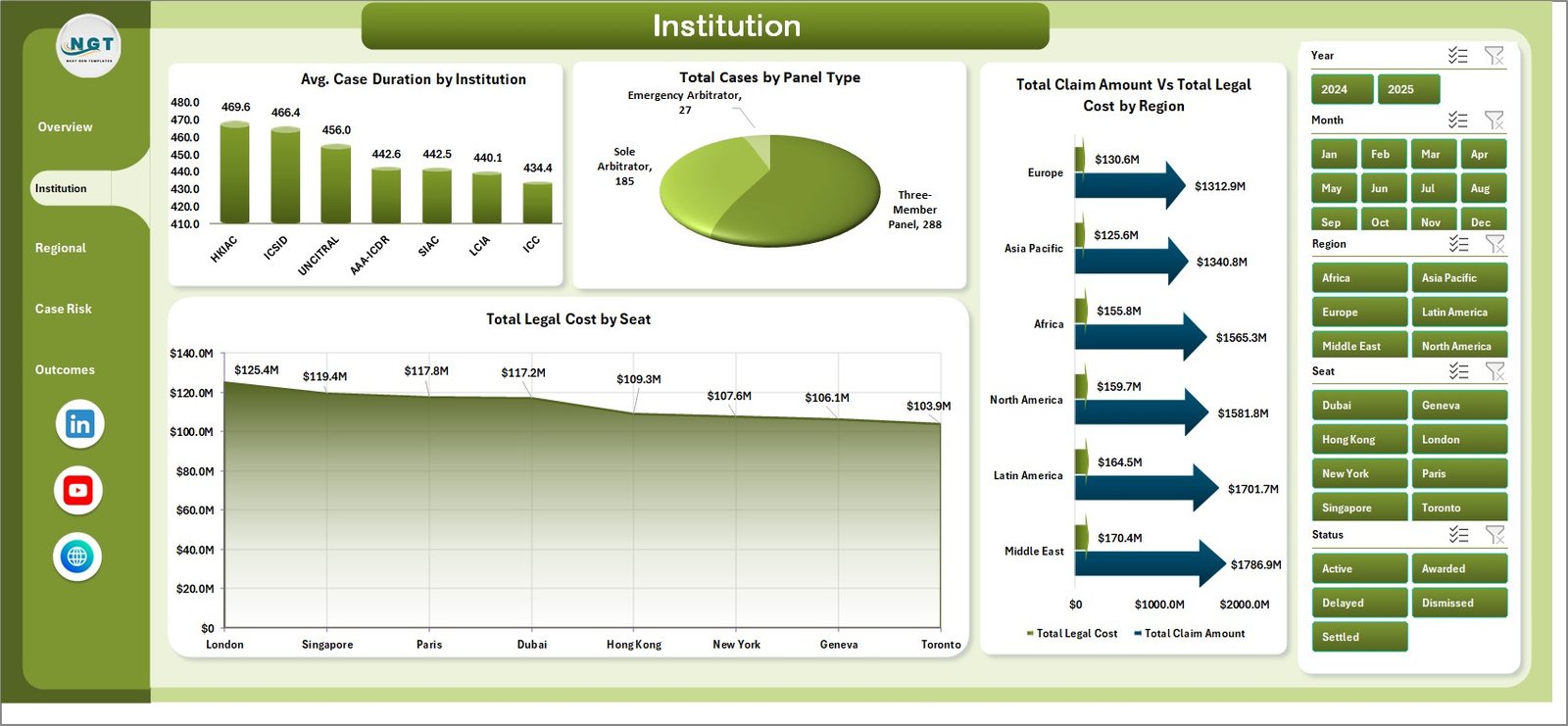
The Institution page focuses on institutional performance, panel structure, regional cost comparisons, and legal cost by seat.
Avg. Case Duration by Institution: This chart compares average case duration by arbitration institution. It helps teams see where matters tend to close faster or require more time.
Total Cases by Panel Type: This visual separates cases by panel type. It supports review of sole arbitrator, three-member panel, or other panel structures.
Total Claim Amount Vs Total Legal Cost by Region: This chart compares financial exposure and legal spending by region. It helps identify regions where legal cost is high relative to claim value.
Total Legal Cost by Seat: This chart ranks arbitration seats by legal cost. It helps legal and finance teams understand where seated proceedings may be more expensive.
Institution
3. Regional
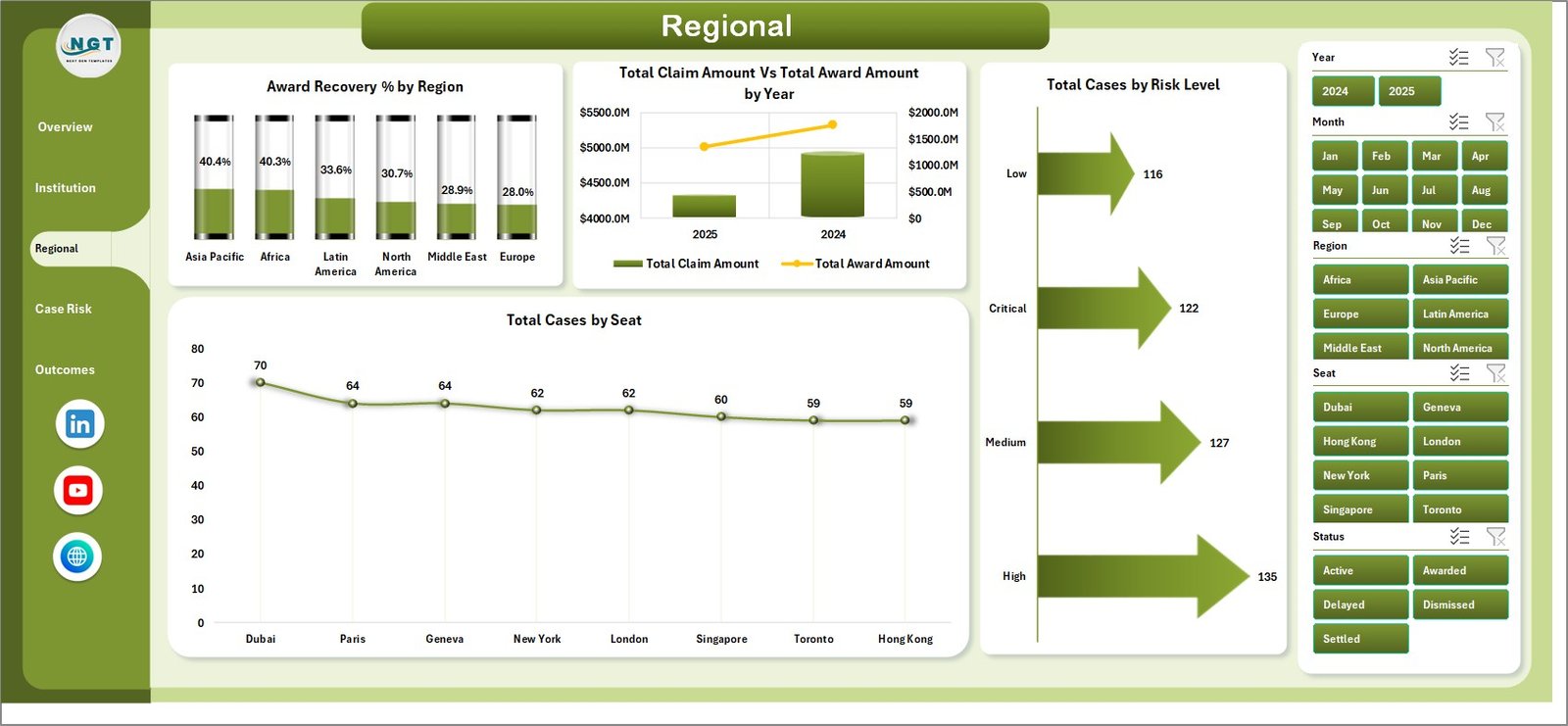
The Regional page helps teams compare recovery, claim value, risk, and seat distribution across geography and time.
Award Recovery % by Region: This chart shows the award amount as a percentage of claim amount by region. It helps compare recovery performance across jurisdictions or markets.
Total Claim Amount Vs Total Award Amount by Year: This trend compares claim and award totals by year. It supports annual review of arbitration value and outcome movement.
Total Cases by Risk Level: This visual groups cases by risk level. It helps managers see whether high-risk matters are increasing or concentrated in the portfolio.
Total Cases by Seat: This chart shows case count by arbitration seat. It helps identify the most frequently used seats and where case activity is clustered.
Regional
4. Case Risk
The Case Risk page is designed for risk review, claim-type analysis, outcome mix, and industry settlement performance.
Avg. Case Duration by Risk Level: This chart compares how long cases take by risk band. It helps teams understand whether higher-risk matters are also creating longer cycle times.
Total Claim Amount by Claim Type: This visual shows claim value by claim category. It helps identify which dispute types carry the highest financial exposure.
Total Cases by Outcome: This chart groups cases by final or current outcome. It helps teams review settlement, award, withdrawal, dismissal, or pending patterns.
Settlement % by Industry: This chart compares settlement rate by industry. It helps spot sectors where disputes are more likely to resolve without a final award.

Case Risk
5. Outcomes
The Outcomes page focuses on financial results, recovery, settlement rate, and time-based settlement patterns.
Total Claim Amount Vs Total Award Amount by Status: This chart compares claim and award values across case statuses. It helps connect status mix with financial outcome expectations.
Award Recovery % by Industry: This visual compares recovery percentage by industry. It helps identify sectors with stronger or weaker award conversion.
Settlement % by Region: This chart compares settlement percentage across regions. It helps teams see where negotiated outcomes are more common.
Settlement % by Month: This trend shows settlement percentage by month. It helps identify timing patterns and periods with higher settlement activity.

Outcomes
6. Data Sheet Tab
The Data Sheet is where users add or replace arbitration case records in the same format as the sample data. Keep column names and field structure consistent so cards, slicers, pivots, and charts continue to refresh correctly.

Data Sheet tab
7. Support Sheet
The Support Sheet contains multiple pivot tables used to create the dashboard dynamically. After updating the Data Sheet, go to the Excel Data ribbon and click Refresh All. All pivots and connected charts refresh together, and the sheet can be hidden for everyday users.

Support sheet tab
International Arbitration Panels Dashboard in Excel vs. Google Sheets vs. Paid Legal CRM/SaaS – Where This Fits
| Feature | This Excel Dashboard | Google Sheets Alternative | Paid Legal SaaS |
|---|---|---|---|
| Cost | $17.99 one-time | Template cost or manual build | Monthly or annual subscription |
| Platform | Microsoft Excel | Browser-based spreadsheet | Vendor cloud platform |
| Setup time | Replace records and refresh pivots | Import data and adjust formulas | Implementation and onboarding |
| Real-time team collaboration | Available through OneDrive or SharePoint | Native collaboration | Usually included by plan |
| Customizable fields | Editable workbook, charts, and pivots | Editable with permissions | Depends on vendor controls |
| Year-1 cost at 5 users | $17.99 plus Excel licensing if needed | Low software cost plus setup time | Often hundreds or thousands |
| Arbitration analytics | Claim, award, cost, seat, institution, risk, outcome, recovery, and settlement views included | Must be built or adapted | May require configuration or premium reporting |
Who This Template Is For – and Who It’s Not For
This template is for arbitration law firms, legal operations teams, case administrators, dispute resolution teams, finance analysts, consultants, and corporate legal departments that track arbitration records and need an editable Excel dashboard.
It is not a case management system, e-filing system, document repository, conflict-checking tool, calendaring system, billing platform, or client portal. It works best when the team already has structured arbitration case data and wants a cleaner reporting layer.
How to Use the International Arbitration Panels Dashboard in Excel
- Download and unzip the product file.
- Open the workbook in Microsoft Excel.
- Go to the Data Sheet and replace sample rows with your arbitration case records.
- Keep the same column structure so the pivot tables and slicers stay connected.
- Open the Data tab in Excel and click Refresh All.
- Use slicers to filter by institution, panel type, region, seat, status, outcome, risk level, industry, month, and year.
- Hide the Support Sheet if you want a cleaner workbook for daily users.
Real-World Use Cases
Anika, arbitration partner: reviews claim amount, award recovery, delayed cases, and outcome mix before a monthly arbitration practice meeting.
Marcus, legal operations manager: uses institution, region, and risk pages to identify long-duration matters, high-cost seats, and high-risk case concentrations.
Priya, finance analyst: compares legal cost, claim amount, award amount, and recovery percentage before preparing dispute portfolio notes.
Frequently Asked Questions
What does this arbitration dashboard track?
It tracks claim amount, award amount, legal cost, case count, satisfaction, delayed cases, institution, panel type, region, seat, status, outcome, risk level, claim type, industry, recovery percentage, and settlement percentage.
Can I replace the sample data?
Yes. Replace or add records in the Data Sheet, keep the same format, then click Refresh All in Excel.
Does the workbook require macros?
No macro workflow is required for the standard dashboard refresh process. The template uses Excel data, pivot tables, slicers, cards, and charts.
Can I customize the dashboard?
Yes. You can edit labels, fields, formulas, charts, pivots, colors, slicers, and worksheet layouts if you are comfortable in Excel.
Can the Support Sheet be hidden?
Yes. The Support Sheet powers the pivot tables and can be hidden after setup.
Is this a subscription?
No. This is a one-time downloadable Excel template from NextGenTemplates.
About the Author
Built by PK – Microsoft Certified Professional with 15+ years of Excel, Google Sheets, and Power BI experience. Founder of NextGenTemplates, reaching 300K+ subscribers across YouTube channels. Every template is hand-built and tested before release.
Explore Related Templates
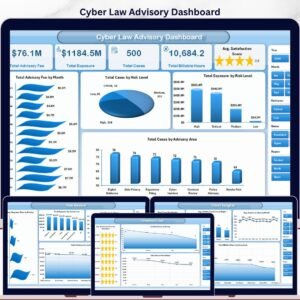
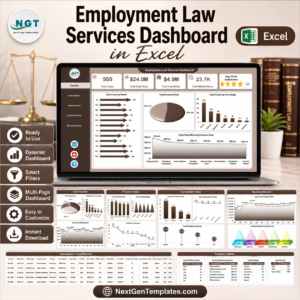
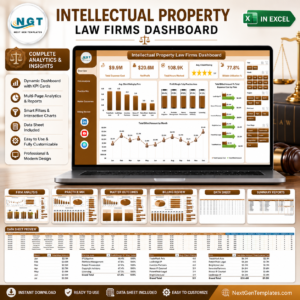
You may also like Intellectual Property Law Firms Dashboard in Excel, Employment Law Services Dashboard in Excel, and Cyber Law Advisory Dashboard in Excel. Browse more Excel Dashboard templates and MS Excel templates.
Read the related blog draft here after review: International Arbitration Panels Dashboard in Excel.
Download the International Arbitration Panels Dashboard in Excel today and start reviewing arbitration claims, awards, costs, institutions, regions, risks, outcomes, recovery, and settlement performance in one editable workbook.
Last updated: June 26, 2026.























Reviews
There are no reviews yet.