
Insurance companies operate in a competitive, highly regulated, and performance-driven environment. Every month, leadership teams must evaluate claims efficiency, underwriting profitability, policy growth, expense ratios, and service quality. However, many insurance businesses still rely on scattered spreadsheets, disconnected reports, and manual calculations.
The result? Delayed insights, unclear performance visibility, and missed improvement opportunities.
The Insurance KPI Scorecard in Google Sheets is designed to eliminate that problem.
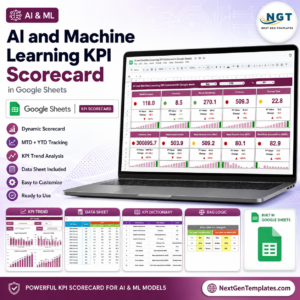
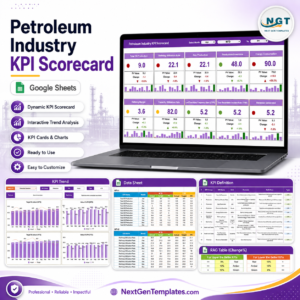
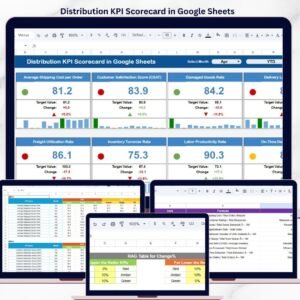
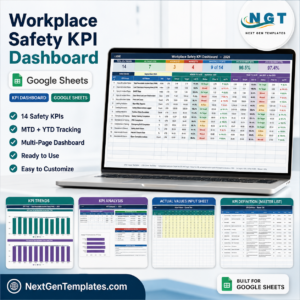
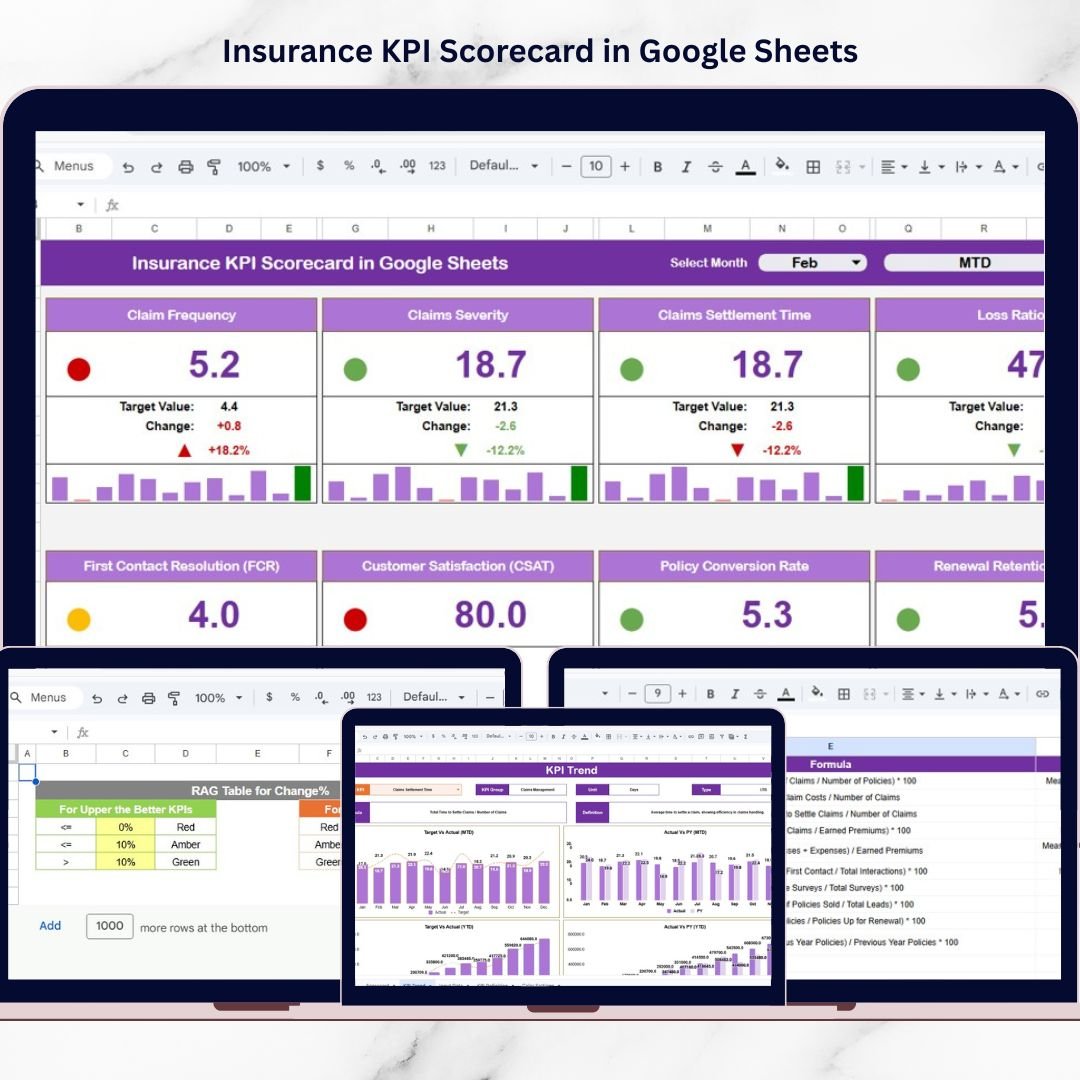
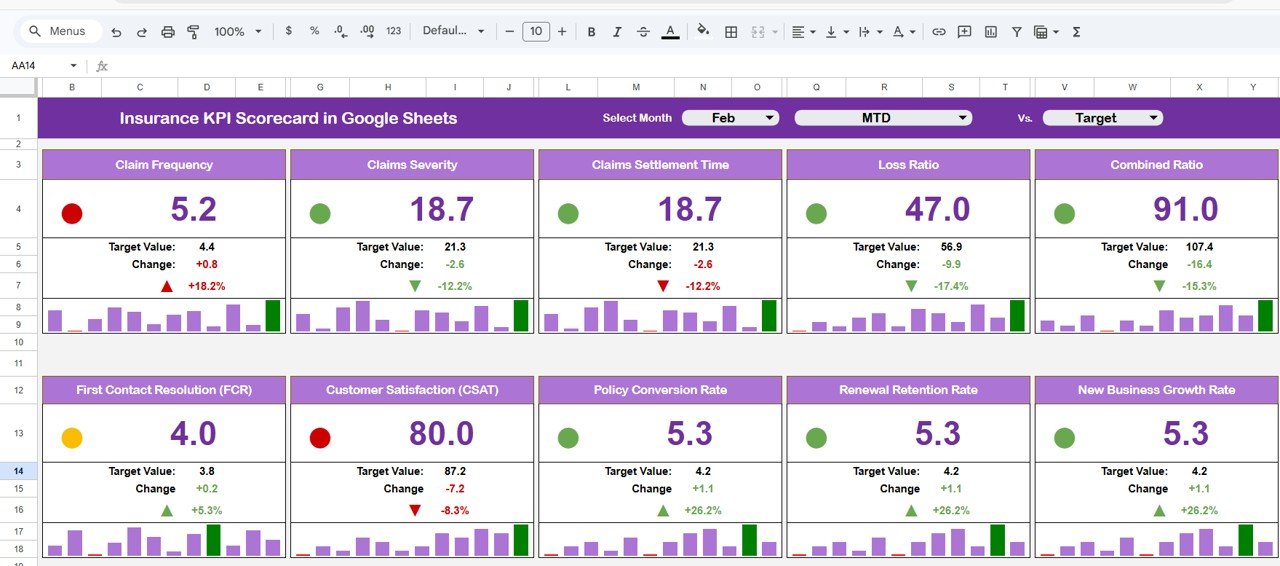
This ready-to-use, interactive performance management template transforms complex insurance data into a structured and visually powerful scorecard. Instead of reviewing multiple reports, managers can monitor 10 critical insurance KPIs in one centralized dashboard.
With dynamic month selection, automated MTD (Month-to-Date) and YTD (Year-to-Date) views, traffic light indicators, and percentage change arrows, this scorecard simplifies decision-making and improves accountability.
Because it is built in Google Sheets, your team collaborates in real time — without version conflicts, expensive BI tools, or complicated setup.
If you want clarity, control, and profitability in your insurance operations, this scorecard is built for you.
🚀 Key Feature of Insurance KPI Scorecard in Google Sheets
✅ Dynamic Month Dropdown – Select any month and instantly update performance results.
✅ MTD & YTD Toggle View – Switch between monthly and yearly analysis with one click.
✅ 10 Critical Insurance KPIs – Structured for financial, operational, and service monitoring.
✅ Traffic Light Indicators – Instantly identify overperformance or risk areas.
✅ Percentage Change Arrows – Visual comparison with previous period.
✅ Automated Target vs Actual Comparison – Immediate performance gap visibility.
✅ KPI Trend Analysis Sheet – Monitor KPI movement over time.
✅ Cloud-Based Collaboration – Real-time team access from anywhere.
✅ Customizable Colour Settings – Align scorecard with your branding.
This is more than a spreadsheet — it is your insurance performance control system.
📦 What’s Inside the Insurance KPI Scorecard in Google Sheets
This template includes multiple structured worksheets for a smooth workflow:
1️⃣ Main Scorecard Sheet (Central Dashboard)
Month dropdown at the top
MTD / YTD performance selection
10 KPI summary view
Actual vs Target comparison
Previous period comparison
Traffic lights & performance arrows
Everything appears on one screen for faster executive decisions.
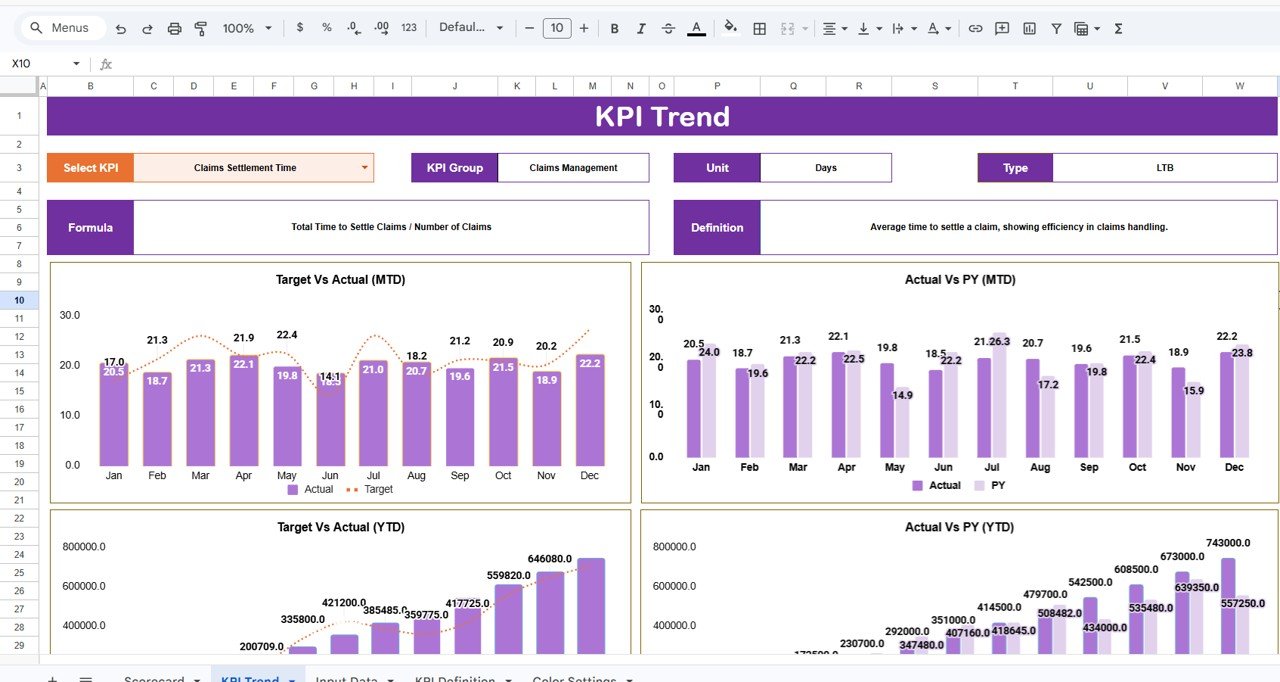
2️⃣ KPI Trend Sheet
KPI dropdown selector (Cell C3)
KPI Group, Unit, and Type (UTB / LTB)
Formula and KPI definition display
Monthly trend visualization
YTD performance tracking
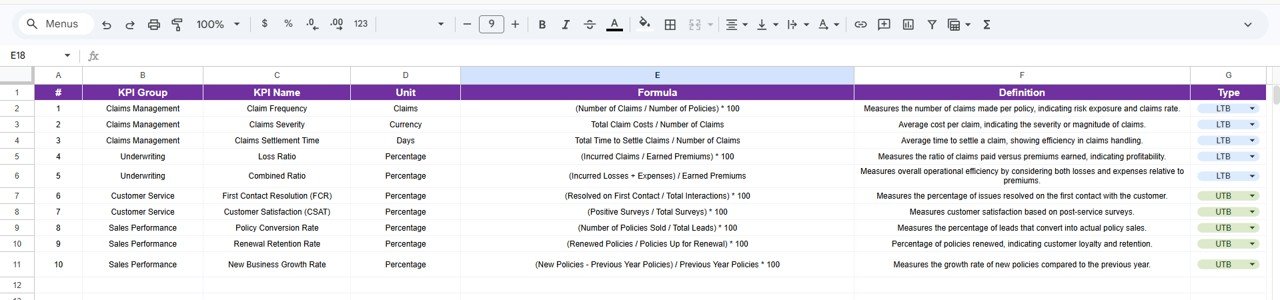
3️⃣ KPI Definition Sheet
KPI Name
KPI Group
Unit
Formula
KPI Definition
KPI Type (Upper the Better / Lower the Better)
Ensures clarity, standardization, and transparency.
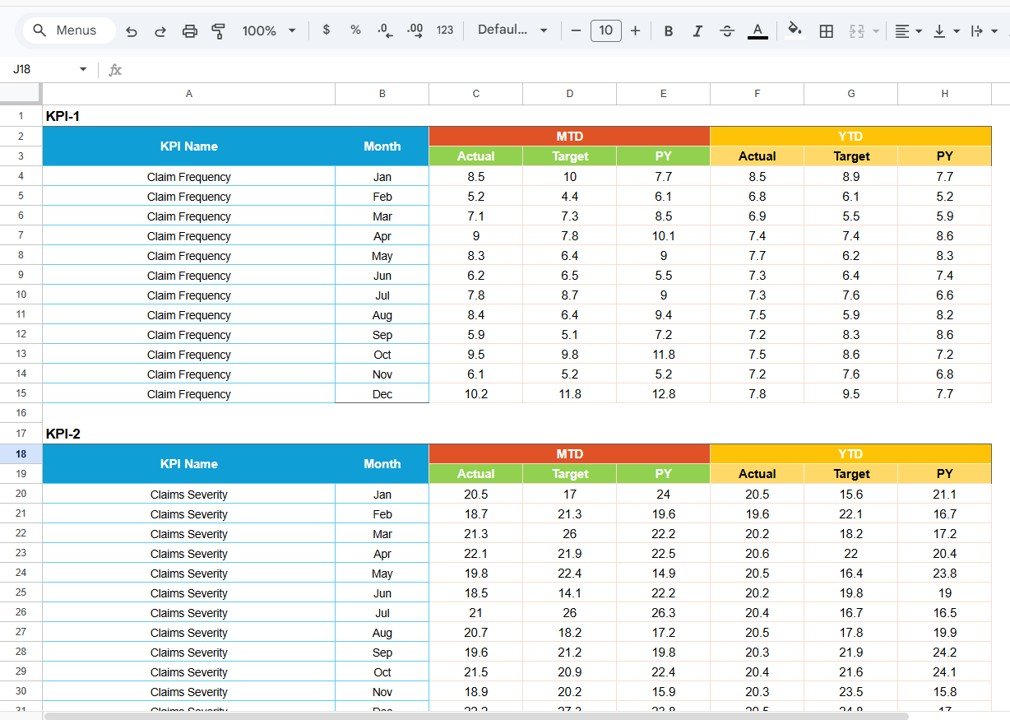
4️⃣ Data Input Sheet
Enter monthly actual values
Enter targets
Maintain previous period numbers
Automated dashboard updates
Simple workflow: Input → Calculate → Visualize → Analyze.
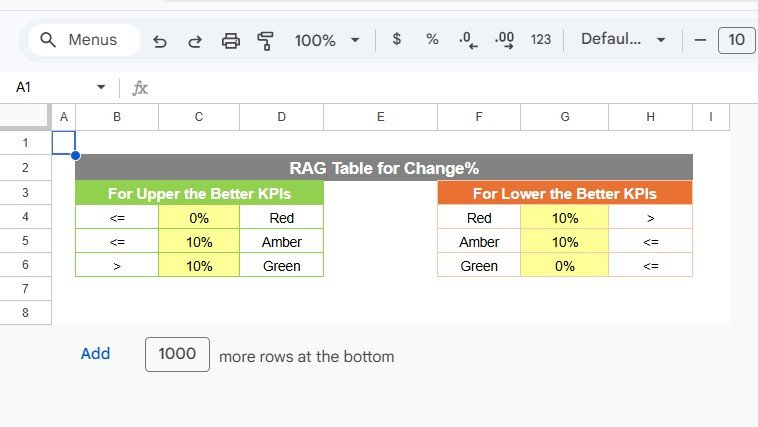
5️⃣ Colour Settings Sheet
Customize traffic light colors
Adjust arrow colors
Modify performance thresholds
Maintain professional presentation and brand alignment.
⚙️ How to Use the Insurance KPI Scorecard in Google Sheets
Using this scorecard is simple:
Enter monthly actual and target values in the Data Input Sheet.
Update previous period numbers for comparison.
Select the desired month from the dropdown.
Toggle between MTD and YTD view.
Review traffic lights and percentage indicators.
Use the Trend Sheet for deeper KPI movement analysis.
Within minutes, leadership gains complete performance visibility.
👥 Who Can Benefit from This Insurance KPI Scorecard in Google Sheets
This scorecard is ideal for:
Insurance companies
Insurance agencies
Underwriting teams
Claims departments
Sales managers
Finance teams
Compliance officers
Insurance consultants
Whether you run a small agency or a large insurance firm, this scorecard helps you track performance professionally.
By centralizing operational, financial, and service KPIs, this scorecard eliminates confusion and improves decision-making speed. Managers identify profitability risks early, monitor claim processing efficiency, and optimize underwriting control.
Instead of reactive management, you move toward proactive, data-driven growth.
If you want structured KPI monitoring with automated comparisons and visual performance indicators, this Insurance KPI Scorecard delivers exactly what your organization needs.
### Click here to read the Detailed blog post
Watch the step-by-step video tutorial:
### Visit our YouTube channel to learn step-by-step video tutorials
👉 https://www.youtube.com/@NeotechNavigators
Compatibility and Requirements
- Works in Google Sheets. You need a free Google account and a web browser.
- You pick the month and the KPI from dropdowns. Google explains dropdowns in Create an in-cell dropdown list.
More Questions About This Template
How many KPIs does the scorecard track?
It tracks 10 insurance KPIs on the main scorecard sheet, with actual versus target values, previous period comparison, traffic lights and percentage change arrows.
Can I switch between monthly and yearly results?
Yes. Pick a month from the dropdown at the top, then toggle between the MTD and YTD views.
Where do I enter my numbers?
Use the Data Input sheet. Enter monthly actual values, targets and previous period numbers, and the scorecard updates.
How do I see how one KPI moves over time?
Open the KPI Trend sheet and choose the KPI in cell C3. It shows the KPI group, unit and type (UTB or LTB), the formula, the definition and the monthly and YTD trend.
Is there an Excel or Power BI version?
Yes. See the Insurance KPI Scorecard in Excel and the Insurance KPI Dashboard in Power BI.
Related Insurance Templates
- Insurance Dashboard in Google Sheets: an insurance dashboard on the same platform
- Insurance KPI Scorecard in Excel: the same scorecard for Excel
- Insurance KPI Dashboard in Excel: a KPI dashboard view in Excel
- Insurance KPI Dashboard in Power BI: the Power BI edition
- Google Sheets Business Pack (Pro): 14 business templates for Google Sheets in one download
Browse all Google Sheets KPI dashboards.