

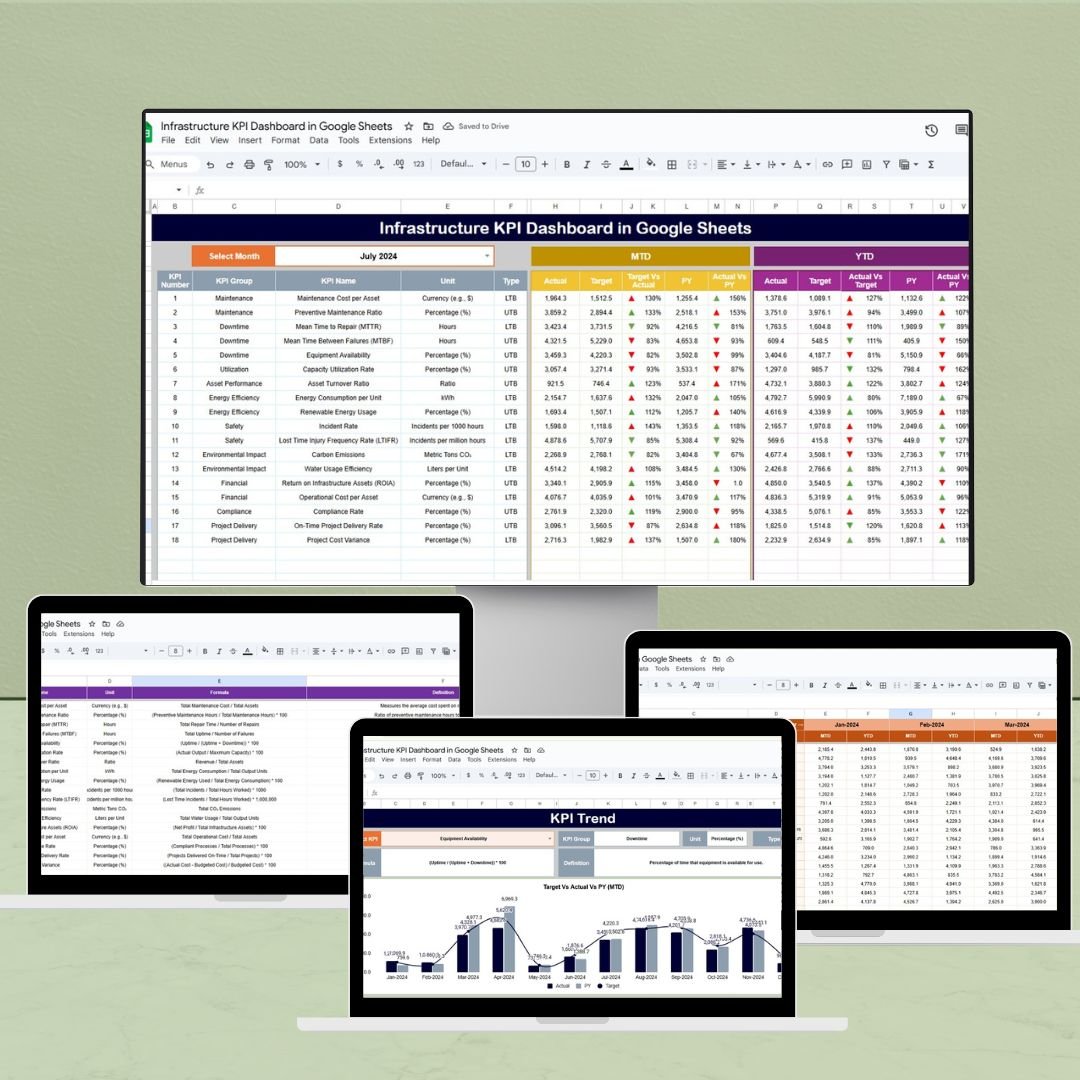
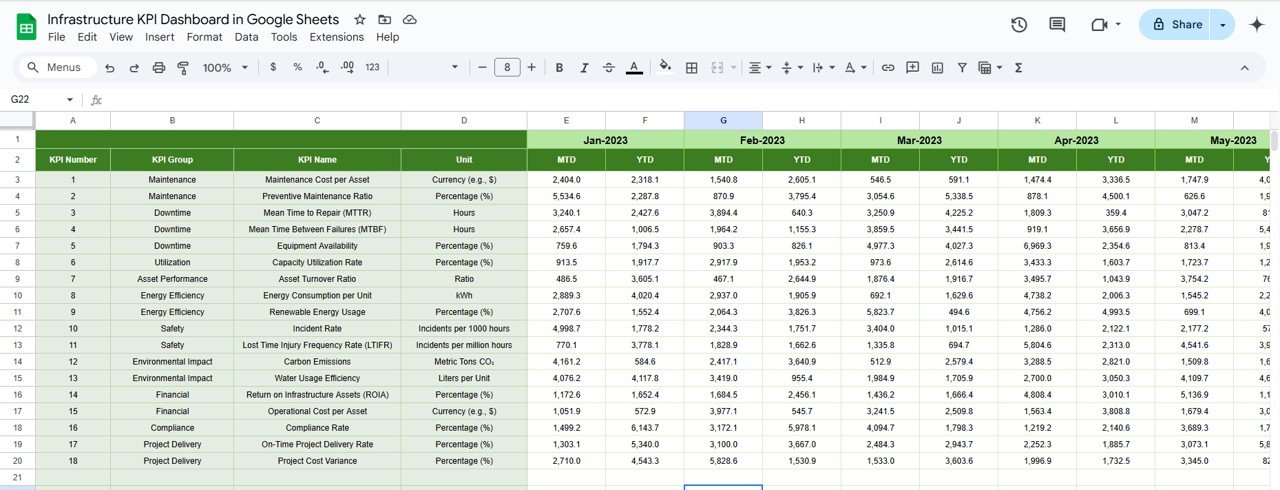
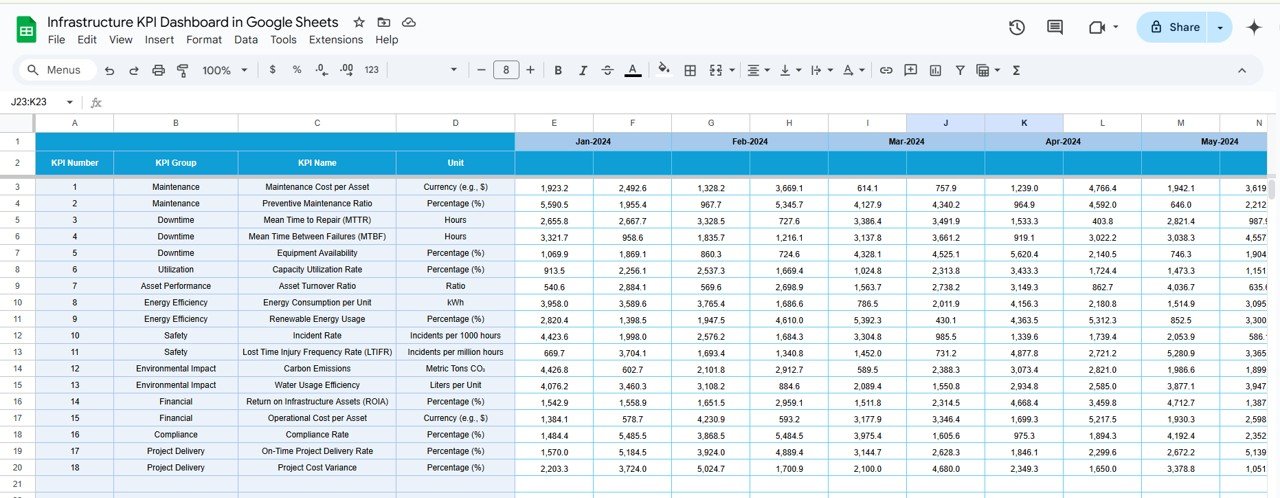

The Infrastructure KPI Dashboard in Google Sheets is a comprehensive and intuitive tool designed to help organizations monitor and optimize their infrastructure performance. Whether you’re managing IT systems, data centers, or network operations, this dashboard provides a centralized platform to track key performance indicators (KPIs) and make data-driven decisions.
Built within the versatile Google Sheets environment, this dashboard offers real-time data visualization, automated calculations, and customizable templates to suit your specific infrastructure needs.
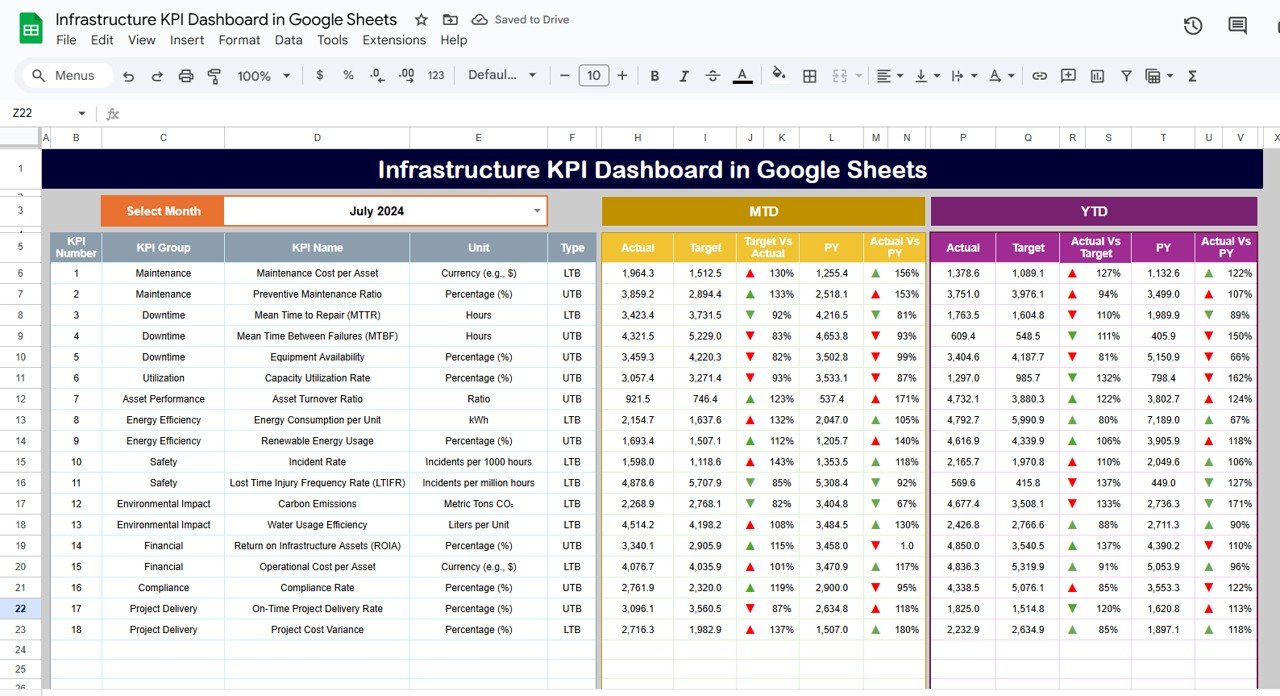
Key Features:
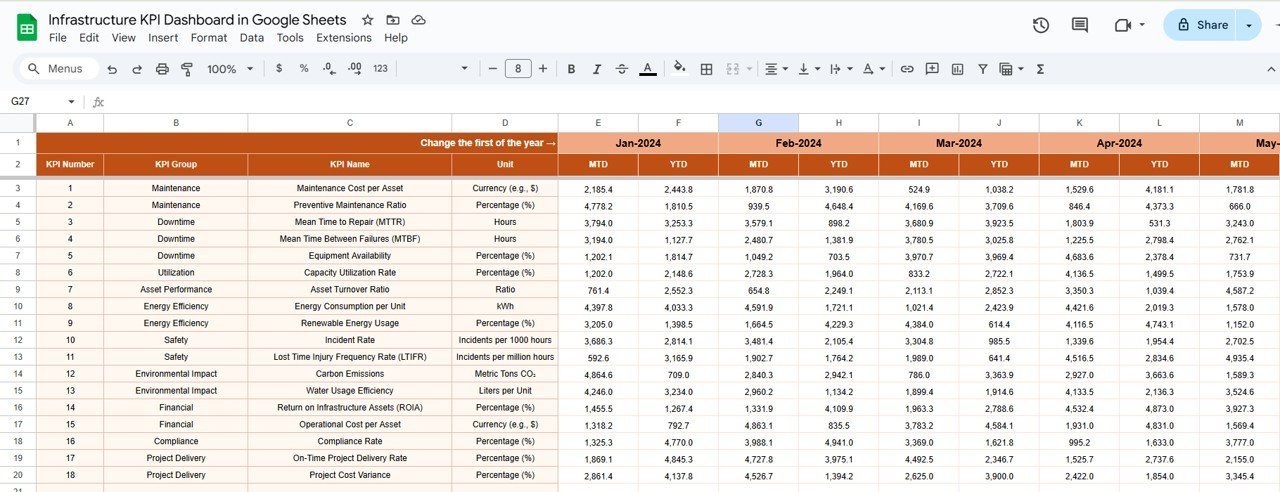
Real-Time Data Integration: Seamlessly integrate data from various sources to ensure up-to-date information at your fingertips.
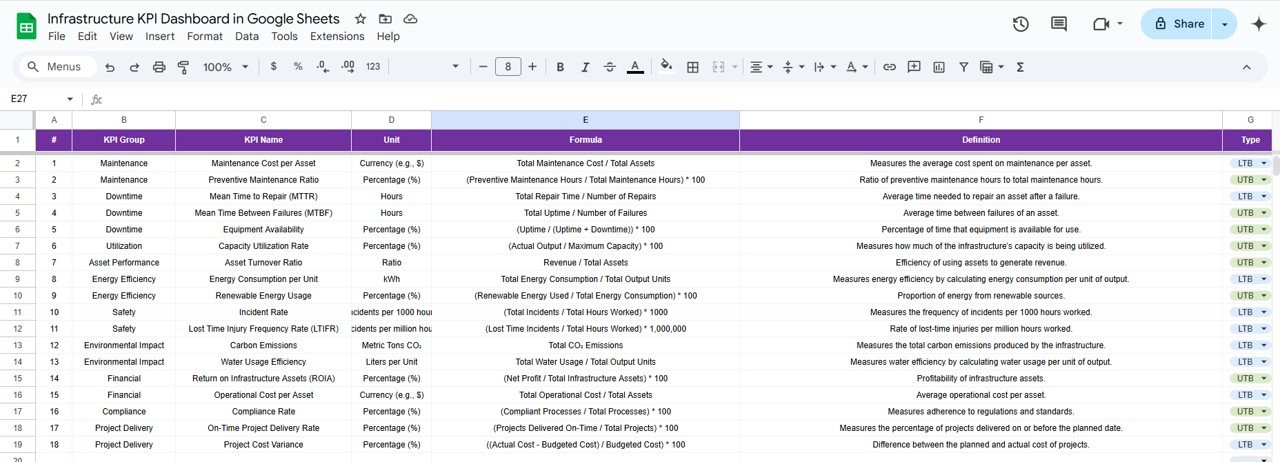
Customizable KPIs: Tailor the dashboard to track the metrics that matter most to your organization, such as uptime, latency, and throughput.
Automated Calculations: Utilize built-in formulas to automatically calculate averages, percentages, and trends, reducing manual effort and minimizing errors.
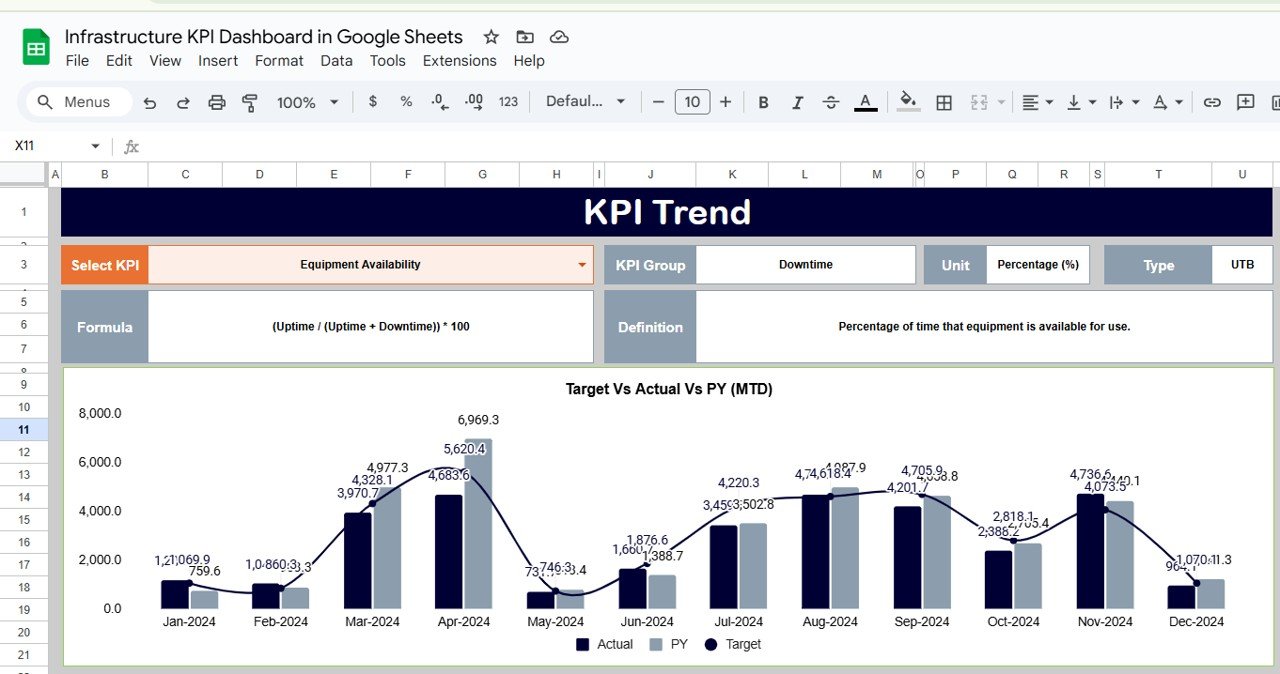
Visual Dashboards: Leverage charts and graphs to visualize performance trends, making it easier to identify areas for improvement.
User-Friendly Interface: Navigate through the dashboard with ease, thanks to its intuitive design and clear layout.
Benefits:
Enhanced Decision-Making: Access to real-time data and visual insights empowers stakeholders to make informed decisions promptly.
Improved Efficiency: Automated processes and centralized data reduce the time spent on manual reporting and analysis.
Scalability: As your infrastructure grows, the dashboard can be easily updated to accommodate new KPIs and data sources.
Cost-Effective: Utilize the free and widely accessible Google Sheets platform, eliminating the need for expensive software solutions.
How to Use:
Download the Template: Access the Google Sheets template provided.
Input Data: Enter your infrastructure data into the designated fields.
Customize KPIs: Adjust the dashboard to reflect the KPIs relevant to your operations.
Analyze Trends: Use the visual tools to identify performance trends and areas needing attention.
Make Informed Decisions: Leverage the insights gained to optimize your infrastructure performance.
Who Can Benefit:
IT Managers: Oversee and optimize IT infrastructure performance.
Network Administrators: Monitor and manage network operations effectively.
Data Center Operators: Ensure data center efficiency and uptime.
Business Analysts: Analyze infrastructure data to support strategic decision-making.
By implementing the Infrastructure KPI Dashboard in Google Sheets, organizations can gain a comprehensive view of their infrastructure performance, leading to more informed decisions and improved operational efficiency.
Click here to read the Detailed blog post
Visit our YouTube channel to learn step-by-step video tutorials
Youtube.com/@PKAnExcelExpert
Watch the step-by-step video Demo:
Compatibility and Requirements
- Works in Google Sheets. You need a free Google account and a web browser.
- To change or add charts, see Google’s guide Add & edit a chart or graph.
Frequently Asked Questions
Which infrastructure KPIs can I track?
You can track metrics such as uptime, latency and throughput, and add the KPIs your organization needs.
Does the dashboard calculate results for me?
Yes. Built-in formulas calculate averages, percentages and trends automatically.
How are trends shown?
Charts and graphs show performance trends so you can spot areas that need attention.
Can it grow with my infrastructure?
Yes. You can add new KPIs and data sources as your infrastructure grows.
Is there an Excel version?
Yes. The Infrastructure KPI Dashboard in Excel covers the same topic in Excel.
Related Infrastructure Templates
- Infrastructure KPI Dashboard in Excel: the same topic in Excel
- IT Infrastructure KPI Dashboard in Google Sheets: focus on IT systems
- Telecommunications Infrastructure KPI Dashboard in Google Sheets: focus on telecom networks
- Infrastructure KPI Scorecard in Excel: score infrastructure KPIs against targets
- IT Manager & CISO Toolkit: 10 IT templates in one download
Browse all Google Sheets KPI dashboards or the Excel IT templates.






























Reviews
There are no reviews yet.