

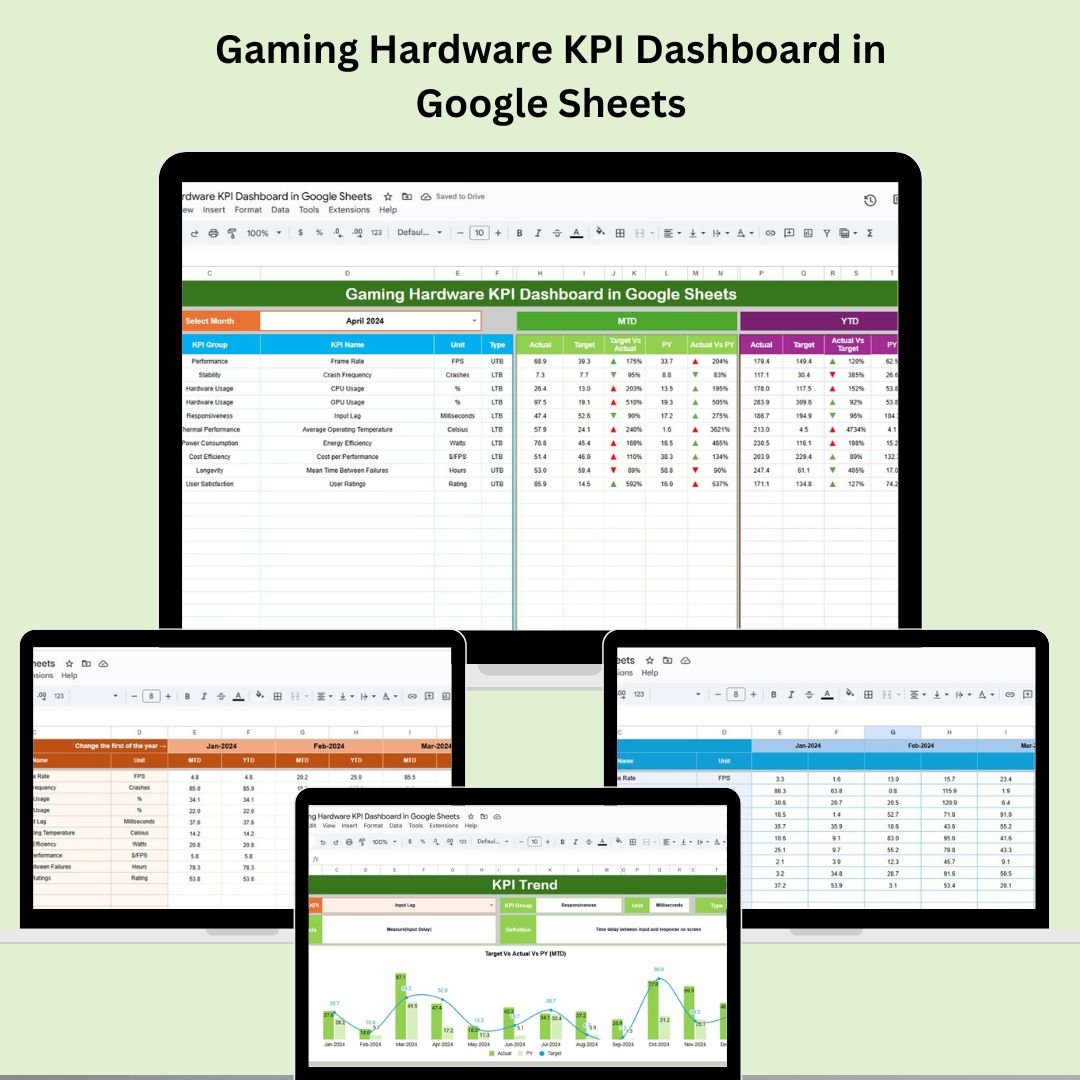

In the ultra-competitive world of gaming hardware, performance is everything. Whether you’re a manufacturer, retailer, or distributor, tracking the right metrics can make or break your success. Introducing the Gaming Hardware KPI Dashboard in Google Sheets – a powerful, ready-to-use template designed to help you monitor, manage, and master your hardware operations with real-time clarity. 💡📊
With this all-in-one Google Sheets dashboard, you can track sales volume, production efficiency, product returns, customer satisfaction, and more. It’s built for professionals who demand data accuracy, flexibility, and simplicity – no advanced spreadsheet skills required! 🧠✅
🔑 Key Features of Gaming Hardware KPI Dashboard
✅ MTD & YTD Insights
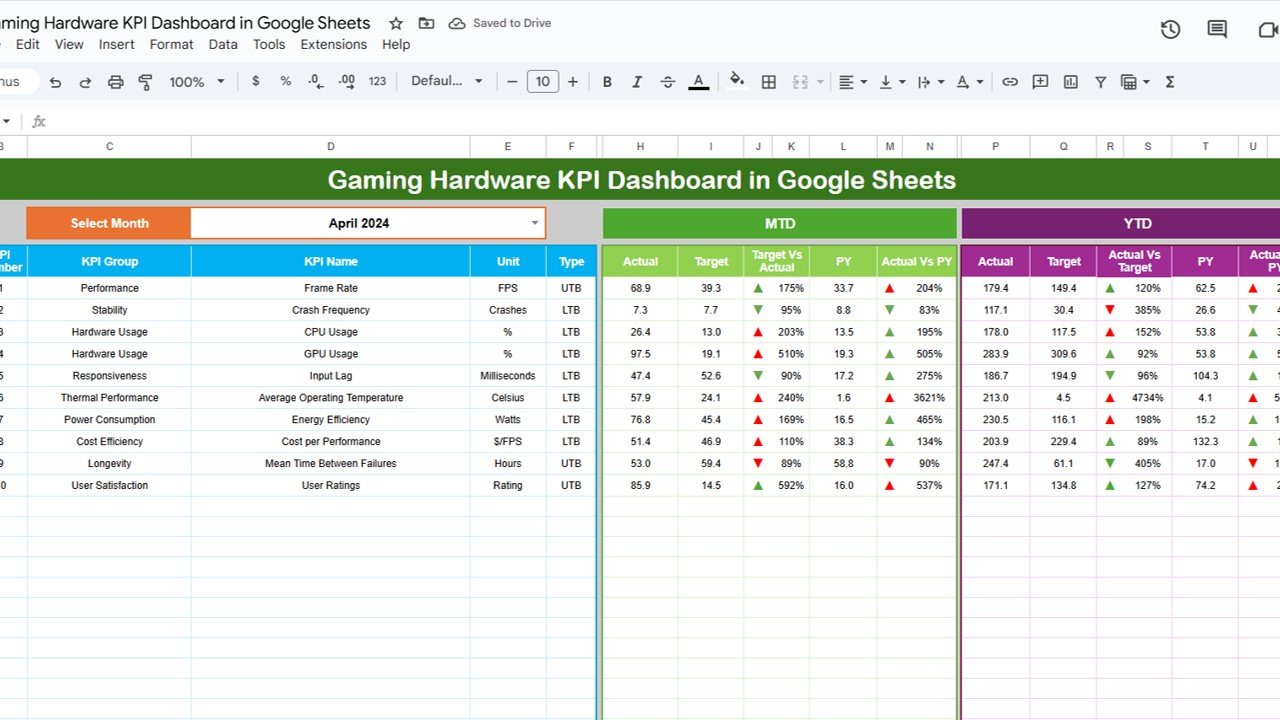
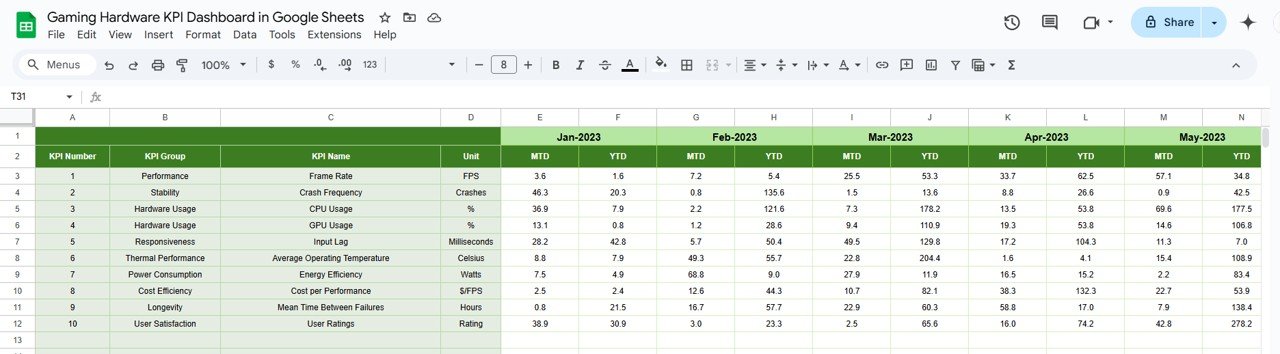
Track both Month-to-Date and Year-to-Date performance with automatic updates when you change the month from the control cell.
🎯 Target vs Actual Analysis
Compare actuals against predefined targets and previous year data using built-in conditional formatting and visual indicators.
📈 Trend Monitoring
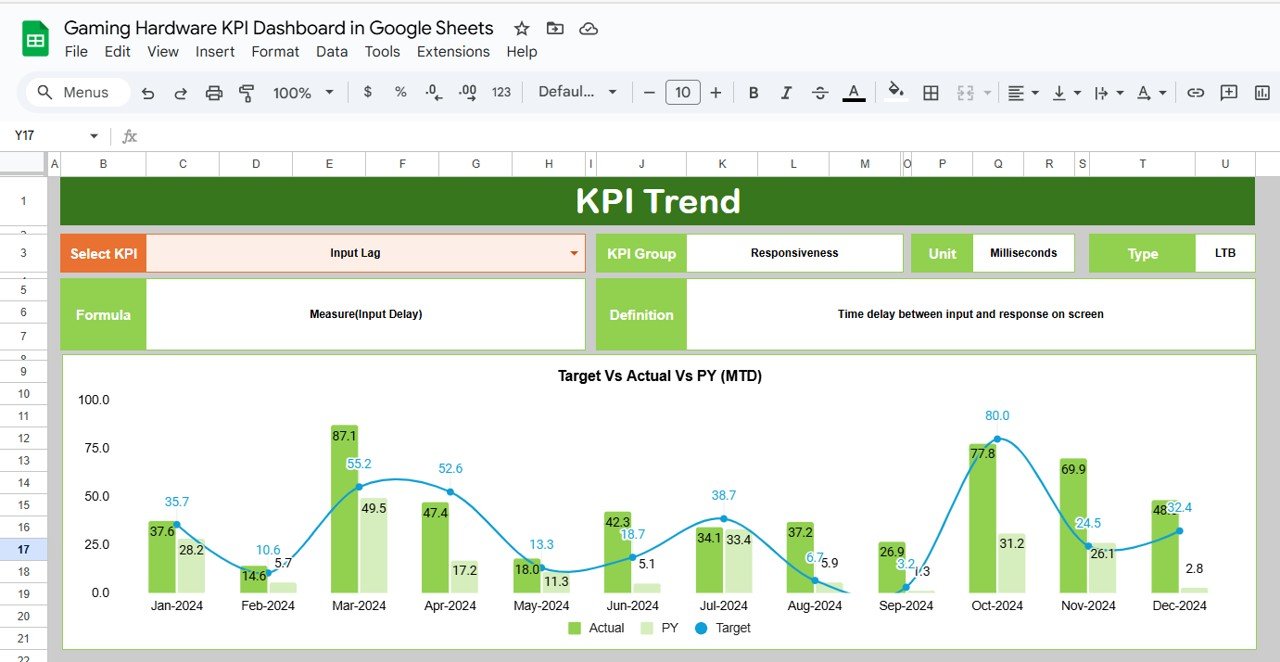
Use the KPI Trend Sheet to select individual KPIs and monitor their historical behavior, helping you identify patterns and performance gaps.
🛠️ Fully Customizable Structure
Add your own KPIs, redefine columns, change formulas – the dashboard scales with your business needs.
🧩 Defined KPI Metrics
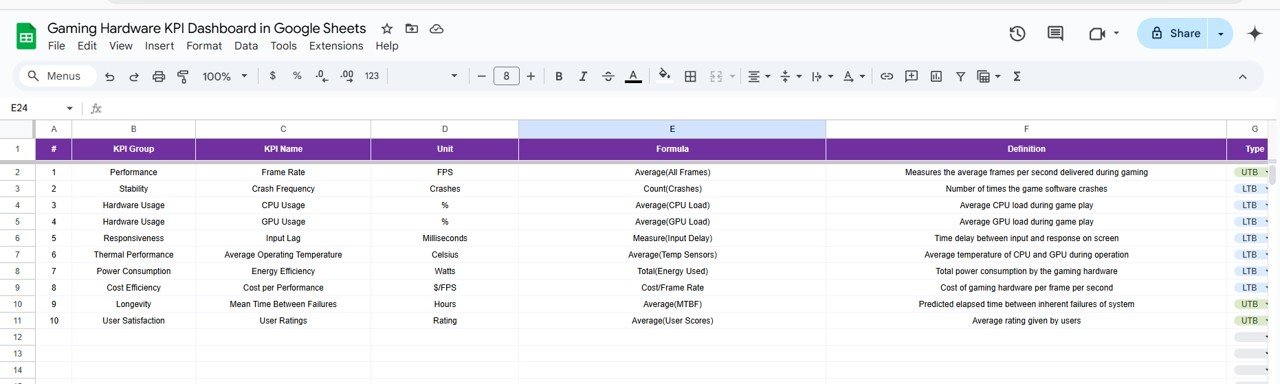
The KPI Definition Sheet ensures every team member understands the formula, unit, and objective (UTB/LTB) for every KPI tracked.
📦 What’s Inside the Gaming Hardware KPI Dashboard
This dashboard includes 6 intelligently structured worksheets:
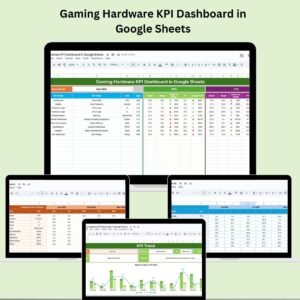
Dashboard Sheet Tab – The main control center with KPI cards, up/down arrows, and visual indicators.
KPI Trend Sheet Tab – Select any KPI and view historical monthly data to analyze improvement or decline.
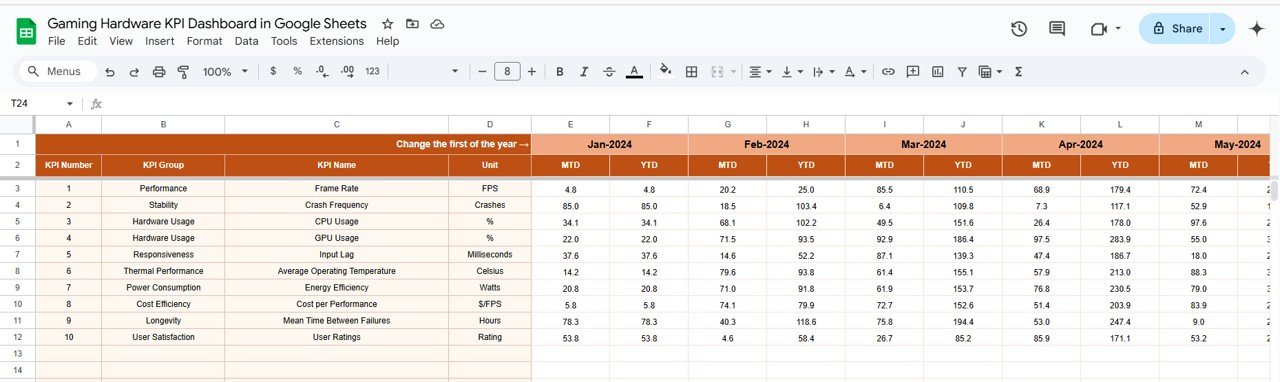
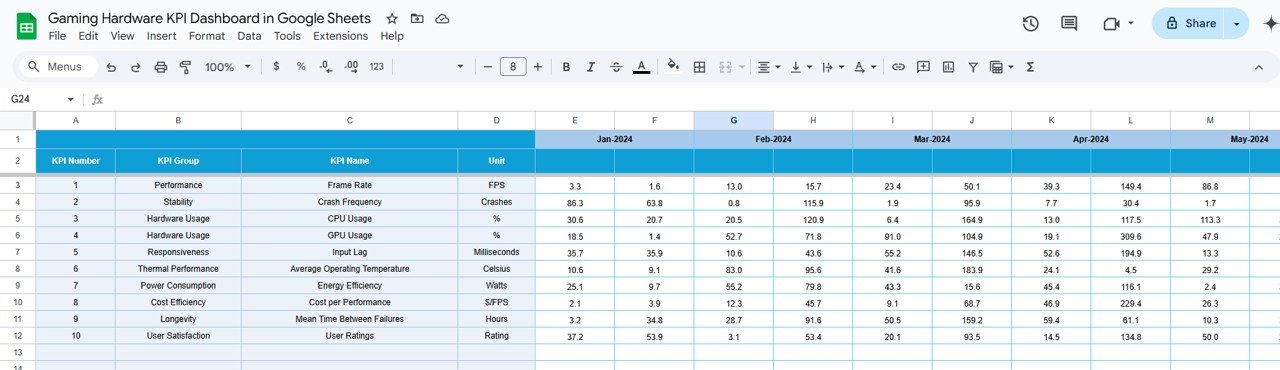
Actual Number Sheet Tab – Enter real-time sales, returns, production, or customer feedback for each KPI.
Target Sheet Tab – Define your monthly MTD and YTD targets for each KPI.
Previous Year Sheet Tab – Record last year’s data to enable PY vs. Actual comparisons.
KPI Definition Sheet Tab – View each KPI’s formula, group, unit, and type (UTB or LTB).
Each sheet is linked and auto-updated for dynamic, real-time reporting. ⚙️📊
🧑💼 How to Use the Gaming Hardware KPI Dashboard
✔ Step 1: Input actual values into the Actual Number Sheet for the current month
✔ Step 2: Enter your target values in the Target Sheet
✔ Step 3: Fill out last year’s data in the Previous Year Sheet
✔ Step 4: Use the KPI Trend Sheet to select and analyze individual metrics
✔ Step 5: Monitor your progress and performance from the Dashboard Sheet using KPI cards and charts
No complex formulas to learn. Just enter the data and the dashboard does the rest. 🖥️✨
🎯 Who Can Benefit from This Dashboard?
✅ Gaming Hardware Manufacturers – Track performance, quality, and delivery metrics.
✅ Retailers & Distributors – Monitor sales, returns, and customer satisfaction rates.
✅ Production Managers – Optimize output and defect rates by evaluating production efficiency.
✅ Sales Teams – Use conversion data to identify best-selling hardware and underperformers.
✅ Business Analysts – Gain deep insights with historical KPI trends and advanced comparisons.
Whether you’re scaling a startup or managing a large product line, this dashboard is your go-to companion for business intelligence. 📈🕹️
🔗 Click here to read the Detailed Blog Post
Watch the step-by-step video Demo:
Watch the step-by-step video Demo:
📺 Visit our YouTube channel to learn step-by-step video tutorials
Compatibility and Requirements
- Works in Google Sheets. You need a free Google account and a web browser.
- The KPI Trend sheet lets you pick a KPI from a dropdown. Google explains dropdowns in Create an in-cell dropdown list.
Frequently Asked Questions
Which sheets are included?
Six sheets: Dashboard, KPI Trend, Actual Number, Target, Previous Year and KPI Definition.
How do I update the dashboard?
Enter the current month’s values in the Actual Number sheet and your MTD and YTD goals in the Target sheet. Change the month in the control cell and the dashboard updates.
Can I compare this year with last year?
Yes. Record last year’s data in the Previous Year sheet and the dashboard compares it with your actuals and targets.
Can I add my own KPIs?
Yes. You can add KPIs, redefine columns and change formulas. The KPI Definition sheet shows each KPI’s formula, group, unit and type (UTB or LTB).
Is there an Excel or Power BI version?
Yes. See the Gaming Hardware KPI Dashboard in Excel and the Gaming Hardware KPI Dashboard in Power BI.
Related Gaming Templates
- Gaming Hardware KPI Dashboard in Excel: the same KPIs in Excel
- Gaming Hardware KPI Dashboard in Power BI: the Power BI edition
- Gaming KPI Dashboard in Google Sheets: a general gaming KPI view
- Gaming Console KPI Dashboard in Google Sheets: KPIs for console products
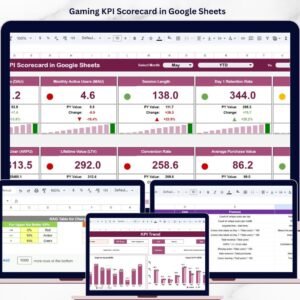
- Gaming KPI Scorecard in Google Sheets: a scorecard view of gaming metrics
Browse all Google Sheets KPI dashboards.







Reviews
There are no reviews yet.