

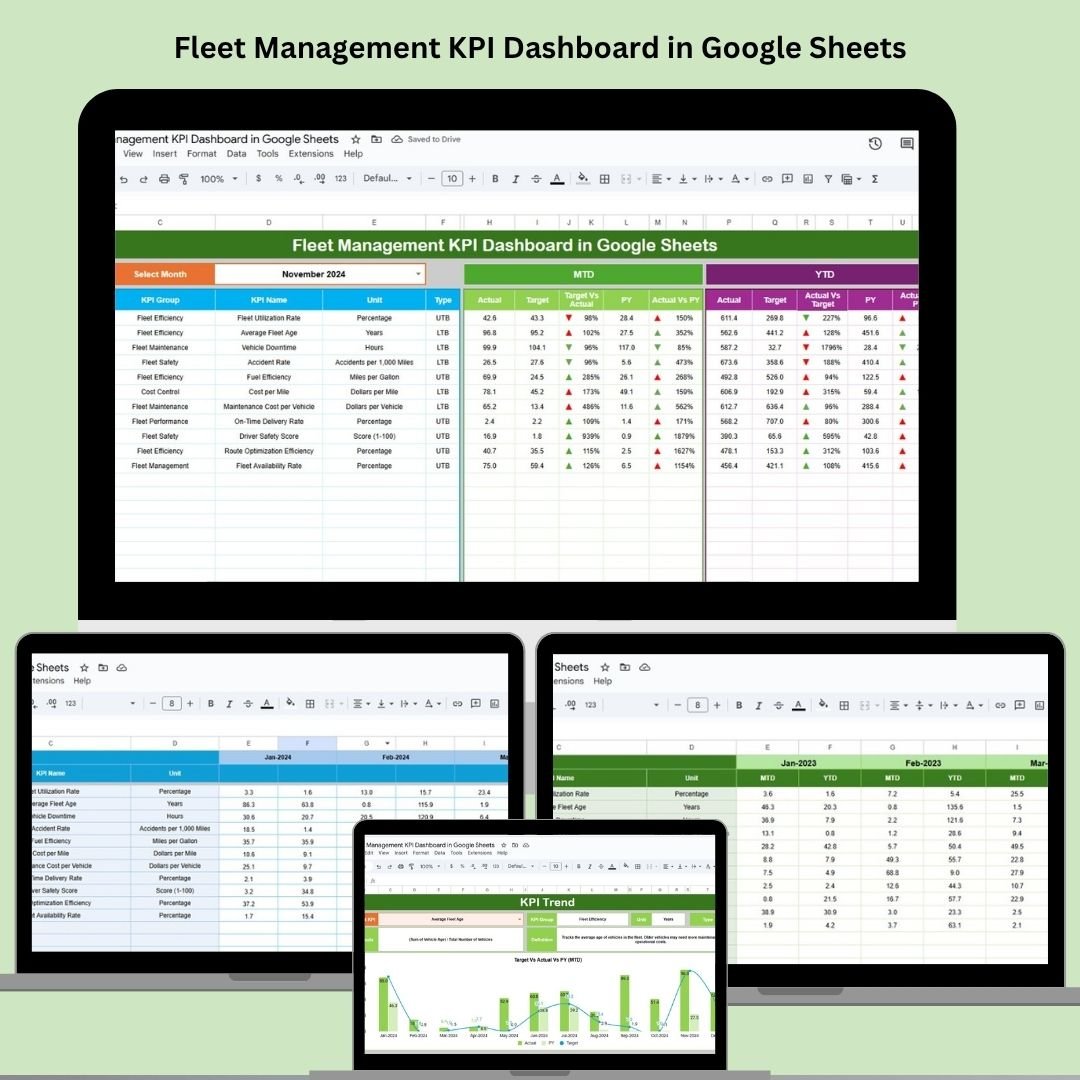
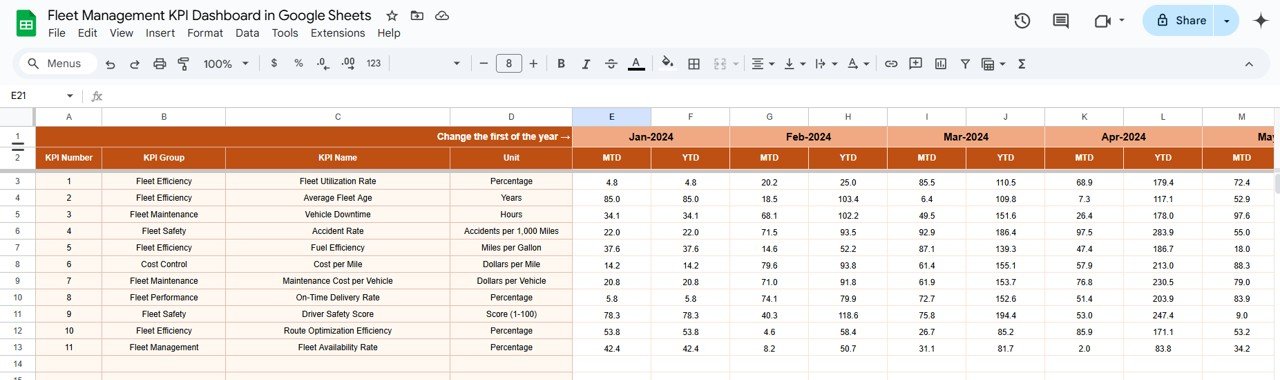
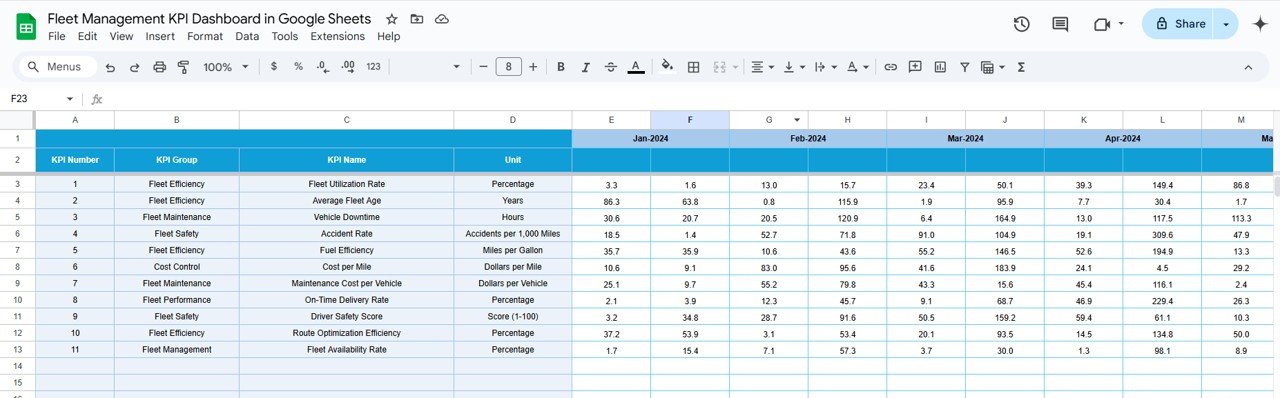
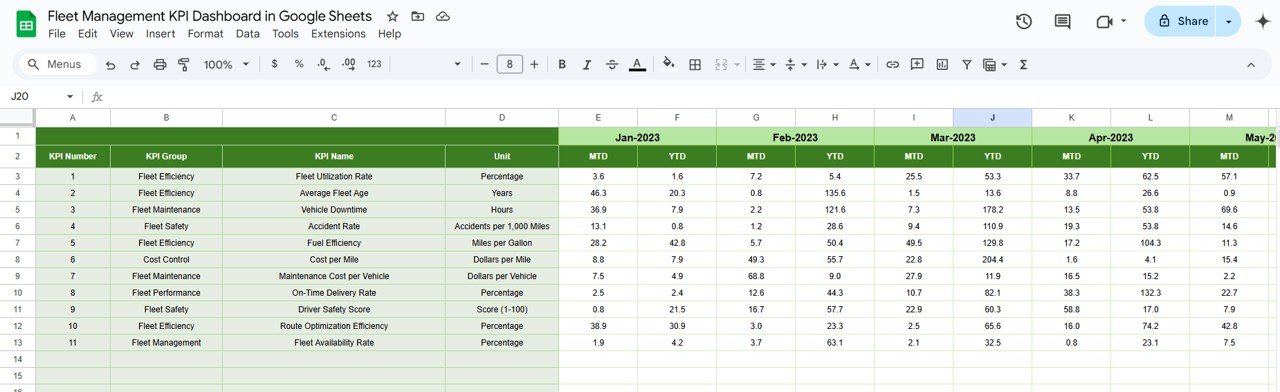

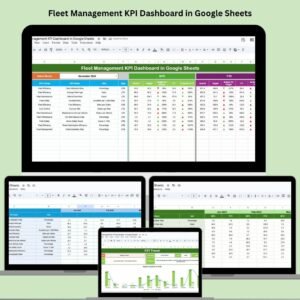
Manage your fleet operations smarter, faster, and more efficiently with the Fleet Management KPI Dashboard in Google Sheets. This fully-interactive, ready-to-use dashboard helps fleet managers and logistics teams monitor key performance indicators—fuel efficiency, vehicle utilization, maintenance costs, and more—directly from a dynamic Google Sheets interface.
Whether you operate a small delivery fleet or oversee an enterprise transportation network, this dashboard provides real-time insights to help you lower costs, boost vehicle uptime, and optimize driver performance.
🔑 Key Features of the Dashboard
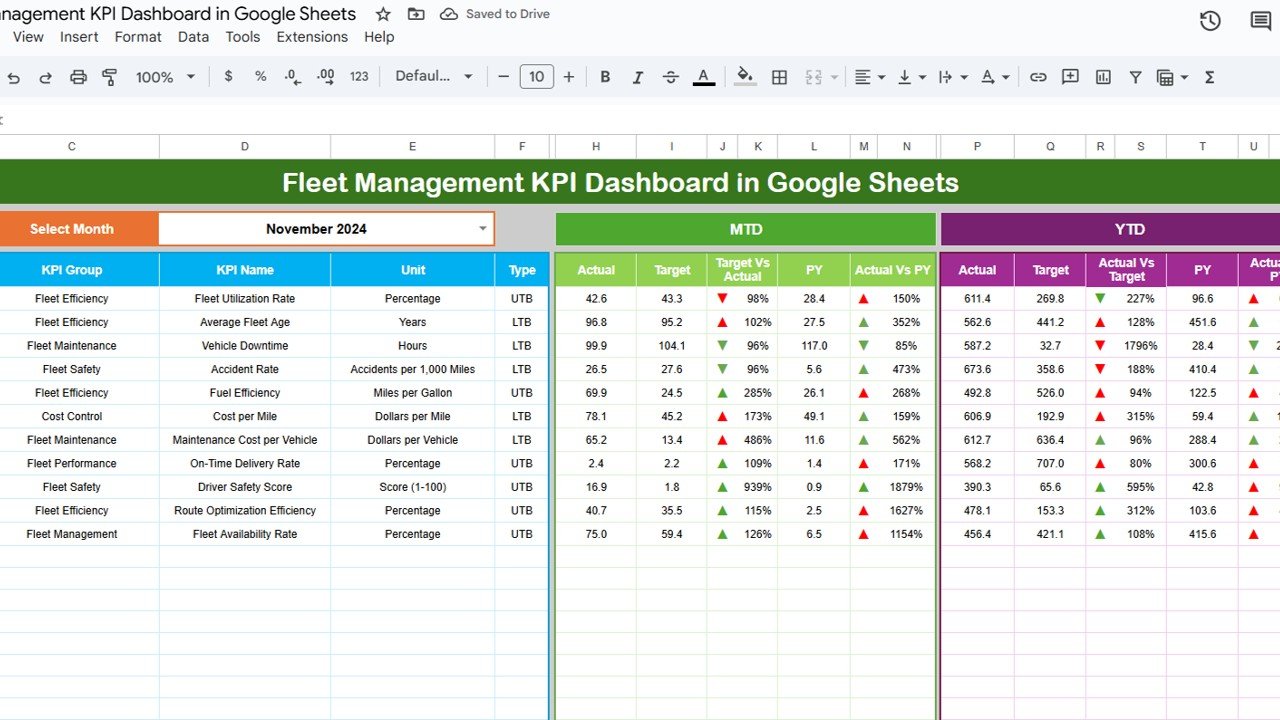
📊 Dashboard Sheet Tab
Cards for Quick KPIs: MTD Actual, Target, Previous Year, YTD, and Target vs Actual (with up/down arrows)
Visual Charts: Easily digest fleet data through responsive bar, pie, and column charts
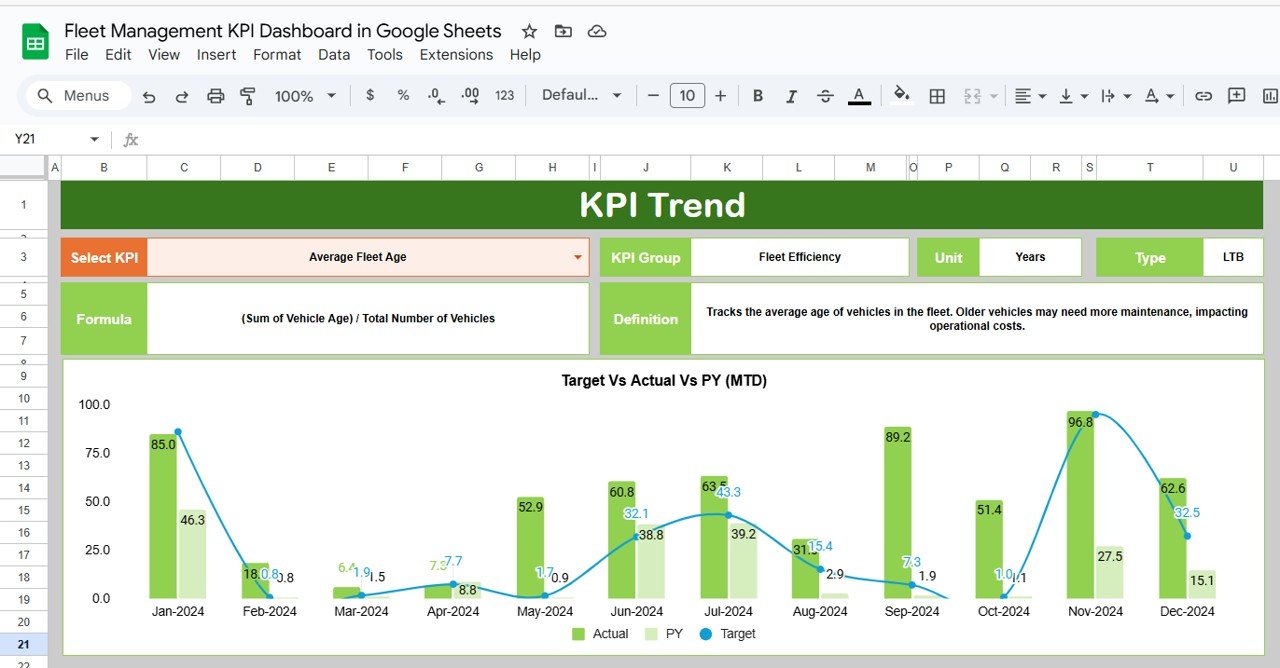
📈 KPI Trend Sheet Tab
Dropdown Selection: Choose any KPI to view historical trends
Details Shown:
KPI Group (e.g., Maintenance, Utilization)
Unit (e.g., Liters, Miles, Hours)
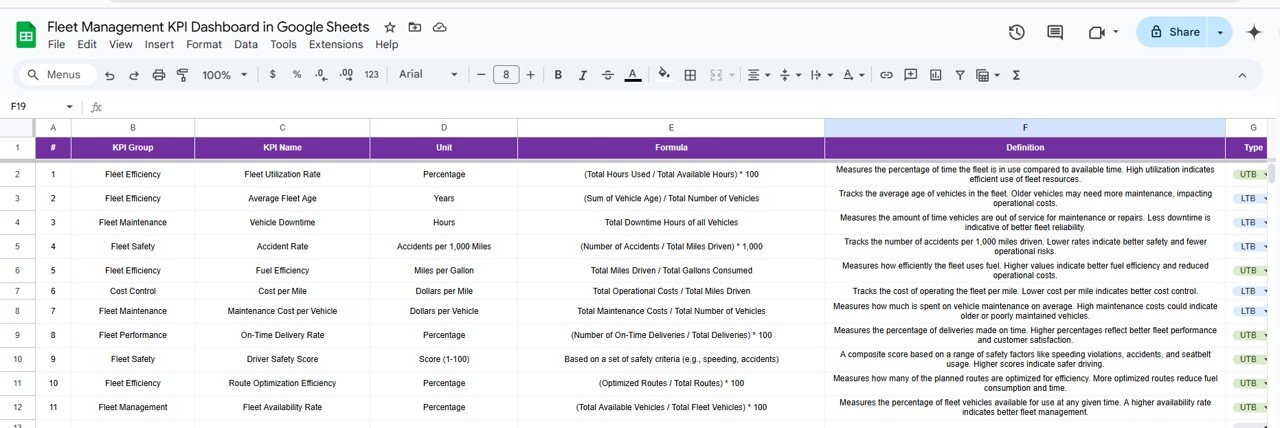
Formula
Type (UTB or LTB)
🧮 Actual Number Sheet Tab
Input actual fleet metrics by month
Auto-calculates MTD and YTD values
Feeds the dashboard and trend charts in real time
🎯 Target Sheet Tab
Set monthly targets for each KPI
Compare actual vs expected to identify underperformance early
🕒 Previous Year Sheet Tab
Compare this year’s metrics to last year’s performance
Spot long-term progress or declining patterns
📘 KPI Definition Sheet Tab
Centralized definitions and formulas for all tracked KPIs
Quickly understand what each metric means and how it’s calculated
🛠 Sample KPIs Included
Fuel Consumption per Mile (Lower the Better)
Vehicle Downtime Hours (Lower the Better)
Maintenance Cost per Vehicle
Mileage per Gallon (Upper the Better)
Driver Performance Score
Fleet Utilization Rate %
You can easily add, remove, or rename KPIs to suit your organization’s needs.
⚙️ Use Cases
Optimize fuel efficiency
Monitor vehicle downtime
Improve driver accountability
Balance vehicle allocation by department or region
Benchmark monthly & yearly performance
🚀 Benefits
✅ Google Sheets-Based: No software installation required
✅ Real-Time Dashboards: Immediate feedback when you update actuals
✅ Scalable: Works for fleets of 5 or 500+
✅ Customizable: Add more KPIs, change formulas, tweak visuals
✅ Data-Driven Decisions: Track where you’re wasting fuel, losing productivity, or overspending
📘 How to Use
Open the Template in Google Sheets
Go to the Actual Number Sheet to enter your data by month
Set KPI Targets in the Target Sheet
Review Results on the Dashboard Sheet
Track Performance Trends in the KPI Trend Sheet
Compare Last Year’s Data using the Previous Year tab
Refer to KPI Definitions for clarity on metrics and calculations
👥 Who Is This For?
Fleet Managers
Logistics Coordinators
Transportation Companies
Vehicle Leasing Firms
Courier & Delivery Operations
Field Service Managers
Watch our tutorials:
📺 YouTube.com/@NeotechNavigators
Watch the step-by-step video Demo:
Click here to Read the detailed blog post
Compatibility and Requirements
- Works in Google Sheets with a free Google account and a web browser. Nothing to install.
- The KPI selector on the trend tab is a standard Google Sheets dropdown. Google explains dropdowns in Create an in-cell dropdown list.
Frequently Asked Questions
Which tabs are in the template?
Dashboard, KPI Trend, Actual Number, Target, Previous Year and KPI Definition tabs.
Which KPIs come with it?
Sample KPIs include fuel consumption per mile, vehicle downtime hours, maintenance cost per vehicle, mileage per gallon, driver performance score and fleet utilization rate %.
How do I see the trend for one KPI?
Pick the KPI from the dropdown on the KPI Trend tab to see its history, group, unit, formula and type.
Does it calculate MTD and YTD?
Yes. You enter actuals by month and the template works out MTD and YTD values and compares them with target and last year.
Can I change the KPIs?
Yes. You can add, remove or rename KPIs to suit your fleet.
Related Fleet Management Templates
- Fleet Management KPI Dashboard in Excel: the same KPIs for Excel users
- Fleet Management Dashboard in Google Sheets: a full fleet dashboard in Google Sheets
- Fleet Utilization KPI Dashboard in Google Sheets: focuses on vehicle use
- Fleet Fuel and Mileage Tracker in Google Sheets: logs fuel and mileage
- Logistics and Transportation Hub: 7 premium logistics templates in one bundle
Browse all Google Sheets KPI dashboards or the Google Sheets dashboards.












Reviews
There are no reviews yet.