
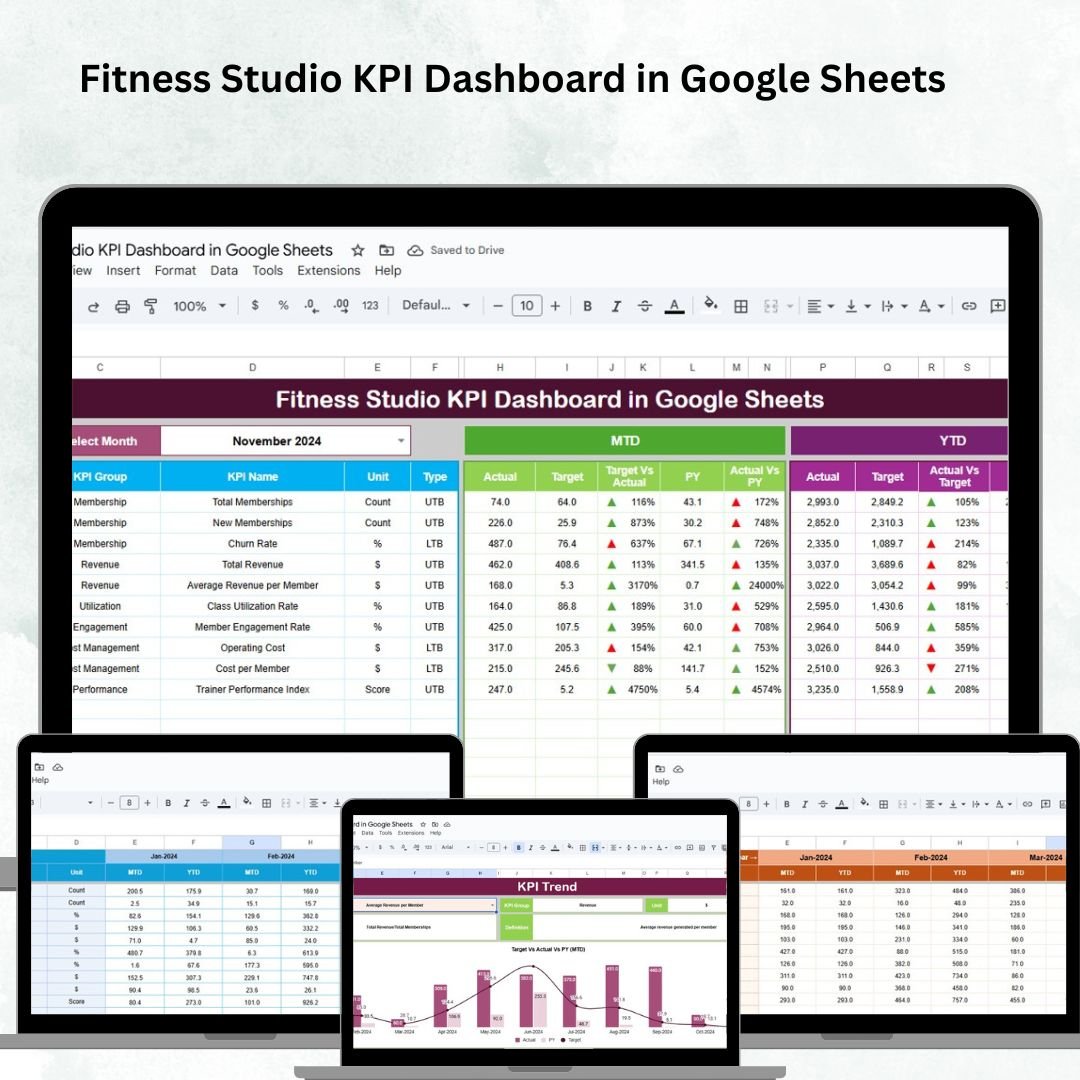
Running a fitness studio is about more than just offering great classes — it requires consistent tracking of memberships, attendance, revenue, and trainer performance to ensure business growth. The Fitness Studio KPI Dashboard in Google Sheets is a ready-to-use solution designed for studio owners and managers who want data-driven insights without the hassle of complex tools.
This interactive dashboard consolidates all your key performance indicators (KPIs) in one place, giving you a clear, visual, and actionable view of how your studio is performing. From tracking membership growth 📈 to evaluating trainer performance 🧑🏫, this tool helps you make informed decisions that drive results.
🔑 Key Features of the Fitness Studio KPI Dashboard
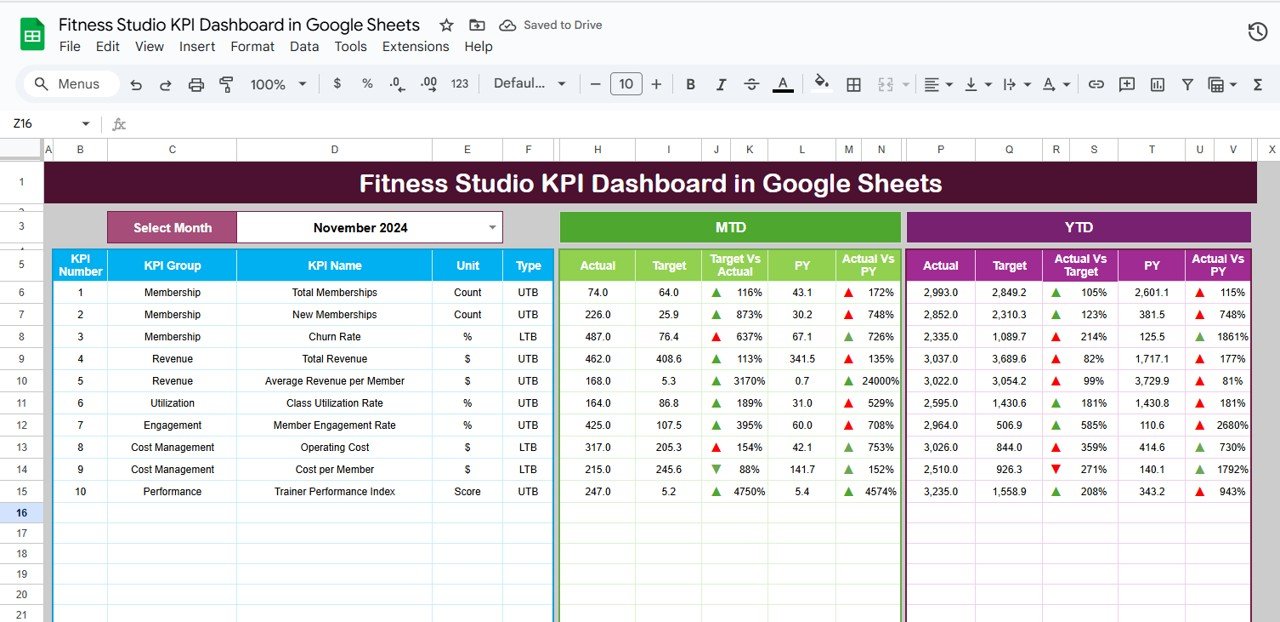
📋 Dashboard Sheet Tab
-
KPI cards for quick insights:
-
Total Memberships
-
Active Members
-
Average Session Attendance
-
Revenue
-
Trainer Performance Score
-
-
Interactive charts:
-
Membership Growth by Month
-
Attendance Trends by Program
-
Revenue by Membership Type
-
Trainer Performance by Class
-
-
Dropdown selector (Range D3) to view MTD or YTD data dynamically
-
Conditional formatting arrows to highlight performance vs target and previous year
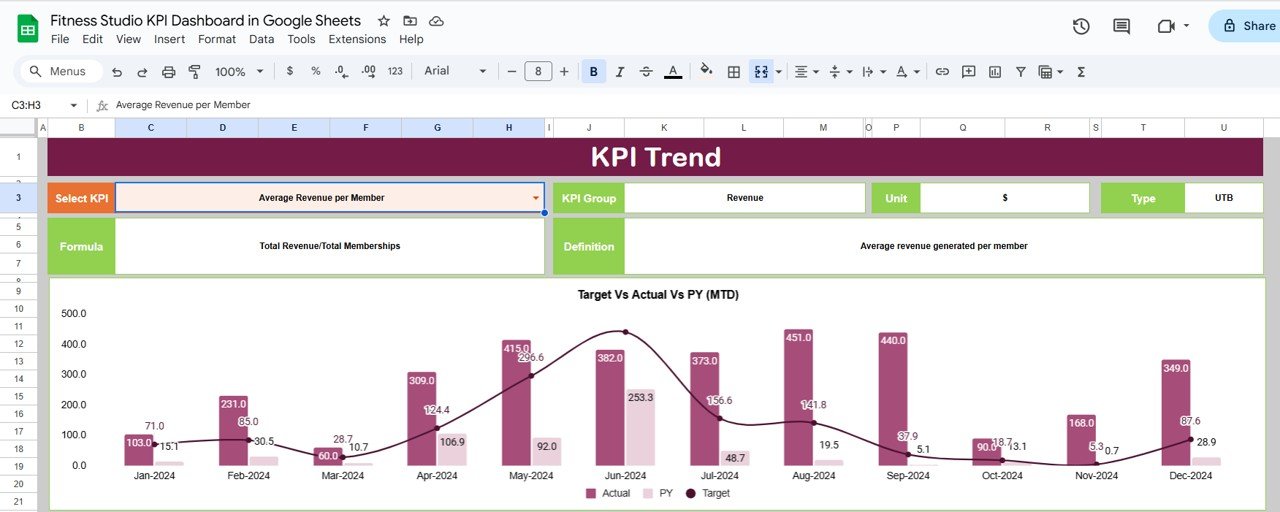
📊 KPI Trend Sheet Tab
-
Select any KPI from a dropdown (Range C3)
-
View KPI Group, Unit, Formula, and Type (UTB/LTB)
-
Trend charts for month-over-month analysis
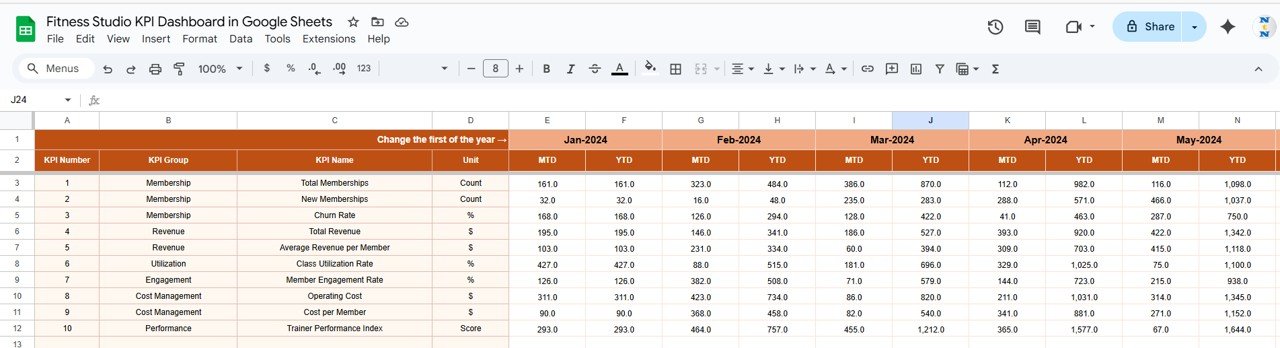
📑 Actual Number Sheet Tab
-
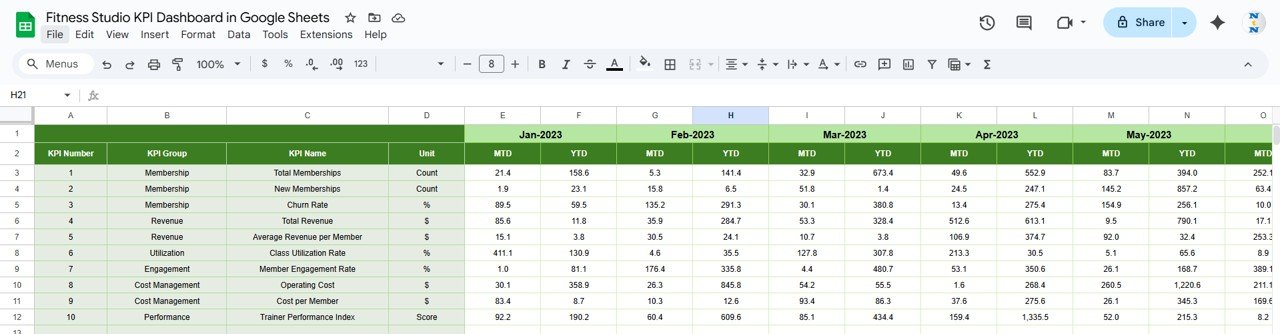
Record MTD and YTD actuals
-
Change first month (Range E1) to update automatically
-
Provides real-time reflection of business performance
🎯 Target Sheet Tab
-
Enter monthly & yearly targets
-
Compare actuals vs goals
-
Track performance both MTD and YTD
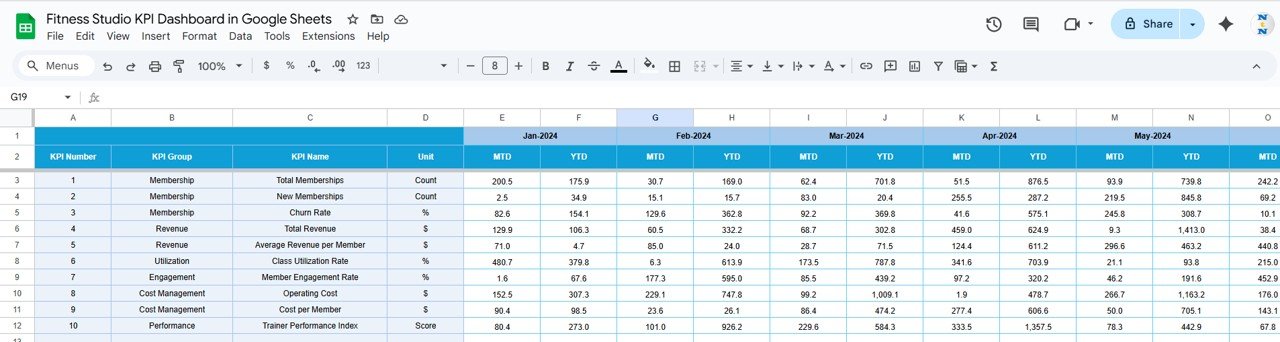
📉 Previous Year Sheet Tab
-
Record previous year’s KPIs
-
Enables year-over-year comparisons
-
Provides context for growth tracking
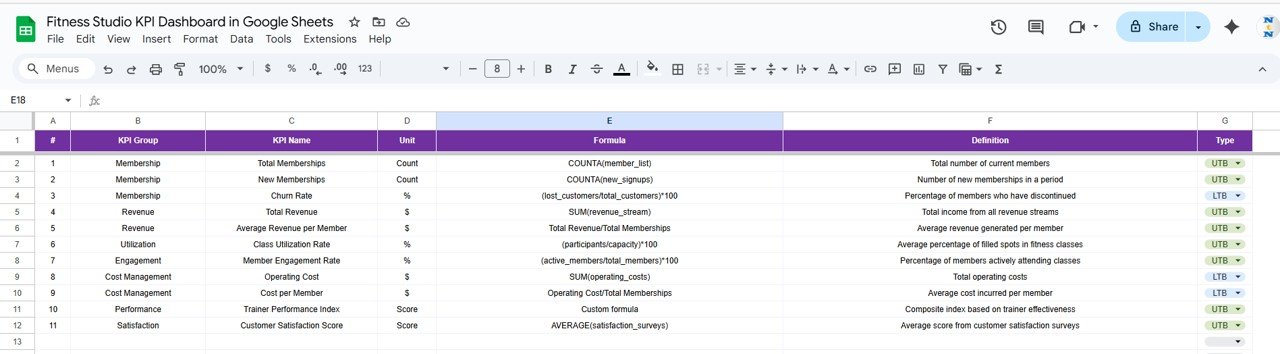
📖 KPI Definition Sheet Tab
-
Define each KPI clearly with name, unit, formula, and type
-
Ensures consistency across reporting
📦 What’s Inside the Dashboard?
When you download this template, you’ll get:
✅ Pre-built Dashboard with KPI cards & charts
✅ KPI Trend Tracker to visualize growth & gaps
✅ Actuals, Targets, & Previous Year sheets for structured analysis
✅ KPI Definitions for consistency
✅ Fully customizable Google Sheets format
✅ Sample data included for a quick start
🧑💼 Who Can Benefit from This Dashboard?
🎯 Fitness Studio Owners – Monitor business health in real time
🎯 Managers – Track attendance, retention, and revenue
🎯 Trainers & Coaches – Measure class performance and engagement
🎯 Multi-Branch Studios – Track performance across locations
🎯 Startups & SMEs – Affordable alternative to expensive BI tools
🧪 How to Use the Fitness Studio KPI Dashboard
-
Enter actual data in the Actual Numbers sheet
-
Set goals in the Target sheet
-
Record last year’s data in the Previous Year sheet
-
View your studio’s performance on the Dashboard
-
Analyze trends and patterns in the KPI Trend sheet
-
Use insights to optimize classes, trainers, and promotions
No advanced skills required — just plug in your data and watch the dashboard come alive with insights! 🚀
🌟 Why Choose This Dashboard?
-
Centralized KPI tracking in one sheet
-
Real-time updates & interactive visuals
-
Year-over-year and target comparisons
-
Conditional formatting for instant insights
-
Fully customizable to your studio’s needs
-
Easy to share & collaborate with team members
With the Fitness Studio KPI Dashboard in Google Sheets, you’ll have the clarity to boost memberships, optimize trainer performance, and grow revenue with confidence.












Reviews
There are no reviews yet.