


Manufacturing organizations operate in a high-pressure environment where efficiency, quality, cost control, and productivity directly affect profitability. Plant managers and operations leaders must track performance continuously to identify issues early and maintain smooth production. However, many manufacturing teams still rely on scattered spreadsheets, manual calculations, or static monthly reports. As a result, performance visibility reduces and corrective actions get delayed.Manufacturing KPI Scorecard In Google Sheets
That is exactly why the Manufacturing KPI Scorecard in Google Sheets becomes a powerful performance management solution.
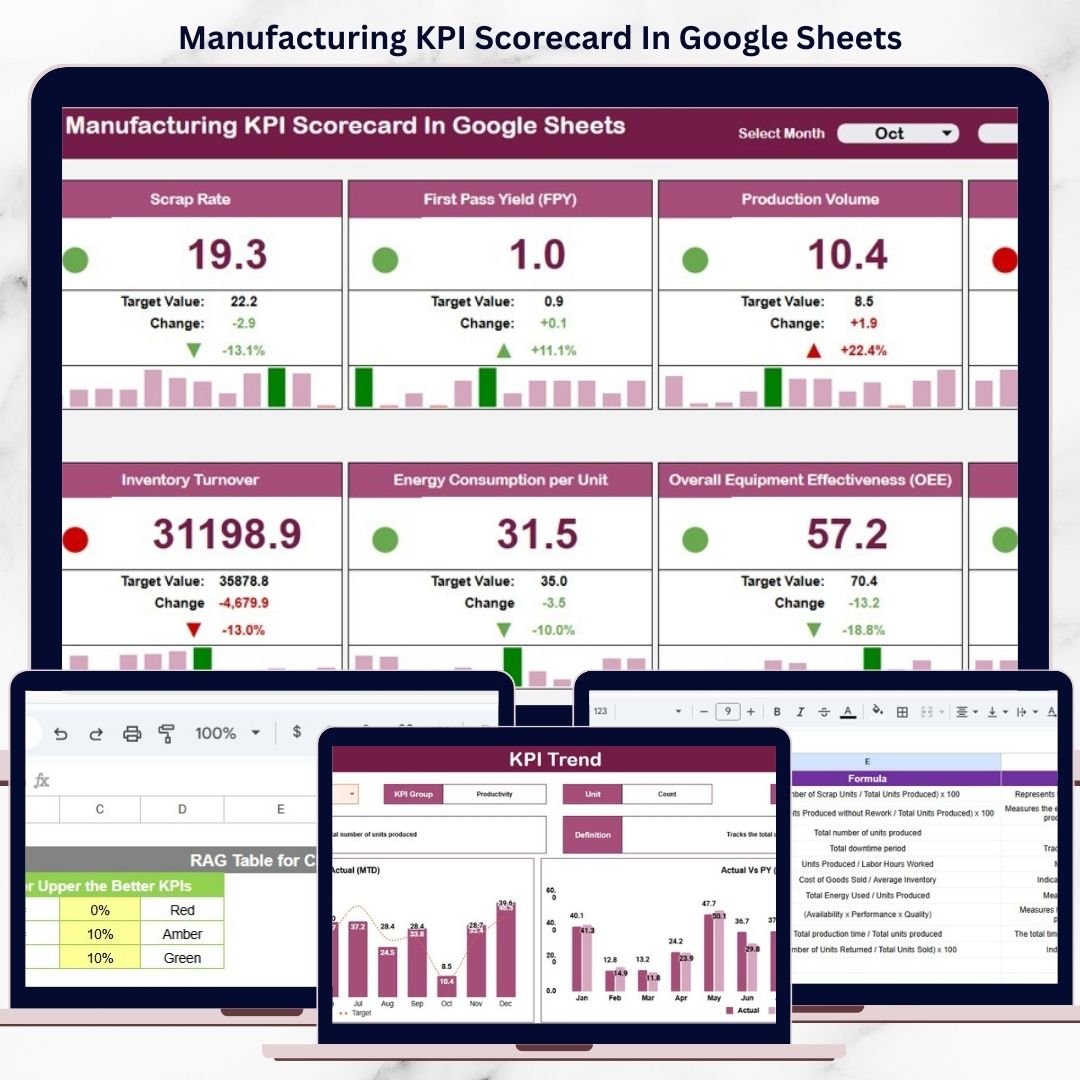
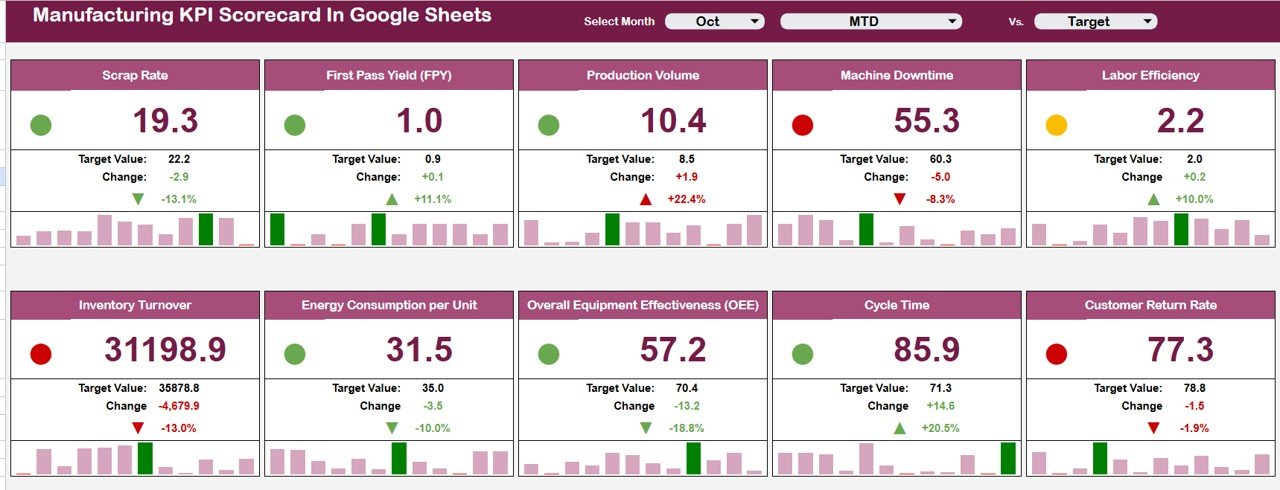
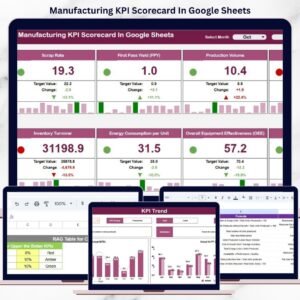
This ready-to-use scorecard template allows manufacturing teams to track 10 critical KPIs in one centralized, easy-to-read scorecard. Instead of analyzing multiple reports, managers can instantly see how the plant is performing using traffic lights, trend arrows, and percentage change indicators—all driven by a simple month selection.Manufacturing KPI Scorecard In Google Sheets
Because the scorecard is built entirely in Google Sheets, it is cloud-based, collaborative, and extremely easy to maintain. You only update the data once, and the entire scorecard updates automatically.
🔑 Key Features of the Manufacturing KPI Scorecard ⚙️
📊 Single-Page KPI Visibility
Track all key manufacturing KPIs in one consolidated scorecard.
🚦 Traffic Light Performance Indicators
Green, Amber, and Red indicators show performance status instantly.
🔺 Trend Arrows & % Change
Up and down arrows highlight improvement or decline clearly.
📅 MTD & YTD Toggle
Switch between Month-to-Date and Year-to-Date views instantly.
⚡ Automatic Calculations
All values, trends, and indicators update automatically.
📦 What’s Inside the Manufacturing KPI Scorecard 📂
The scorecard is structured into multiple well-designed sheets, each serving a specific purpose.
🧭 Main Scorecard Sheet – Performance Snapshot
This is the heart of the template and the first page users see.
🔹 Monthly KPI Selection
A Month dropdown allows you to select any month
All KPI values refresh instantly for the selected period
🔹 10 Manufacturing KPIs Tracked
Each KPI displays:
Actual value
Target value
Previous period value
Percentage change
🔹 Visual Indicators
🚦 Traffic lights (Green / Amber / Red)
🔺 Up & down arrows for trend direction
This design ensures performance can be understood in seconds.
🔁 MTD & YTD Performance Toggle
The scorecard includes a simple toggle option:
MTD (Month-to-Date) for short-term monitoring
YTD (Year-to-Date) for long-term performance tracking
This eliminates the need for multiple reports and improves management reviews.
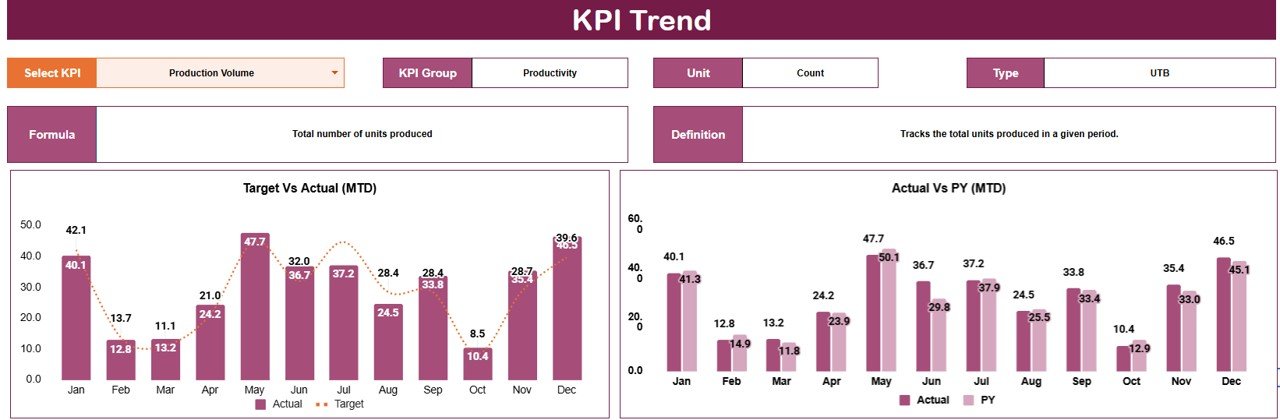
📈 Trend Sheet Tab – KPI Trend Analysis
The Trend Sheet provides deeper KPI-level insight.
🔍 How It Works
Select a KPI from the dropdown in cell C3
📌 Details Displayed
KPI Group
Unit of Measurement
KPI Type (Upper the Better / Lower the Better)
KPI trend over time
This helps manufacturing teams identify recurring issues, seasonal patterns, and improvement progress.
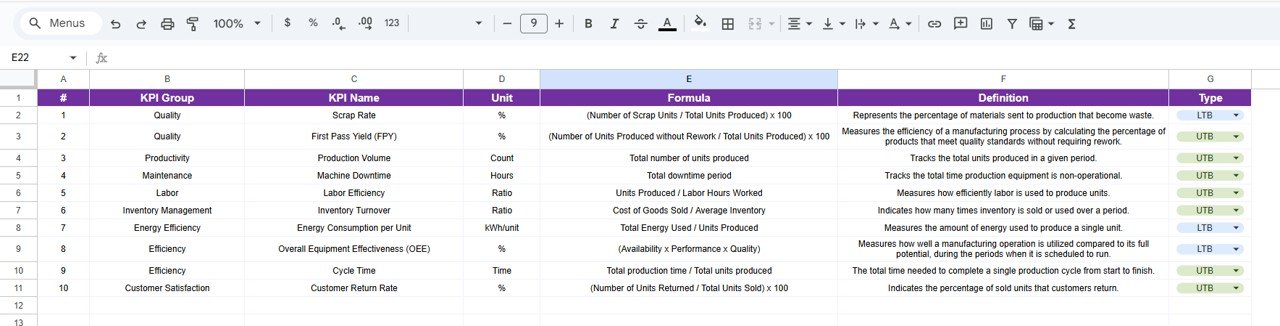
📘 KPI Definition Sheet Tab – KPI Governance
This sheet ensures clarity and consistency across the organization.
Here, you define:
KPI Name
KPI Group
Unit
Formula
KPI Definition
This makes onboarding easy and avoids KPI misinterpretation.
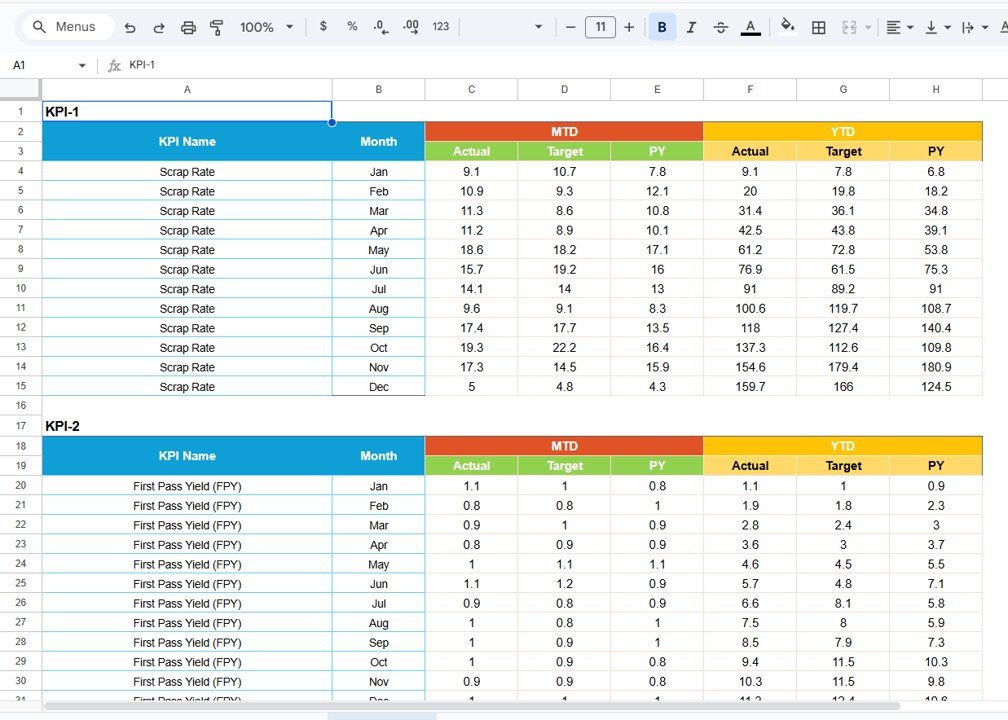
🗂 Data Input Sheet Tab – Clean Data Entry
This sheet is used to enter raw manufacturing KPI data.
Monthly KPI values are entered here
The scorecard and trend sheets update automatically
Separating data entry from visuals prevents formula errors and improves reliability.
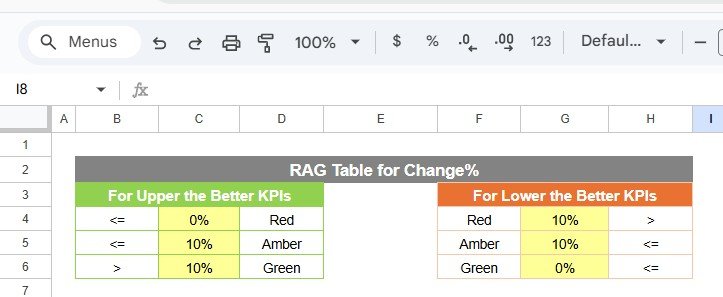
🎨 Colour Settings – Performance Threshold Control
The template includes Colour Settings, allowing you to:
Define traffic light thresholds
Control performance color logic
Maintain consistent visual standards
This flexibility helps align the scorecard with internal benchmarks.
👥 Who Can Benefit from This Scorecard 🎯
Plant Managers
Production Managers
Operations Leaders
Continuous Improvement Teams
Manufacturing Executives
📈 Best Practices for Using the Scorecard
Update KPI data regularly
Set clear and realistic KPI targets
Review MTD performance weekly
Review YTD performance monthly
Use trends to guide improvement actions
Keep KPI definitions consistent
### Click here to read the Detailed blog post
Watch the step-by-step video tutorial:
Visit our YouTube channel to learn step-by-step video tutorials
👉 https://youtube.com/@NeotechNavigators
Compatibility and Requirements
- Works in Google Sheets. You need a free Google account and a web browser.
- The month and KPI are picked from dropdowns. Google explains dropdowns in Create an in-cell dropdown list.
Frequently Asked Questions
How many KPIs does the scorecard track?
10 manufacturing KPIs, each with actual, target, previous period and percentage change.
Can I switch between MTD and YTD?
Yes. A toggle switches the scorecard between Month-to-Date and Year-to-Date views.
How is performance shown?
Green, amber and red traffic lights show status, and up and down arrows show the trend.
Can I change the traffic light thresholds?
Yes. The Colour Settings let you define the thresholds and color logic.
Where do I enter data?
In the Data Input sheet. The scorecard and the Trend sheet update automatically.
Related Manufacturing Templates
- Manufacturing KPI Scorecard in Excel: the same scorecard idea in Excel
- Manufacturing KPI Dashboard: a manufacturing KPI dashboard in Excel
- Manufacturing Dashboard in Google Sheets: a production dashboard in Google Sheets
- Quality KPI Scorecard in Google Sheets: quality KPIs in the same format
- KPI Scorecard Mega Pack: 12 scorecard templates in one download
Browse all Google Sheets KPI dashboards or the Excel manufacturing templates.





























Reviews
There are no reviews yet.