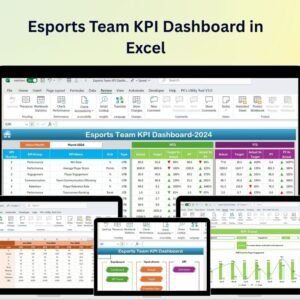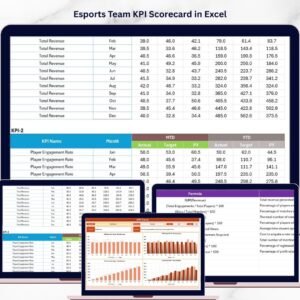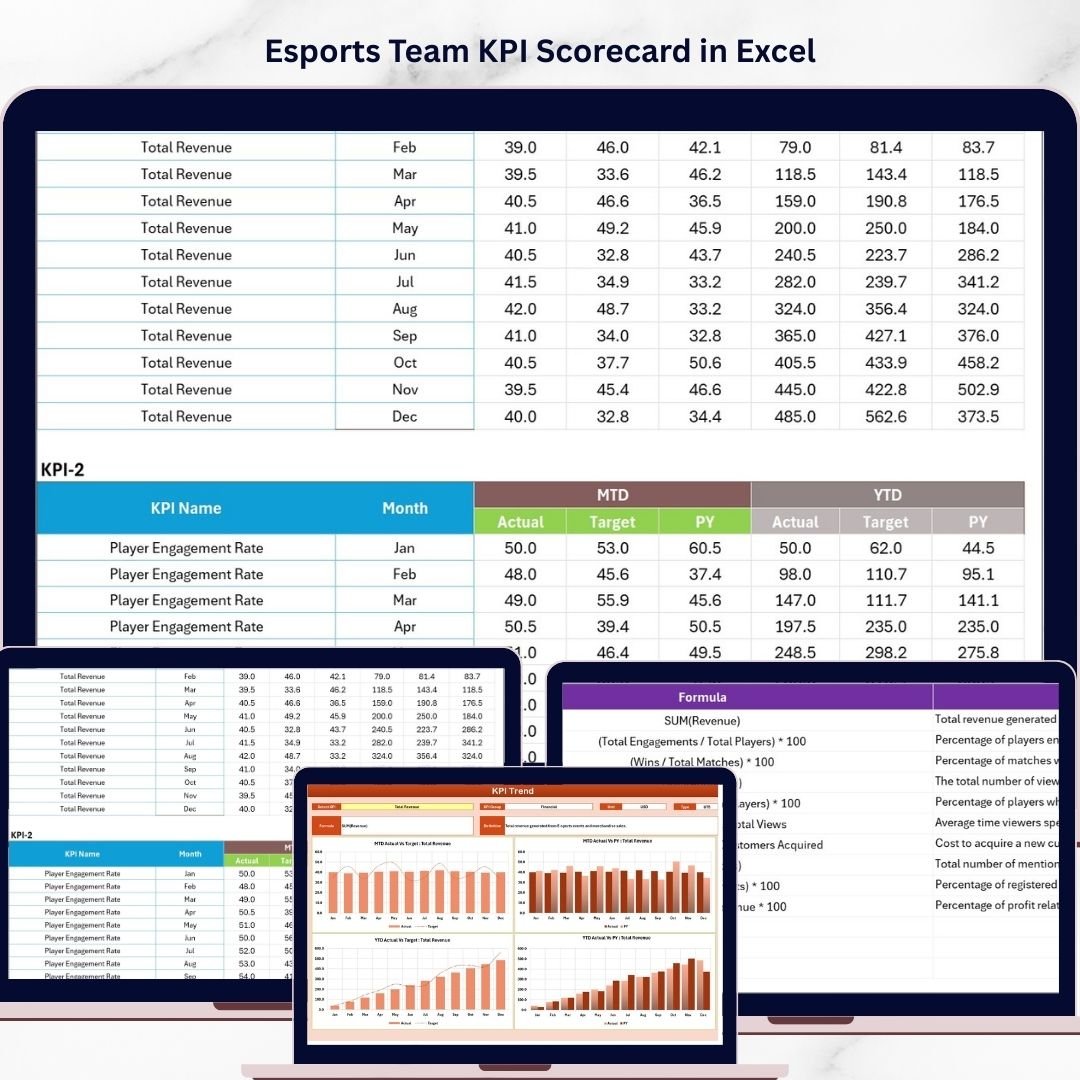


The Esports Team KPI Scorecard in Excel is a powerful and ready-to-use performance monitoring template designed for esports organizations, gaming teams, analysts, and coaches who want to track team performance using structured data. In the competitive world of esports, every match, strategy, and player performance matters. Without proper data analysis, teams may struggle to identify performance gaps or strategic opportunities.
This professionally designed Excel template helps esports teams track key performance indicators (KPIs), analyze trends, compare targets with actual results, and make data-driven decisions. Instead of managing scattered spreadsheets and manual reports, this template centralizes all performance metrics in one interactive scorecard.
Using dynamic dashboards, dropdown filters, automated calculations, and visual indicators, managers can easily evaluate team performance and identify areas that need improvement. Whether you are running a professional esports team or managing a competitive gaming organization, this KPI scorecard will help you gain deeper insights into performance and strategy.
🎮 Key Feature of Esports Team KPI Scorecard in Excel
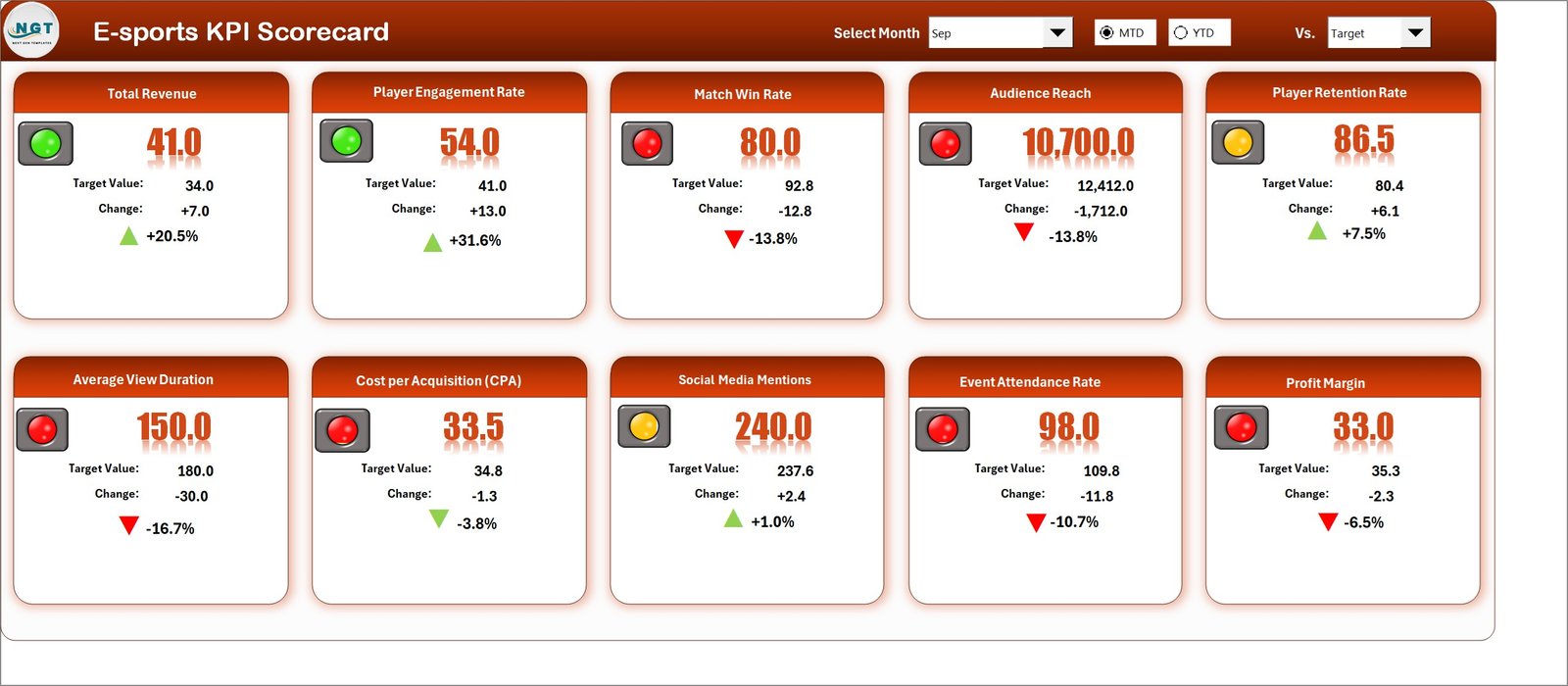
📊 Interactive KPI Scorecard Dashboard
Monitor team performance using a structured dashboard that displays key performance indicators in one clear view.
🎯 Actual vs Target Performance Tracking
Compare real performance with predefined targets to instantly evaluate whether the team is meeting expectations.
📅 Monthly, MTD, and YTD Analysis
Use dropdown filters to analyze monthly performance, month-to-date results, or year-to-date statistics.
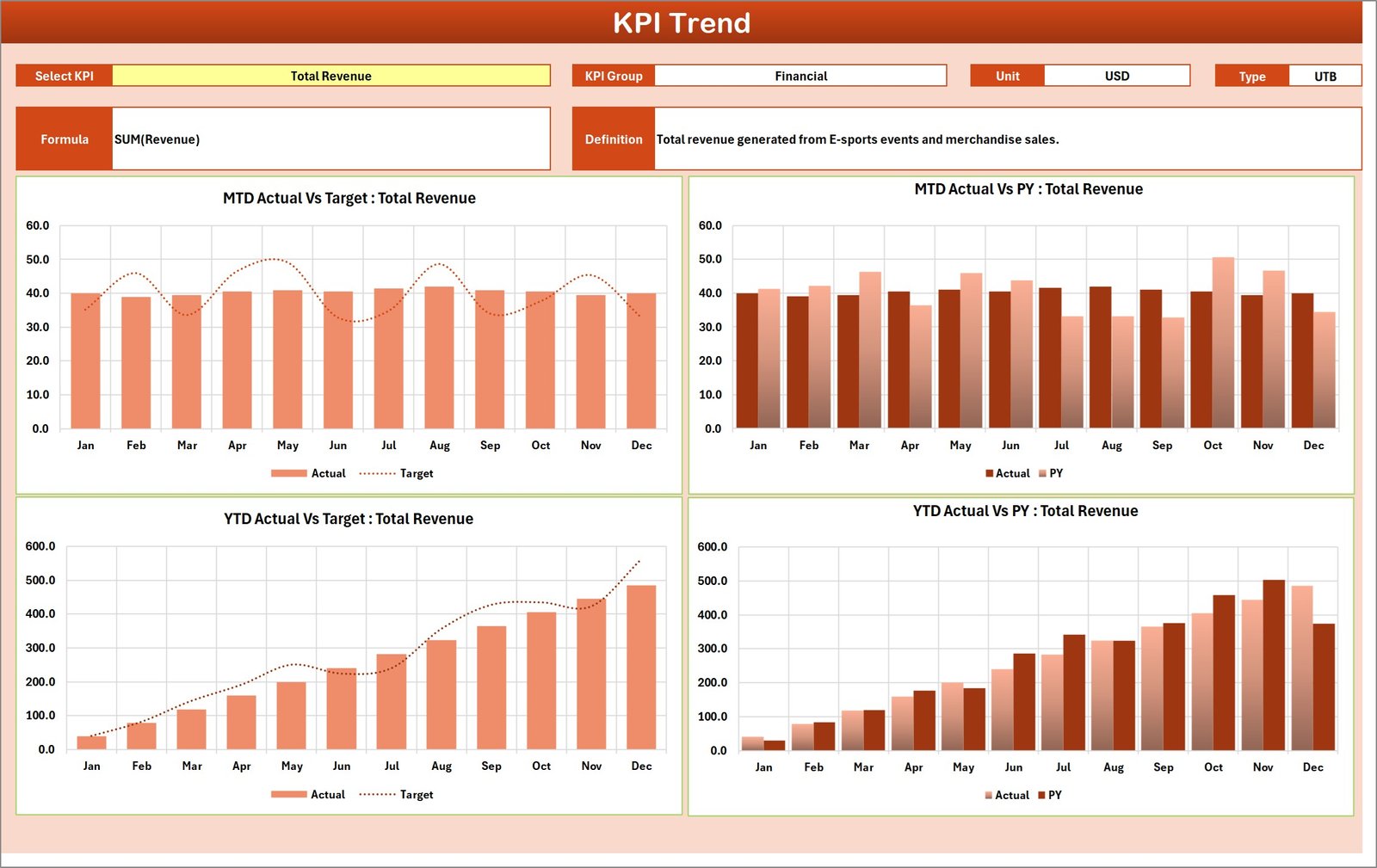
📈 Dynamic KPI Trend Analysis
Visual charts automatically show performance trends, helping managers track improvements or declines.
🟢 Color-Coded Performance Indicators
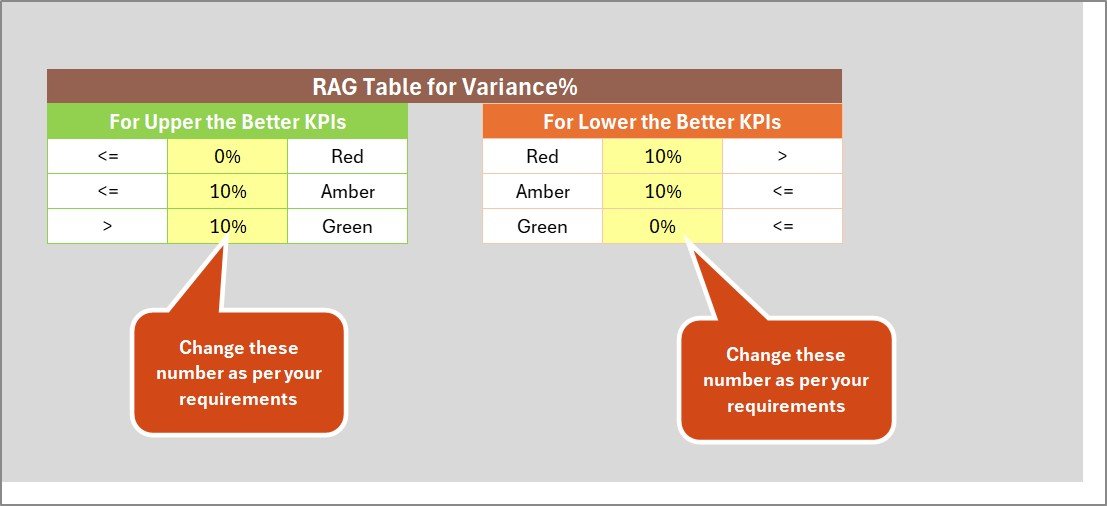
Conditional formatting highlights performance status using color signals like green, yellow, and red.
⚡ Automatic Data Updates
When you update data in the input sheet, all charts and KPI results update automatically.
📑 Structured KPI Documentation Sheet
Clearly define KPI formulas, groups, and definitions so everyone understands the metrics.
🎮 Track Multiple Esports Metrics
Monitor up to 10 KPIs simultaneously, including win rate, player performance, tournament results, and engagement metrics.
📊 Professional Excel Dashboard Design
The template includes dynamic charts and structured layouts that make performance analysis easy and visually appealing.
🔧 Fully Customizable KPI Framework
Modify KPIs, targets, and formulas according to your game titles, team strategy, and tournament requirements.
📦 What’s Inside the Esports Team KPI Scorecard in Excel
This Excel template includes four professionally structured worksheets designed to manage esports performance data efficiently.
1️⃣ Scorecard Sheet – Main Performance Dashboard
This is the central dashboard of the template where users can view overall KPI performance. It displays KPI names, groups, targets, actual results, MTD values, YTD values, and previous year performance. Managers can quickly analyze performance in one place.
2️⃣ KPI Trend Sheet – Performance Trend Analysis
This sheet allows users to analyze how performance changes over time. By selecting a KPI from the dropdown menu, the dashboard automatically displays trend charts comparing actual results, targets, and previous year values.
3️⃣ Input Data Sheet – Data Entry Area
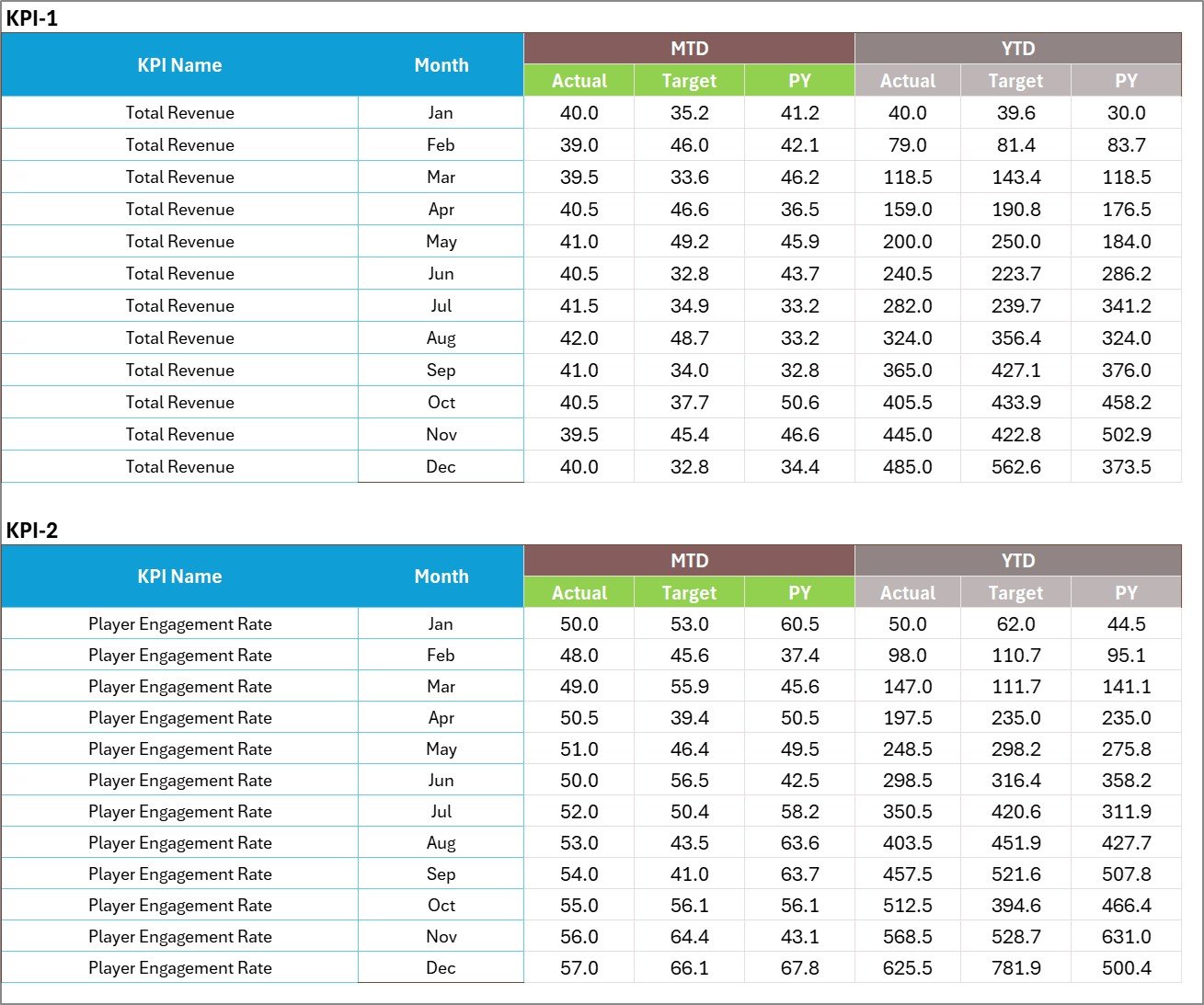
The Input Data sheet serves as the primary data source for the entire dashboard. Users enter KPI values, targets, and performance statistics here. All charts and scorecards update automatically when data is entered.
4️⃣ KPI Definition Sheet – KPI Documentation Guide
This sheet acts as a reference page for all KPIs. It stores KPI names, groups, units, formulas, and definitions to ensure consistency across the organization.
Together, these sheets create a complete performance monitoring system for esports teams.
⚙️ How to Use the Esports Team KPI Scorecard in Excel
Using this template is simple and requires only a few steps:
Step 1 – Define KPIs
Enter KPI information such as KPI name, group, unit, formula, and definition in the KPI Definition sheet.
Step 2 – Enter Performance Data
Record actual results, targets, and monthly statistics in the Input Data sheet.
Step 3 – Review Performance Dashboard
Open the Scorecard sheet to monitor team performance and compare actual results with targets.
Step 4 – Analyze Performance Trends
Use the KPI Trend sheet to visualize how performance changes over time.
Step 5 – Improve Strategy
Use insights from the scorecard to refine training strategies, player rotations, and gameplay tactics.
👥 Who Can Benefit from This Esports Team KPI Scorecard in Excel
This template is useful for many professionals within the esports industry:
🎮 Esports Team Managers who want to monitor team performance and track progress.
📊 Performance Analysts who analyze gameplay statistics and identify performance patterns.
🏆 Esports Coaches who need data-driven insights to improve strategies and training sessions.
💼 Esports Organization Owners who want to track financial, operational, and competitive KPIs.
📺 Content and Streaming Teams who analyze audience engagement and fan growth metrics.
📈 Tournament Organizers who monitor team statistics and performance indicators.
Whether you manage a professional esports organization or a competitive gaming team, this KPI scorecard helps transform raw performance data into actionable insights.
Click here to read the Detailed blog post
Watch the step-by-step video tutorial:
Visit our YouTube channel to learn step-by-step video tutorials
YouTube Channel – PKAnExcelExpert
Compatibility and Requirements
- Works in Microsoft Excel desktop (Excel 2016 or later, or Microsoft 365).
- You pick the month and the KPI from dropdown lists. Microsoft explains them in Create a drop-down list.
Frequently Asked Questions
Which sheets are included?
Four sheets: Scorecard, KPI Trend, Input Data and KPI Definition.
How many KPIs can I track?
You can track up to 10 KPIs at the same time.
How do I update the scorecard?
Enter your actual results, targets and monthly statistics in the Input Data sheet. The Scorecard and the trend charts update automatically.
Can I compare results with targets and last year?
Yes. The Scorecard shows targets, actual results, MTD values, YTD values and previous year performance for each KPI. The KPI Trend sheet charts actual, target and previous year values for the KPI you select.
Is there a Google Sheets or Power BI version?
There are dashboard editions for esports teams. See the Esports Team KPI Dashboard in Google Sheets and the Esports Team KPI Dashboard in Power BI.
Related Esports and Team Templates
- Esports Team KPI Dashboard in Excel: a dashboard view of esports team KPIs in Excel
- Esports Team KPI Dashboard in Google Sheets: the Google Sheets edition
- Esports Team KPI Dashboard in Power BI: the Power BI edition
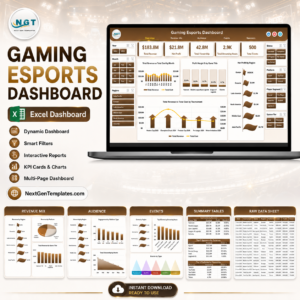
- Gaming Esports Dashboard in Excel: a dashboard for gaming and esports data
- Team Performance Dashboard in Excel: a general team performance view
Browse all Excel KPI dashboards.