



In today’s fast-paced work environment, employee wellness is not just an HR initiative — it’s a business strategy. Organizations that actively monitor and support employee well-being enjoy higher productivity, stronger engagement, and lower turnover. But how can wellness be measured effectively?
That’s where the Employee Wellness KPI Scorecard in Excel comes in. 🌟
This ready-to-use Excel template empowers HR leaders, wellness coordinators, and executives to track, analyze, and improve employee well-being through data-driven insights. It combines simplicity, interactivity, and visualization — helping you move from guesswork to actionable strategy.
Whether you’re managing a wellness program for a small team or an enterprise-level workforce, this scorecard provides a 360° view of participation, satisfaction, and health-related metrics — all in one place.
⚙️ Key Features of the Employee Wellness KPI Scorecard in Excel
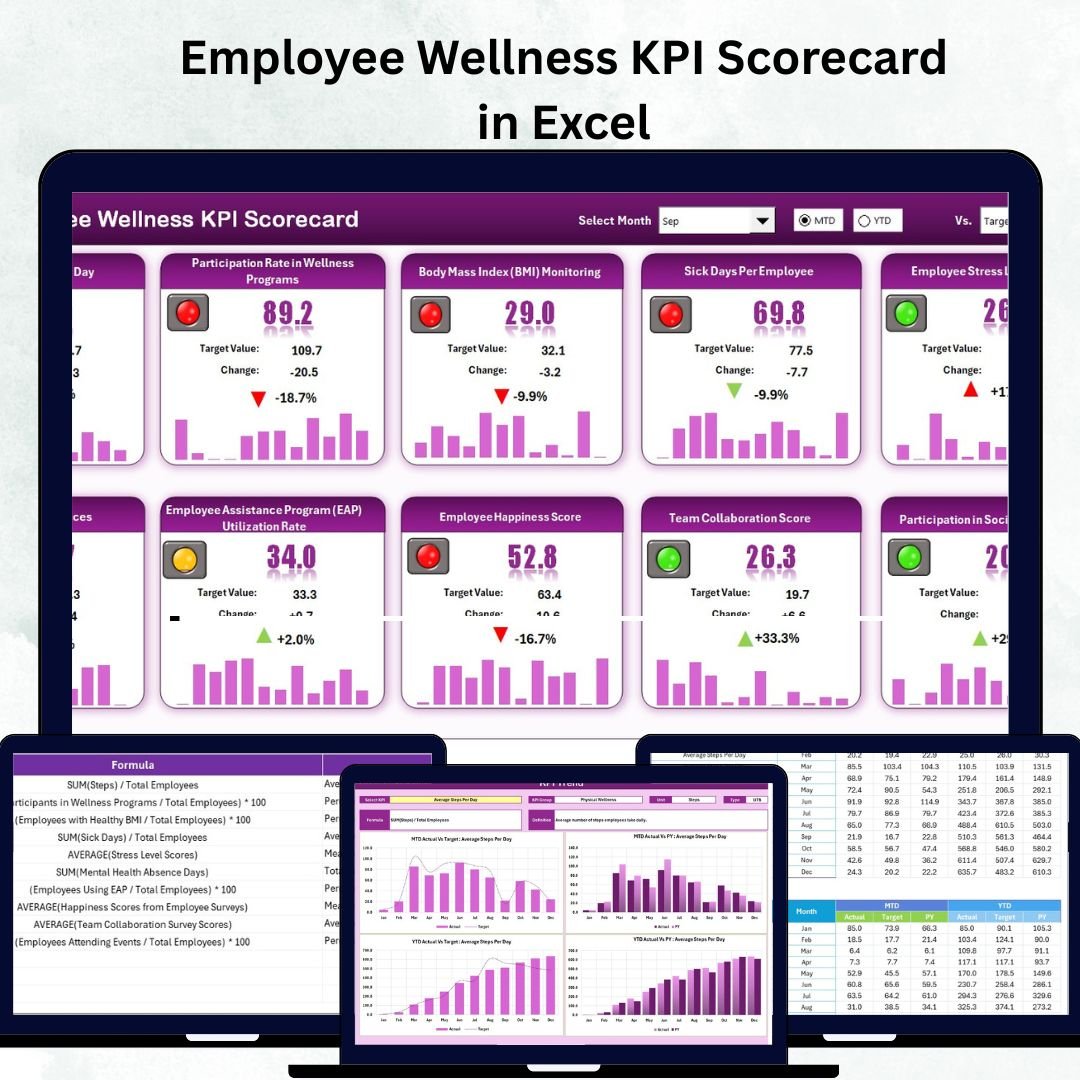
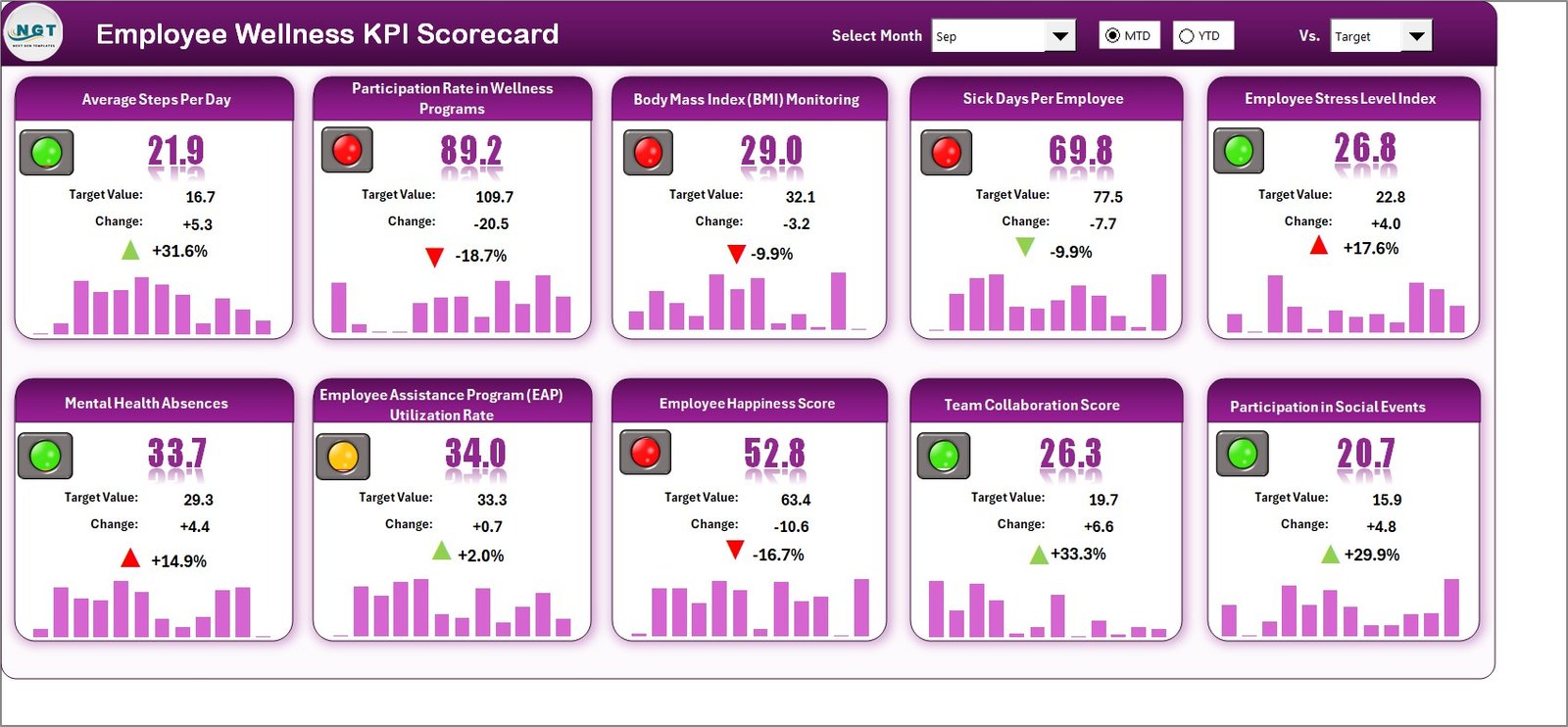
📊 All-in-One Performance Dashboard – Instantly view MTD (Month-to-Date) and YTD (Year-to-Date) progress for each KPI.
🎯 Actual vs Target Comparison – Evaluate results against benchmarks with automatic calculations and visuals.
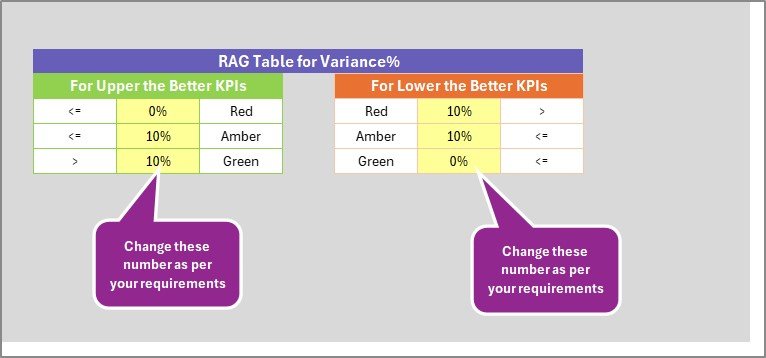
💡 Visual Indicators – Conditional formatting with green, yellow, and red icons helps identify high, average, and low performance.
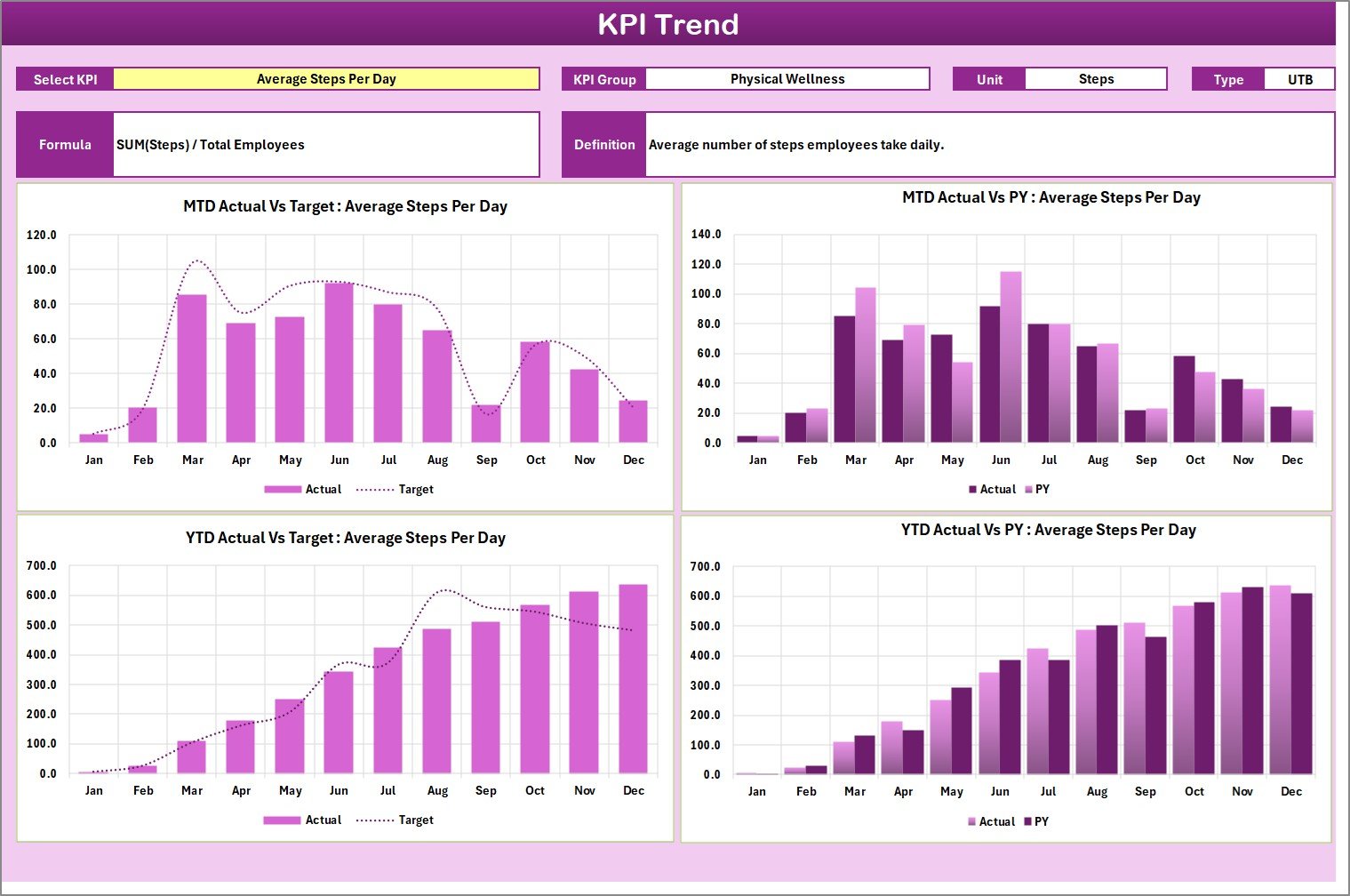
📈 Trend Analysis Charts – Track progress over time to spot improvements or declines in wellness initiatives.
📋 KPI Definitions – Every metric includes formula, unit, and classification (UTB or LTB) for consistent understanding.
🧾 Easy Data Entry – Structured input sheet for updating monthly data without editing formulas.
🧮 Automated Calculations – Formulas handle ratios and variances automatically, reducing manual effort.
⚙️ Fully Customizable – Add new KPIs, departments, or visuals easily to match your organization’s needs.
🔒 No Coding Needed – 100% Excel-based — no macros or add-ins required.
📂 What’s Inside the Employee Wellness KPI Scorecard in Excel
💻 1. Scorecard Sheet:
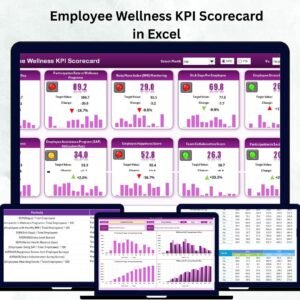
The central dashboard that displays all key metrics with dropdowns for Month and Data Type (MTD/YTD). Compare Actual vs Target values, visualize performance using traffic-light indicators, and get instant insights.
📊 2. KPI Trend Sheet:
Select any KPI from a dropdown (cell C3) and view interactive trend charts for MTD and YTD results, comparing Actual, Target, and Previous Year data. Perfect for spotting performance patterns and seasonal changes.
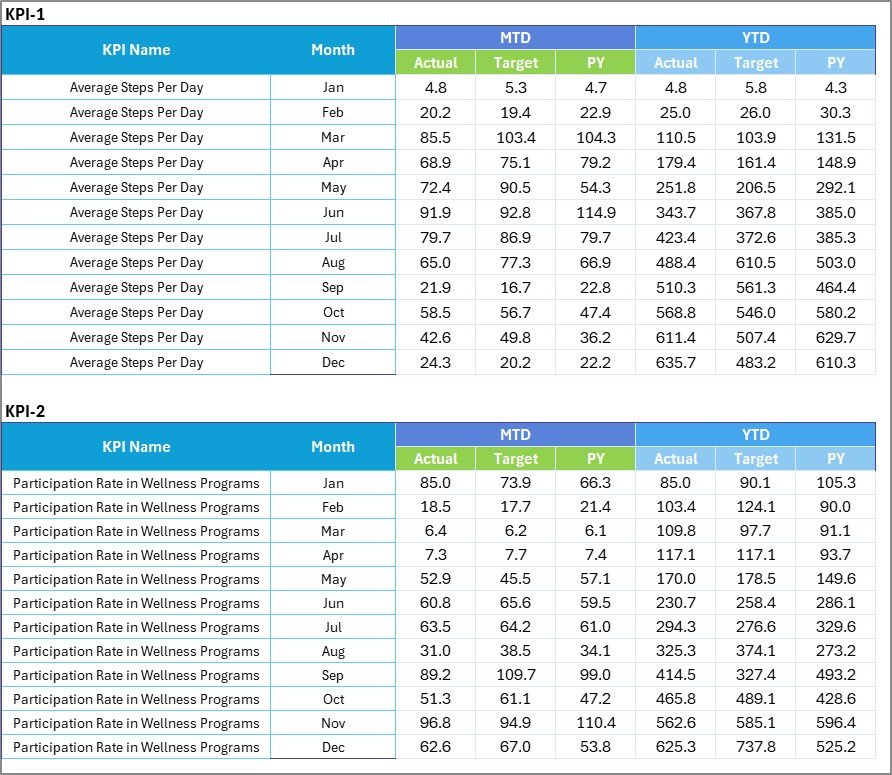
🧾 3. Input Data Sheet:
The data backbone of the scorecard. Enter your monthly actuals, targets, and relevant wellness KPIs here. Every update automatically feeds the Scorecard and Trend sheets.
📘 4. KPI Definition Sheet:
Acts as your reference guide, defining each KPI clearly — with columns for KPI Name, Group, Unit, Formula, and Definition. This ensures organization-wide clarity on every metric.
This 4-sheet structure ensures smooth data entry, accurate calculations, and powerful visualization — all within Excel.
🧭 How to Use the Employee Wellness KPI Scorecard in Excel
1️⃣ Define Your KPIs: Use the KPI Definition Sheet to list wellness indicators like participation rate, absenteeism, or engagement.
2️⃣ Enter Data: Record MTD and YTD actuals and targets in the Input Data Sheet.
3️⃣ Select Month & View Type: In the Scorecard Sheet, choose a month and MTD/YTD mode.
4️⃣ Analyze Performance: Review color-coded visuals showing KPIs that met, missed, or are close to targets.
5️⃣ Track Trends: Open the KPI Trend Sheet to explore long-term progress.
6️⃣ Share & Collaborate: Distribute the Excel file across HR teams or departments for joint analysis.
💡 Pro Tip: Combine this Excel scorecard with Power BI for advanced visualizations and automated updates.
👥 Who Can Benefit from This Scorecard
👩💼 HR Professionals: Monitor participation, engagement, and absenteeism rates.
🏢 Corporate Leaders: Gain strategic insights into workforce well-being and productivity.
🧘♀️ Wellness Coordinators: Identify program effectiveness and employee participation trends.
💰 Finance & Operations Teams: Assess wellness ROI and healthcare cost per employee.
🎓 Educational Institutions & SMEs: Encourage health-focused initiatives and boost morale.
Whether for monthly reporting or annual wellness evaluations, this scorecard delivers clarity, consistency, and confidence.
🔗 Click here to read the Detailed blog post
📺 Visit our YouTube channel to learn step-by-step video tutorials
Watch the step-by-step video tutorial:
Compatibility and Requirements
- Works in Microsoft Excel desktop (Excel 2016 or later, or Microsoft 365).
- You pick the month and the MTD or YTD view from dropdowns on the Scorecard sheet, and a KPI from a dropdown on the KPI Trend sheet. Microsoft explains how in Create a drop-down list.
Frequently Asked Questions
Which sheets are included?
Four sheets: Scorecard, KPI Trend, Input Data and KPI Definition.
How do I update the scorecard?
Enter your monthly actuals and targets in the Input Data sheet. Then choose a month and MTD or YTD on the Scorecard sheet and it updates.
How can I tell which KPIs are on target?
The Scorecard compares Actual with Target and shows green, yellow and red icons for high, average and low performance.
Can I see the trend for one KPI?
Yes. Pick the KPI from the dropdown in cell C3 of the KPI Trend sheet to see MTD and YTD charts comparing Actual, Target and Previous Year.
Is there a Power BI or Google Sheets version?
Yes. See the Employee Wellness KPI Dashboard in Power BI and the Employee Wellness KPI Dashboard in Google Sheets.
Related Employee Wellness and HR Templates
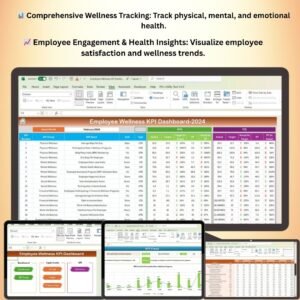
- Employee Wellness KPI Dashboard in Excel: a dashboard view of the same topic
- Employee Wellness KPI Dashboard in Power BI: the Power BI edition
- Employee Wellness Program Enrolment Tracker in Excel: track who joins your wellness program
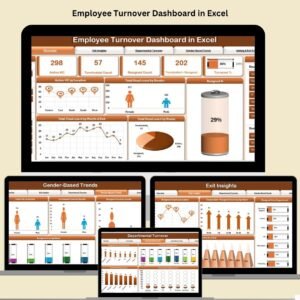
- Employee Turnover Dashboard in Excel: follow turnover next to wellness results
- HR Director Toolkit: 10 HR templates in one download
Browse all Excel KPI dashboards.





















Reviews
There are no reviews yet.