

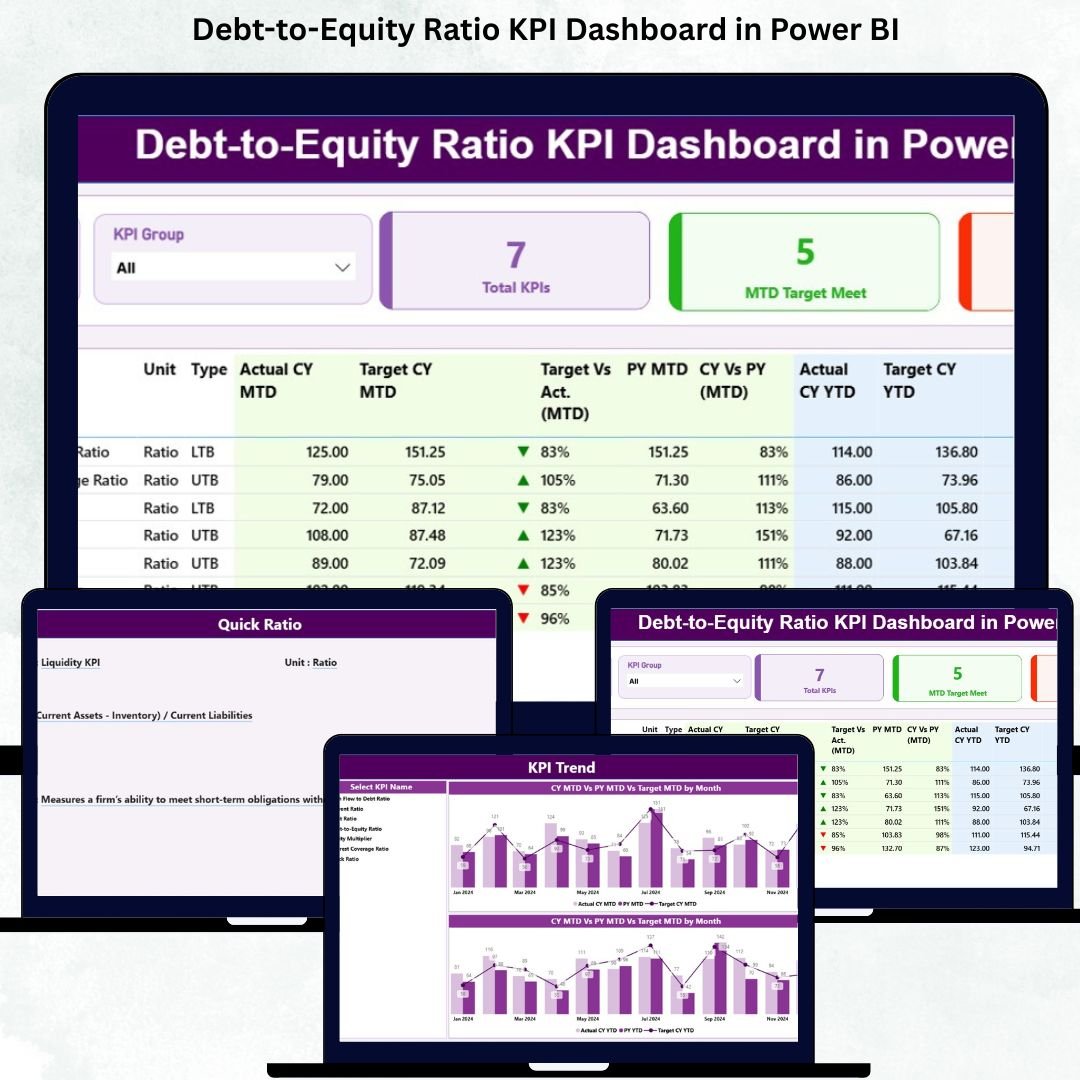

Financial clarity is the Debt-to-Equity Ratio KPI Dashboard of strong business decisions. Whether you are a CFO, finance manager, investor, or startup founder, you must track leverage, capital structure, debt load, and equity growth continuously. One of the most important KPIs for this purpose is the Debt-to-Equity Ratio—a direct indicator of financial stability and long-term risk. But reviewing these insights manually in Excel becomes slow and prone to errors. That is why the Debt-to-Equity Ratio KPI Dashboard in Power BI becomes the perfect solution.
This ready-to-use Power BI dashboard transforms raw financial data into real-time insights through smart visuals, trends, slicers, performance icons, and interactive charts. With just one click, you can track MTD performance, YTD progress, previous-year comparisons, and target achievements. Everything becomes automated, visual, and easy to interpret.
Whether you want to analyze debt growth, evaluate equity strength, prepare board presentations, or identify financial risks, this dashboard gives you complete visibility—with zero coding and minimal setup. Just update your Excel sheets and refresh Power BI. The entire report updates instantly.
Let’s look deeper into what makes this dashboard powerful, practical, and essential for every finance leader.
📊 Key Features of the Debt-to-Equity Ratio KPI Dashboard in Power BI
This dashboard is built with a clean structure and three fully interactive pages. All data flows from three Excel sheets—Input_Actual, Input_Target, and KPI Definition—which ensures flexibility and simple maintenance.
Here’s what makes this dashboard incredibly effective:
🚀 Auto-refresh visuals driven by Excel data
🎯 KPI cards with instant MTD/YTD performance
📉 Icons showing target met/missed status
🔍 Drill-through capability to understand KPI formulas
📆 Powerful MTD and YTD trend charts
🧭 Smart slicers to explore KPIs by month and category
📚 Clean table structure for complete transparency
Now let’s explore each page in detail.
📌 What’s Inside the Debt-to-Equity Ratio KPI Dashboard in Power BI?
The dashboard contains three highly practical pages that cover financial performance from every angle.
📈 1. Summary Page – Your Complete Financial Overview
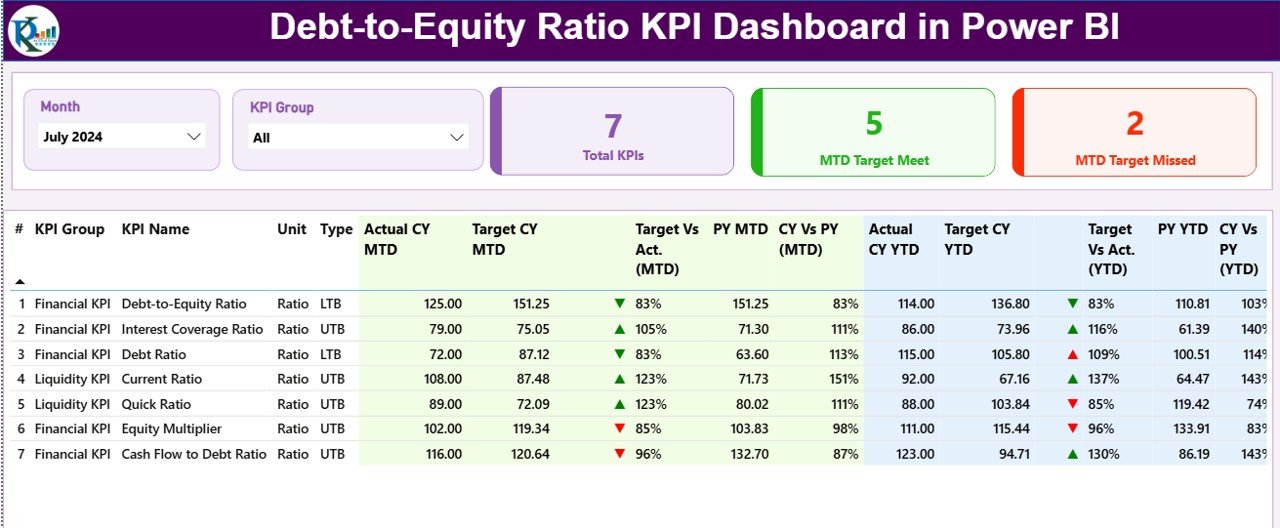
The Summary Page works as the main control panel. It offers a complete financial picture using slicers, cards, and a detailed KPI table.
🔹 Top Slicers
Month
KPI Group
This allows you to filter the entire dashboard instantly.
🔹 KPI Cards
Total KPIs Count
MTD Target Met Count
MTD Target Missed Count
These cards give you an immediate sense of how your finance KPIs are performing.
🔹 Detailed KPI Table
The heart of the dashboard is a comprehensive table showing:
KPI Number
KPI Group
KPI Name
Unit
Type (UTB / LTB)
Actual CY MTD
Target CY MTD
MTD Icon
Target vs Actual (MTD)
PY MTD
CY vs PY (MTD)
Actual CY YTD
Target CY YTD
YTD Icon
Target vs Actual (YTD)
PY YTD
CY vs PY (YTD)
This single table brings together all insights—making financial monitoring extremely simple.
📊 2. KPI Trend Page – Visual MTD & YTD Financial Trends
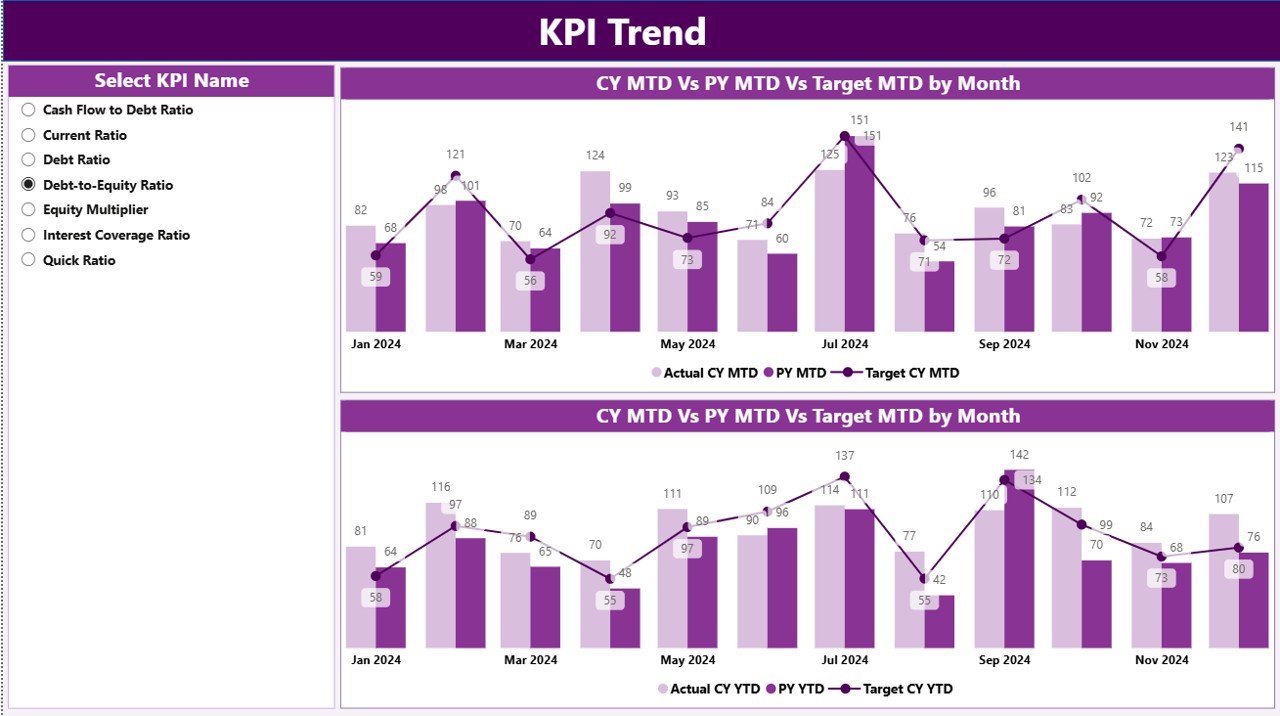
The KPI Trend Page focuses on month-wise and year-wise performance. It uses two combo charts:
📉 MTD Chart – Current Year vs Previous Year vs Target
📈 YTD Chart – Cumulative performance for CY, PY, and target
A KPI Name slicer allows you to switch between Debt-to-Equity Ratio and other financial KPIs instantly.
These trend visuals help you identify:
Whether leverage is improving
Whether debt is rising faster than equity
Long-term financial risk
Monthly financial fluctuations
Target alignment
This page strengthens your financial strategy through clear visual storytelling.
📘 3. KPI Definition Page – Clear Insight into Every Metric
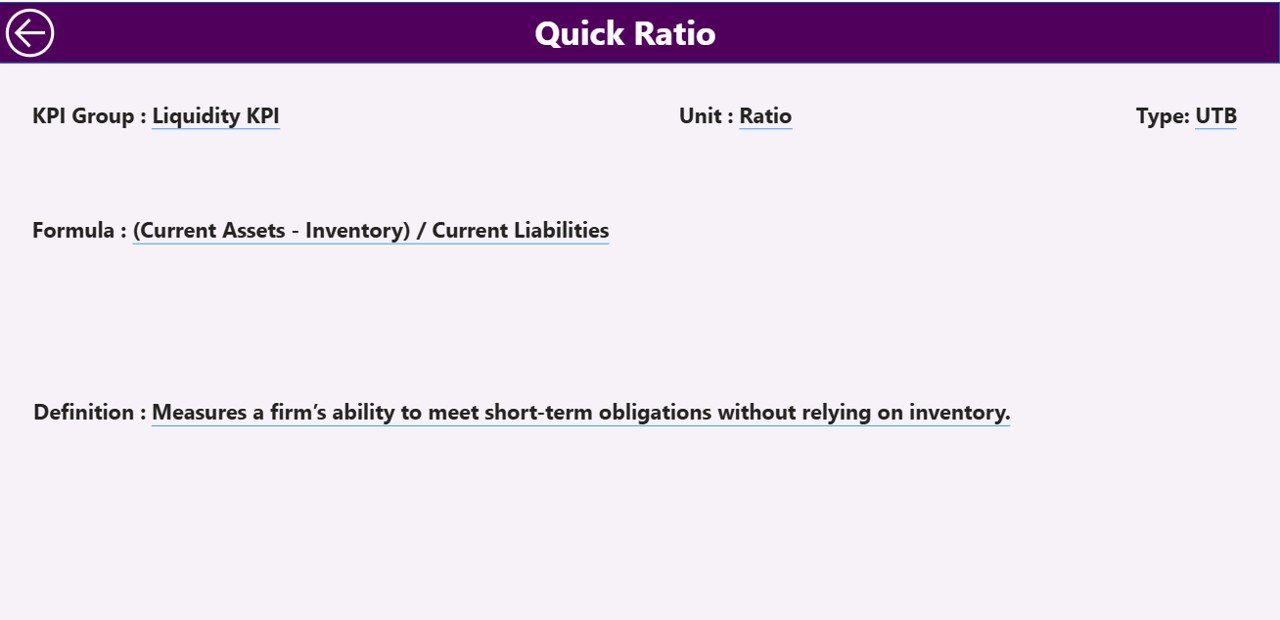
Understanding formulas is important in financial reporting. The KPI Definition Page gives explanations in one clean view:
KPI Number
KPI Group
KPI Name
Unit
Formula
Definition
Type (LTB/UTB)
This drill-through page ensures consistency and transparency across your finance team.
🧠 How to Use the Debt-to-Equity Ratio Dashboard Effectively
Here’s a simple way to get the best insights:
Choose a month using the slicer
Review KPI cards for quick performance status
Analyze the Debt-to-Equity Ratio in the table
Check MTD/YTD icons to detect risks
Compare actual numbers with targets
See historical patterns in the Trend Page
Drill-through to understand KPI formulas
This streamlined workflow saves hours of manual work every month.
💼 Who Can Benefit from This Dashboard?
This dashboard is ideal for:
CFOs & Finance Directors
Business Analysts
Startup Founders
Investors & Stakeholders
Chartered Accountants
FP&A Teams
Audit & Compliance Teams
Anyone who tracks leverage, financial stability, borrowed capital, or equity growth will benefit from this dashboard.
### Click here to read the Detailed Blog Post
📺 Visit our YouTube channel to learn step-by-step video tutorials
👉 https://youtube.com/@PKAnExcelExpert
Watch the step-by-step video tutorial:
Compatibility and Requirements
- Works in Power BI Desktop, which is free. Power BI Desktop runs on Windows.
- The data comes from three Excel sheets: Input_Actual, Input_Target and KPI Definition. Update them in Excel, then refresh Power BI.
- Microsoft explains the install in Get Power BI Desktop.
Frequently Asked Questions
What pages does the dashboard have?
Three pages: Summary, KPI Trend and KPI Definition.
Where does the data come from?
From three Excel sheets: Input_Actual, Input_Target and KPI Definition. Enter your figures there and refresh Power BI to update every visual.
Can I see MTD and YTD results?
Yes. The Summary page table shows actual, target and previous-year values for both MTD and YTD, with an icon that shows whether the target was met or missed.
How do I see the trend for one KPI?
Open the KPI Trend page and pick the KPI in the KPI Name slicer. Two combo charts show MTD and YTD for current year, previous year and target.
Where can I see how each KPI is calculated?
The KPI Definition page lists the formula, definition, unit and type (LTB or UTB) for each KPI. You reach it by drill-through from the Summary page.
Is there an Excel or Google Sheets version?
Yes. See the Debt-to-Equity Ratio KPI Dashboard in Excel and the Debt-to-Equity Ratio KPI Dashboard in Google Sheets.
Related Finance KPI Templates
- Debt-to-Equity Ratio KPI Dashboard in Excel: the same KPIs in Excel
- Debt-to-Equity Ratio KPI Dashboard in Google Sheets: the Google Sheets edition
- Debt Management KPI Dashboard in Power BI: track debt balances and repayment KPIs
- Private Equity KPI Dashboard in Power BI: an equity-focused view in Power BI
- Power BI Dashboard Mega Collection: 15 Power BI templates in one download
Browse all Power BI KPI dashboards.






















Reviews
There are no reviews yet.