

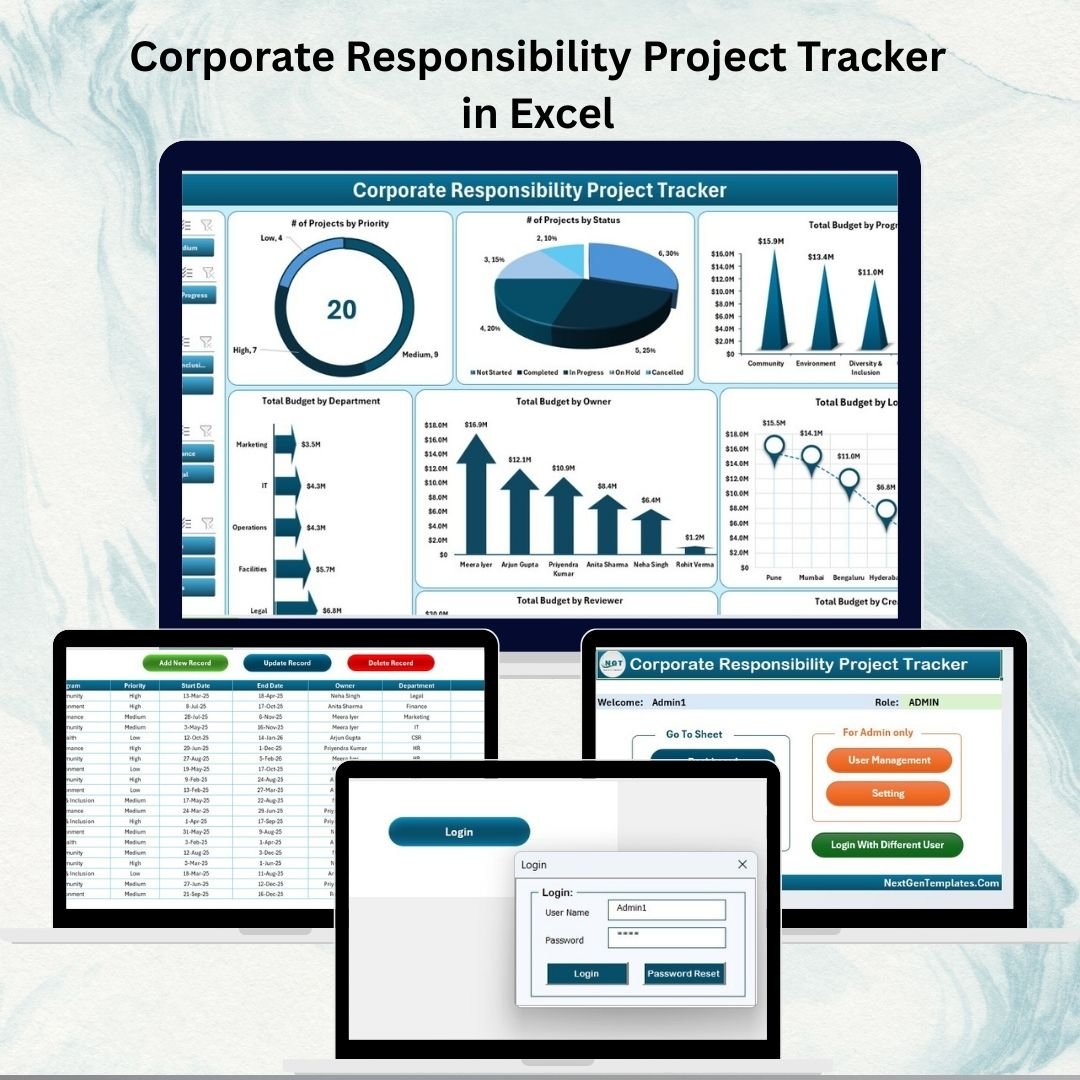

📊 Corporate Responsibility Project Tracker in Excel
Corporate responsibility (CR) is no longer optional—it’s a strategic necessity. Organizations today are expected to run sustainable projects, monitor compliance, and ensure transparency across departments. But managing multiple initiatives without a structured system can quickly lead to inefficiency, accountability gaps, and wasted resources.
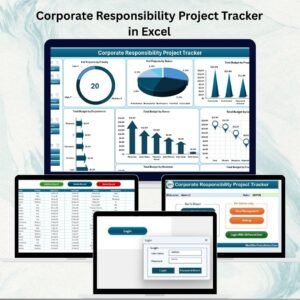
The Corporate Responsibility Project Tracker in Excel solves this challenge. Built with Excel and VBA automation, this ready-to-use tool allows businesses to plan, monitor, and analyze all corporate responsibility projects in one centralized system. With its secure login, user management, data entry forms, and interactive dashboards, the tracker ensures smooth project execution, transparent reporting, and better decision-making.
Unlike expensive and complex software solutions, this Excel-based tracker is affordable, intuitive, and fully customizable, making it ideal for both small businesses and large enterprises.
🔑 Key Features of the Corporate Responsibility Project Tracker
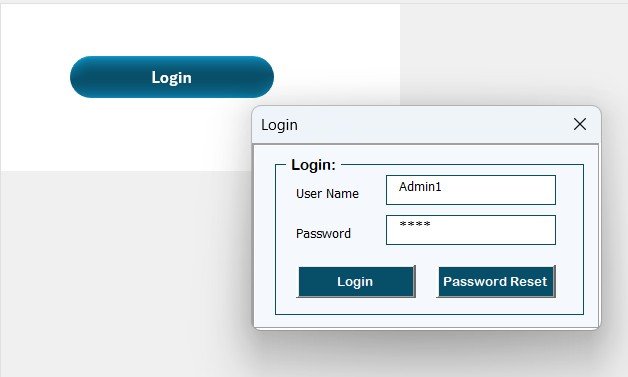
🔒 Login Form for Secure Access
User authentication with unique IDs and passwords.
Example: User ID = Admin1, Password = abcd.
Ensures role-based access and protects sensitive data.
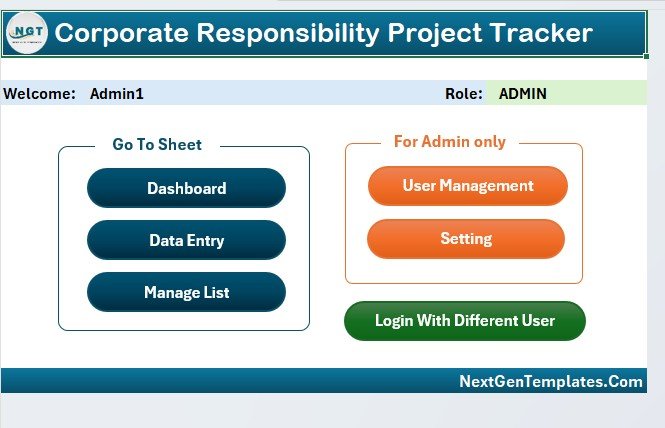
🖥️ Main Form – Central Control Hub
A clean, button-based interface for easy navigation.
Access dashboards, user management, data entry, and settings.
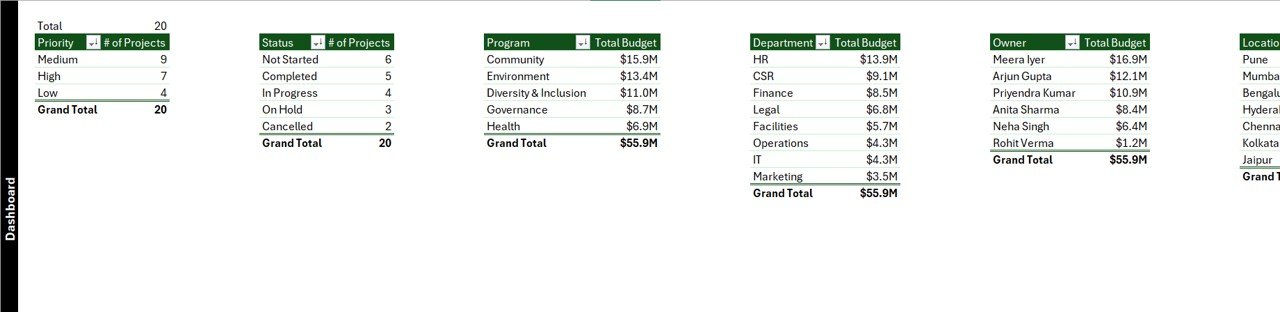
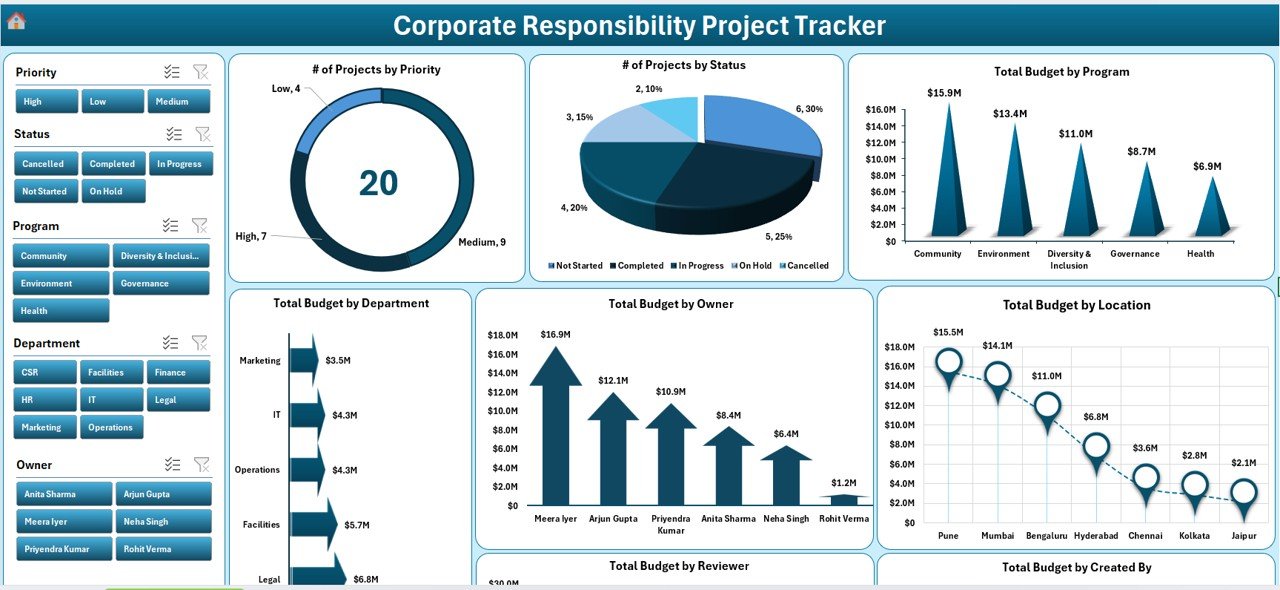
📈 Dashboard Sheet – Instant Insights
Visual KPIs and charts with interactive slicers.
Key metrics include:
of Incidents by Severity & Approval Status
of Projects by Priority & Status
Total Budget by Program, Department, Owner, Reviewer, and Location
Helps leaders review CR performance at a glance.
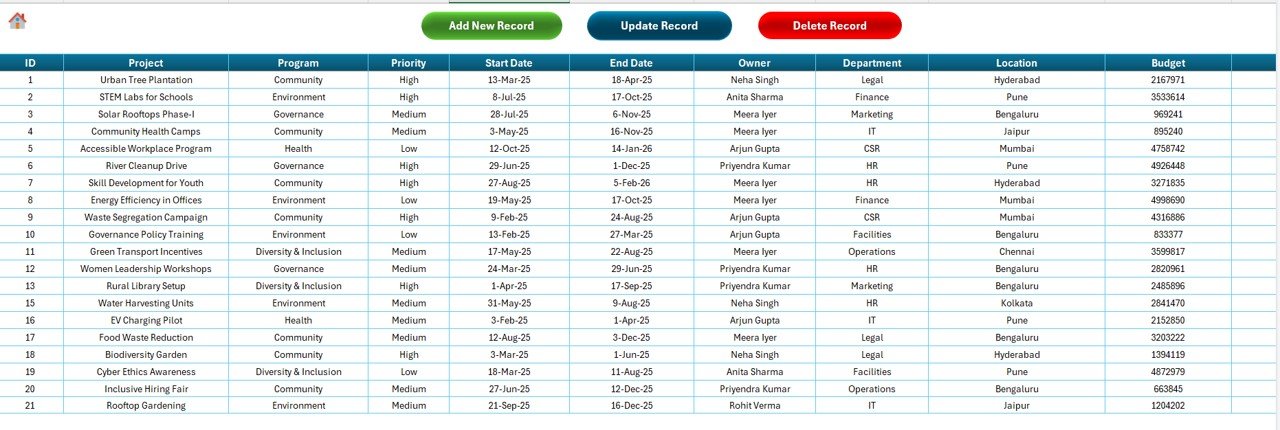
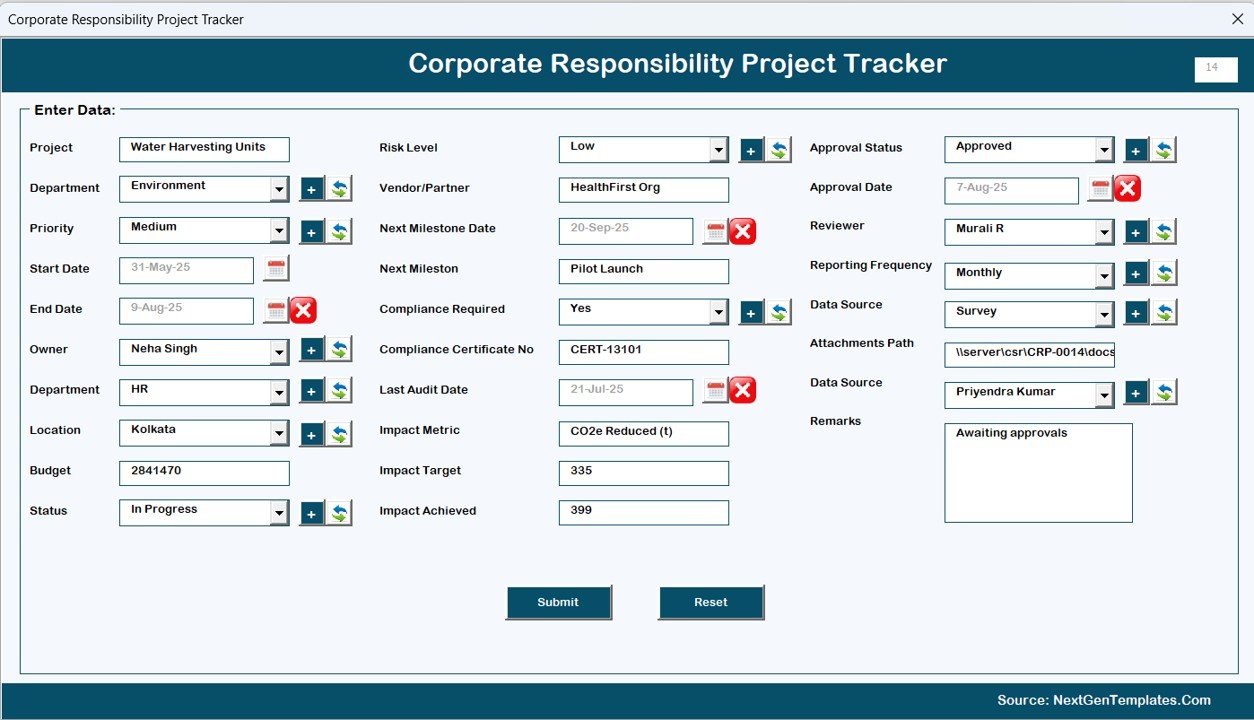
📝 Data Entry Sheet – Easy Record Management
Add, update, or delete project records via data entry forms.
Real-time updates ensure dashboards always stay current.
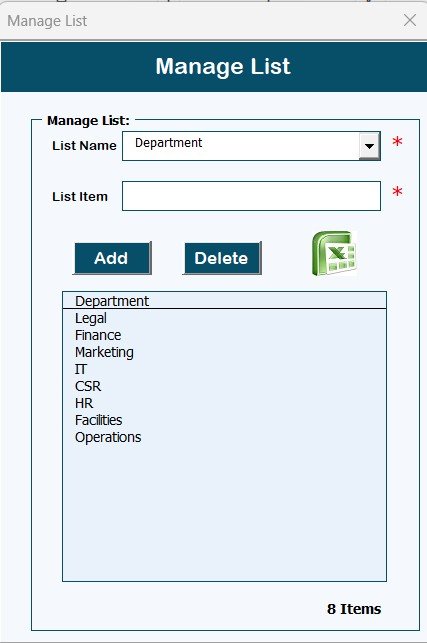
📋 Manage List Sheet – Custom Dropdowns
Create and manage lists for categories like Project Type, Severity, Departments, Reviewers.
Ensures data consistency and accuracy.
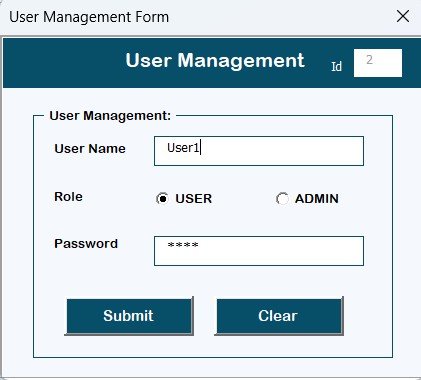
⚙️ User Management System
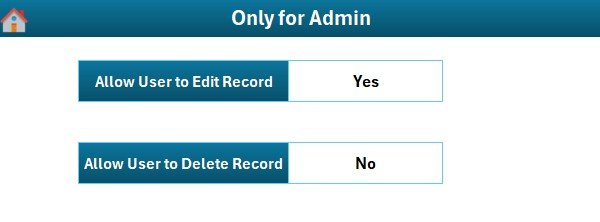
Add, edit, or remove users with role-based access.
Reset or change passwords when needed.
Maintains accountability and prevents unauthorized access.
⚡ VBA-Powered Automation
Automated data updates.
Simplifies repetitive tasks like record management and reporting.
⚙️ Settings Sheet – Full Customization
Define categories, budget settings, and project parameters.
Adaptable to your organization’s unique needs.
📦 What’s Inside the Product
1️⃣ A ready-to-use Excel & VBA-powered tracker.
2️⃣ Login system for secure, role-based access.
3️⃣ Data entry forms for quick project recording.
4️⃣ Interactive dashboards with slicers and charts.
5️⃣ User management to control access rights.
6️⃣ Customizable dropdown lists for tailored tracking.
7️⃣ Settings panel to configure the tool to your workflow.
🛠️ How to Use the Tracker
✔ Step 1 – Log in with your unique credentials.
✔ Step 2 – Use the Main Form to navigate across sections.
✔ Step 3 – Add or update projects in the Data Entry Form.
✔ Step 4 – Track project budgets, statuses, and incidents via dashboards.
✔ Step 5 – Manage user accounts and adjust settings as required.
✔ Step 6 – Review insights in meetings for data-driven decision-making.
👥 Who Can Benefit from This Tracker?
Corporate Teams – For monitoring sustainability and compliance projects.
CSR Departments – To track community and social responsibility programs.
Compliance & Audit Teams – To manage and document adherence efforts.
SMEs & Large Enterprises – Scalable design suitable for businesses of any size.
Consultants & Project Managers – For structured reporting and accountability.
✅ Advantages of the Corporate Responsibility Project Tracker
Centralized Management – All projects in one secure system.
Improved Transparency – Dashboards make project status clear.
Time-Saving – Automated updates reduce manual reporting.
Customizable – Tailor categories, lists, and settings to your needs.
Cost-Effective – No expensive licenses or third-party tools needed.
Audit-Ready – Provides documented records for reviews.
User-Friendly – Built for easy navigation and quick adoption.
🚀 Opportunities for Improvement
Scalability – Optimize for very large datasets.
Cloud Integration – Host on OneDrive/SharePoint for shared access.
Mobile Usability – Limited compared to dedicated apps.
API Integration – Could expand with external systems for real-time sync.
📌 Best Practices for Using This Tool
Define categories (severity, departments, priorities) before setup.
Regularly update records to keep dashboards accurate.
Assign user rights carefully to protect sensitive data.
Leverage slicers & dashboards during review meetings.
Back up the file regularly to avoid data loss.
🏆 Conclusion
The Corporate Responsibility Project Tracker in Excel is more than a spreadsheet—it’s a powerful project management system. With its VBA-powered automation, secure login, dashboards, and customizable design, it enables businesses to track CR initiatives with greater control, accountability, and efficiency.
Whether you’re managing sustainability programs, compliance initiatives, or community projects, this tracker ensures you stay on top of your responsibilities while saving time and costs.
📖 Click here to read the Detailed Blog Post
🎥 Visit our YouTube channel for step-by-step tutorials
👉 Youtube.com/@PKAnExcelExpert
Watch the step-by-step video tutorial:
Compatibility and Requirements
- Built with Excel and VBA, so it needs Excel desktop on Windows with macros enabled.
- The login, forms and buttons do not run in Excel for the web, Google Sheets or the Excel mobile apps.
- Not sure how to turn macros on? See Microsoft’s guide: Enable or disable macros in Microsoft 365 files.
Frequently Asked Questions
Do I need to enable macros?
Yes. The login form, main form, data entry forms and user management are driven by VBA, so macros must be enabled when you open the file.
What does the dashboard show?
Incidents by severity and approval status, projects by priority and status, and total budget by program, department, owner, reviewer and location, with slicers to filter.
Can I add more users?
Yes. The user management form lets you add, edit or remove users, set role-based access and reset or change passwords.
Can I change the dropdown lists?
Yes. The Manage List sheet holds the lists for project type, severity, departments and reviewers, and you can edit them to fit your organization.
Is there a Google Sheets version?
Yes. The Corporate Responsibility Project Tracker in Google Sheets covers the same topic online.
Related CSR and Sustainability Templates
- Corporate Responsibility Project Tracker in Google Sheets: the online edition for shared teams
- Corporate Social Responsibility (CSR) KPI Dashboard in Excel: CSR KPIs month by month
- CSR Events Calendar in Excel: plan CSR events across the year
- Sustainability Reporting KPI Dashboard in Excel: report sustainability results
- Energy & ESG Sustainability Bundle: 8 ESG templates in one download
Browse all Excel trackers or the Excel VBA tools.































Reviews
There are no reviews yet.