



The Classroom Setup Checklist in Excel is a detailed and user-friendly tool designed for teachers, school administrators, and education professionals to streamline the classroom setup process. Whether you’re preparing for the start of a new school year, setting up for a new subject, or just organizing classroom resources, this checklist ensures that you don’t miss any important setup tasks.
With interactive features and customizable sections, this checklist helps you organize everything from arranging desks and furniture to setting up teaching materials and technology, allowing you to create an efficient and welcoming learning environment for your students.

Key Features of the Classroom Setup Checklist in Excel:
🛋️ Furniture and Layout Planning
Ensure that all furniture, desks, chairs, and storage units are arranged according to your classroom layout plan, promoting efficient movement and student engagement.
📚 Teaching Materials Setup
Track the setup of teaching materials such as books, worksheets, whiteboards, and visual aids to ensure that all resources are ready for use.
💻 Technology and Equipment Management
Monitor the setup of classroom technology, including projectors, computers, interactive whiteboards, and other digital tools to ensure everything is operational and ready for the first day.
🖍️ Stationery and Supplies Checklist
Track classroom supplies, such as pens, pencils, notebooks, and other stationery items, to ensure you have everything necessary for the start of the term.
🌟 Classroom Decor and Environment
Ensure that the classroom is aesthetically pleasing and conducive to learning by tracking the setup of decorations, learning posters, bulletin boards, and other visual elements.
🚀 Why You’ll Love the Classroom Setup Checklist in Excel:
✅ Streamline Classroom Setup – Keep track of all essential setup tasks to ensure a smooth, stress-free classroom preparation process.
✅ Promote Organization – Track furniture, materials, and supplies efficiently, ensuring your classroom is well-organized and ready for students.
✅ Optimize Technology Use – Ensure all classroom technology is properly set up, tested, and ready for teaching, reducing downtime during lessons.
✅ Stay on Top of Supplies – Track your classroom supplies to ensure you never run out of essential items like stationery, books, or teaching tools.
✅ Personalize Your Setup – Customize the checklist to meet the specific needs of your classroom layout, subject, or teaching style.
✅ Easy to Use and Manage – The Excel format makes it easy to manage and update your checklist, keeping you organized all year round.
What’s Inside the Classroom Setup Checklist in Excel:
Furniture and Classroom Layout: Track the arrangement of desks, chairs, and furniture to ensure that your classroom layout is optimal for learning and engagement.
Teaching Materials and Resources: Organize teaching tools, books, worksheets, and visual aids to ensure that everything is easily accessible for your lessons.
Technology and Equipment Setup: Track the setup of classroom technology such as computers, projectors, interactive whiteboards, and sound systems to ensure they are functional.
Supplies and Stationery Management: Ensure that all essential supplies, such as pens, notebooks, and teaching materials, are stocked and ready.
Decor and Visual Elements: Plan the decoration of your classroom, including bulletin boards, posters, and displays, to create an inviting and engaging learning environment.
Customizable Checklist Sections: Add or modify checklist items to meet your specific classroom needs and teaching requirements.
How to Use the Classroom Setup Checklist in Excel:
1️⃣ Download the Template – Instantly access your Excel file upon purchase.
2️⃣ Customize the Checklist – Modify the checklist to suit your classroom’s layout, subjects, and specific requirements.
3️⃣ Track Setup Progress – Use the checklist to track the setup of furniture, teaching materials, technology, and supplies to ensure everything is ready.
4️⃣ Stay Organized – Regularly update the checklist as you complete each task to keep your classroom setup on track.
5️⃣ Prepare for the First Day – Ensure your classroom is fully prepared with all materials, furniture, and technology in place for a successful start to the term.
Who Can Benefit from the Classroom Setup Checklist in Excel:
Teachers and Educators
School Administrators
Classroom Managers
Homeschooling Parents
Education Consultants
School Facilities Managers
Education Coordinators
Event Planners for Educational Events
Special Education Teachers
Early Childhood Education Providers
The Classroom Setup Checklist in Excel is a vital tool for ensuring that your classroom is prepared and organized for a successful learning environment. By tracking furniture setup, teaching materials, technology, supplies, and decor, you can create a positive and engaging atmosphere that supports student learning.
Click here to read the Detailed blog post
https://www.pk-anexcelexpert.com/classroom-setup-checklist-in-excel/
Visit our YouTube channel to learn step-by-step video tutorials
Youtube.com/@PKAnExcelExpert
Compatibility and Requirements
- Works in Microsoft Excel desktop (Excel 2016 or later, or Microsoft 365).
- If you are new to Excel, Microsoft’s Excel for Windows training covers the basics.
Frequently Asked Questions
What does the checklist cover?
It covers furniture and layout, teaching materials, technology and equipment, supplies and stationery, and classroom decor.
Can I add my own items?
Yes. You can add or change checklist items to fit your classroom layout, subject and teaching needs.
Does it cover classroom technology?
Yes. It tracks the setup of projectors, computers, interactive whiteboards and sound systems.
Can I use it all year?
Yes. Update it as you finish each task, and reuse it for a new term or a new subject.
Related School and Classroom Templates
- Teacher Training Checklist in Excel: plan teacher training tasks
- School Event Checklist in Excel: prepare school events
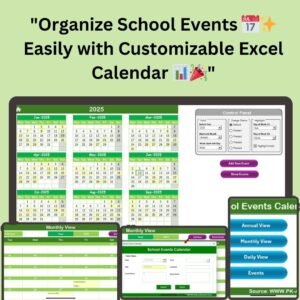
- School Events Calendar in Excel: plan the school year by date
- Student Progress Tracker Checklist in Excel: follow each student’s progress
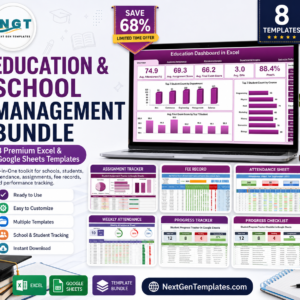
- Education & School Management Bundle: 8 school templates in one download
Browse all Excel checklists or the Excel education templates.































Reviews
There are no reviews yet.