

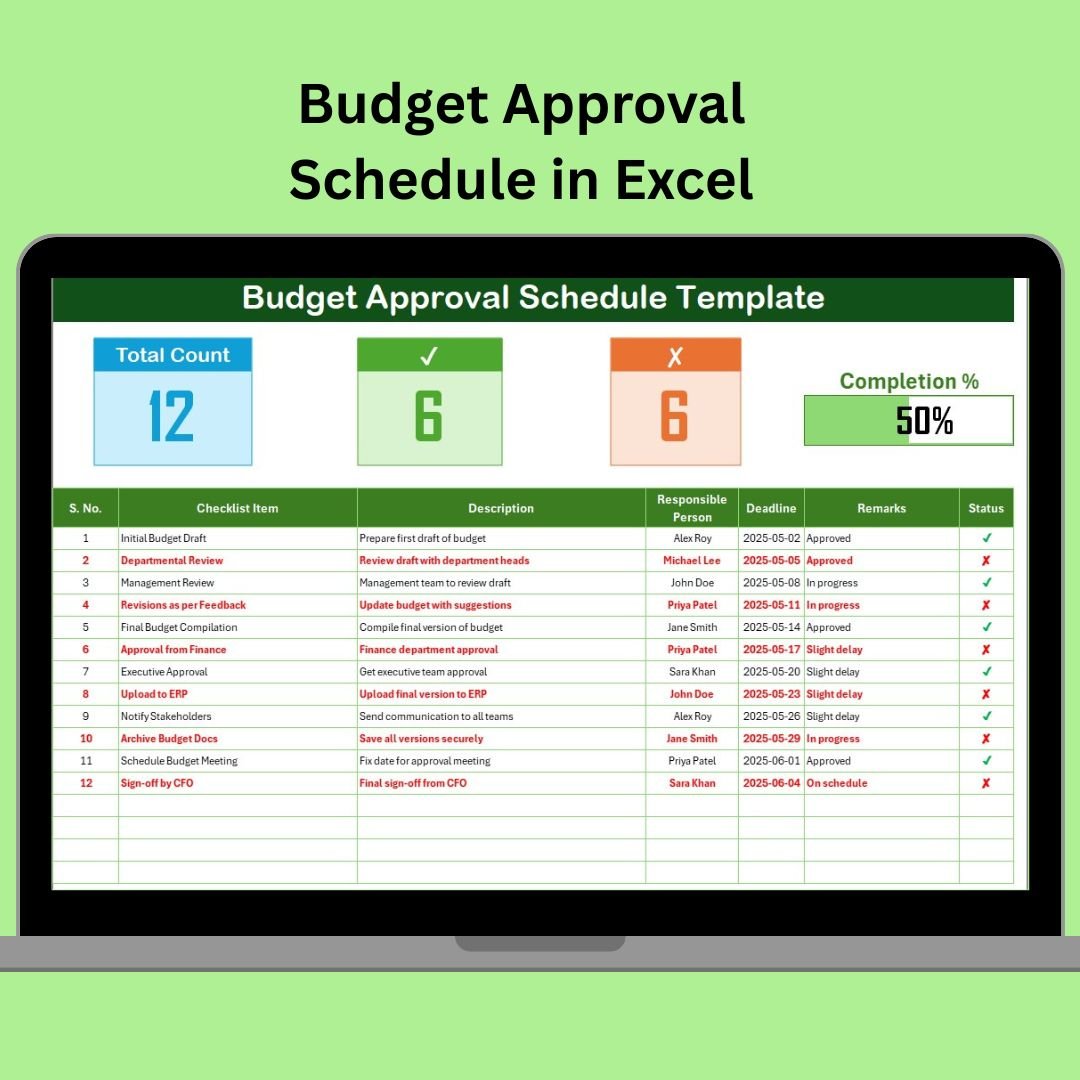


The Budget Approval Schedule in Excel is a powerful tool designed to help businesses, finance teams, and project managers track and manage the budget approval process. This Excel-based schedule helps you plan, schedule, and monitor every step of the budget approval workflow to ensure timely and accurate budget allocation across departments or projects.
This tool helps streamline the approval process by organizing tasks, assigning responsibilities, and setting deadlines for each stage. With this schedule, you can ensure that all necessary approvals are obtained, review financial documents, and avoid any delays in the budget planning process. It’s an essential tool for organizations seeking to improve their financial planning, management, and transparency.
Key Features of the Budget Approval Schedule in Excel
📋 Budget Approval Workflow Tracking
Track each step of the budget approval process, from initial preparation to final approval. Assign tasks to relevant personnel and ensure that deadlines are met at every stage.
⏱ Timeline Management
Monitor key milestones and deadlines throughout the budget approval process. Keep track of approval dates, review timelines, and submission deadlines to ensure that the budget is approved on time.
📊 Responsibility Assignment
Assign budget approval responsibilities to specific team members or departments. The tracker allows for clear accountability, ensuring that no task is overlooked.
📑 Document & Budget Review Tracking
Track the status of financial documents, such as budget proposals, revisions, and final approval forms. Ensure that each document is reviewed and signed off on time.
⚙️ Customizable Approval Stages
Customize the schedule to fit your organization’s budget approval stages. Whether you have multiple review phases, approval hierarchies, or various budget categories, the tracker can be tailored to match your process.
🔄 Progress & Status Monitoring
Monitor the progress of each budget approval stage and track whether tasks are on schedule, pending, or completed. Ensure that nothing is missed and that the approval process runs smoothly.
Why You’ll Love the Budget Approval Schedule in Excel
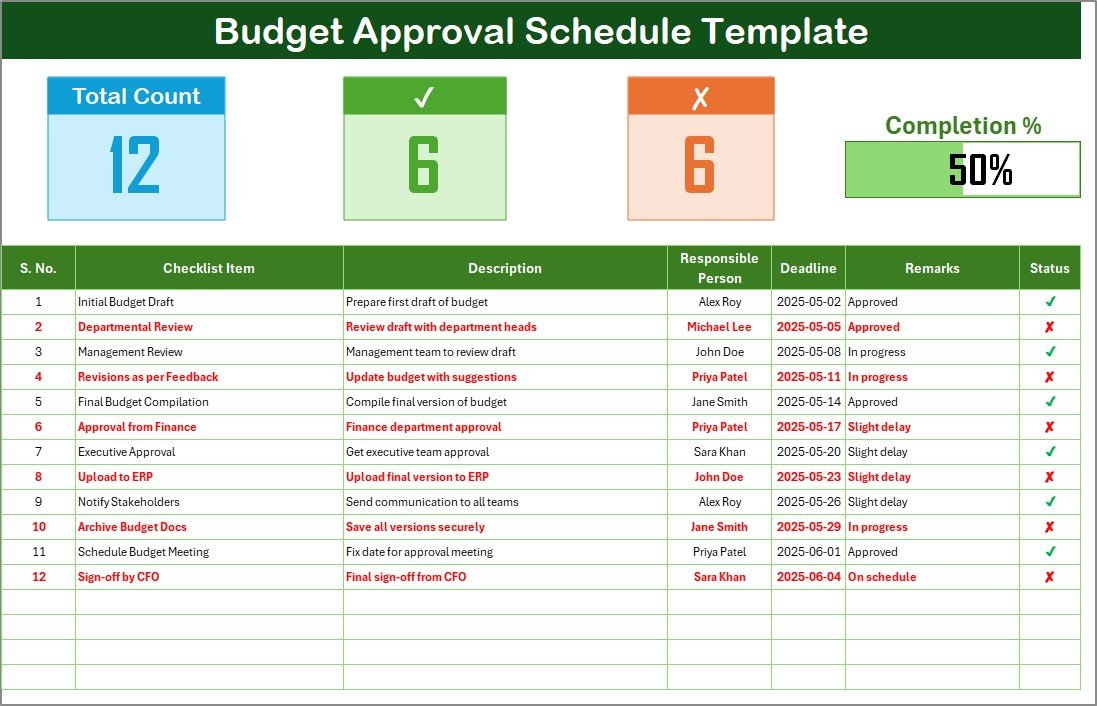
✅ Organized Budget Approval Process
Organize and track the entire budget approval process in one place. Assign tasks, set deadlines, and monitor progress for a seamless workflow.
✅ Timely Approvals
Ensure that all necessary approvals are obtained on time by monitoring deadlines and tasks. Stay ahead of your approval schedule to avoid delays in the budgeting process.
✅ Increased Accountability & Transparency
Clearly assign responsibilities to ensure accountability at each stage. Track document reviews and approvals, ensuring that the entire process is transparent.
✅ Customizable & Scalable
Tailor the schedule to fit your organization’s needs. Whether it’s a simple approval workflow or a more complex multi-stage approval process, this tool can scale to match your requirements.
✅ Easy to Use & Implement
The tracker is easy to set up and use, making it ideal for businesses of any size. No complex software or systems needed—just an Excel file that you can modify and use right away.
What’s Inside the Budget Approval Schedule in Excel?
Budget Approval Workflow Tracking: Track and manage every step of the budget approval process.
Timeline Management: Monitor approval deadlines, submission dates, and review schedules.
Responsibility Assignment: Assign tasks to team members and departments.
Document & Review Tracking: Ensure budget proposals and revisions are reviewed and approved on time.
Customizable Stages: Tailor the approval process to your organization’s needs.
Progress Monitoring: Track the status of each task and milestone in the budget approval process.
How to Use the Budget Approval Schedule in Excel
1️⃣ Download the Template: Instantly access the Budget Approval Schedule in Excel.
2️⃣ Set Up Tasks & Deadlines: Input your approval process stages, assign tasks, and set deadlines.
3️⃣ Track Progress: Monitor each stage of the budget approval process in real time.
4️⃣ Ensure Timely Approvals: Track deadlines and ensure that all necessary approvals are received on time.
5️⃣ Optimize Your Budget Planning: Use insights from the schedule to improve your approval workflow and optimize budget planning for future projects.
Who Can Benefit from the Budget Approval Schedule in Excel?
🔹 Finance Teams & Budget Managers
🔹 Project Managers & Team Leads
🔹 Small & Medium Businesses (SMBs)
🔹 Large Enterprises with Multiple Budget Categories
🔹 Department Heads & Executives
🔹 Nonprofits & Government Agencies
🔹 Consultants & Financial Advisors
Streamline your budget approval process with the Budget Approval Schedule in Excel. Track tasks, monitor deadlines, and ensure timely approval to keep your financial planning on track.
Click here to read the Detailed blog post
Visit our YouTube channel to learn step-by-step video tutorials
Youtube.com/@PKAnExcelExpert































Reviews
There are no reviews yet.