

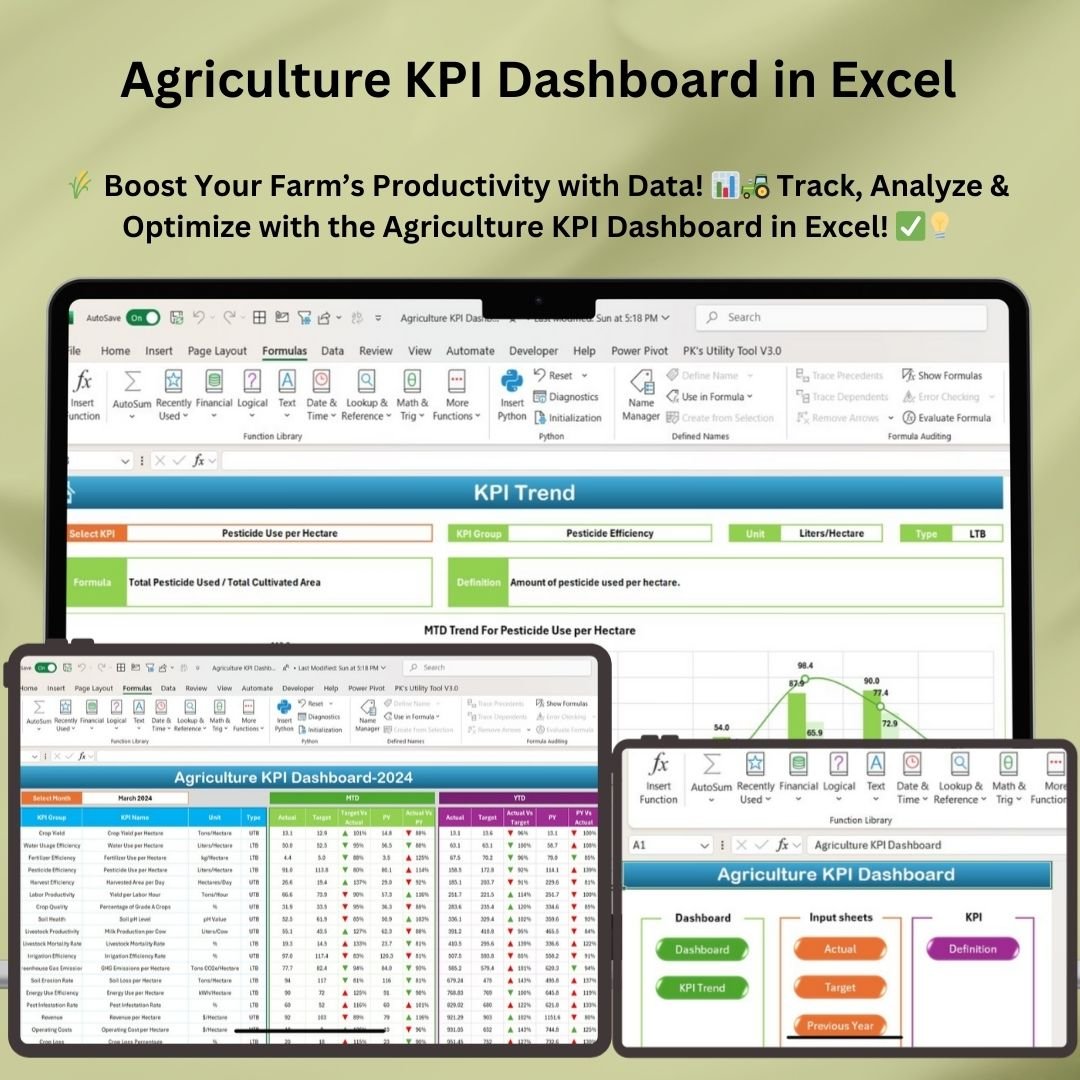



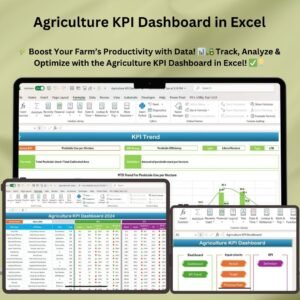
The Agriculture KPI Dashboard in Excel is a ready-made template for farmers, agribusiness managers and agricultural analysts who want one clear view of farm operations. It tracks crop yield, water usage efficiency, fertilizer efficiency, labor productivity, cost management and more, with MTD and YTD results compared against targets and the previous year. Whether you run a small farm or a large agribusiness, it supports data-driven decisions and better use of resources.
Key Features of the Agriculture KPI Dashboard
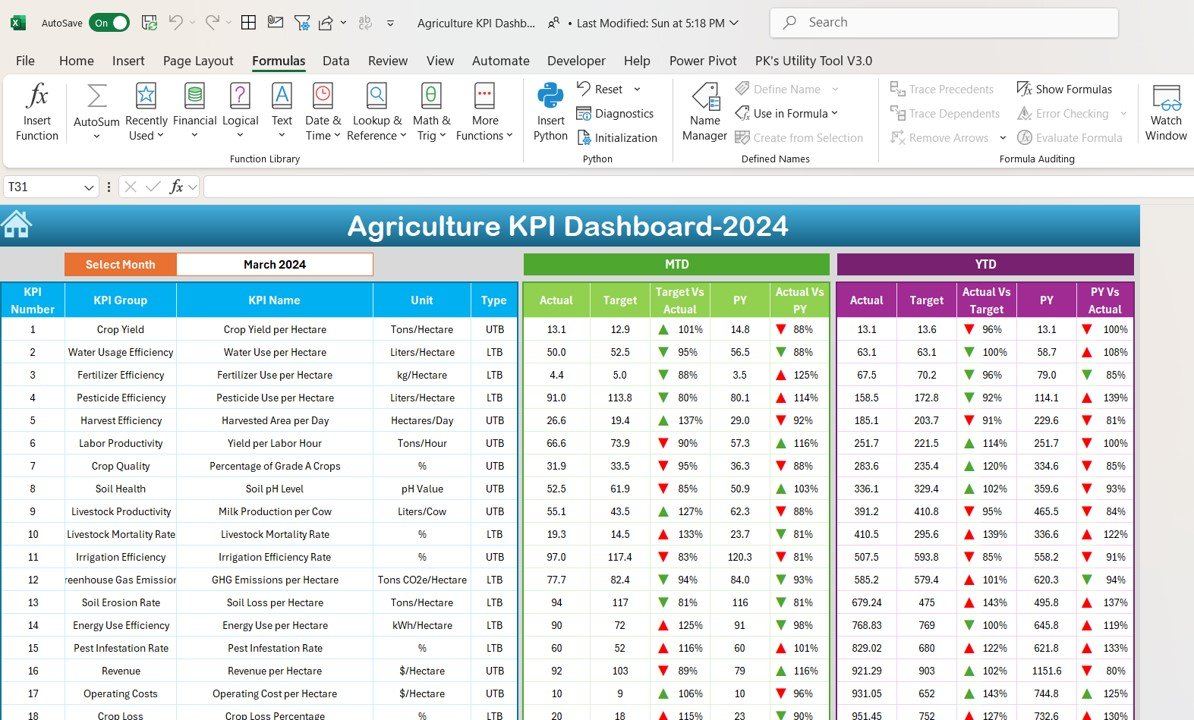
- Comprehensive dashboard: Month-to-Date (MTD) and Year-to-Date (YTD) performance for all key agricultural KPIs on one sheet.
- Dynamic month filter: Select any month and the KPI results update instantly.
- Actual vs. target vs. previous year: Compare current results with your goals and with last year’s figures.
- Conditional formatting: Underperforming and overperforming KPIs are highlighted so performance gaps stand out.
- Interactive KPI trend charts: Line charts and bar graphs show the historical trend of each KPI.
- Automated, formula-based calculations: Built-in formulas handle the analysis, so no manual computation is needed.
- Agriculture-specific metrics: Crop yield, irrigation efficiency, energy usage, pest infestation, revenue and more.
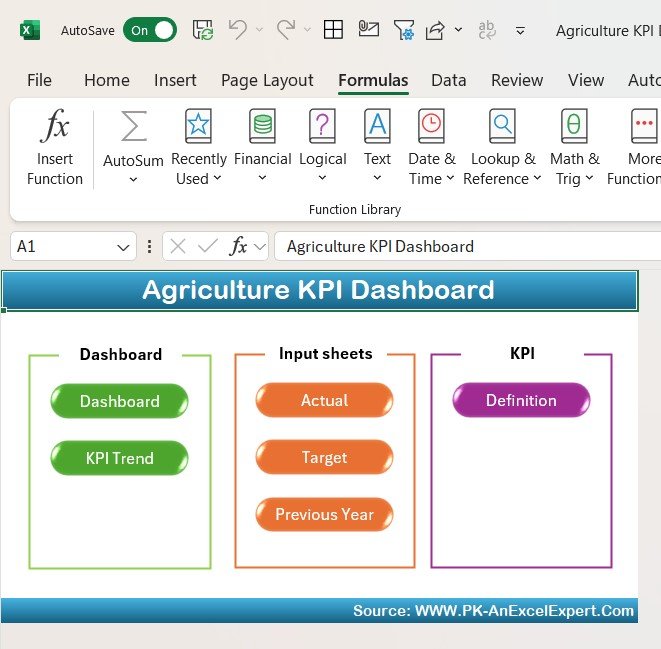
- Easy navigation: A Home sheet with six interactive buttons for quick access to every section.
- Fully editable: Instant download of a customizable Excel file you can adapt to your agribusiness.
What’s Inside: Sheets in the Template
1. Home Sheet – Centralized Navigation
- A user-friendly home page with six interactive buttons for quick access to key sections.
- Easy navigation to the Dashboard, KPI Trend, Input Sheets and KPI Definitions.
- A structured workflow for a seamless user experience.
2. Dashboard Sheet – Visualizing Agricultural Performance
- Comprehensive overview: MTD and YTD performance for all key agricultural KPIs.
- Dynamic filters: Choose any month to view updated KPI performance.
- Conditional formatting: Instantly identify underperforming and overperforming KPIs.
- Performance insights: Quickly compare actual vs. target values and previous year’s performance.
3. KPI Trend Sheet – Data Visualization for Better Analysis
- Trend analysis: Follow the historical trend of key agricultural KPIs.
- Graphical representation: Interactive line charts and bar graphs for KPI progress tracking.
- Data comparison: Analyze MTD and YTD trends alongside targets and past data.
- Formula integration: Every KPI is backed by formulas for accurate analysis.
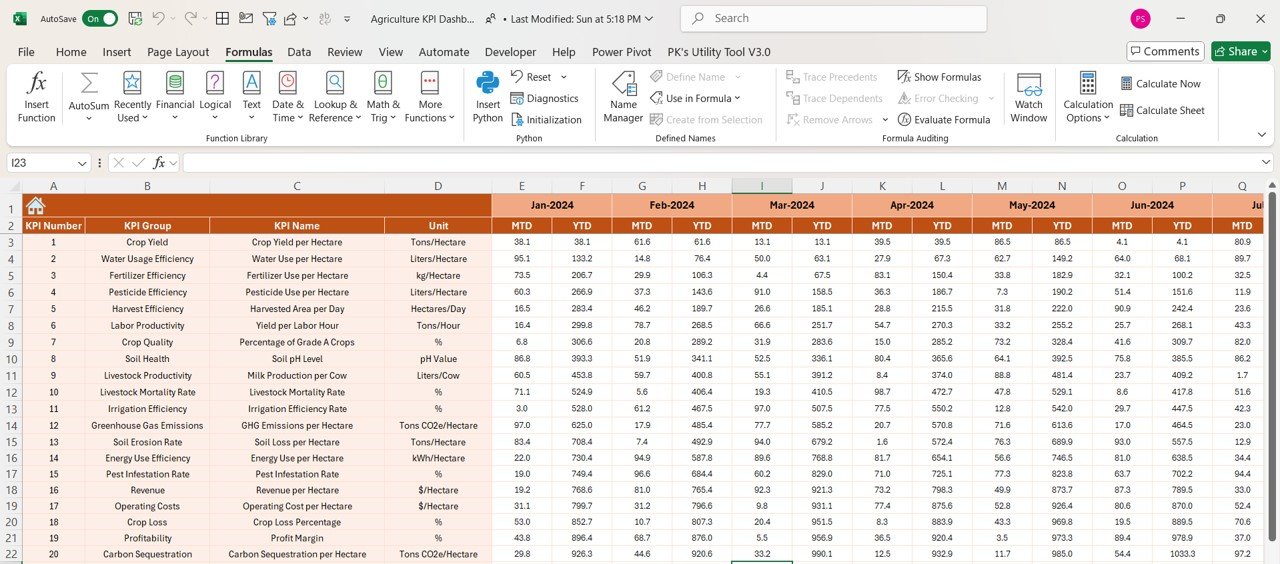
4. Actual Numbers Input Sheet – Your Farm Data
- Easy data entry: Enter MTD and YTD actual values for each KPI.
- Customizable fields: Update KPI values with real-world data collected from farm operations.
- Error reduction: Validation checks support smooth data entry.
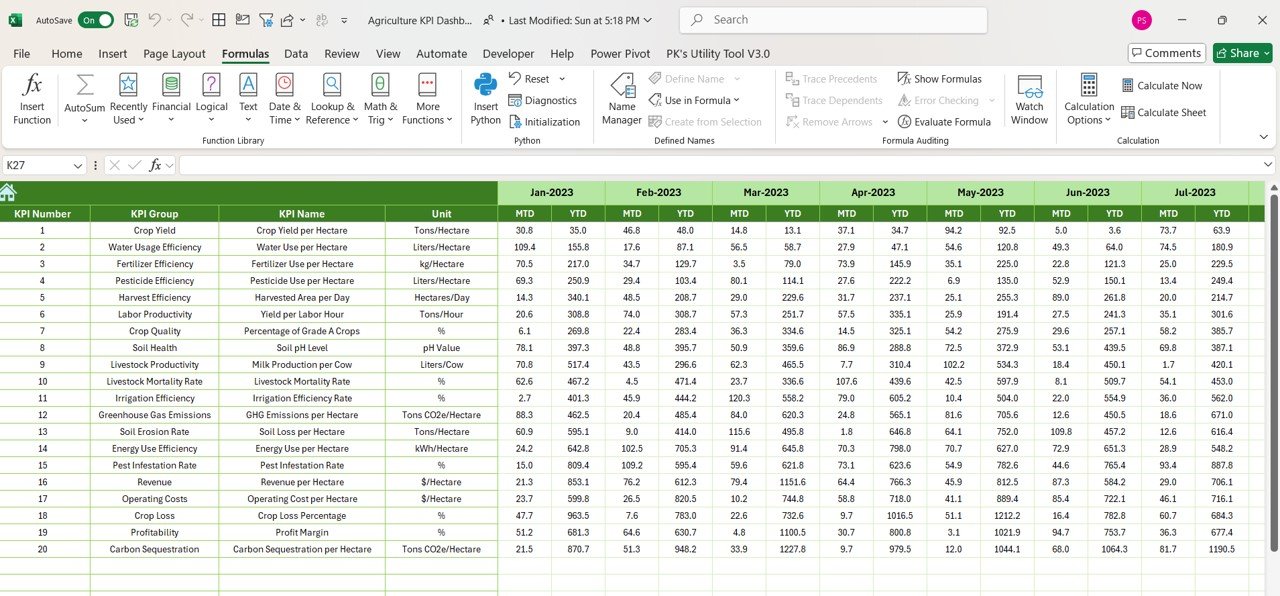
5. Target and Previous Year Sheets – Goals and Benchmarking
- Target data input: Set monthly and yearly targets for key agricultural KPIs.
- Previous year comparison: Compare current performance with last year’s results to assess growth and efficiency.
- Performance alerts: KPIs that miss targets or exceed thresholds are highlighted.
6. KPI Definition Sheet – Understanding Each Metric
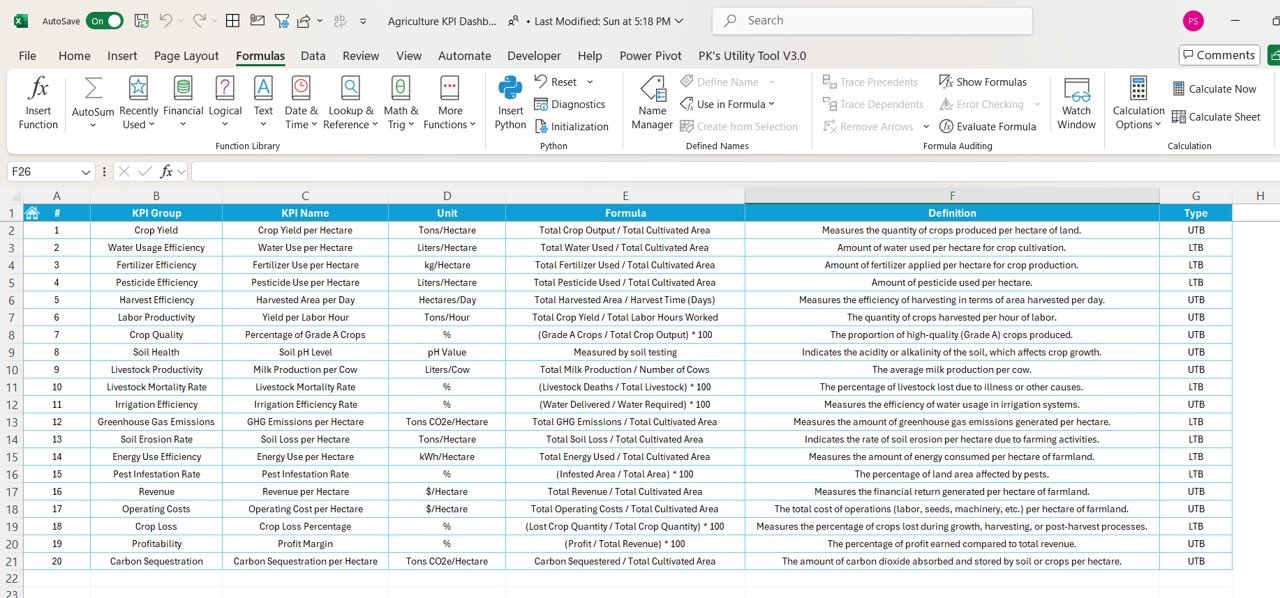
- Detailed KPI explanation: See the formula, unit and logic behind each KPI.
- Formula breakdown: Clearly defined calculation methods for easy performance analysis.
- Standardized metrics: Consistent KPI tracking across multiple farm operations.
What Can You Track with This Dashboard?
The template includes a comprehensive list of agriculture-related KPIs:
| KPI Area | What It Measures |
|---|---|
| Crop Yield per Hectare | How much crop is produced per hectare |
| Water Usage Efficiency | Liters of water used per hectare for cultivation |
| Fertilizer & Pesticide Efficiency | Amount of fertilizer and pesticide used per hectare |
| Harvest Efficiency | Area harvested per day to assess productivity |
| Labor Productivity | Yield per labor hour |
| Soil Health & Crop Quality | Soil pH levels and the percentage of Grade A crops |
| Irrigation Efficiency | Performance of irrigation systems |
| Energy & Greenhouse Gas Emissions | Energy use efficiency and carbon footprint |
| Revenue & Cost Analysis | Revenue, operating costs and profit margins |
| Pest Infestation Rate | Pest damage, to guide preventive measures |
Who Is This Dashboard For?
- Farm owners and managers: Monitor farm performance and optimize operations.
- Agricultural analysts: Gain insights into KPI trends and make data-driven recommendations.
- Agribusiness companies: Improve efficiency and profitability with regular KPI tracking.
- Research institutions: Use structured KPI data for in-depth agricultural studies.
Why Choose This Dashboard?
- User-friendly interface: Simple navigation, structured layouts and automated analysis.
- Instant updates: Results refresh based on your input for better tracking.
- Data-driven decision making: Helps optimize resource use and increase productivity.
- Customizable and scalable: Modify, add or update KPIs to suit your specific farm operations.
- Automated insights and visualizations: No complex calculations needed.
How to Use the Agriculture KPI Dashboard
- Download and open the Excel file, then start from the Home sheet.
- Review the KPI Definition sheet to confirm the formula, unit and logic of each KPI.
- Enter your monthly and yearly goals in the Target sheet and last year’s figures in the Previous Year sheet.
- Record MTD and YTD actual values in the Actual Numbers Input sheet.
- Open the Dashboard, select a month and review actual vs. target and previous year results.
- Use the KPI Trend sheet to study trends over time and spot areas to improve.
Click here to read the detailed blog post
Visit our YouTube channel to learn step-by-step video tutorials: Youtube.com/@PKAnExcelExpert
Frequently Asked Questions
What does the Agriculture KPI Dashboard in Excel track?
It tracks agricultural KPIs such as crop yield per hectare, water usage efficiency, fertilizer and pesticide efficiency, harvest efficiency, labor productivity, soil health and crop quality, irrigation efficiency, energy and greenhouse gas emissions, revenue and cost, and pest infestation rate.
Can I view MTD and YTD results?
Yes. The Dashboard sheet shows MTD and YTD performance for every KPI, and a month filter lets you switch to any month.
Can I compare performance with targets and last year?
Yes. Separate Target and Previous Year sheets let you enter goals and historical figures, and the dashboard compares actual results against both, with conditional formatting highlighting gaps.
Do I need to write formulas myself?
No. Calculations are automated with built-in formulas. You only enter actual, target and previous year values.
Can I customize the KPIs?
Yes. The Excel file is fully editable, so you can modify, add or update KPIs to match your farm operations.
Is it suitable for both small farms and large agribusinesses?
Yes. The template is designed to support farm performance tracking for operations of any size, from a small farm to a large agribusiness.
Also check our HR KPI Dashboard in Excel
Last updated: October 2026
Compatibility and Requirements
- Works in Microsoft Excel desktop (Excel 2016 or later, or Microsoft 365).
- The trend sheet uses standard Excel line and bar charts. Microsoft explains charts in Create a chart from start to finish.
Related Agriculture Templates
- Agriculture KPI Dashboard in Google Sheets: the same KPI set for Google Sheets users
- Agriculture KPI Dashboard in Power BI: the Power BI edition
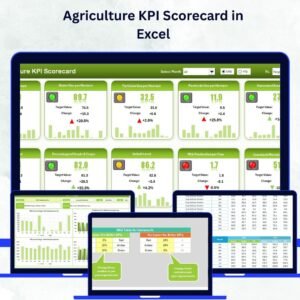
- Agriculture KPI Scorecard in Excel: a scorecard view of farm KPIs
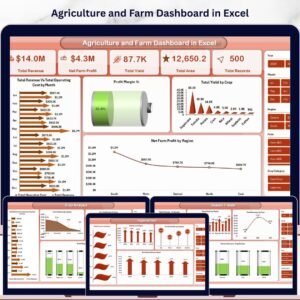
- Agriculture and Farm Dashboard in Excel: a full farm operations dashboard
- KPI Dashboard Library (Excel): a bundle of Excel KPI dashboards
Browse all Excel KPI dashboards.


























Reviews
There are no reviews yet.