



The Marketing Remote Work Calendar in Excel is an essential tool for marketing teams and business owners working in a remote or hybrid environment. This Excel-based calendar provides a clear and organized way to schedule, plan, and track marketing tasks, campaigns, and meetings, ensuring that your marketing team stays on track despite working remotely.
Designed to facilitate remote collaboration, the calendar includes features like task scheduling, deadline tracking, campaign timelines, and team coordination—all in one place. Whether you’re planning digital marketing campaigns, content calendars, or virtual team meetings, this calendar helps streamline communication and task management across the team, enhancing productivity and ensuring alignment with your marketing goals.
Key Features of the Marketing Remote Work Calendar in Excel
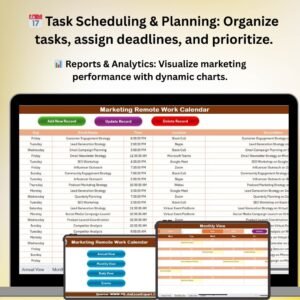
📅 Task Scheduling & Planning
Organize all marketing tasks and campaigns in one central location. Schedule deadlines, assign tasks to team members, and ensure every team member knows what they need to accomplish.
🗓️ Campaign Timeline Tracking
Keep track of the timelines for all ongoing and upcoming marketing campaigns. Monitor deadlines, milestones, and key events to ensure smooth execution of marketing efforts.
📈 Collaborative Planning
Facilitate seamless collaboration by allowing all team members to update and access the calendar in real-time. Keep the entire team aligned on the tasks, deadlines, and objectives.
📊 Visual Reports & Analytics
Use built-in charts and reports to visualize your marketing activities, track campaign progress, and evaluate results. Gain insights into your team’s productivity and campaign performance.
⚙️ Customizable Fields & Metrics
Customize the calendar to match your team’s specific needs. Add or modify fields such as task categories, priority levels, and KPI metrics, ensuring the tool aligns with your marketing strategy.
📅 Team Coordination & Meeting Scheduling
Keep track of remote meetings, brainstorming sessions, and check-ins with your marketing team. Schedule virtual meetings, review dates, and ensure your remote team stays connected.
Why You’ll Love the Marketing Remote Work Calendar in Excel

✅ Centralized Task & Campaign Management
Keep all marketing tasks and campaigns in one organized location. Simplify project tracking and enhance communication across remote teams.
✅ Streamlined Collaboration & Communication
Foster team collaboration by providing a shared space for team members to update tasks, track deadlines, and communicate on ongoing projects.
✅ Track Campaign Progress & Timelines
Monitor the progress of your marketing campaigns and ensure that key milestones are met within the designated time frames.
✅ Real-Time Updates & Data Sharing
Allow team members to update and access the calendar in real-time, ensuring that everyone is aligned and up-to-date with current tasks and timelines.
✅ Fully Customizable for Your Needs
Customize the calendar to fit your unique marketing processes. Tailor fields, deadlines, and task priorities to ensure it reflects your team’s requirements.
What’s Inside the Marketing Remote Work Calendar in Excel?
- Task Scheduling & Deadline Tracking: Schedule marketing tasks, set deadlines, and assign team members.
- Campaign Timeline Tracking: Monitor the timelines for campaigns and key marketing events.
- Collaborative Team Planning: Facilitate real-time updates and shared access for the entire team.
- Reports & Data Analysis: Use charts to analyze progress and visualize campaign performance.
- Customizable Fields & Metrics: Adjust the calendar for your unique needs by adding relevant fields and KPIs.
- Meeting Scheduling & Coordination: Track remote meetings, deadlines, and brainstorming sessions.
How to Use the Marketing Remote Work Calendar in Excel
1️⃣ Download the Template: Access the Marketing Remote Work Calendar in Excel instantly.
2️⃣ Set Up Tasks & Campaigns: Input your marketing tasks, campaigns, deadlines, and key events.
3️⃣ Assign Responsibilities & Deadlines: Assign tasks to team members and set deadlines to ensure timely completion.
4️⃣ Track Progress: Use the calendar to monitor task completion, campaign performance, and milestones.
5️⃣ Collaborate & Communicate: Keep your team updated with real-time changes, virtual meetings, and brainstorming sessions.
Who Can Benefit from the Marketing Remote Work Calendar in Excel?
🔹 Marketing Managers & Campaign Coordinators
🔹 Remote Marketing Teams
🔹 Digital Marketing Agencies
🔹 Business Owners & Entrepreneurs
🔹 Small & Medium Enterprises (SMEs)
🔹 E-commerce & Online Business Owners
Ensure that your marketing team stays organized, on schedule, and aligned with marketing goals with the Marketing Remote Work Calendar in Excel. Manage campaigns, coordinate tasks, and improve team productivity with this comprehensive and user-friendly calendar.
Click here to read the Detailed blog post
Visit our YouTube channel to learn step-by-step video tutorials
Youtube.com/@PKAnExcelExpert
Watch the step-by-step video Demo:
Compatibility and Requirements
- Works in Microsoft Excel desktop (Excel 2016 or later, or Microsoft 365).
- New to Excel? Microsoft has a free guide: Excel for Windows training.
Frequently Asked Questions
What can I plan in the Marketing Remote Work Calendar?
You can schedule marketing tasks, campaign timelines, deadlines, milestones and remote team meetings in one calendar.
Can I assign tasks to team members?
Yes. You can assign each task to a team member and set its deadline and priority.
Can I track campaign progress?
Yes. Built-in charts and reports show marketing activities and campaign progress.
Can I add my own fields?
Yes. You can add or change fields such as task categories, priority levels and KPI metrics.
Related Marketing Calendar Templates
- Marketing Team Remote Work Calendar in Excel: a marketing team remote work calendar in Excel
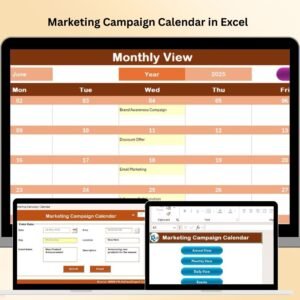
- Marketing Campaign Calendar in Excel: plan marketing campaigns in an Excel calendar
- HR Remote Work Calendar in Excel: a remote work calendar for HR teams in Excel
- Remote Work KPI Dashboard in Google Sheets: track remote work KPIs in Google Sheets
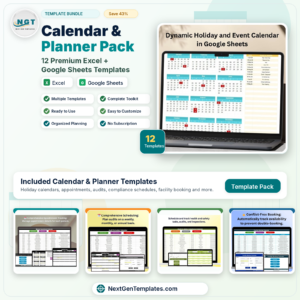
- Calendar & Planner Pack: 12 calendar and planner templates in one download
Browse all Excel calendars or the Excel sales and marketing templates.








Reviews
There are no reviews yet.