



The HR Attrition and Head Count Analysis Dashboard in Excel is a free HR reporting template for reviewing employee turnover, workforce size and demographics. Use its departmental analysis and data filters to compare head count and attrition by department, location or reporting period, then use the charts to support workforce planning discussions.
With customizable features like attrition rate calculation, head count tracking, and employee demographics analysis, this Excel dashboard helps HR managers monitor workforce trends, identify potential issues early, and improve overall employee retention. Whether you’re analyzing turnover rates, workforce distribution, or departmental head counts, this tool is your go-to solution for HR data management.
🚀 Want Deeper HR Analytics? Upgrade to our premium Employee Retention Dashboard ($17.99) — with advanced retention metrics, predictive indicators, and department-level analysis. Or get the complete HR & Workforce Analytics Bundle — 10 premium HR templates for $89.99 (save 60%).
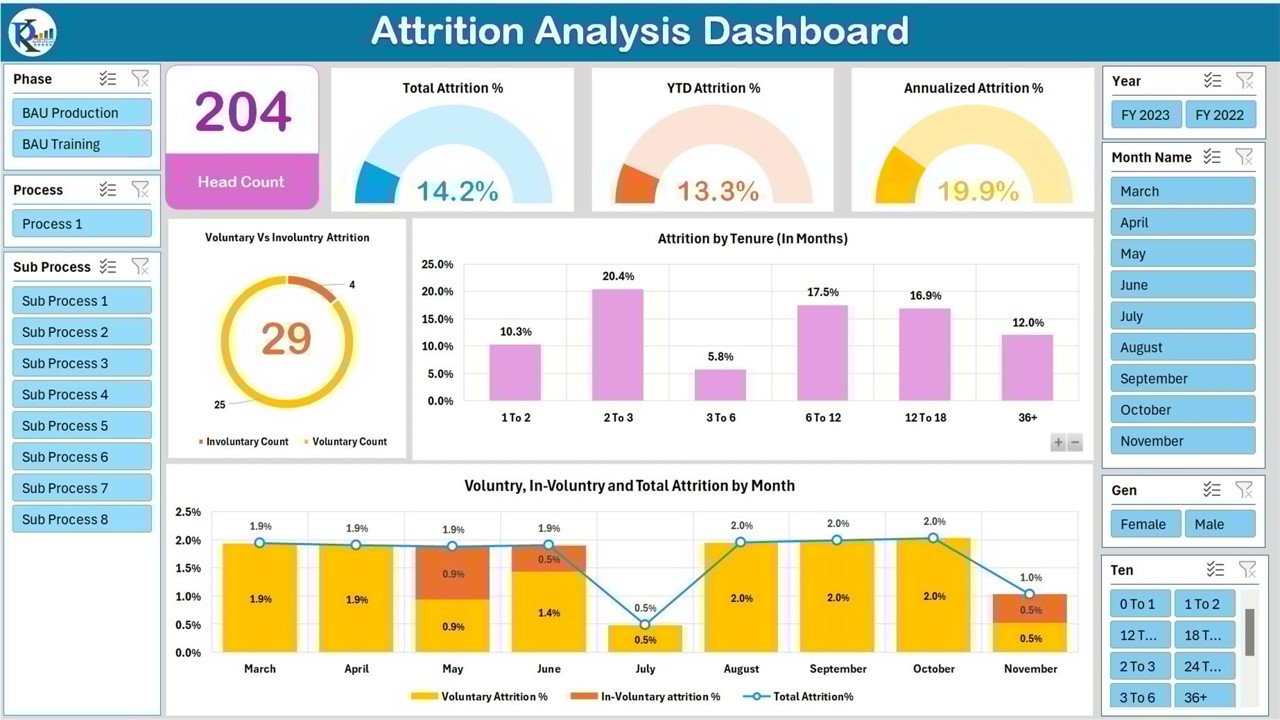
Key Features of the HR Attrition and Head Count Analysis Dashboard in Excel:
📊 Attrition Rate Tracking
Track employee attrition by department, tenure, and reason for leaving. Calculate attrition rates over different periods to understand workforce trends.
📈 Head Count Overview
Monitor head count across different departments, job roles, and locations to get a clear picture of your workforce composition at any given time.
🧑💼 Employee Demographics
Analyze employee demographics such as age, gender, and tenure to identify trends and improve diversity and inclusion efforts.
🔢 Customizable Data Filters
Use dynamic filters to sort and display data by department, location, or any other criteria that suits your needs.
💼 Departmental Analysis
Dive into departmental head counts, attrition rates, and other metrics to understand the performance and stability of each department.
📊 Visual Dashboards
Get a comprehensive, visual overview of your HR data with easy-to-read charts, graphs, and tables, helping you quickly identify patterns and insights.
Also Check These Premium HR Templates
If you need more advanced HR analytics, explore these popular premium templates:
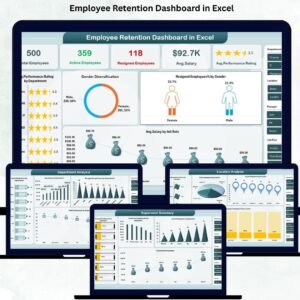
- Employee Retention Dashboard — Advanced retention metrics and predictive analysis ($17.99)
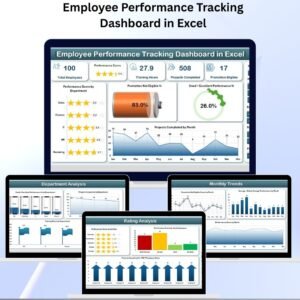
- Employee Performance Rating Card & Dashboard — Track KPIs, ratings, and reviews ($17.99)
- Employee Leave Dashboard — Complete leave tracking with visual analytics ($17.99)
- Browse All HR & Payroll Templates — 79+ HR tools for every need
Why You’ll Love the HR Attrition and Head Count Analysis Dashboard in Excel:
✅ Track Employee Trends – Easily monitor and track employee attrition and head count data across departments and time periods.
✅ Improve Workforce Planning – Gain valuable insights into your workforce composition to make better hiring and retention decisions.
✅ Optimize Employee Retention – Use data to identify the root causes of attrition and develop strategies to reduce turnover rates.
✅ Streamline HR Data Management – Consolidate and manage all HR data in one easy-to-use Excel dashboard, reducing time spent on manual reporting.
✅ Simplify Reporting – Automatically generate reports that highlight key HR metrics, making it easier to present data to stakeholders.
✅ Customizable and Scalable – Tailor the dashboard to fit your organization’s unique HR needs, whether you’re a small team or a large enterprise.
Click here to read the Detailed blog post
🔗 Visit our YouTube channel to learn step-by-step video tutorials
Watch the step-by-step video tutorial:
Questions About the HR Attrition Dashboard
What employee information can I analyse?
The dashboard covers head count, attrition and employee demographics, including department, job role, location, age, gender and tenure. Its filters help you examine workforce patterns within the data you enter.
How does head count differ from attrition?
Head count describes workforce size, while attrition describes employees leaving during a period. Reviewing both helps HR teams distinguish changes in staffing levels from turnover patterns.
For related templates and reporting options, explore our HR and payroll reporting guide.
Compatibility and Requirements
- Works in Microsoft Excel desktop (Excel 2016 or later, or Microsoft 365).
- For help with the Excel features it uses, see Microsoft’s guide Create a chart from start to finish.
More Questions About This Template
Can I filter the dashboard by department or location?
Yes. The data filters let you sort and display data by department, location or any other criteria in your data.
How is attrition tracked?
Attrition is tracked by department, tenure and reason for leaving, and the attrition rate can be calculated over different periods.
Is the HR Attrition and Head Count Analysis Dashboard free?
Yes, it is a free download. For more retention metrics, see the paid Employee Retention Dashboard linked above.























Reviews
There are no reviews yet.