


Cheap Excel dashboard templates are pre-built, fully editable KPI dashboards that cost far less than hiring an analyst or buying BI software. The 12 picks below run $11.99–$14.99 each — every one ships with formulas, charts and refreshable data in Excel, Google Sheets or Power BI, and none locks you into a subscription.
Last updated: September 2026
Zero budget? Start with our list of free Excel dashboard templates, then come back here when you need more pages, targets or MTD/YTD logic.
Key takeaways
- All 12 templates in this comparison cost between $11.99 and $14.99 — a one-time payment, no monthly fee.
- The Debt-to-Equity Ratio KPI Dashboard in Excel ($14.99) is our best overall pick because a solvency dashboard is useful to almost every business.
- The three Power BI dashboards are the cheapest at $11.99 and give you full click-to-filter interactivity out of the box.
- Buying more than seven dashboards singly costs more than the NextGen Ultimate Business Bundle ($99.99 for 25 templates) — the worked maths is below.
- A template is the wrong buy when your data is messy, live-connected or governed by compliance rules — we say exactly when to spend on software instead.
 Launch offer
From your first Pivot Table to the Data Model, DAX, Power Query and a one-page KPI dashboard. 11h 51m of video by PK, with practice files, quizzes and a capstone.
Cheap Excel dashboard templates compared
| Template | Format | Best for | Price |
|---|---|---|---|
| Debt-to-Equity Ratio KPI Dashboard (Best overall) | Excel | Finance, solvency, lender reporting | $14.99 |
| Call Center KPI Dashboard (Best value) | Power BI | Support teams, AHT, FCR, CSAT | $11.99 |
| Real Estate KPI Dashboard | Power BI | Agencies, listings, deal pipeline | $11.99 |
| Diversity & Inclusion KPI Dashboard | Google Sheets | HR, DEI reporting, headcount mix | $12.99 |
| Fitness Studio KPI Dashboard | Google Sheets | Gyms, memberships, retention | $12.99 |
| Power Grid KPI Dashboard | Excel | Utilities, load and outage tracking | $14.99 |
| Renewable Material KPI Dashboard | Excel | Sustainability, ESG, recycled-input rate | $14.99 |
| Railway KPI Dashboard | Excel | Transport ops, punctuality, load factor | $14.99 |
| AI Ethics KPI Dashboard | Power BI | Governance, model-risk oversight | $11.99 |
| Scientific Research KPI Dashboard | Excel | Labs, R&D output, grant tracking | $14.99 |
| Music Festival KPI Dashboard | Google Sheets | Events, ticketing, vendor margin | $12.99 |
| Scholarship Program KPI Dashboard | Excel | Education, nonprofits, award tracking | $14.99 |
Prices verified September 2026. Six Excel dashboards sit at $14.99, three Google Sheets dashboards at $12.99, and three Power BI dashboards at $11.99 — so the cheapest fully interactive option here is a Power BI file.
How we picked these
We searched the NextGenTemplates catalogue of 1,000-plus paid templates and kept only KPI dashboards priced under $15 that ship complete: real formulas, working charts, an input sheet and a refresh path. We rejected anything that was a static image, a single chart, or a “template” that was really a blank grid.
Every pick was scored on breadth of appeal, how much of the build is already done, and price per usable dashboard. Because the same engine appears across formats, we deliberately spread the list across Excel, Google Sheets and Power BI so you can pick the tool your team already lives in rather than the one we happen to prefer.
The 12 best cheap dashboard templates for 2026
1. Debt-to-Equity Ratio KPI Dashboard in Excel — best overall
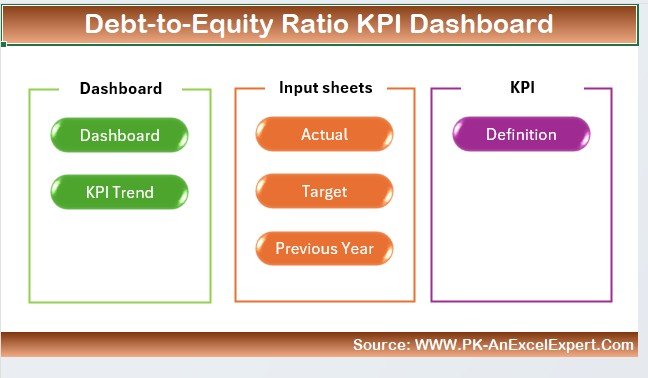
A finance dashboard that tracks solvency — the ratio lenders, boards and investors look at first. It is our best overall pick because almost every organisation carries debt and equity, so the underlying metric is close to universal, and Excel is the format finance teams already trust.
Who it is for: finance managers, small-business owners and anyone preparing for a loan or investor conversation.
- Pre-built debt-to-equity ratio calculation with month-over-month trend
- Input sheet, target sheet and previous-year comparison, all wired to the dashboard
- KPI cards, trend lines and a definitions tab so non-finance readers follow along
Use it to show a bank your ratio is falling quarter on quarter, to flag when a new liability tips you over a covenant, or to compare two subsidiaries side by side. Best for: the widest range of buyers — if you only buy one dashboard on this page, buy this. Price: $14.99.
2. Call Center KPI Dashboard in Power BI — best value
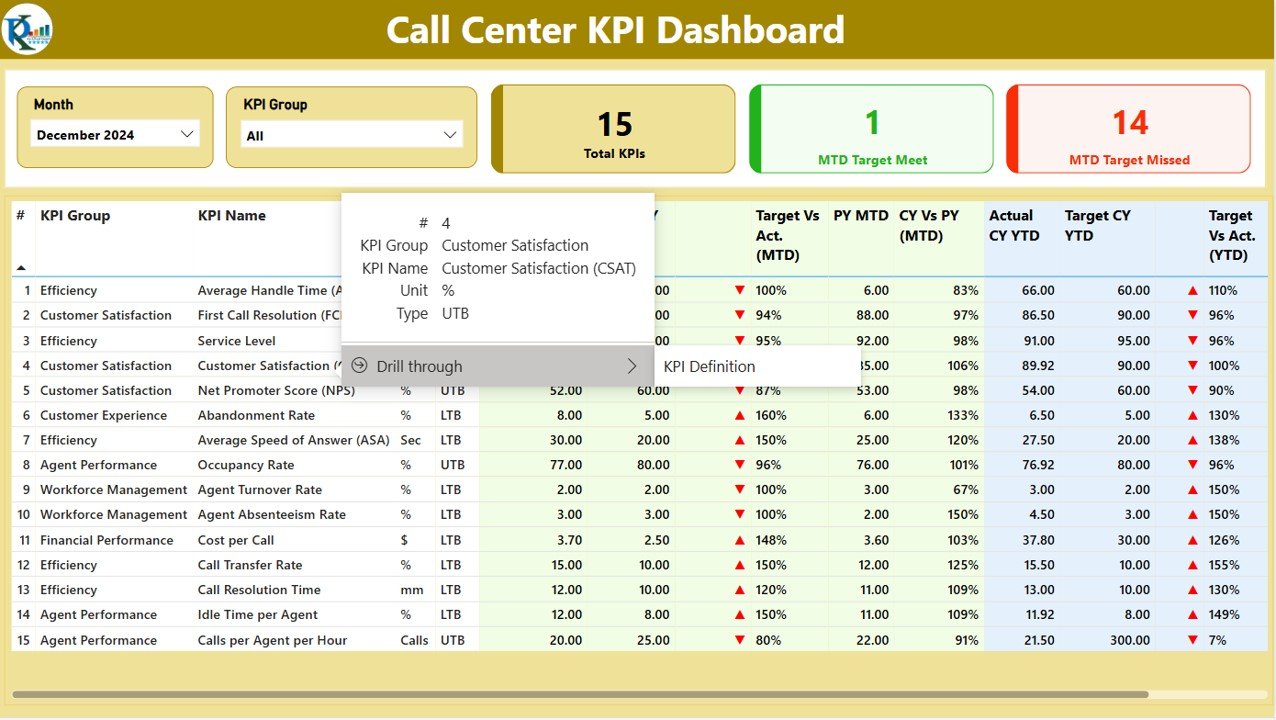
At $11.99 this is the cheapest fully interactive dashboard in the roundup, and it is our best-value pick because support metrics — average handle time, first-call resolution, CSAT — apply to any team that answers customers, not just call centres.
Who it is for: support leads, BPOs and operations managers who want click-to-filter reporting without paying for a BI consultant.
- Interactive Power BI slicers for agent, queue and date range
- Core contact-centre KPIs already modelled: AHT, FCR, abandonment, CSAT
- Drill-down from team totals to individual agent performance
Point it at a monthly export to spot the queue driving your abandonment rate, or filter to one agent before a coaching session. Best for: buyers who want the most interactivity per dollar. Price: $11.99.
3. Real Estate KPI Dashboard in Power BI
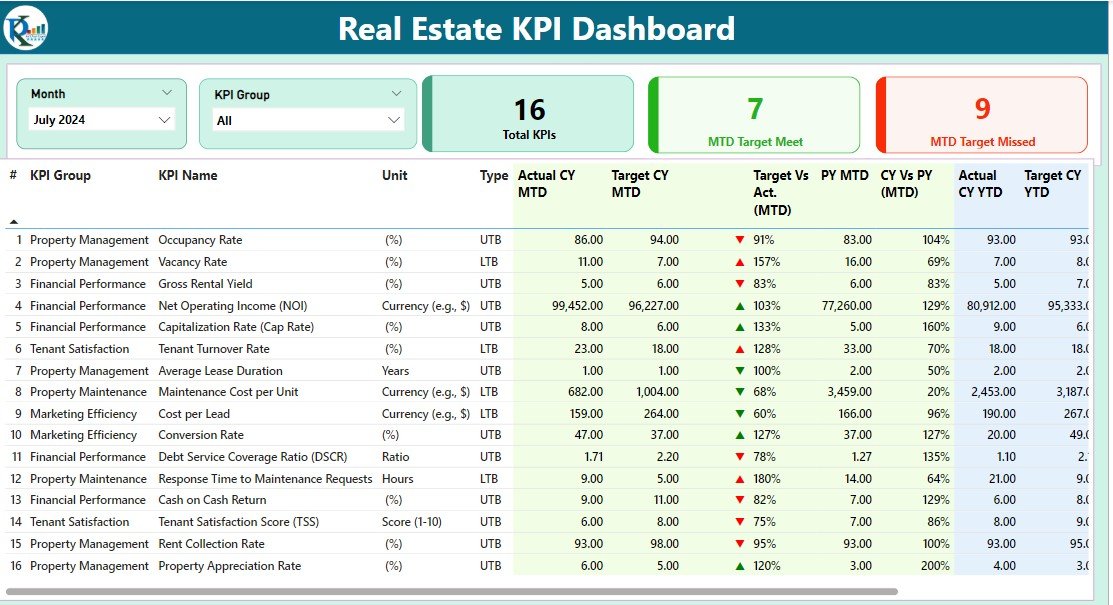
A property-focused Power BI dashboard covering listings, sales, pipeline value and agent performance. For $11.99 it replaces the spreadsheet most small agencies rebuild by hand every month.
Who it is for: estate agents, brokers and property investors tracking a portfolio.
- Listing-to-close funnel with conversion at each stage
- Revenue, average sale price and days-on-market cards
- Agent leaderboard and region filters
Use it to see which suburb moves fastest, which agent closes the highest margin, or how much pipeline is stuck past 90 days. Best for: property teams already using Microsoft 365. Price: $11.99.
4. Diversity & Inclusion KPI Dashboard in Google Sheets
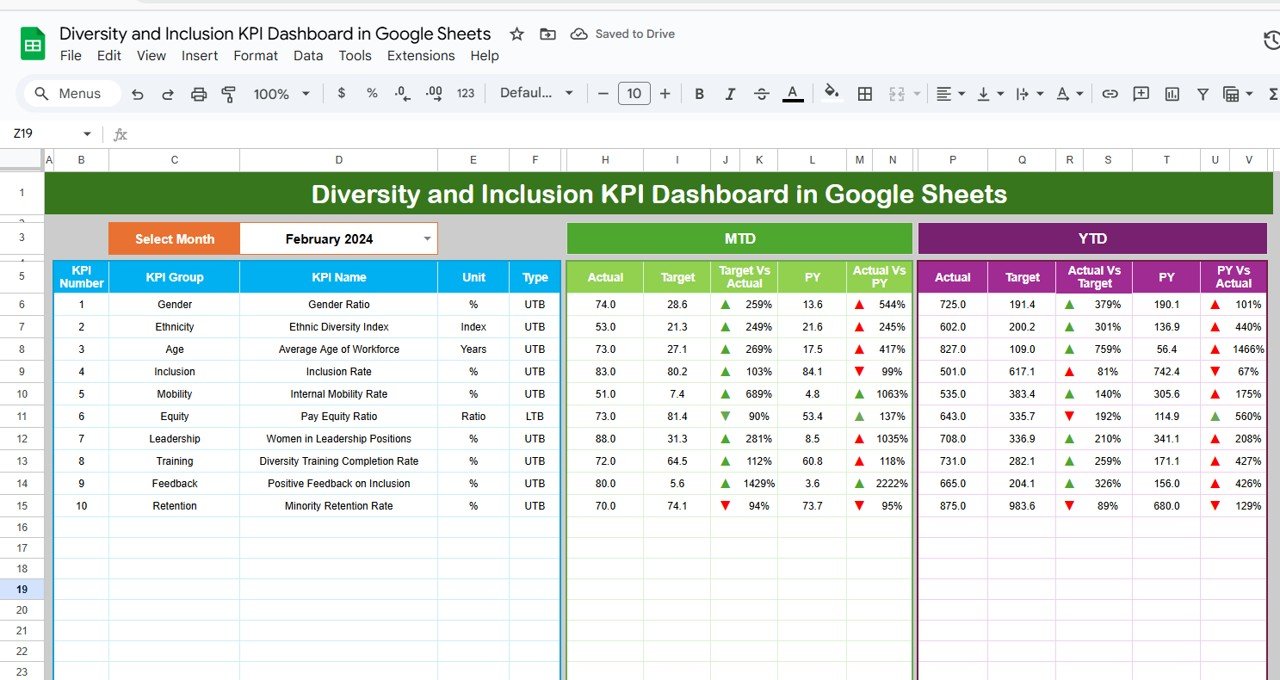
A cloud-native DEI dashboard for HR teams that live in Google Workspace. At $12.99 it turns headcount exports into a board-ready diversity report without a single pivot table by hand.
Who it is for: HR and people-analytics teams reporting representation to leadership.
- Representation by gender, age band and department
- Hiring, promotion and attrition mix versus targets
- Shareable in Google Sheets — no install, works on any device
Pair it with our HR dashboard templates in Excel if some of your reporting still happens offline. Best for: Google-first HR teams. Price: $12.99.
5. Fitness Studio KPI Dashboard in Google Sheets
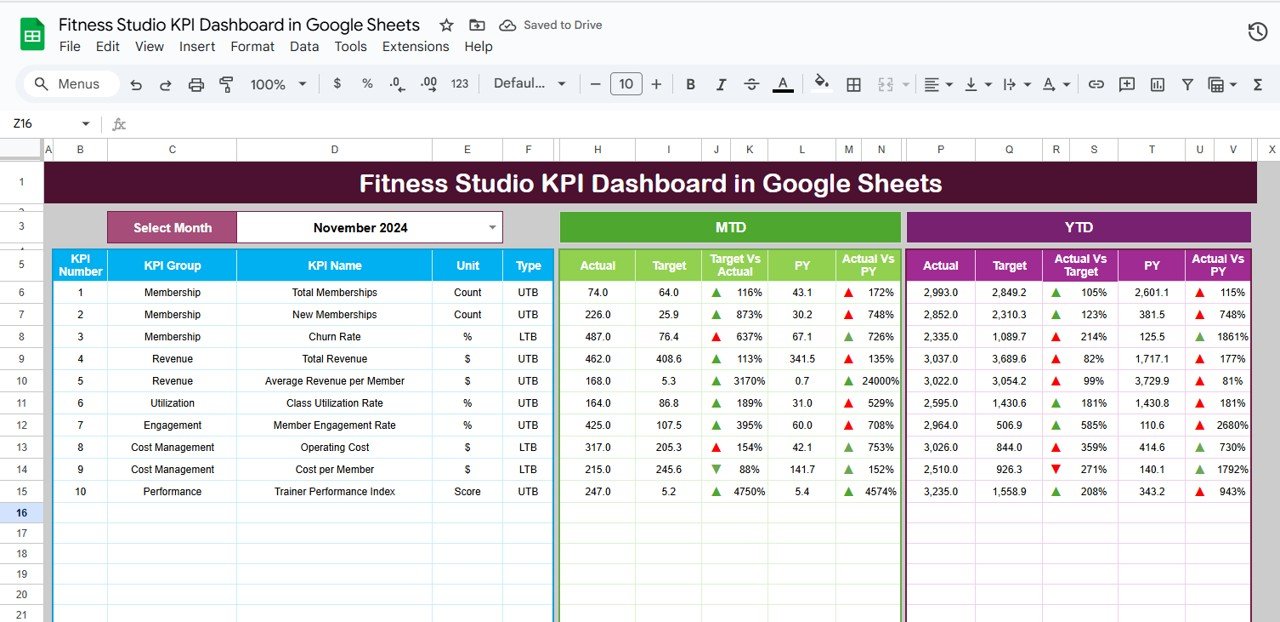
A small-business dashboard built for gyms and studios: memberships, attendance, retention and class revenue in one Google Sheet. For $12.99 it is cheaper than a single month of most gym-software add-ons.
Running a gym or studio? Our buyer guide to the 8 best gym management Excel templates and fitness studio tools compares membership systems, dashboards and KPI scorecards side by side.
Who it is for: studio owners and managers who track the business in a spreadsheet today.
- Active members, churn and lifetime-value cards
- Class fill rate and revenue per session
- Month picker so you can compare any two periods
Use it to catch a retention dip before it hits cash flow, or to see which class times actually pay. Best for: owner-operators without a data person. Price: $12.99.
6. Power Grid KPI Dashboard in Excel
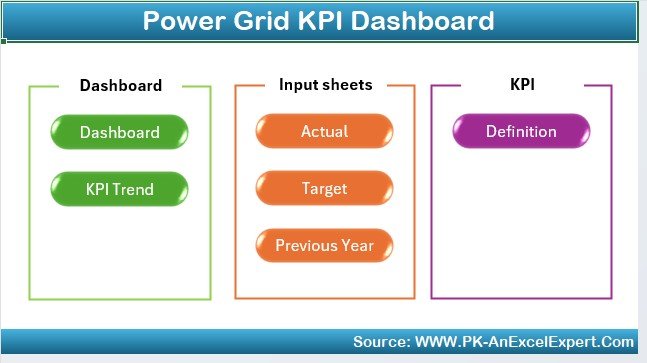
A utilities operations dashboard for load, generation mix, outages and reliability indices. At $14.99 it gives grid and energy teams a reporting layer they would otherwise build from scratch.
Who it is for: utility operations analysts and energy-sector planners.
- Load versus capacity with peak-demand flags
- Outage frequency and duration (SAIDI/SAIFI-style) tracking
- Generation-mix breakdown and target comparison
Use it to report reliability to a regulator, or to see how renewables are shifting your mix month to month. Best for: energy teams standardised on Excel. Price: $14.99.
7. Renewable Material KPI Dashboard in Excel

A sustainability dashboard tracking recycled-input rate, waste diverted and material efficiency. For $14.99 it is a low-risk way to start ESG reporting before committing to a platform.
Who it is for: sustainability leads and operations teams under ESG pressure.
- Recycled versus virgin material ratio over time
- Waste-diversion and emissions-intensity cards
- Target lines for every metric
Use it to build a defensible baseline for a first ESG report, or to show progress against a recycled-content pledge. Best for: teams piloting sustainability reporting. Price: $14.99.
8. Railway KPI Dashboard in Excel

A transport-operations dashboard covering punctuality, load factor, incidents and maintenance. At $14.99 it suits any scheduled-transport operator, not only railways.
Who it is for: rail and transit operations teams and logistics planners.
- On-time performance and average delay tracking
- Load factor and capacity utilisation
- Incident and maintenance-backlog monitoring
Pair it with our logistics dashboard templates when you need to connect movements to cost. Best for: scheduled-transport operators. Price: $14.99.
9. AI Ethics KPI Dashboard in Power BI
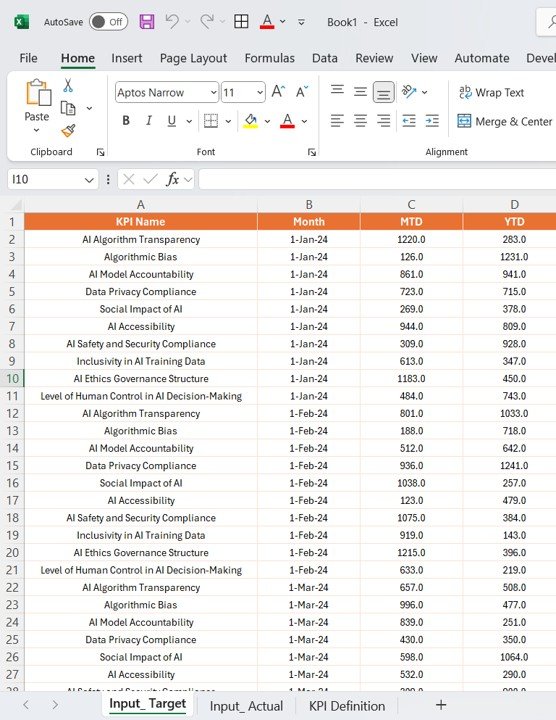
A governance dashboard for teams deploying AI: bias checks, incident logs, transparency and review coverage. For $11.99 it is a cheap first step toward auditable model oversight.
Who it is for: AI governance, risk and compliance leads.
- Model-review coverage and outstanding actions
- Bias-test and fairness-metric tracking
- Incident log with severity and resolution status
Use it to show a risk committee which models have been reviewed this quarter and which are overdue. Best for: teams formalising AI governance. Price: $11.99.
10. Scientific Research KPI Dashboard in Excel
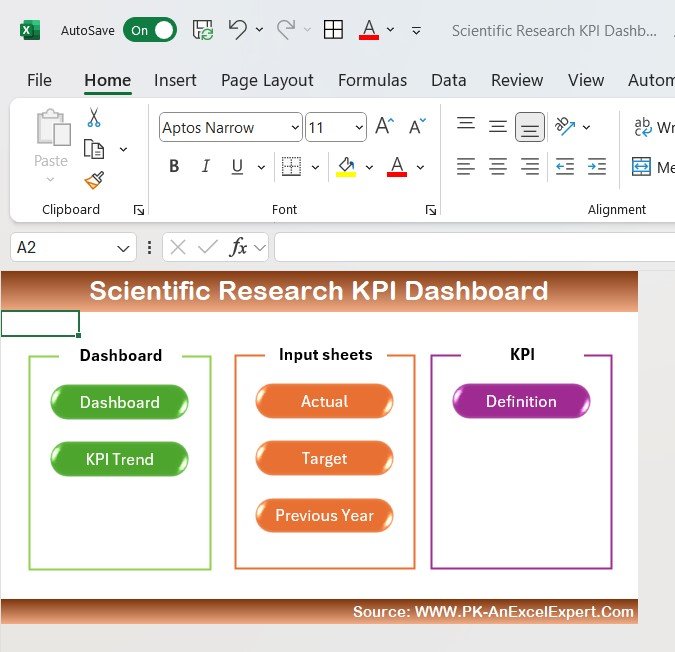
A dashboard for labs and R&D groups: publications, grant spend, project milestones and output per researcher. At $14.99 it gives research managers a reporting view most institutions lack.
Who it is for: lab managers, principal investigators and R&D leads.
- Grant budget versus actual spend
- Publication and milestone tracking
- Output per researcher and project status
Use it to report grant utilisation to a funder, or to see which projects are slipping before a review. Best for: research groups reporting to funders. Price: $14.99.
11. Music Festival KPI Dashboard in Google Sheets
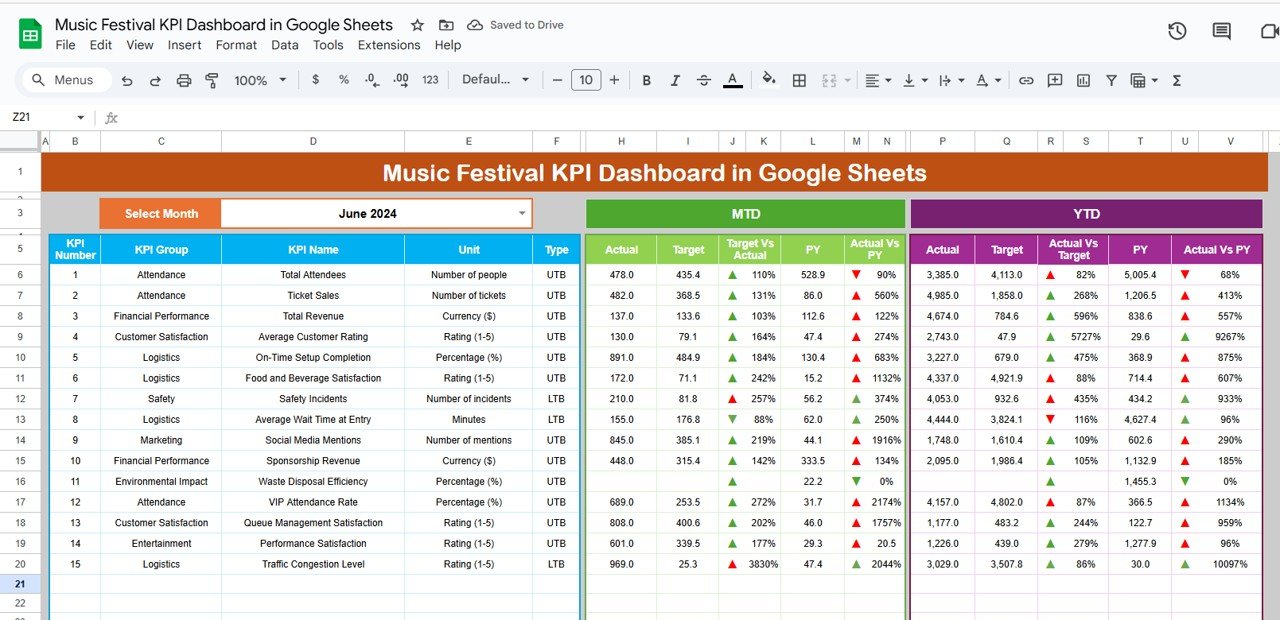
An events dashboard covering ticket sales, attendance, vendor margin and cost per head. For $12.99 it is built to be shared with a festival team who will never open Excel.
Who it is for: event and festival organisers.
- Ticket-sales pace against target
- Revenue by stream: tickets, food, merchandise
- Cost per attendee and vendor margin
Use it to decide whether to release more tickets, or to spot the vendor category eating your margin. Best for: events run by a collaborative team. Price: $12.99.
12. Scholarship Program KPI Dashboard in Excel
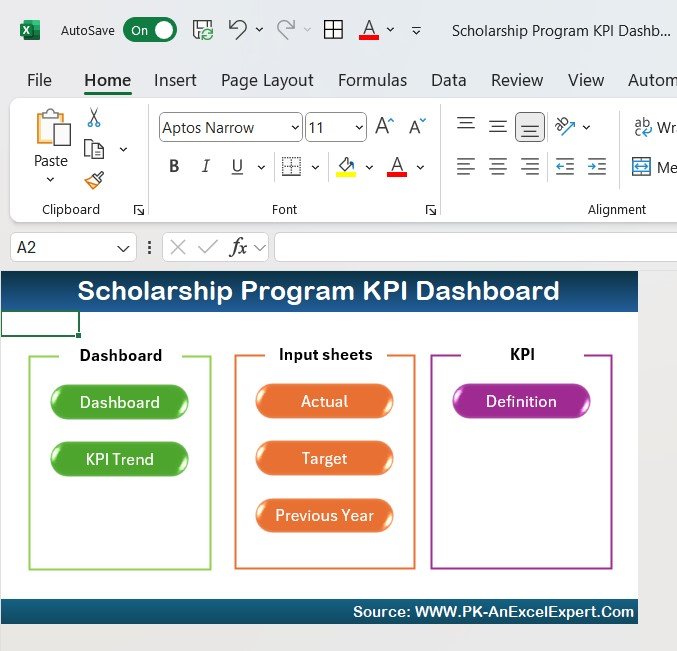
An education and nonprofit dashboard tracking applications, awards, disbursement and outcomes. At $14.99 it gives programme officers a clean way to report impact to a board.
Who it is for: scholarship and grant administrators, education nonprofits.
- Application-to-award funnel and acceptance rate
- Funds disbursed versus budget
- Recipient outcomes and demographics
Use it to show funders how efficiently awards convert to enrolments. Best for: programme teams reporting impact. Price: $14.99.
Bundle vs single: the maths
Here is the transparent version, using real prices. Buying every dashboard on this page one at a time costs $164.88 (six Excel at $14.99, three Google Sheets at $12.99, three Power BI at $11.99).
The NextGen Ultimate Business Bundle is $99.99 for 25 premium templates across Excel, Power BI and Google Sheets — about $4.00 per template. Against a single $11.99 Power BI dashboard, the bundle breaks even at roughly eight to nine templates; against a $14.99 Excel dashboard, at about seven.
| What you need | Cheapest route | Cost |
|---|---|---|
| 1–2 dashboards | Buy singly | $11.99–$29.98 |
| 3–6 dashboards | Buy singly (mix formats) | $35.97–$84.94 |
| 7+ dashboards | Ultimate Bundle (25 templates) | $99.99 |
So the honest rule: if you need one or two dashboards, buy them singly from the list above. Once you are reaching for a seventh, the bundle is cheaper and hands you 18 more.
How to choose between them
Pick on format first, then topic:
- You live in Excel → Debt-to-Equity, Power Grid, Renewable Material, Railway, Scientific Research or Scholarship ($14.99).
- You want click-to-filter interactivity for the least money → a Power BI pick: Call Center, Real Estate or AI Ethics ($11.99).
- Your team shares everything in Google Workspace → a Google Sheets pick: Diversity & Inclusion, Fitness Studio or Music Festival ($12.99).
- You are unsure and want the broadest use → start with the Debt-to-Equity dashboard, then scale into the bundle.
If your topic is sales, project delivery or quality, we have dedicated roundups: the best sales dashboard templates for 2026, project management dashboard templates and quality control dashboard templates.
Get more dashboard templates
Need more than one or two? The NextGen Ultimate Business Bundle packs 25 premium Excel, Power BI and Google Sheets dashboards for $99.99 — about $4 each, and cheaper than buying seven singly. Watch them built step by step on our YouTube channel before you buy.
When a template is NOT the right answer
A cheap dashboard template is the wrong purchase in a few honest situations:
- Your data is messy or lives in five systems. A template assumes a clean input table. If you still export, copy and reconcile by hand, fix the data pipeline first — the dashboard is the last 10%, not the first.
- You need live, always-on connections. These files refresh from a data source you point them at; they are not a real-time integration to your CRM or ERP. For streaming data, budget for a BI platform.
- You are in a regulated reporting chain. If a regulator or auditor must sign off the numbers, you need controlled, access-managed software, not a shared spreadsheet.
- You want fully custom branding and logic. Templates are editable, but if you need a bespoke model built to spec, that is a consulting job, not a $12 download.
Balanced advice sells fewer templates today and earns more trust — and far fewer refunds — tomorrow. For procurement-heavy or training-heavy teams, our procurement dashboard templates and training and learning dashboard templates may fit better than a general KPI file.
Frequently asked questions
Are cheap Excel dashboard templates any good?
Yes, when they ship complete. Every template in this cheap Excel dashboard templates comparison includes real formulas, working charts, an input sheet and a refresh path — not a static picture. At $11.99–$14.99 they save hours of building for the price of lunch, provided your source data is reasonably clean.
Why are some dashboards $11.99 and others $14.99?
Format drives the price here. The three Power BI dashboards are $11.99, the three Google Sheets dashboards $12.99, and the six Excel dashboards $14.99. The gap reflects build depth and format, not quality — the cheapest Power BI file is still fully interactive.
Do I pay monthly for these templates?
No. Every price on this page is a one-time payment. You download the file, own it, and can reuse it across projects. The only recurring cost would be the software itself — Excel or Power BI — if you do not already have it, and Google Sheets is free.
Can I edit these dashboard templates?
Yes. They are fully editable: change labels, colours, targets and the input data. You can add rows, swap KPIs, and rebrand them. They are built to be adapted to your numbers, not locked. Only the underlying software rules of Excel, Sheets or Power BI apply.
Which cheap dashboard template should I buy first?
For the broadest use, start with the Debt-to-Equity Ratio KPI Dashboard in Excel ($14.99), because solvency reporting applies to almost any business. If you specifically need interactive filtering for the least money, the Call Center KPI Dashboard in Power BI at $11.99 is the best value.
Do the Power BI dashboards need a paid licence?
You can open and use them in Power BI Desktop, which is free. A paid Power BI licence is only needed if you want to publish and share dashboards through the Power BI Service across your organisation. For solo use and local reporting, the free desktop app is enough.
Is a $12 template better value than a bundle?
For one or two dashboards, yes — buy singly. Once you need seven or more, the NextGen Ultimate Business Bundle at $99.99 for 25 templates is cheaper per file (about $4) and hands you far more coverage. The break-even is roughly seven to nine single purchases.
Will these work in Google Sheets and Excel both?
Each template is built for one named format. The Excel dashboards are for Excel, the Google Sheets ones for Sheets, and the Power BI ones for Power BI. Choose the version that matches the tool your team already uses; the cheap Excel dashboard templates 2026 picks here are labelled by format in the table above.
Are these cheap Excel dashboard templates updated for 2026?
Yes. Prices and product details in this comparison were verified in September 2026, and the templates are maintained on the store. Because they are one-time downloads, once you own a file it does not change under you — you update the data, and the dashboard recalculates.
What is the cheapest fully interactive dashboard here?
The three Power BI dashboards at $11.99 — Call Center, Real Estate and AI Ethics — are the cheapest picks that offer full click-to-filter interactivity with slicers and drill-down. The Excel and Google Sheets files are excellent value too, but Power BI gives you the most interaction per dollar.
Looking for a specific industry? Compare our full range, including finance dashboard templates for CFOs, and see every option built on the NextGenTemplates YouTube channel.