

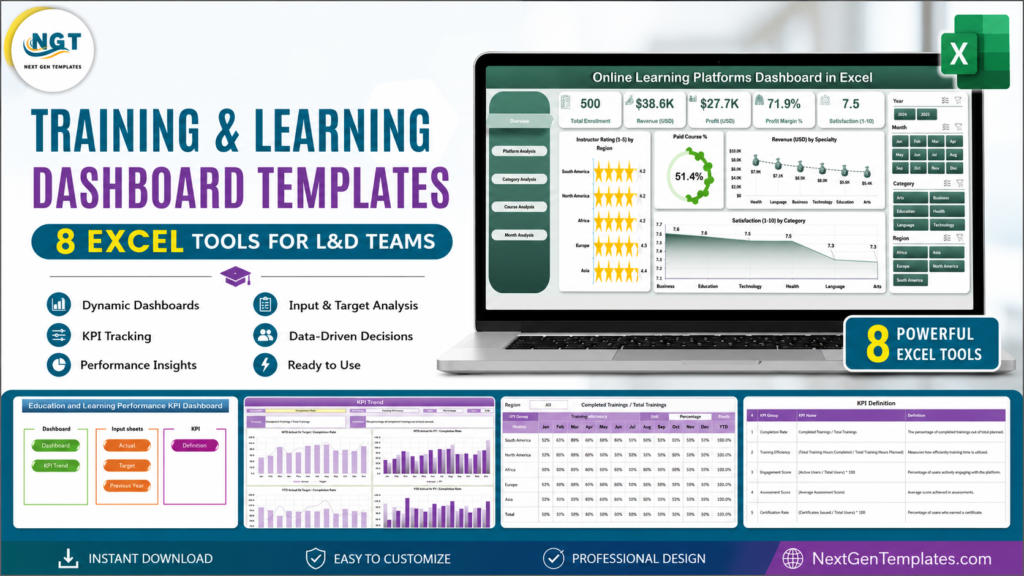
Training and learning dashboard templates help L&D teams track training hours, compliance training, certification status, LMS-style course data, training requests, and KPI performance without building a full learning management system from scratch. If your team already works in Excel, these eight NextGenTemplates tools give you a practical middle ground: structured data entry, visual dashboards, audit-friendly trackers, and one-time pricing instead of per-user SaaS fees.Training and Learning Dashboard Templates
That matters because learning teams are being asked to prove value more clearly. LinkedIn’s Workplace Learning Report continues to show career development and upskilling as executive priorities, while ATD’s 2025 State of the Industry Report reports formal learning hours and learning spend as core benchmarks. For compliance-heavy environments, OSHA also publishes training and recordkeeping requirements across multiple standards, including training record expectations. In plain English: L&D needs clean evidence, not scattered sheets.Training and Learning Dashboard Templates
Best Training & Learning Dashboard Templates
| Template | Best For | Price |
|---|---|---|
| Education and Learning Performance KPI Dashboard in Excel | Training hours, targets, KPI trends, monthly performance | $14.99 |
| Training Completion Certification Tracker in Excel | Compliance training, certificates, renewal dates, audit readiness | $6.99 |
| Online Learning Platforms Dashboard in Excel | LMS alternative, course performance, learner satisfaction, certificates | $13.99 |
| HR Compliance and Audit Calendar in Excel | Compliance deadlines, HR audits, policy reviews, training reminders | $4.99 |
| Training Schedule Request Tracker in Excel | Training requests, session planning, trainer and location allocation | $6.99 |
| Training Material Request Tracker in Excel | L&D material requests, role-based access, request dashboard | $6.99 |
| Teacher Training Institutes KPI Dashboard in Excel | Institute-level MTD/YTD KPIs and target vs actual tracking | $14.99 |
| Vocational Training KPI Scorecard in Excel | Vocational training KPIs, scorecards, Actual vs Target views | $12.99 |
Running a course business or a learning app rather than an internal L&D team? Our ranked list of e-learning dashboard templates for EdTech teams covers course revenue, app ratings and admissions as well as completions.
 Launch offer
From your first Pivot Table to the Data Model, DAX, Power Query and a one-page KPI dashboard. 11h 51m of video by PK, with practice files, quizzes and a capstone.
Excel Dashboard vs LMS vs Manual Spreadsheet
| Need | Excel Training Dashboard | LMS Platform | Manual Spreadsheet |
|---|---|---|---|
| Cost control | One-time purchase | Monthly or per-user fees | Free, but time-heavy |
| Compliance evidence | Structured logs, dates, status fields, dashboards | Strong when configured well | Risky if fields are inconsistent |
| Customization | Fully editable workbook | Limited by plan and admin settings | Flexible but fragile |
| Best fit | SMBs, HR teams, training coordinators, institutes | Enterprise course delivery and user portals | Very small teams with simple records |
Template Reviews
1. Education and Learning Performance KPI Dashboard in Excel
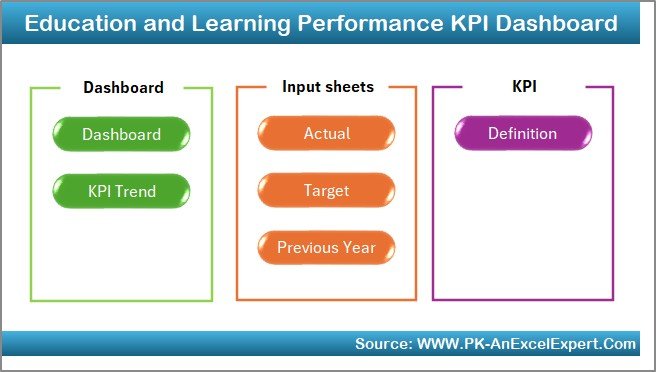
This is the best general-purpose L&D dashboard in the list. It tracks MTD and YTD metrics, target vs actual performance, previous-year comparison, and KPI trends. Use it when leaders ask for training hours, completion rates, attendance, learner satisfaction, or program efficiency in one executive view.
View the Education and Learning Performance KPI Dashboard.
2. Training Completion Certification Tracker in Excel
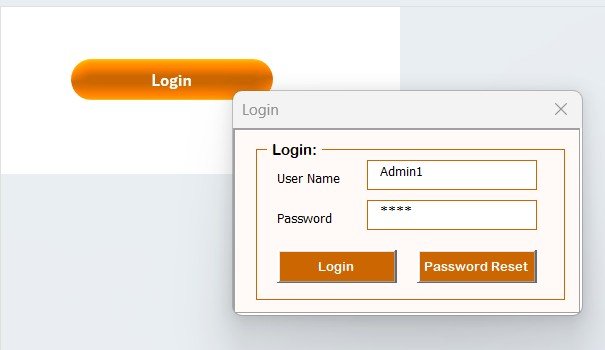
This is the strongest certification tracker for HR compliance andTraining and Learning Dashboard Templates recurring training records. The workbook includes secure login, user management, add/update/delete record forms, charts, slicers, certificate validity fields, follow-up status, and training logs. Use it for safety training, policy acknowledgment, license renewal, and audit-ready certification tracking.Training and Learning Dashboard Templates
View the Training Completion Certification Tracker.
3. Online Learning Platforms Dashboard in Excel
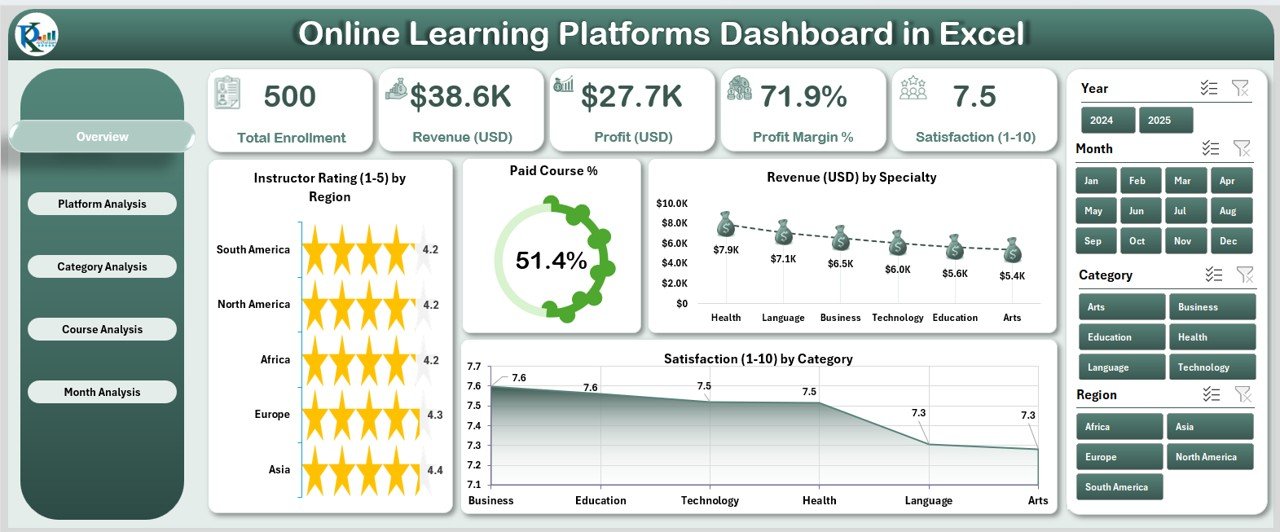
If you need an Excel-based LMS alternative, start here. This dashboard analyzes platform, category, course, month, enrollment, revenue, paid course mix, instructor rating, certificate enrollment rate, and satisfaction score. It is ideal for online training providers, internal academies, and education teams that want course analytics without BI software.Training and Learning Dashboard Templates
View the Online Learning Platforms Dashboard.
4. HR Compliance and Audit Calendar in Excel
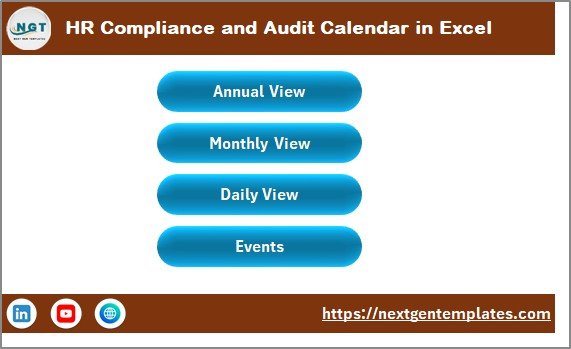
Compliance training is often missed because the date is hidden in someone’s inbox. This calendar gives HR teams annual, monthly, daily, and event views for audits, training certifications, safety checks, policy reviews, and deadlines. Built-in VBA forms help add, update, and delete events without disrupting the workbook structure.Training and Learning Dashboard Templates
View the HR Compliance and Audit Calendar.
5. Training Schedule Request Tracker in Excel
This tracker is built for the intake side of L&D: employee names, training topics, preferred dates, department, approval status, trainers, locations, materials, and progress. It is useful when managers request sessions faster than the training team can schedule them.
View the Training Schedule Request Tracker.
6. Training Material Request Tracker in Excel Training and Learning Dashboard Templates
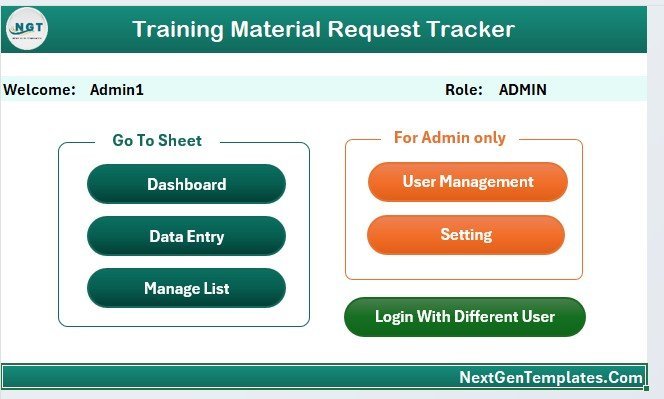
This VBA tracker manages L&D material requests across eight worksheets, including secure login, home navigation, dashboard, data sheet, list sheet, pivot support, settings, and user management. It works well for manuals, workbooks, e-learning licenses, printed guides, and training resource approvals.Training and Learning Dashboard Templates
View the Training Material Request Tracker.
7. Teacher Training Institutes KPI Dashboard in Excel
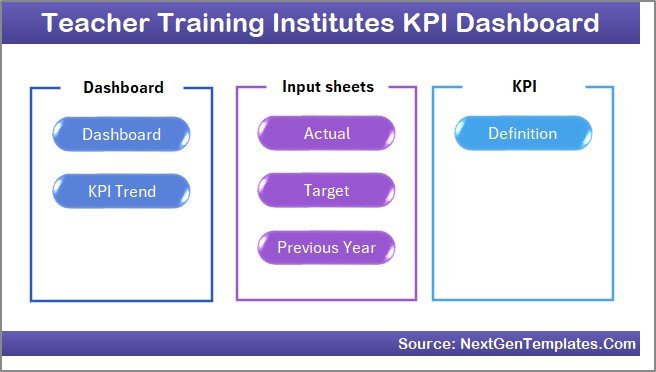
This KPI dashboard is tailored for teacher training institutes that need MTD and YTD tracking, target vs actual comparison, previous-year comparison, KPI definitions, and individual KPI trend charts. Running a college or university department instead? Compare our university dashboard templates for higher education. It is a strong fit for certification pass rates, trainer utilization, attendance, placement rates, and curriculum completion metrics.Training and Learning Dashboard Templates
View the Teacher Training Institutes KPI Dashboard.
8. Vocational Training KPI Scorecard in Excel
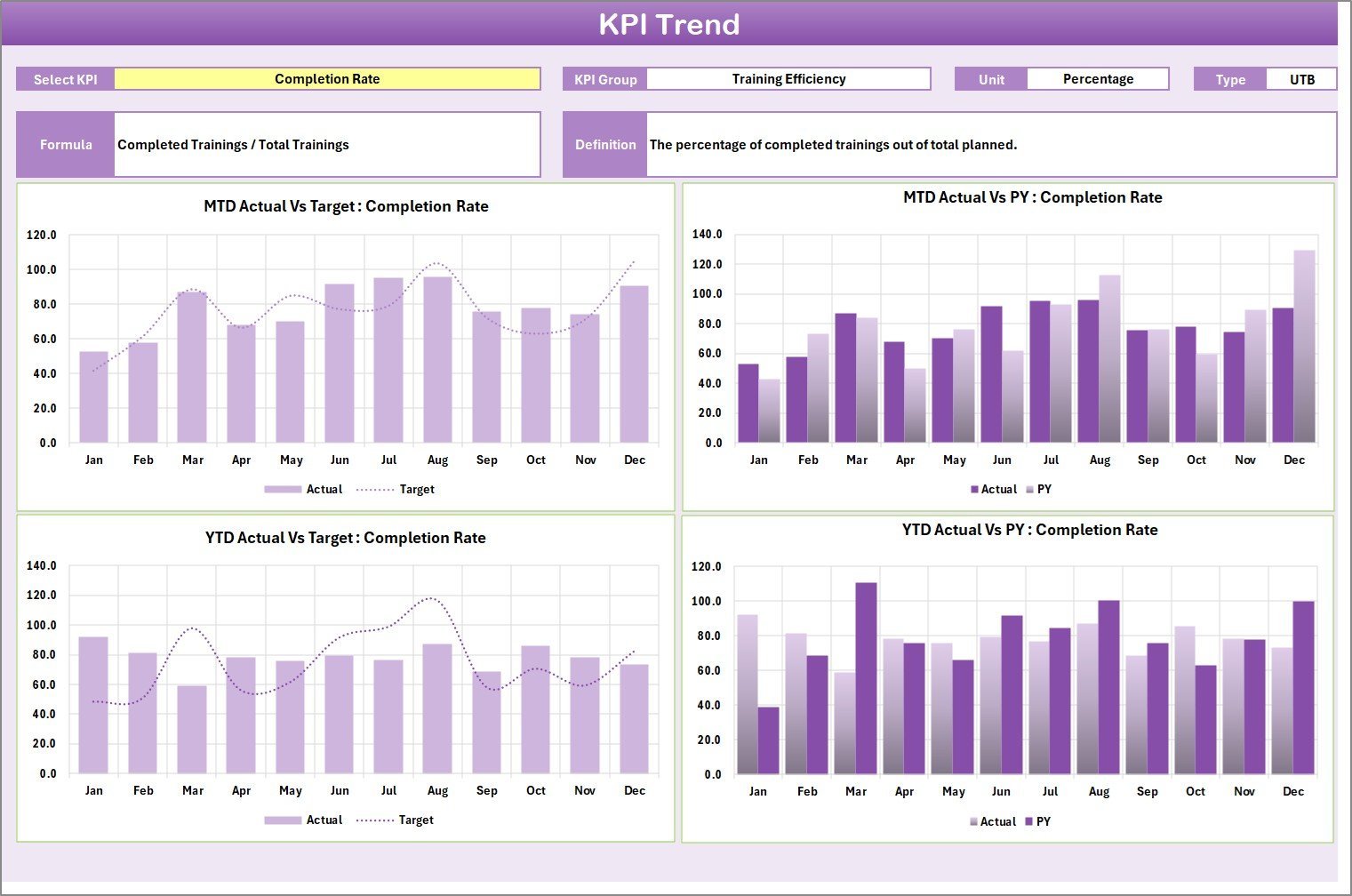
For trade schools, TVET centers, apprenticeship programs, and corporate L&D teams, this scorecard tracks Actual vs Target, MTD/YTD performance, color-coded status, KPI trend charts, and KPI definitions. Use it when leaders need a one-page performance view rather than a large multi-page dashboard.Training and Learning Dashboard Templates
View the Vocational Training KPI Scorecard.
Looking beyond dashboards? Our learning and development tools stack for L&D managers groups eight templates by job (plan, track, report, present) and includes a 30-day rollout plan.
How to Choose the Right Training Template
Choose a KPI dashboard when leadership wants outcome reporting. Choose a tracker when the problem is record capture, approvals, or follow-up. Choose a calendar when missed dates are the risk. Choose the online learning dashboard when your team needs LMS-style analytics but does not need course delivery, SSO, or learner portals.
For many L&D teams, the best stack is two templates: one operational tracker for requests, certifications, or materials, and one dashboard for monthly leadership reporting. That keeps day-to-day work simple while giving executives the summary view they expect.
If you run training inside a school rather than a company, the student side of the job — enrollment, attendance and results — is covered in our roundup of K-12 school management Excel templates.
Best Practices for L&D Dashboard Data
- Define each KPI before tracking it. Training hours, completion rate, pass rate, overdue certification count, and cost per learner should each have an owner and formula.
- Separate compliance from optional learning. Compliance training needs due dates, evidence fields, and renewal logic.
- Track both activity and outcome. Hours completed matter, but so do satisfaction, certification rate, pass rate, follow-up status, and business impact.
- Refresh dashboards on a predictable cadence. Weekly is useful for compliance risk; monthly is enough for most executive L&D reporting.Training and Learning Dashboard Templates
Explore More Training Templates
Browse more templates in the Excel Dashboard Templates, KPI Dashboard Templates, and Excel Trackers collections. For tutorials and template walkthroughs, visit the NextGenTemplates YouTube channel.
Frequently Asked Questions
What is a training and learning dashboard template?
A training and learning dashboard template is a ready-made Excel workbook that turns L&D records into KPIs, charts, tables, filters, and management summaries. Teams use it to track training hours, completion, certification status, course performance, compliance deadlines, and learner outcomes.Training and Learning Dashboard Templates
Can Excel replace an LMS?
Excel can replace an LMS for tracking, dashboards, requests, certifications, and reporting. It cannot fully replace an LMS when you need learner portals, SCORM delivery, automated enrollments, SSO, quizzes, or enterprise integrations. Many small teams use Excel as a lightweight LMS alternative until those requirements appear.
Which template is best for compliance training?
The Training Completion Certification Tracker is best for certificate records and renewal tracking, while the HR Compliance and Audit Calendar is best for training deadlines, audits, and recurring compliance events.
Which template tracks training hours?
The Education and Learning Performance KPI Dashboard is the best starting point for training hours and KPI trends. You can define training hours as a KPI, enter monthly actuals and targets, and compare MTD/YTD performance.Training and Learning Dashboard Templates
Can these templates be customized?
Yes. The workbooks are editable Excel templates, so L&D teams can rename fields, add departments, adjust KPIs, change categories, update formulas, and adapt dashboards to internal reporting requirements.Training and Learning Dashboard Templates
About the Author
Built by PK – Microsoft Certified Professional with 15+ years of Excel, Google Sheets, and Power BI experience. Founder of NextGenTemplates, reaching 300K+ subscribers across YouTube channels. Every template is hand-built and tested before release.
Conclusion
The right training dashboard depends on the job you need done. For executive KPI reporting, use the Education and Learning Performance KPI Dashboard. For certificates and compliance evidence, use the Training Completion Certification Tracker. For LMS-style course analytics, use the Online Learning Platforms Dashboard. For dates and audits, use the HR Compliance and Audit Calendar. Together, these Excel tools help L&D teams move from scattered training files to a cleaner, more accountable learning system.Training and Learning Dashboard Templates
For the metrics these dashboards are built to report, see our companion guide to the 12 training KPIs to track in 2026, with the exact formula and benchmark for each.
Last updated: July 13, 2026. Pricing reflects listed NextGenTemplates sale prices at the time of drafting and may change.
Reporting for a bank or credit union instead? See our roundup of the 8 best banking KPI dashboard Excel templates for 2026.