

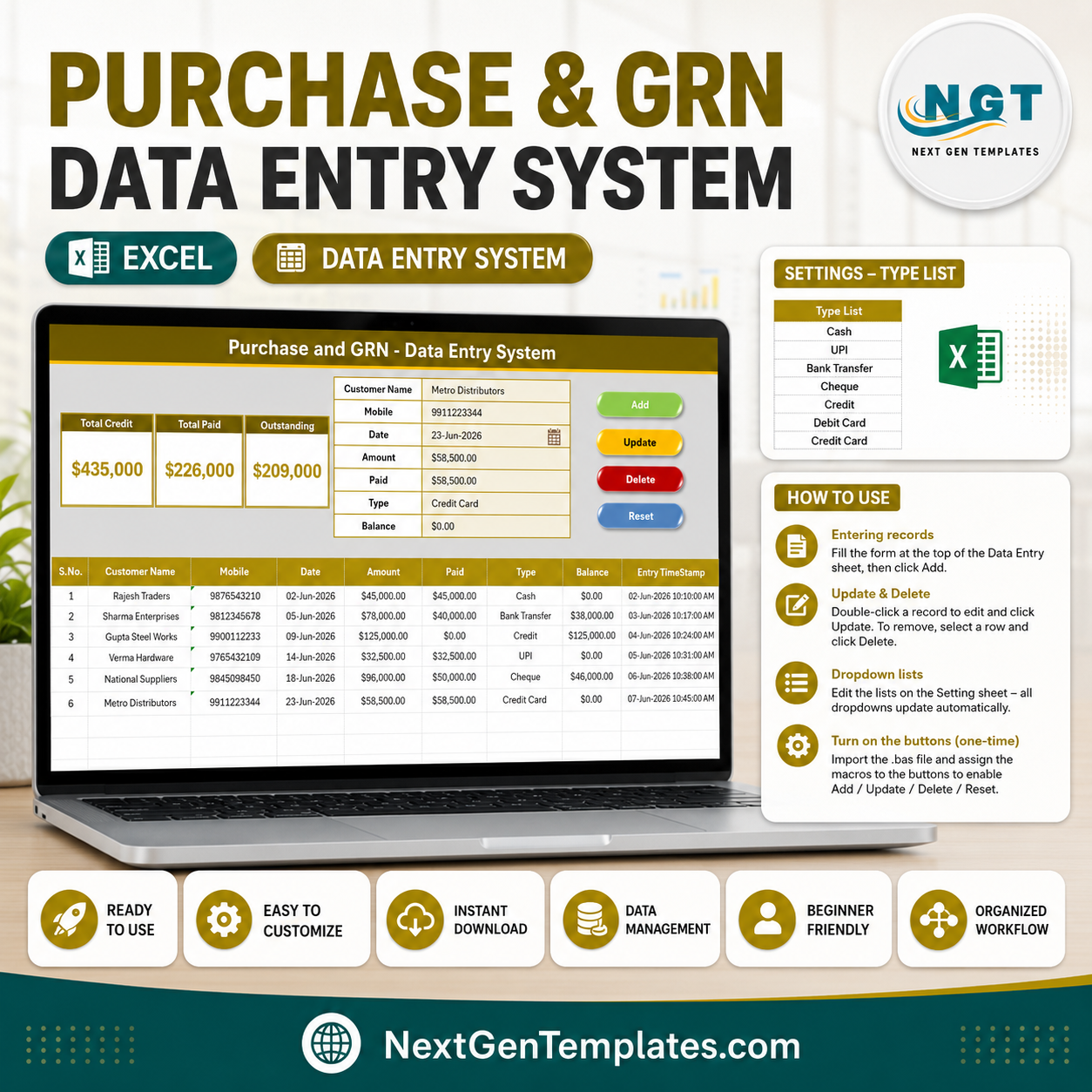

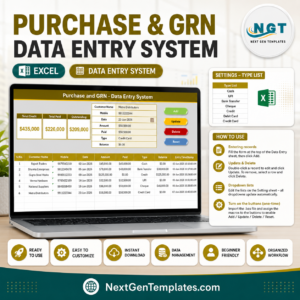
The Purchase and GRN Data-Entry System in Excel records every supplier purchase across a 7-field form and rolls the numbers into 3 live KPI cards — Total Credit, Total Paid and Outstanding — that recalculate the moment you click Add. Four one-click VBA buttons (Add, Update, Delete, Reset) run the whole workflow, and every entry is stamped with an automatic serial number and time stamp.
🌍 Join 10,000+ customers in 180+ countries using NextGenTemplates to replace paid SaaS tools with one-time-purchase Excel, Google Sheets, Power BI and HTML templates.
✅ Instant download · One-time payment · No subscription · No per-user fees · Lifetime access
🔑 Key Features of the Purchase and GRN Data-Entry System
- 🔹 7-field purchase form – captures Customer Name, Mobile, Date, Amount, Paid, Type and Balance, so each Goods Received Note (GRN) and its payment status live on one row.
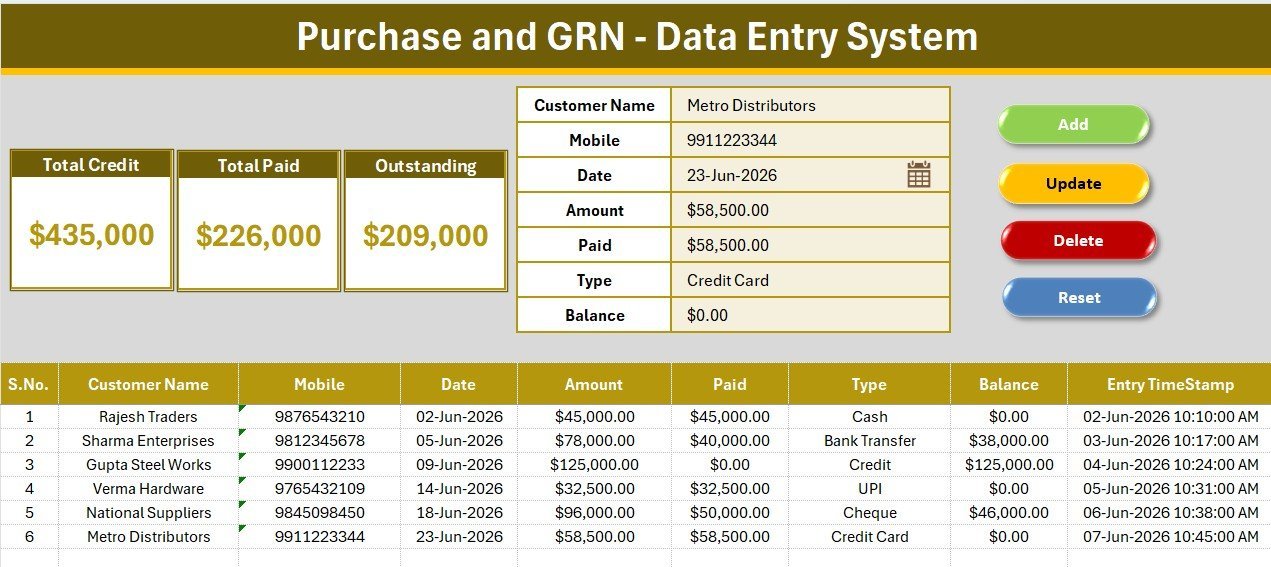
- 🔹 3 live KPI cards – Total Credit sums every Amount, Total Paid sums every Paid entry, and Outstanding sums every Balance. Because Amount = Paid + Balance, the three cards always reconcile.
- 🔹 One-click VBA buttons – Add writes a new record, Update edits the selected row, Delete removes it after a confirmation prompt, and Reset clears the form.
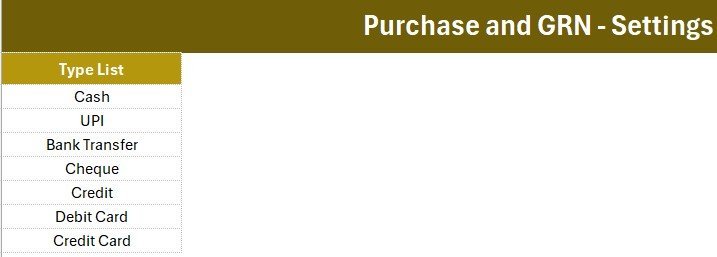
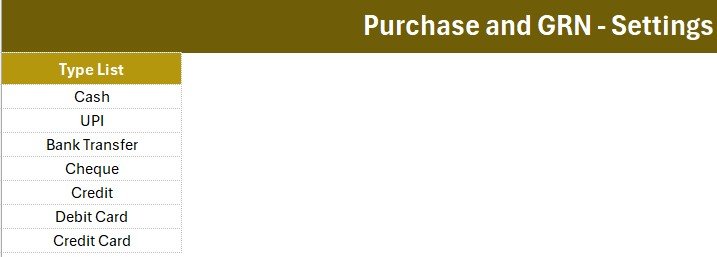
- 🔹 Type dropdown – a Setting-sheet list drives a 7-option dropdown (Cash, UPI, Bank Transfer, Cheque, Credit, Debit Card, Credit Card); edit the list and every dropdown updates on its own.
- 🔹 Auto serial number and time stamp – every saved row gets a running S.No and an Entry TimeStamp, so you always know when a purchase was logged.
- 🔹 Four ready worksheets – Data Entry, Setting, Instructions and Get More Templates, in a clean gold theme with the Aptos Narrow font.
📦 What’s Inside the Purchase and GRN Data-Entry System
Purchase & GRN Data Entry Dashboard
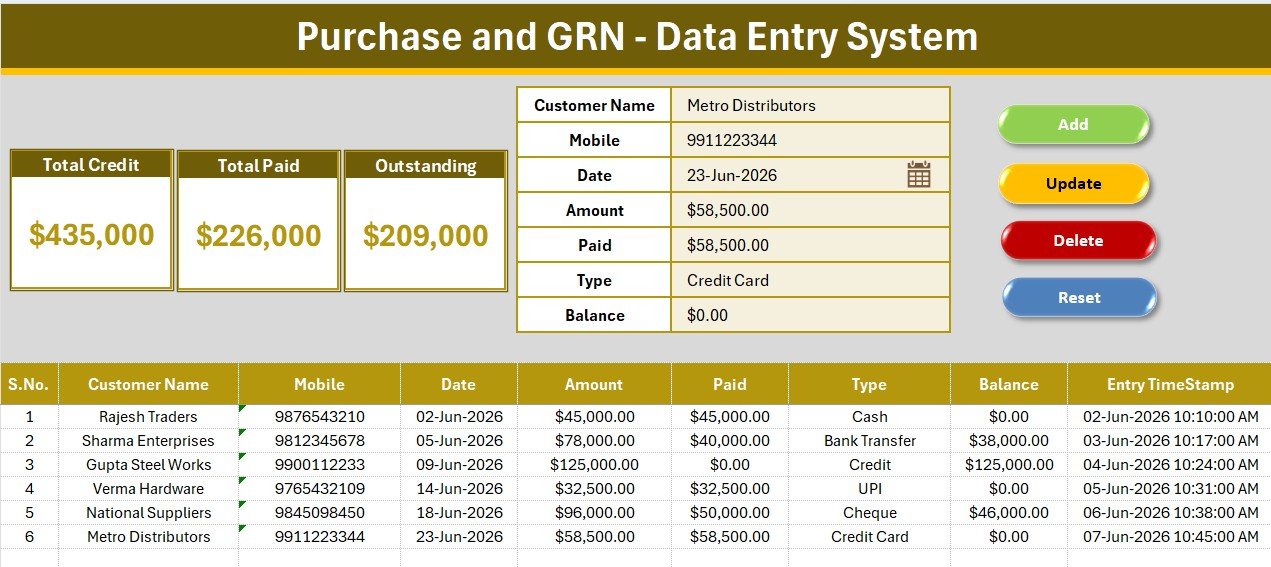
The main sheet holds the entry form, the three KPI cards and the coloured Add / Delete / Update / Reset button block above a full-width records table. Replace the six sample rows with your own and the cards recalculate instantly.
Live KPI Cards and Records Table
Total Credit, Total Paid and Outstanding sit on a grey dashboard panel with a gold divider, while the records table below logs Customer Name, Mobile, Date, Amount, Paid, Type, Balance and a time stamp for every purchase.
Setting Sheet and Type Dropdown
The Setting sheet stores the Type list that feeds the dropdown plus a duplicated copy of the KPI cards you can paste as a linked picture. Add or remove list rows and the form’s dropdown follows automatically.
📊 Purchase and GRN Data-Entry System vs. Google Sheets vs. QuickBooks / Zoho Books — Where This Fits
| Feature | Purchase and GRN Data-Entry System (Excel) | Google Sheets equivalent | QuickBooks / Zoho Books |
|---|---|---|---|
| Cost | $5.99 one-time | Free–$12/user/mo | $20–90 / user / month |
| Platform | Microsoft Excel (offline) | Browser + Google account | Cloud SaaS |
| Setup time | Under 10 minutes | 15–20 minutes | Hours + onboarding |
| One-click Add / Update / Delete | ✅ VBA buttons | Manual or Apps Script | ✅ Built-in |
| Credit & Outstanding tracking | ✅ Live KPI cards | Manual formulas | ✅ Ledgers |
| Works fully offline | ✅ Yes | ❌ Needs internet | ❌ Needs internet |
| Customisable fields | ✅ Fully editable | ✅ Editable | Limited |
| Year-1 cost at 5 users | $5.99 total | $0–720 | $1,200–5,400 |
For a shop or small business that just needs to log purchases and see who has been paid without paying $20+ per user every month, the Purchase and GRN Data-Entry System sits in the sweet spot.
👥 Who This Template Is For — and Who It’s Not For
✅ This template is built for:
- Shop owners, wholesalers and distributors logging daily supplier purchases and part-payments
- Accountants and bookkeepers who want a simple purchase-and-payables register in Excel
- Small businesses tracking Credit, Paid and Outstanding balances without accounting software
❌ This template is NOT for:
- Teams that need multi-user, real-time cloud access — consider the Daily Sales & Purchase System Web App
- Businesses that need full double-entry accounting, GST returns and bank reconciliation
⚙️ How to Use the Purchase and GRN Data-Entry System
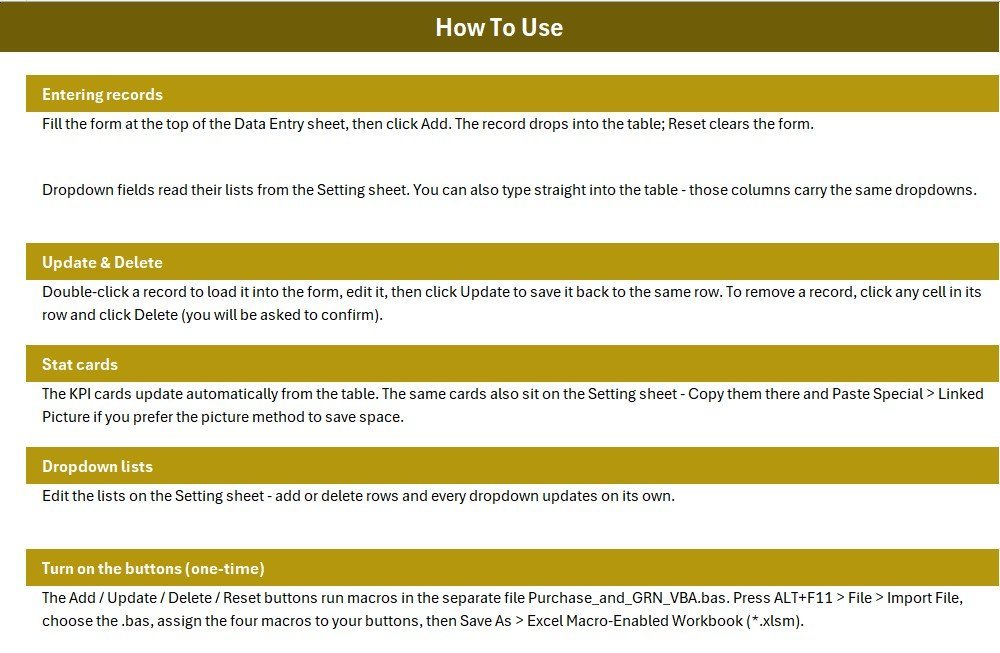
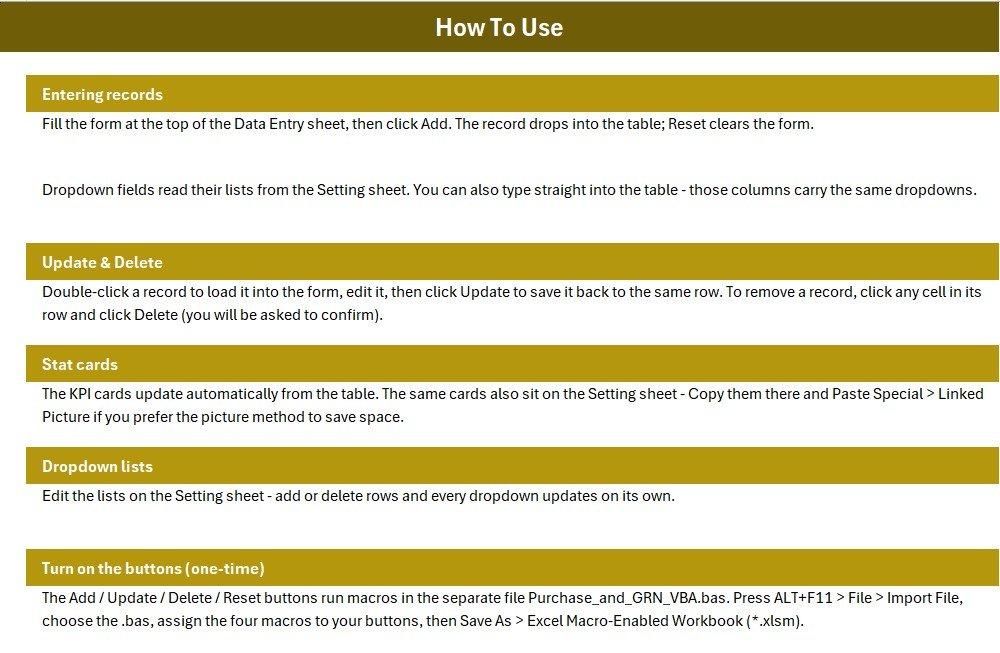
- Open the workbook in Microsoft Excel and, one time, import the included VBA module and assign the four macros to the coloured buttons.
- On the Setting sheet, edit the Type list to match your own payment methods.
- Fill the form — Customer Name, Mobile, Date, Amount, Paid, Type, Balance — then click Add to log the purchase.
- Double-click any row to load it back into the form, edit it, and click Update; click Delete to remove a row.
- Watch Total Credit, Total Paid and Outstanding update automatically as you work.
💼 Real-World Use Cases
Rajesh runs a hardware wholesale shop. He logs every supplier bill with the amount, what he paid and the balance due, then reads the Outstanding card each morning to see how much he still owes across all suppliers.
Meena keeps books for three small retailers. She uses the Type dropdown to record whether each purchase was Cash, UPI or on Credit, and exports the records table at month-end for GST data — without a monthly software bill.
A café manager tracks goods received from vendors, marks part-payments as they clear, and uses Total Paid versus Outstanding to plan the week’s cash outflow.
❓ Frequently Asked Questions
What does the Purchase and GRN Data-Entry System track?
The Purchase and GRN Data-Entry System tracks supplier purchases across seven fields and three KPI cards — Total Credit, Total Paid and Outstanding — so you see total purchase value, how much you have paid, and the balance still due at a glance.
Do I need to enable macros?
Yes. The Add, Update, Delete and Reset buttons in the Purchase and GRN Data-Entry System run VBA macros, so enable macros when Excel prompts you. The download includes the VBA module and one-time setup steps on the Instructions sheet.
How long does setup take?
Most users are running the Purchase and GRN Data-Entry System in under 10 minutes — import the VBA module, assign the four buttons, edit the Type list, and start entering purchases over the sample data.
How does this compare to QuickBooks or Zoho Books?
QuickBooks and Zoho Books are full accounting suites billed at $20–90 per user monthly. The Purchase and GRN Data-Entry System is a one-time $5.99 Excel tool for logging purchases and tracking payables — far simpler and cheaper, though not a replacement for full accounting.
Can I change the fields and dropdown values?
Yes. Every field label and the Type dropdown list are fully editable; update the Setting sheet and the form and its validation follow automatically.
Will it work offline?
Yes. The Purchase and GRN Data-Entry System runs entirely inside Microsoft Excel with no internet, account or subscription required.
👤 About the Author
Built by PK — Microsoft Certified Professional with 15+ years of Excel, Google Sheets, and Power BI experience. Founder of NextGenTemplates, reaching 300K+ subscribers across YouTube channels (@PK-AnExcelExpert, @NextGenTemplates, @NeoTechNavigators). Every template is hand-built and tested before release.
🔗 Explore Related Templates
Pair this with the Purchase Entry Data Entry System in Excel for line-item purchase logging, or step up to the Daily Sales & Purchase System Web App for multi-user access. For order-side tracking, see the Purchase Order Tracker and Purchase Order Management Dashboard. Browse more Financial Tools and Excel VBA Tools.
📖 Click here to read the detailed blog post
🎥 Visit our YouTube channel for step-by-step video tutorials
👉 YouTube.com/@NextGenTemplates
📅 Last updated: July 2026
Watch the demo video:
Compatibility and Requirements
- Works in Microsoft Excel desktop on Windows with macros enabled. The Add, Update, Delete and Reset buttons run VBA, so the template does not run in Excel for the web, Google Sheets or mobile apps.
- Microsoft explains how to turn macros on in Enable or disable macros in Microsoft 365 files.
- The Type dropdown reads its list from the Setting sheet, so you can edit the payment methods without touching the form.













Reviews
There are no reviews yet.