

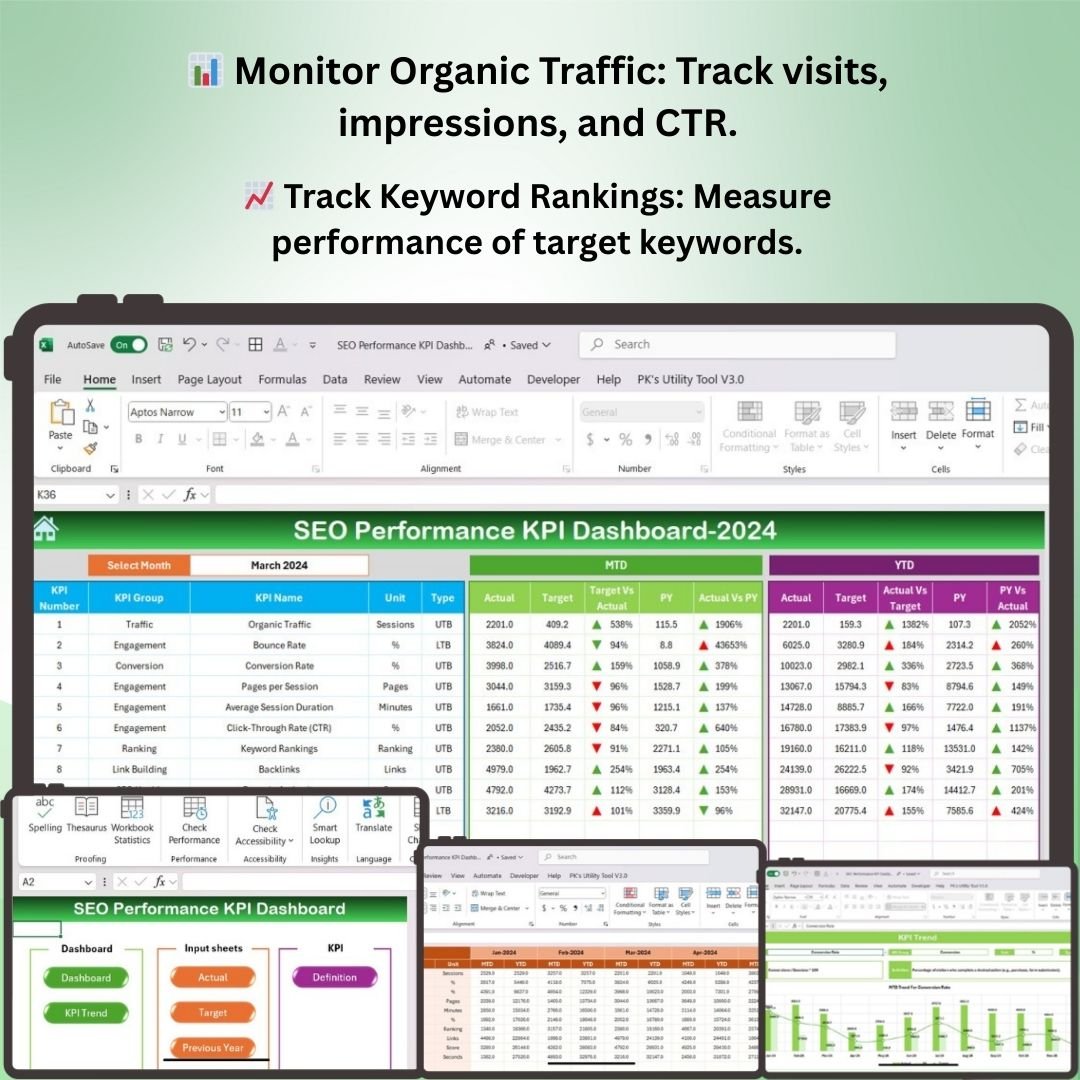
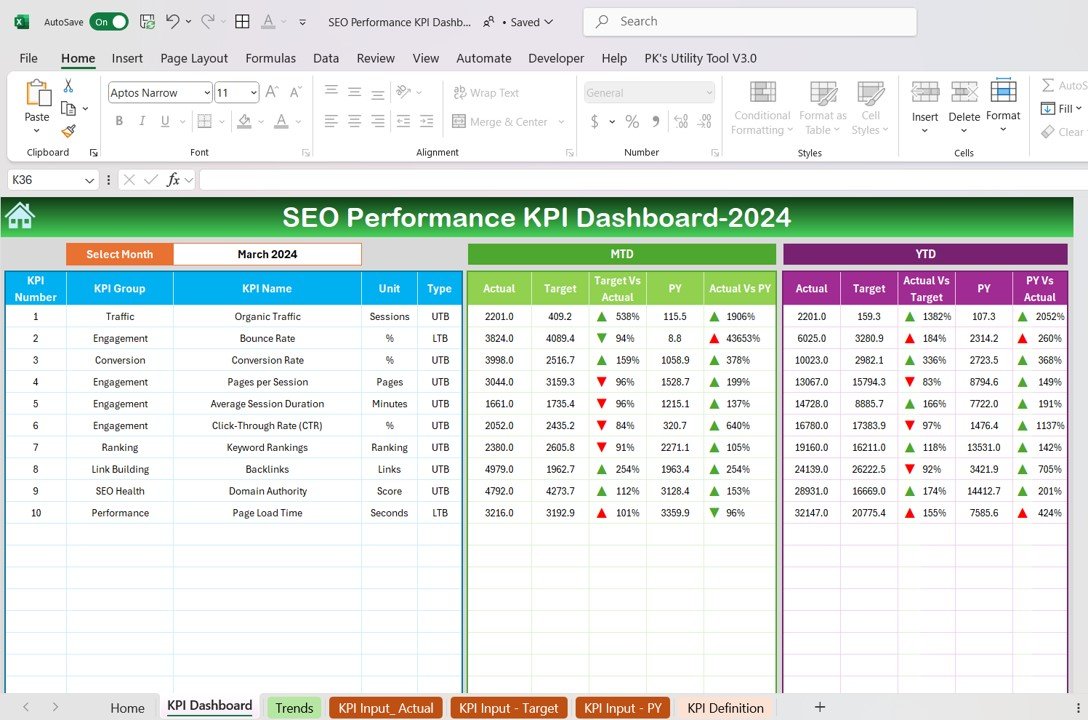
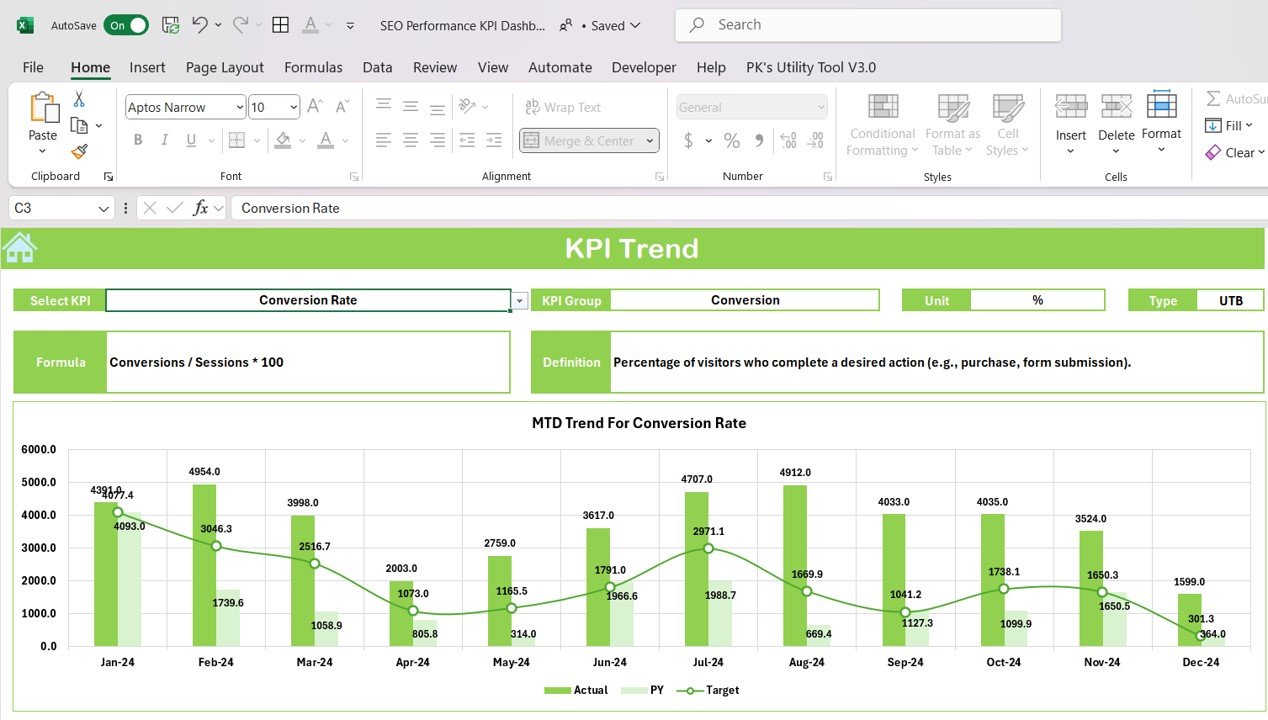
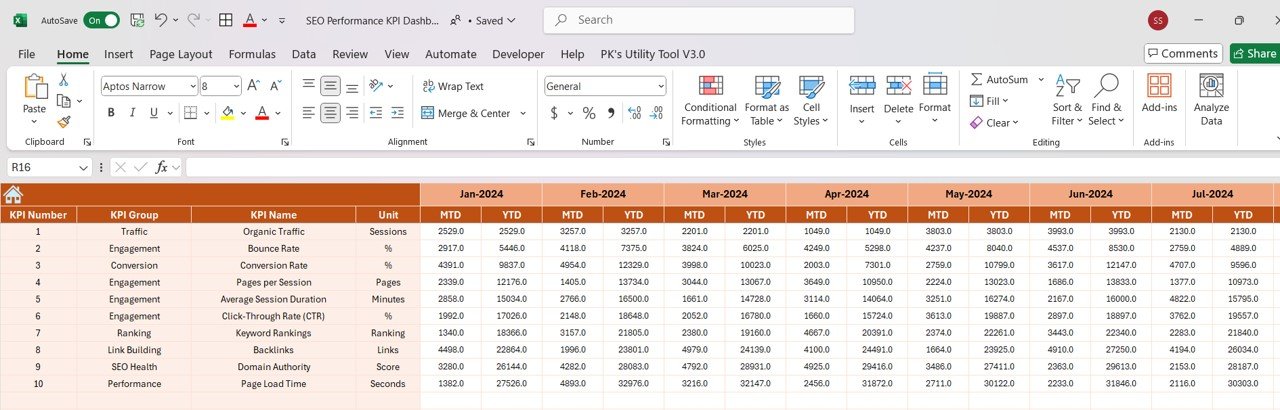
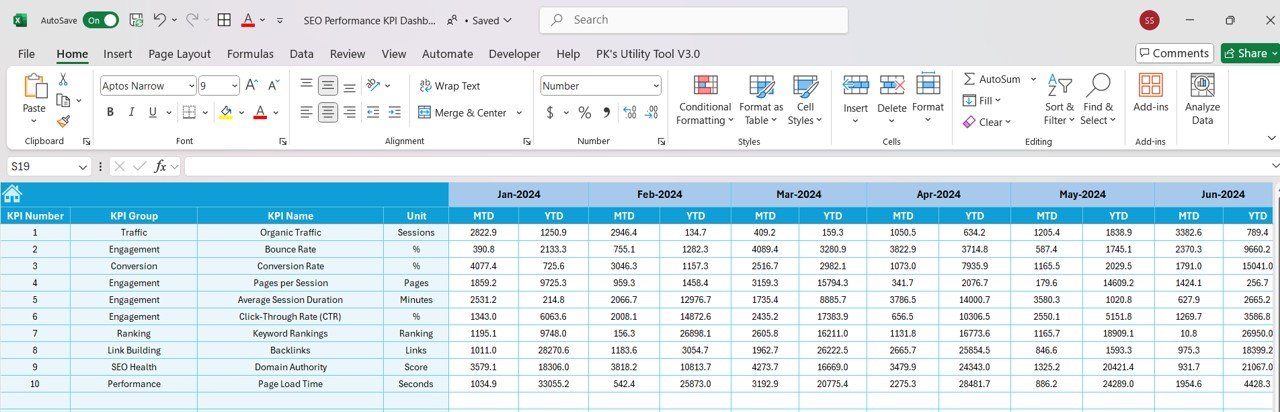
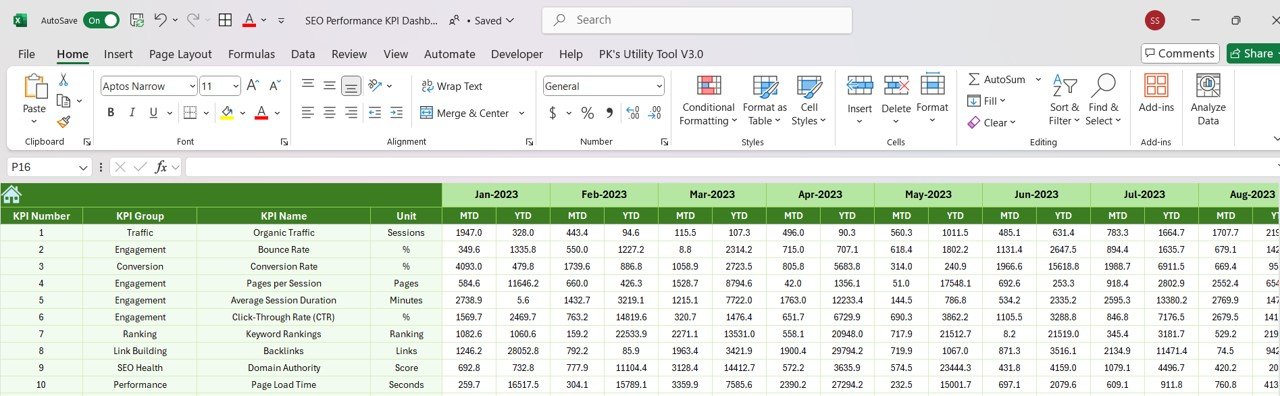
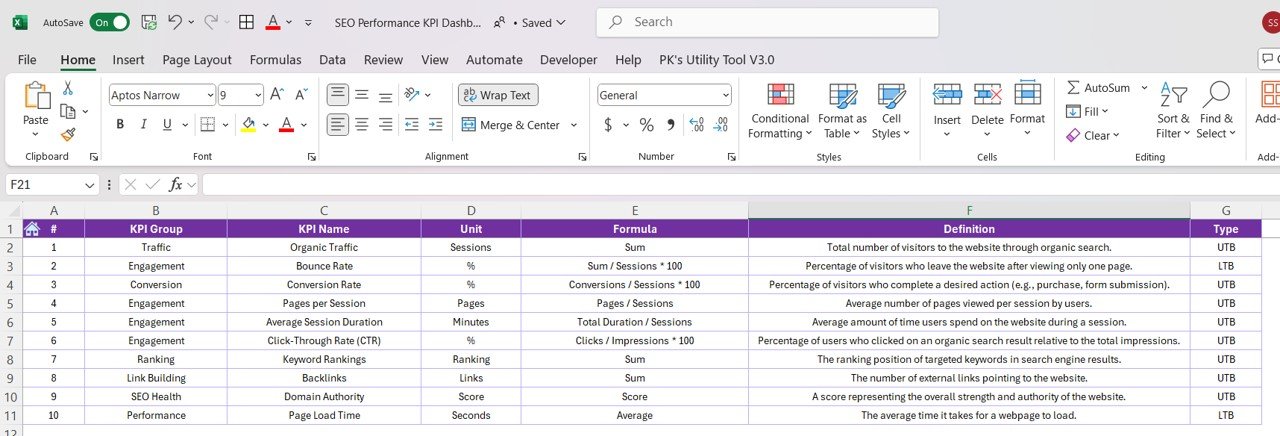

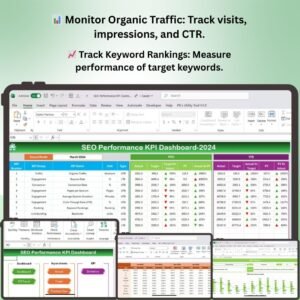
The SEO Performance KPI Dashboard in Excel is a powerful tool designed to help digital marketers, SEO professionals, and business owners track, analyze, and optimize their website’s search engine performance. This interactive dashboard allows you to monitor key performance indicators (KPIs) like organic traffic, keyword rankings, backlinks, and on-page SEO health in one centralized location.
With easy-to-understand visualizations and real-time data updates, this Excel-based dashboard helps you stay on top of your SEO efforts and identify areas for improvement. Whether you’re measuring the success of your SEO campaigns or refining your strategies, this template provides all the insights you need to drive your website’s success.
Key Features of the SEO Performance KPI Dashboard in Excel
📊 Track Organic Traffic
Monitor organic traffic growth by tracking key metrics such as visits, impressions, clicks, and click-through rate (CTR). Measure how well your website is performing in search engines.
📈 Keyword Rankings Monitoring
Track keyword rankings for target keywords and monitor changes over time. Analyze the performance of keywords and identify opportunities for optimization.
🔗 Backlink Tracking & Analysis
Keep track of the quantity and quality of backlinks pointing to your site. Monitor link-building efforts and their impact on your website’s authority and SEO performance.
📅 On-Page SEO Health
Track on-page SEO elements such as title tags, meta descriptions, alt text for images, and content quality. Ensure that all critical SEO factors are optimized for better visibility and ranking.
🖥️ Customizable & Interactive Visualizations
Customize the dashboard to fit your specific SEO needs. Use interactive charts, graphs, and slicers to drill down into performance metrics and generate actionable insights.
📉 Performance Benchmarking & Reporting
Compare your website’s performance against historical data or industry benchmarks. Track improvements and areas for growth to help refine your SEO strategies.
Why You’ll Love the SEO Performance KPI Dashboard in Excel
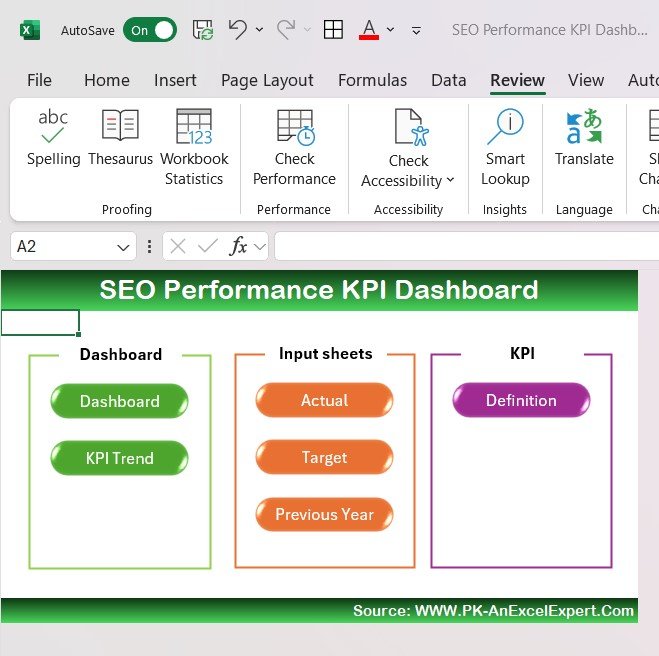
✅ Comprehensive SEO Tracking
Track all your key SEO metrics in one place, including organic traffic, keyword rankings, backlinks, and on-page health. This comprehensive dashboard provides a holistic view of your SEO performance.
✅ Monitor SEO Campaign Success
Stay on top of your SEO campaigns and measure how well your efforts are driving traffic and improving keyword rankings. Use the data to adjust your strategies for better results.
✅ Optimize Your Website’s SEO Health
Monitor on-page SEO factors and ensure that every part of your website is optimized to meet search engine guidelines. Improve your rankings by fixing any on-page issues.
✅ Track Backlink Strategy
Understand the impact of your link-building efforts by tracking backlinks and analyzing their quality. Improve your website’s domain authority by building high-quality links.
✅ Fully Customizable & Scalable
Adapt the dashboard to your specific SEO goals. Filter data by time period, keyword, or traffic source to gain deeper insights into your SEO performance.
What’s Inside the SEO Performance KPI Dashboard Template in Excel?
- Organic Traffic Monitoring: Track visits, impressions, and CTR from search engines.
- Keyword Rankings Tracking: Monitor keyword performance and identify trends.
- Backlink Tracking: Measure backlinks, analyze link quality, and track link-building efforts.
- On-Page SEO Health Monitoring: Track key on-page SEO elements and their optimization.
- Customizable Visualizations: Filter and drill down into data for actionable insights.
- Benchmarking & Reporting: Compare your performance against historical data or industry benchmarks.
How to Use the SEO Performance KPI Dashboard in Excel
1️⃣ Download the Template: Get instant access to the SEO Performance KPI Dashboard in Excel.
2️⃣ Input Your SEO Data: Enter your website’s organic traffic, keyword rankings, backlinks, and on-page SEO data.
3️⃣ Track & Monitor KPIs: Use the dashboard to monitor your SEO performance and analyze results.
4️⃣ Optimize SEO Strategies: Use data insights to optimize your SEO strategies, improve keyword rankings, and build high-quality backlinks.
5️⃣ Generate Custom Reports: Create customized reports to share with stakeholders or clients.
Who Can Benefit from the SEO Performance KPI Dashboard in Excel?
🔹 SEO Professionals & Digital Marketers
🔹 Business Owners & Website Managers
🔹 Content Creators & Bloggers
🔹 E-commerce & Marketing Teams
🔹 Agencies Managing SEO Campaigns
🔹 Marketing Analysts & Data Analysts
Optimize your SEO campaigns, track performance, and drive organic growth with the SEO Performance KPI Dashboard in Excel. Monitor key metrics, identify opportunities, and improve your website’s ranking and traffic.
Click here to read the Detailed blog post
Visit our YouTube channel to learn step-by-step video tutorials
Youtube.com/@PKAnExcelExpert






























Reviews
There are no reviews yet.