
Creating invoices manually in Word or PDF tools can slow down your business, cause errors, and make tracking payments difficult. As your client base grows, managing billing without a proper system becomes frustrating and inefficient.
But what if you could automate your entire invoicing process in one simple tool?
Introducing the Professional Invoice Template in Google Sheets 💼🚀 — a powerful, ready-to-use invoicing solution designed to help freelancers, small businesses, consultants, and finance teams create, manage, and track invoices effortlessly.
This smart template transforms your billing workflow by combining invoice generation, client management, and payment tracking into one centralized system. No expensive software, no complex setup — just a clean, automated, and professional invoicing experience.
✨ Key Feature of Professional Invoice Template in Google Sheets
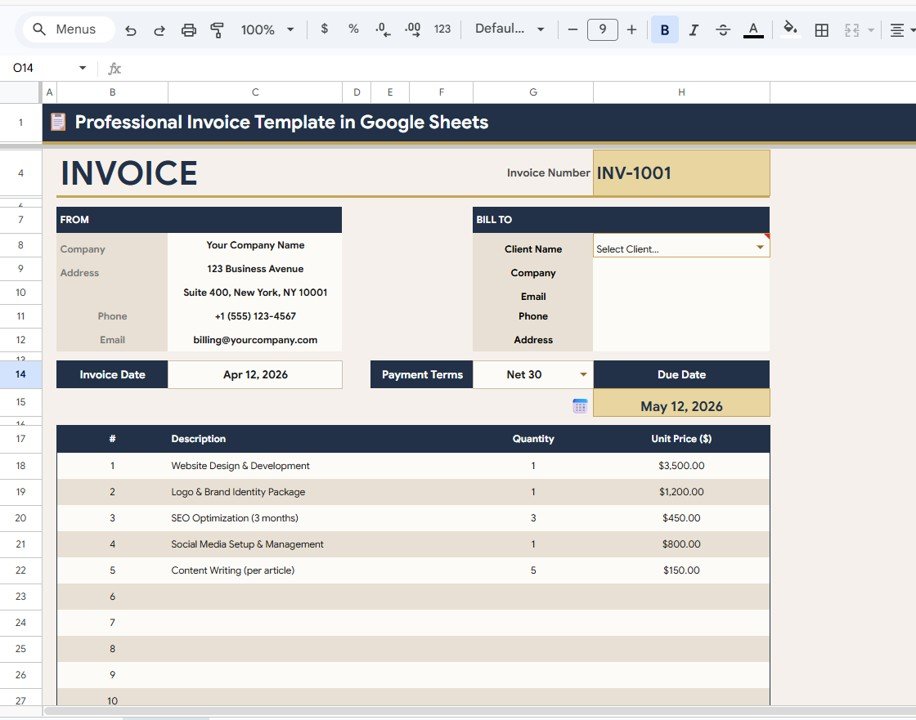
⚡ Auto-Populated Invoice Fields – Select a client and all details fill instantly
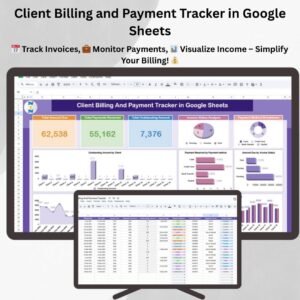
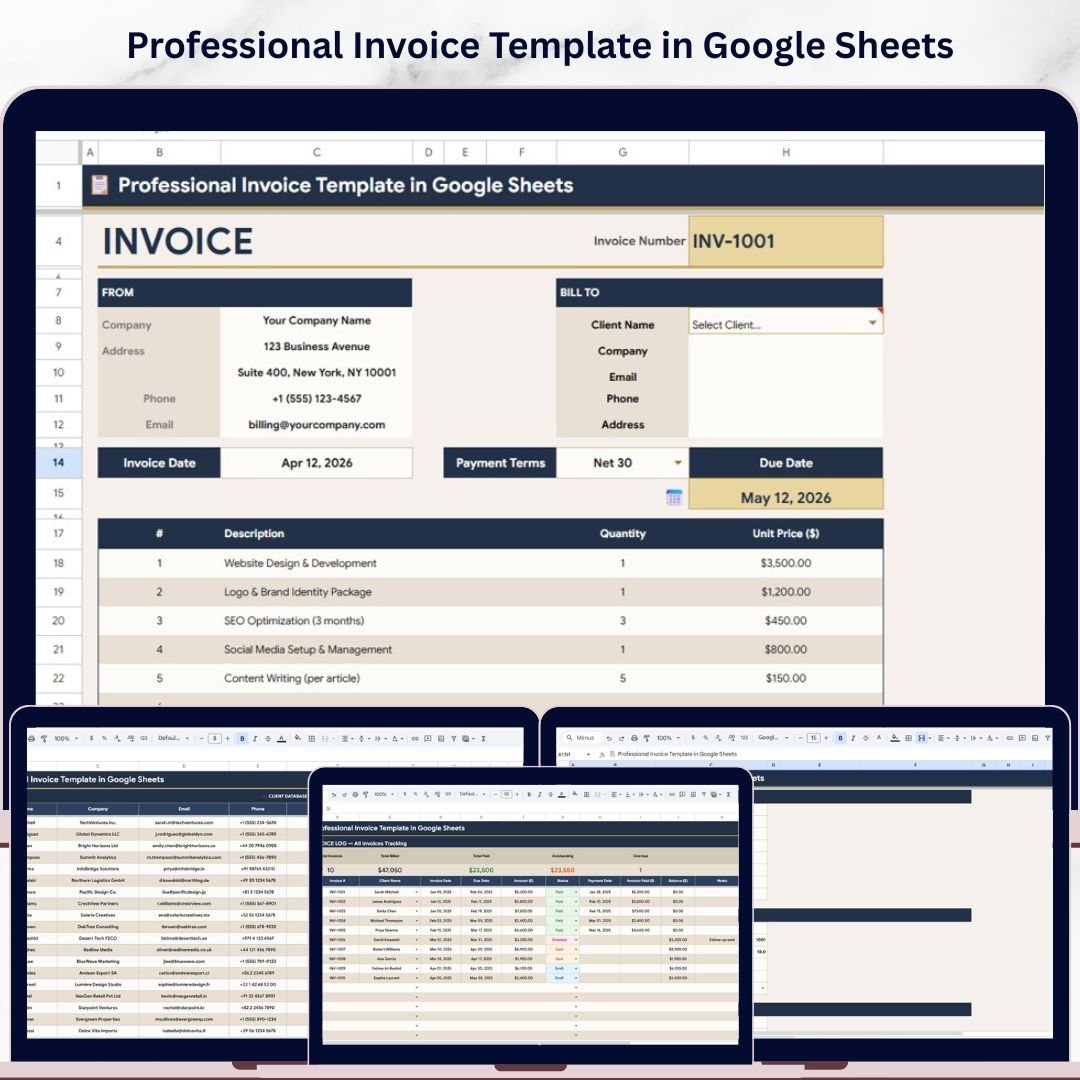
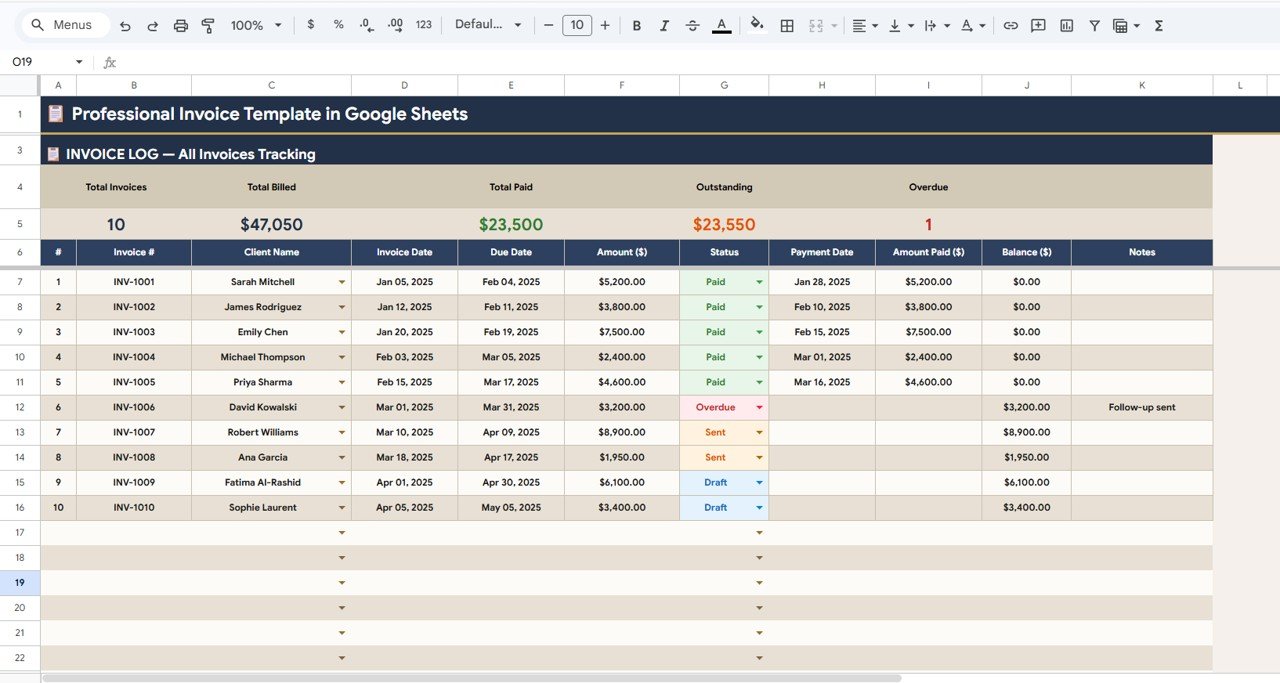
📊 Invoice Log with Summary Cards – Track total billed, paid, outstanding, and overdue amounts
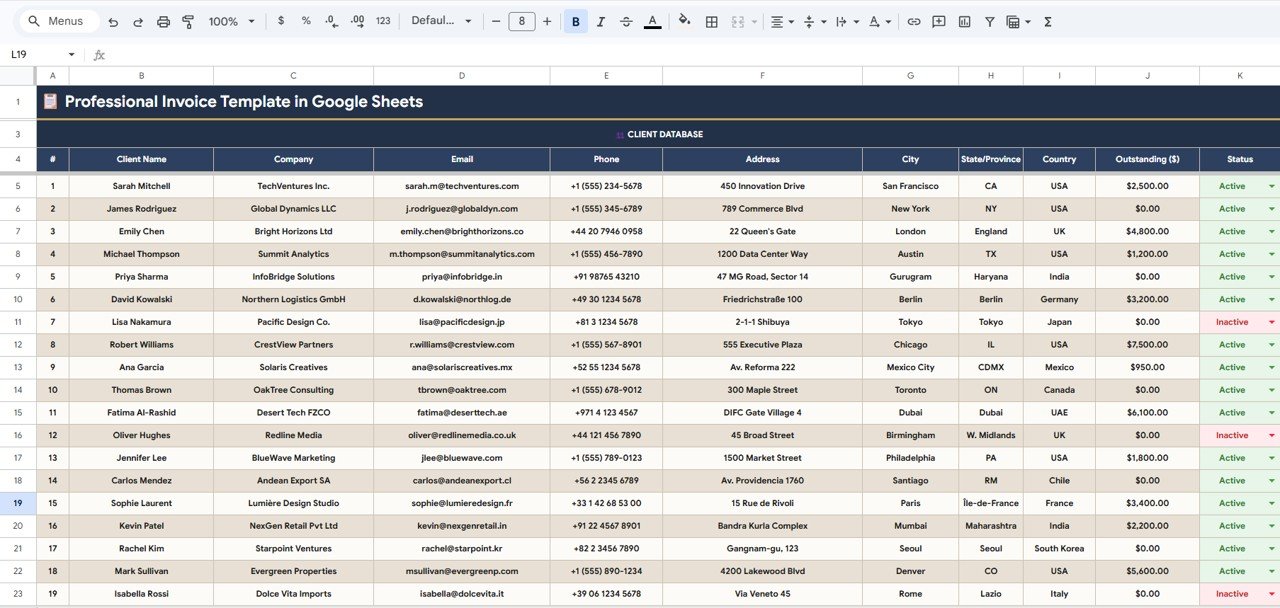
👥 Client Database Management – Store and manage all client details in one place
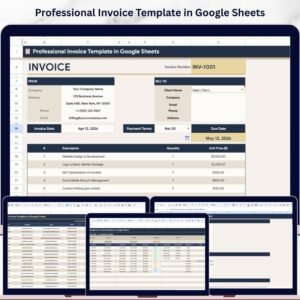
📄 Professional Invoice Layout – Clean, structured invoice design for client communication
💰 Payment Tracking System – Record payments, balances, and due dates easily
🎯 Status Tracking – Mark invoices as Paid, Sent, Draft, or Overdue
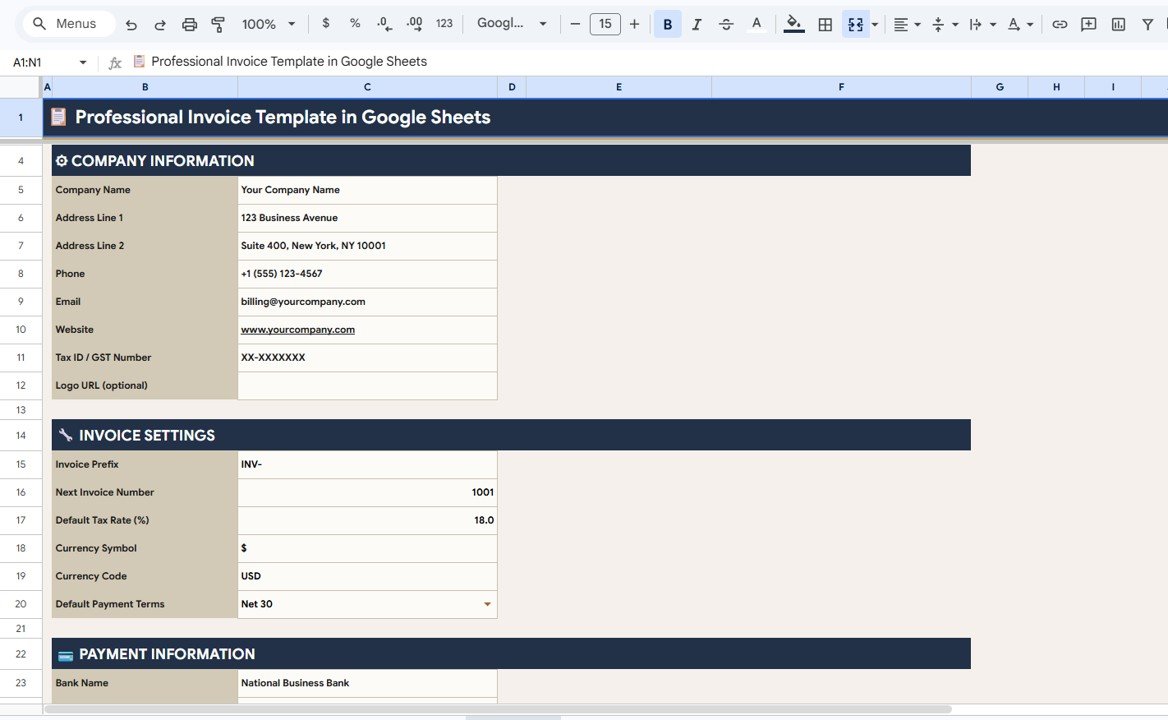
⚙️ Fully Customizable Settings – Configure tax, currency, invoice prefix, and terms
🌍 Cloud-Based Access – Use anytime, anywhere via Google Drive
📈 Error-Free Automation – Reduce manual mistakes and improve accuracy
📦 What’s Inside the Professional Invoice Template in Google Sheets
This template includes 4 powerful and interconnected sheets that handle your complete invoicing workflow:
✔️ Invoice Sheet
- Create professional invoices in minutes
- Auto-fill client details from dropdown
- Add multiple line items with automatic calculations
✔️ Client Database
- Store client name, company, email, phone, and address
- Track client status and outstanding balances
- Supports unlimited clients
✔️ Invoice Log (Tracking System)
- View all invoices in one place
- Monitor payment status and due dates
- Includes summary cards: Total Invoices, Billed, Paid, Outstanding, Overdue
✔️ Settings Page
- Customize company details, tax rates, and currency
- Set invoice prefix and payment terms
- Configure invoice behavior easily
Everything is pre-built — just enter your data and start invoicing instantly.
🛠️ How to Use the Professional Invoice Template in Google Sheets
Using this template is extremely simple:
1️⃣ Set up your company details in the Settings sheet
2️⃣ Add clients to the Client Database
3️⃣ Create invoices using the Invoice Sheet dropdown
4️⃣ Enter line items and generate totals automatically
5️⃣ Track payments and status in the Invoice Log
Within minutes, your entire billing system will be up and running.
👥 Who Can Benefit from This Professional Invoice Template in Google Sheets
👨💼 Freelancers – Create invoices quickly and get paid faster
🏢 Small Businesses – Manage multiple clients and invoices easily
📊 Consultants – Track billing and payments professionally
💰 Finance Teams – Monitor accounts receivable efficiently
🧾 Service Providers – Maintain accurate and organized billing records
Whether you send a few invoices or hundreds, this template scales with your needs.
Stop wasting time on manual billing and messy spreadsheets. This template gives you a complete invoicing system in one place.
🚀 Start creating professional invoices and tracking payments like a pro today!
🔗 Click hare to read the Detailed blog post
Watch the step-by-step video tutorial:
👉 Visit our YouTube channel to learn step-by-step video tutorials
👉 https://www.youtube.com/@PKAnExcelExpert