Women empowerment NGOs create real change — from improving literacy and skill development to increasing financial independence and healthcare access. Women Empowerment NGOs KPI Dashboard in Excel but while the mission is powerful, measuring performance often feels overwhelming.
Scattered Excel files. Manual reports. Unclear impact metrics.
Meanwhile, donors expect transparency. Boards demand measurable results. Teams need clear targets.
What if you could track your NGO’s entire performance in one structured, professional, and automated Excel system?
Women Empowerment NGOs KPI Dashboard in Excel That’s exactly what the Women Empowerment NGOs KPI Dashboard in Excel delivers. 🚀
This ready-to-use Excel dashboard helps NGOs monitor KPIs, compare Actual vs Target performance, track MTD (Month-to-Date) and YTD (Year-to-Date) results, analyze previous year comparisons, and evaluate trends — all in one powerful and organized workbook.
No complex systems. No expensive software. Just structured impact tracking.
🚀 Key Feature of Women Empowerment NGOs KPI Dashboard in Excel
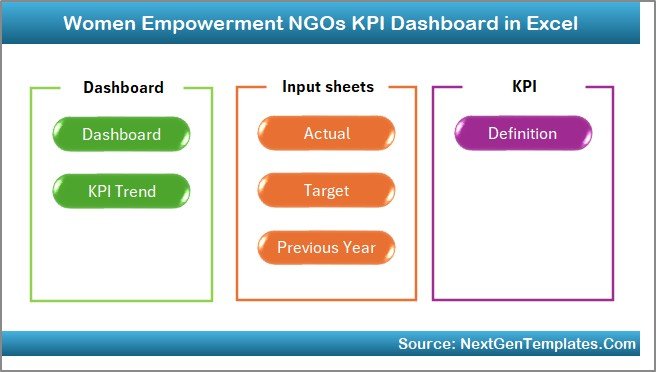
This professionally designed dashboard includes 7 fully integrated worksheets that work together seamlessly.
🏠 Home Sheet – Smart Navigation Center
6 interactive buttons allow you to jump directly to:
Dashboard | KPI Trend | Actual Input | Target Sheet | Previous Year | KPI Definition
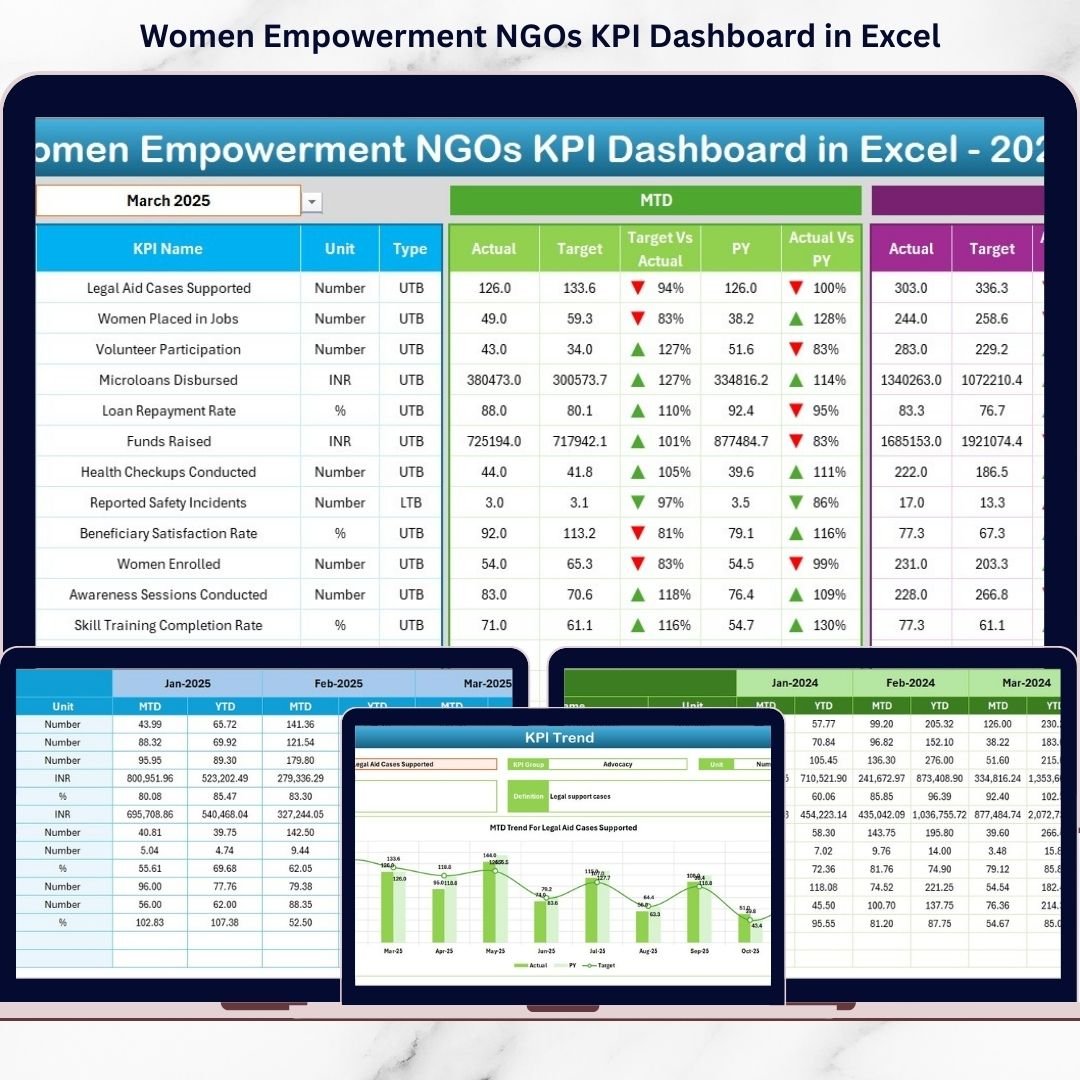
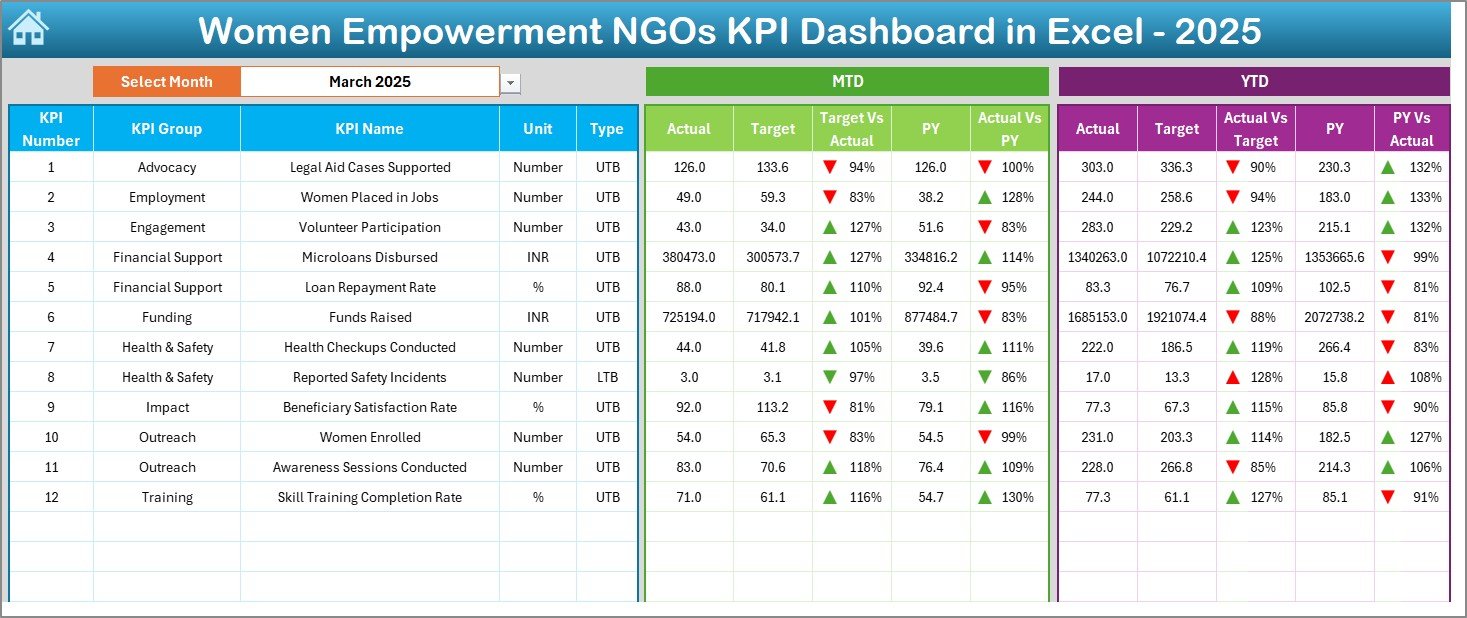
📊 Dashboard Sheet – Complete Performance Overview
Select Month in cell D3 and the entire dashboard updates automatically.
✔ MTD Actual vs Target
✔ YTD Actual vs Target
✔ Previous Year vs Current Year
✔ Variance calculations
✔ Conditional formatting arrows (▲ / ▼)
You instantly see whether performance improves or declines.
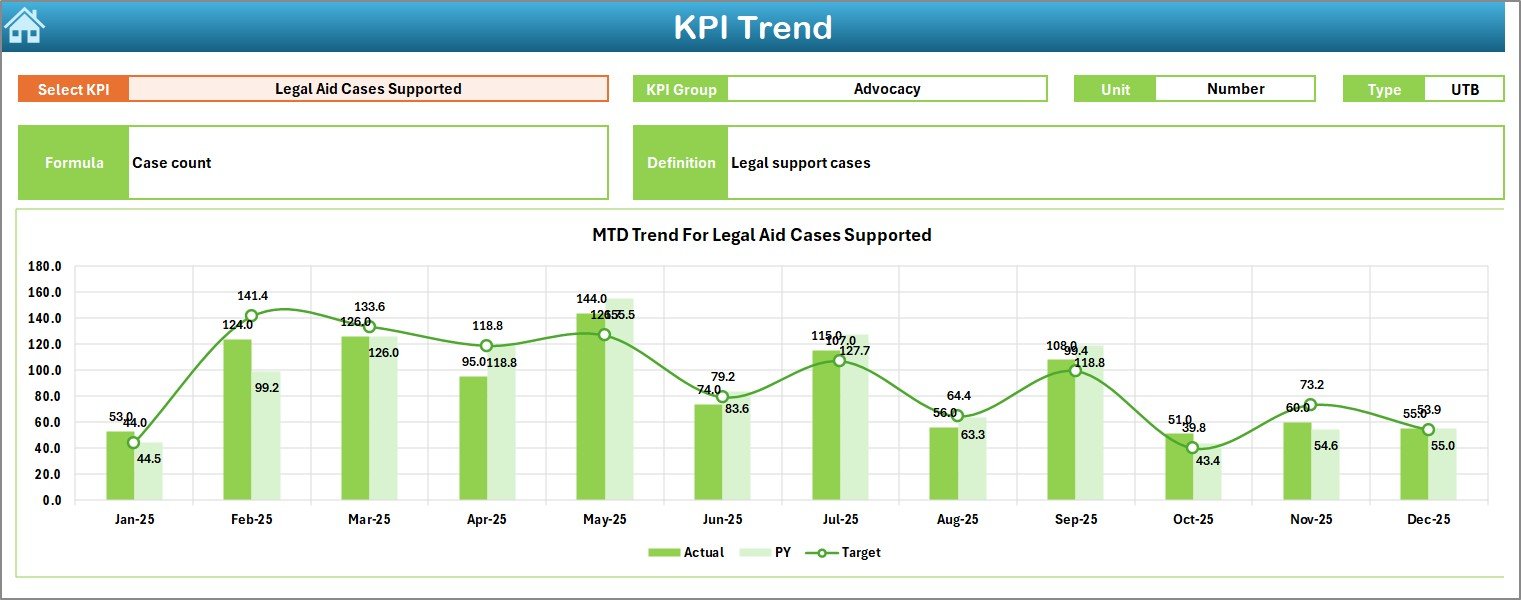
📈 KPI Trend Sheet – Deep Performance Analysis
Select KPI in cell C3 and review:
✔ KPI Group
✔ Unit of Measurement
✔ KPI Type (Lower the Better / Upper the Better)
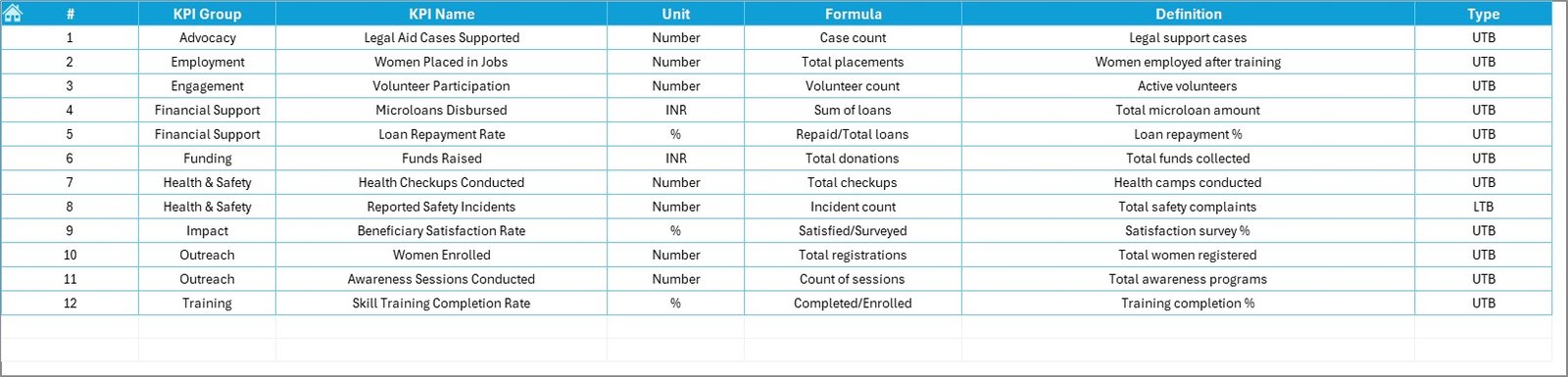
✔ KPI Formula & Definition
✔ MTD Trend Chart (Actual vs Target vs PY)
✔ YTD Trend Chart (Actual vs Target vs PY)
📝 Actual Input Sheet
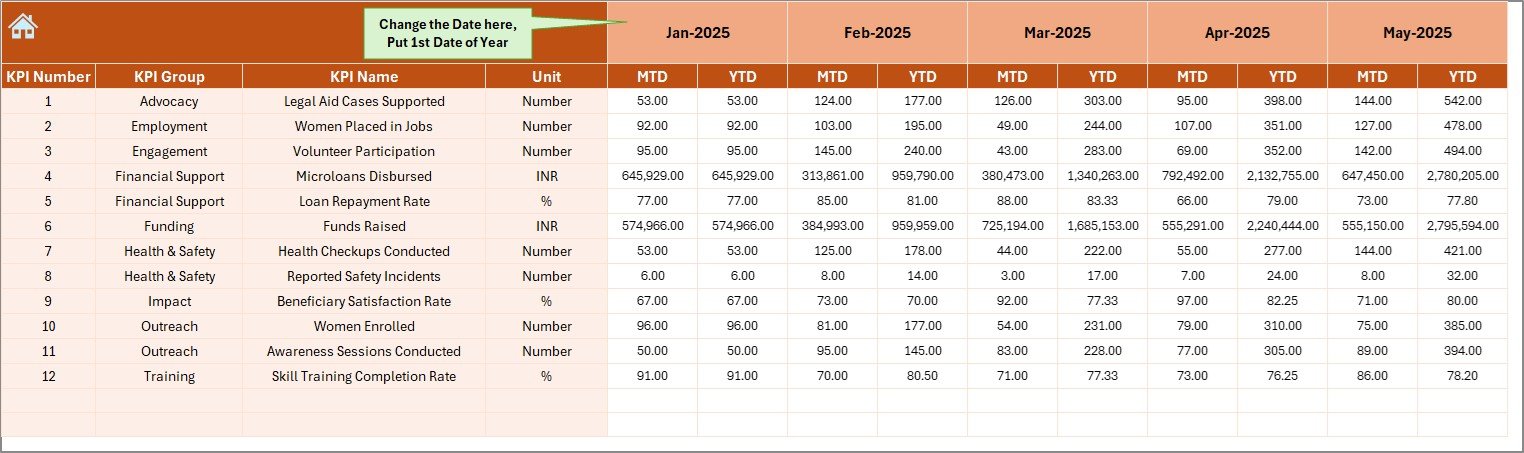
Enter current year MTD and YTD data. All sheets update automatically.
🎯 Target Sheet
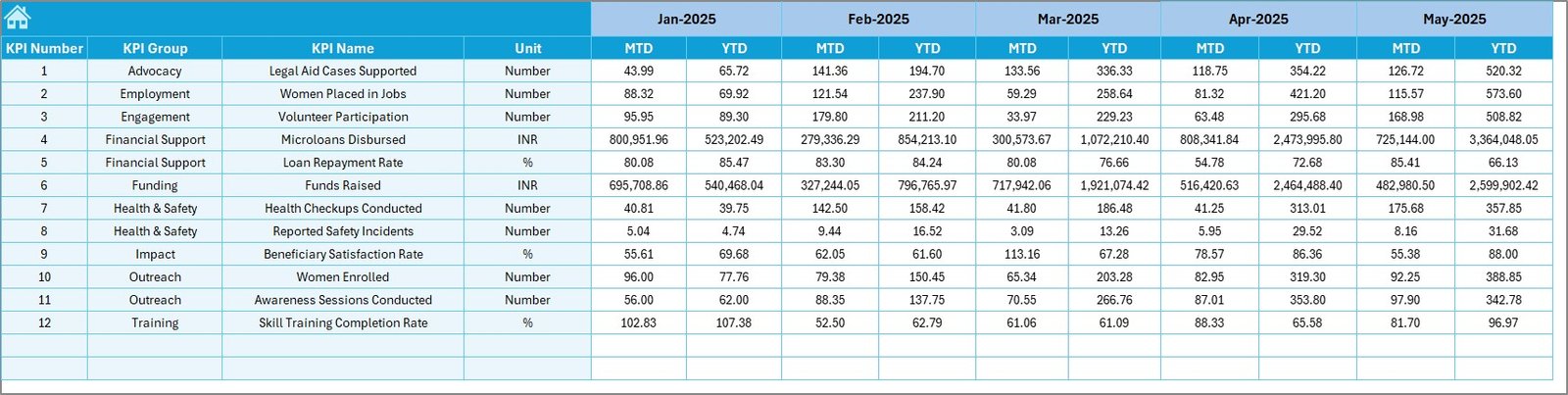
Define monthly and yearly performance goals.
📅 Previous Year Sheet
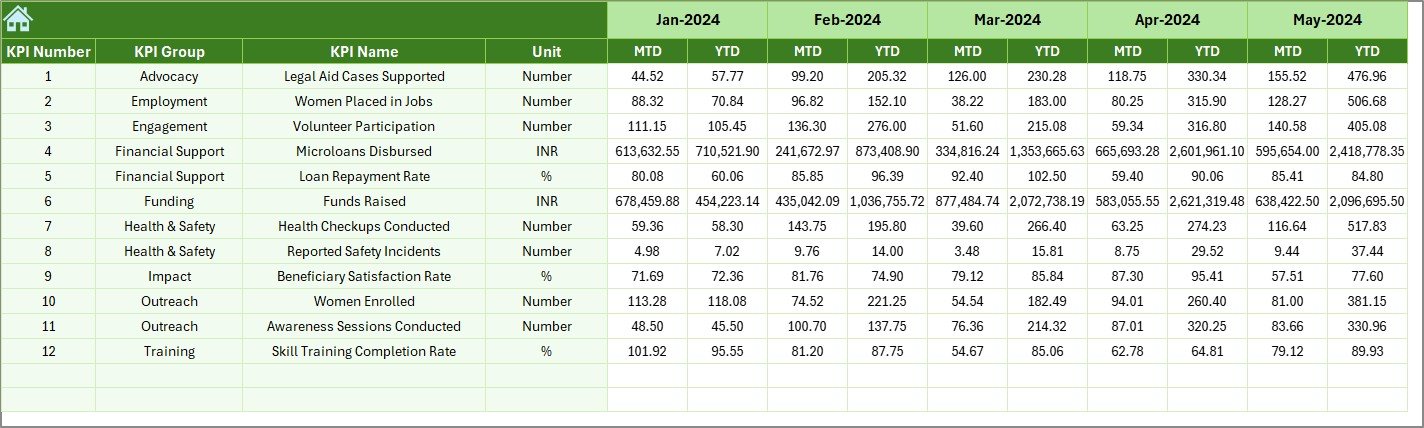
Compare current impact with last year’s performance.
📘 KPI Definition Sheet
Document KPI logic clearly for transparency and governance.
Everything connects dynamically — update once, analyze everywhere.
📦 What’s Inside the Women Empowerment NGOs KPI Dashboard in Excel
When you purchase this dashboard, you receive:
✔ 7 structured Excel worksheets
✔ Automated MTD & YTD calculations
✔ Target vs Actual comparison system
✔ Previous Year benchmarking
✔ Trend charts for KPI analysis
✔ Conditional performance indicators
✔ Centralized KPI documentation
✔ Easy month selection dropdown
This is not just a spreadsheet — it’s a complete NGO performance management system.
🛠 How to Use the Women Empowerment NGOs KPI Dashboard in Excel
Getting started is simple:
1️⃣ Enter monthly Actual numbers in the “Actual Input” sheet.
2️⃣ Define Targets in the “Target Sheet.”
3️⃣ Add previous year data in the “Previous Year Sheet.”
4️⃣ Go to the Dashboard and select the Month.
The dashboard instantly displays:
• MTD performance
• YTD performance
• Target variance
• Previous year comparison
• Performance indicators
For detailed analysis:
Go to KPI Trend → Select KPI → Review trend charts.
No advanced Excel skills required.
👩💼 Who Can Benefit from This Women Empowerment NGOs KPI Dashboard in Excel
This dashboard is ideal for:
🌍 Women Empowerment NGOs
📚 Skill Development Programs
🏥 Health & Awareness Campaigns
💼 Financial Inclusion Initiatives
🎓 Education Support Organizations
📊 Donor Reporting Teams
👩💼 Executive Leadership & Board Members
Whether you operate locally or internationally, this dashboard brings clarity to your impact.
The Women Empowerment NGOs KPI Dashboard in Excel helps you:
✔ Improve transparency
✔ Strengthen accountability
✔ Identify performance gaps early
✔ Optimize resource allocation
✔ Enhance donor confidence
✔ Track year-over-year growth
Instead of reacting late, you manage proactively.
If your NGO wants structured impact measurement, professional reporting, and stronger funding credibility, this dashboard is your essential tool.
Click here to read the Detailed blog post
Visit our YouTube channel to learn step-by-step video tutorials:
👉 https://youtube.com/@PKAnExcelExpert