


Transportation Services Dashboard operations without a clear reporting system often results in rising costs, missed deliveries, and reactive decisions. Transportation businesses deal with multiple transport modes, service types, fuel options, routes, costs, revenues, and monthly targets. However, when this data stays scattered across spreadsheets, emails, and manual reports, managers lose visibility and control.
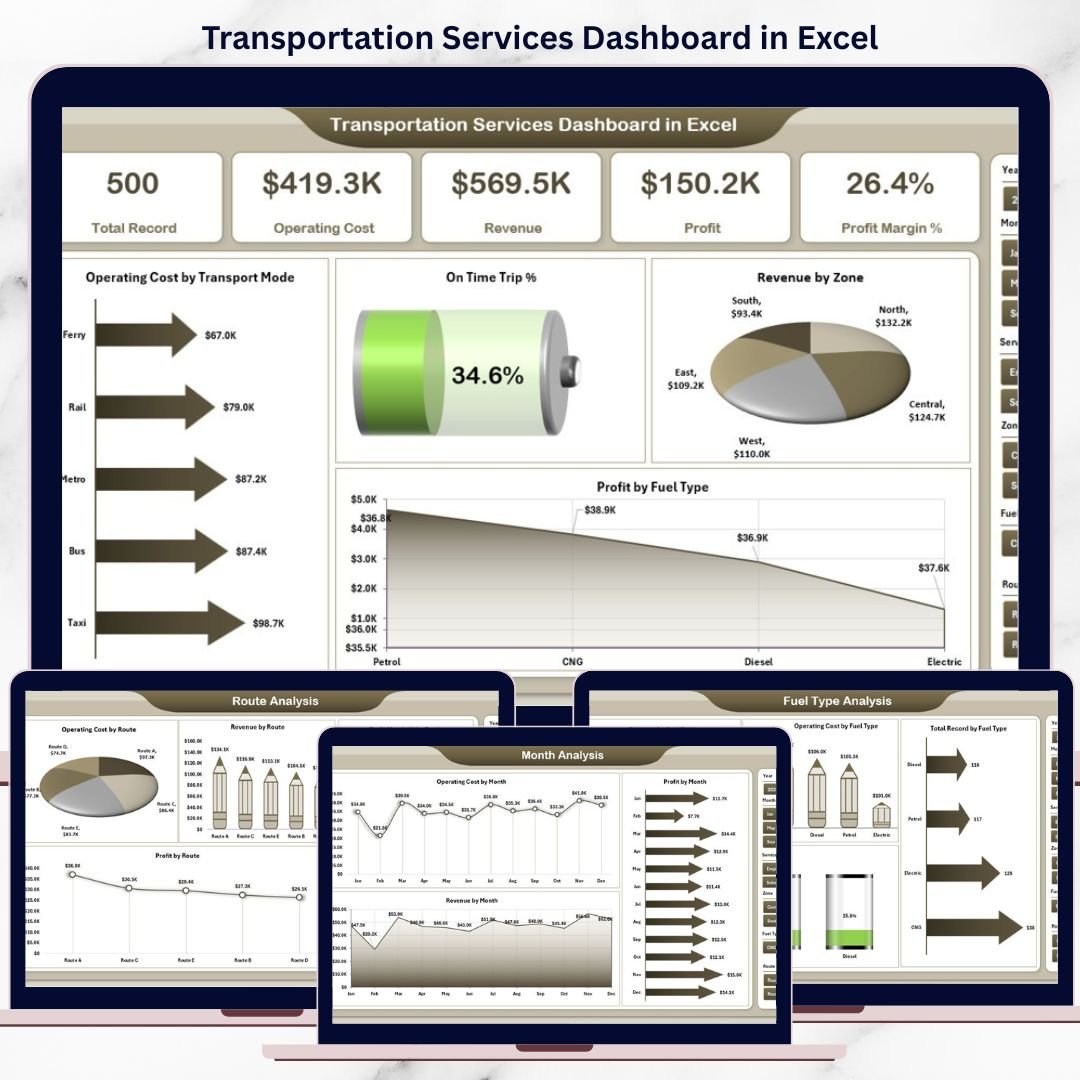
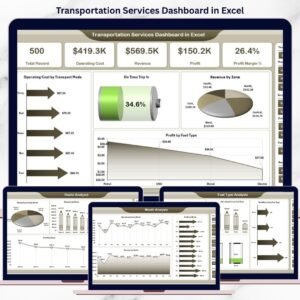
The Transportation Services Dashboard in Excel is a ready-to-use, interactive reporting solution that brings all transportation data into one centralized Excel dashboard. Instead of switching between multiple files, you can instantly track operating costs, revenue, profit, on-time performance, fuel impact, route efficiency, and monthly trends.
This dashboard transforms raw transportation data into clear, actionable insights that help organizations reduce costs, improve service reliability, and increase profitability—using Microsoft Excel only.
🚀 Key Features of Transportation Services Dashboard in Excel
📊 Centralized Transportation Performance View – Track all operational KPIs in one dashboard
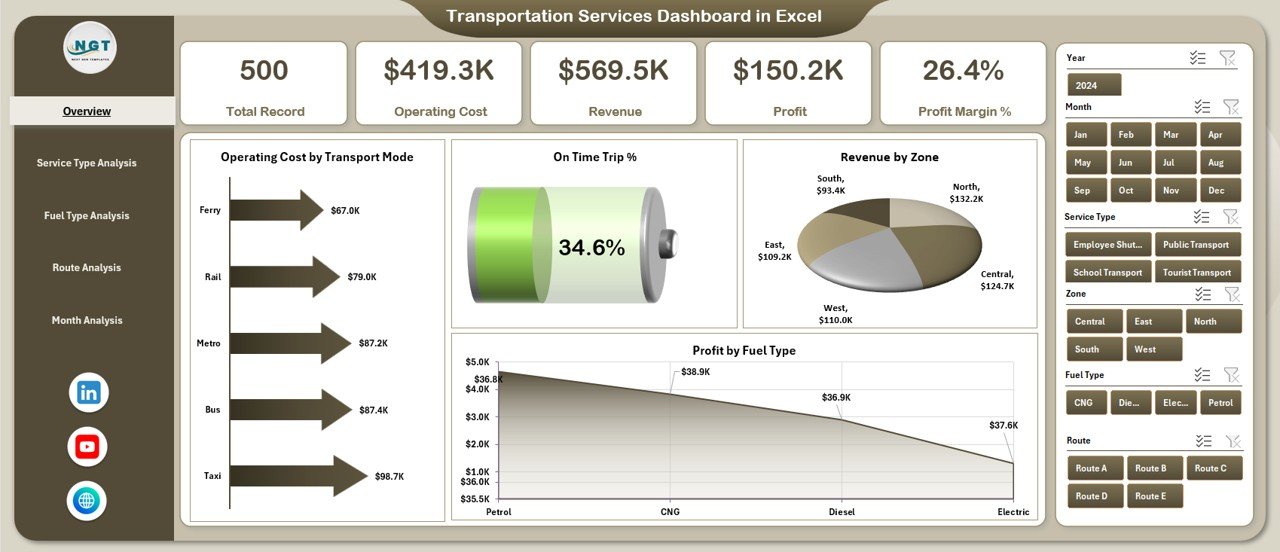
🚛 Transport Mode Cost Analysis – Identify high-cost and cost-efficient transport modes
⏱️ On-Time Trip Performance – Measure service reliability visually
💰 Revenue & Profit Visibility – Monitor revenue, profit, and margin trends
⛽ Fuel Type Impact Analysis – Understand how fuel choices affect profitability
🗺️ Route-Level Performance Tracking – Identify profitable and loss-making routes
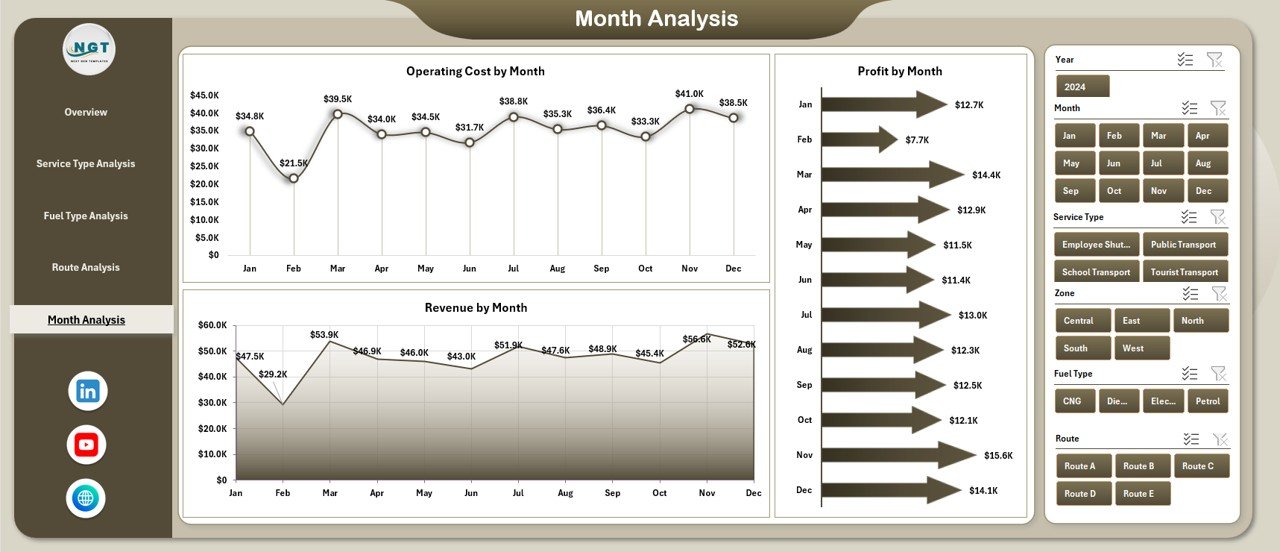
📅 Monthly Trend Analysis – Track seasonal cost and revenue patterns
🎛️ Interactive Excel Slicers – Filter data instantly by service type, route, fuel, or month
📦 What’s Inside the Transportation Services Dashboard in Excel
📁 Excel Dashboard File with a professional, business-ready layout
📊 Overview Page – High-level snapshot of transportation performance
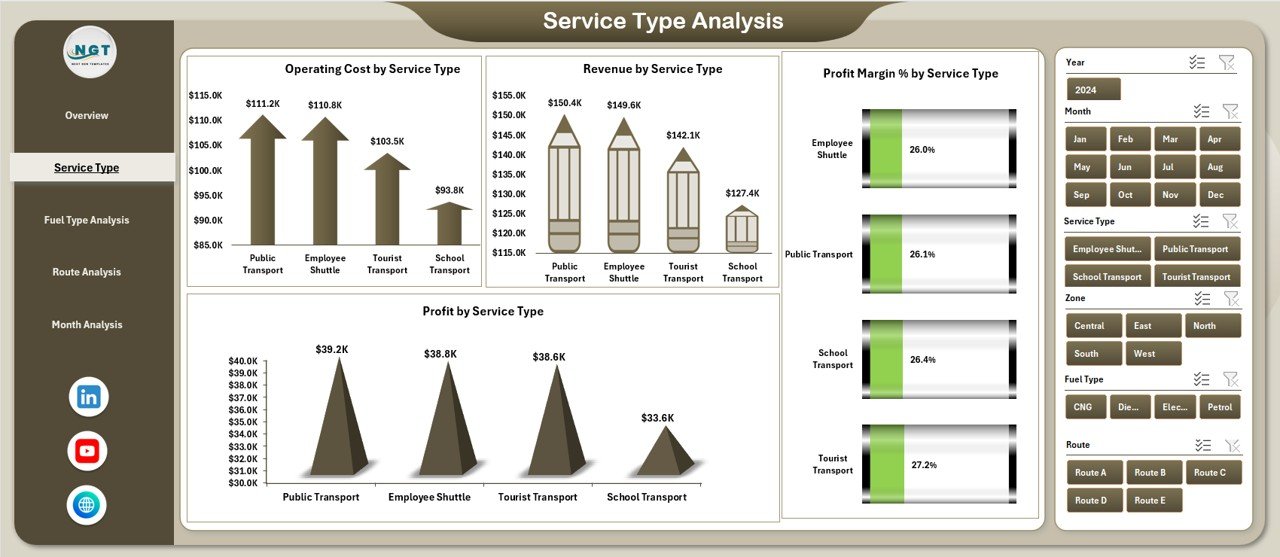
🚚 Service Type Analysis Page – Performance by transportation service category
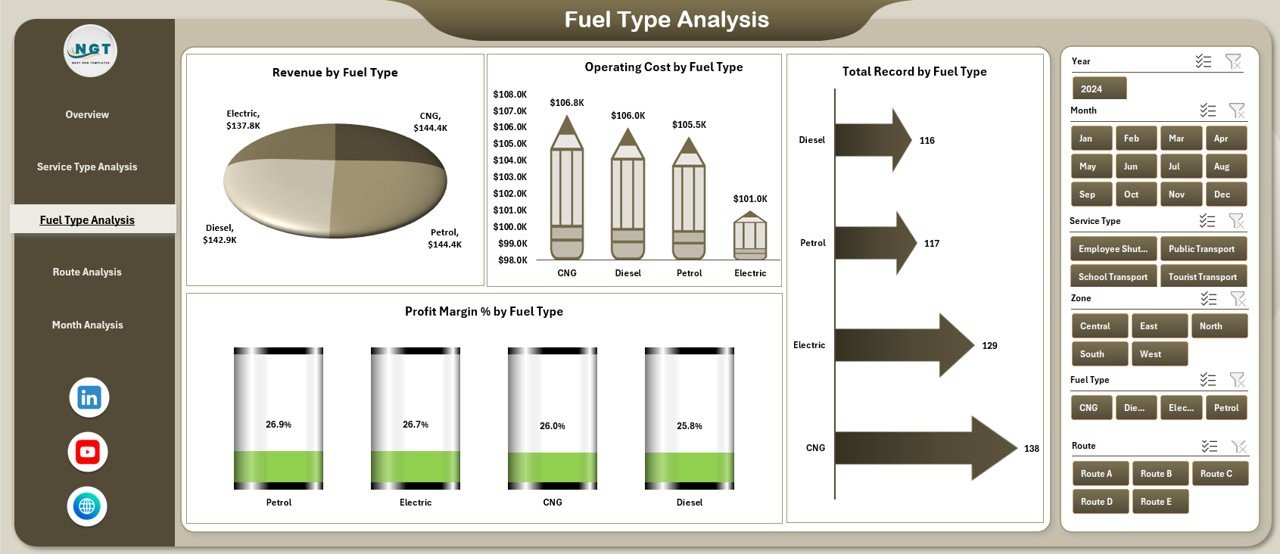
⛽ Fuel Type Analysis Page – Cost, revenue, and margin insights by fuel type
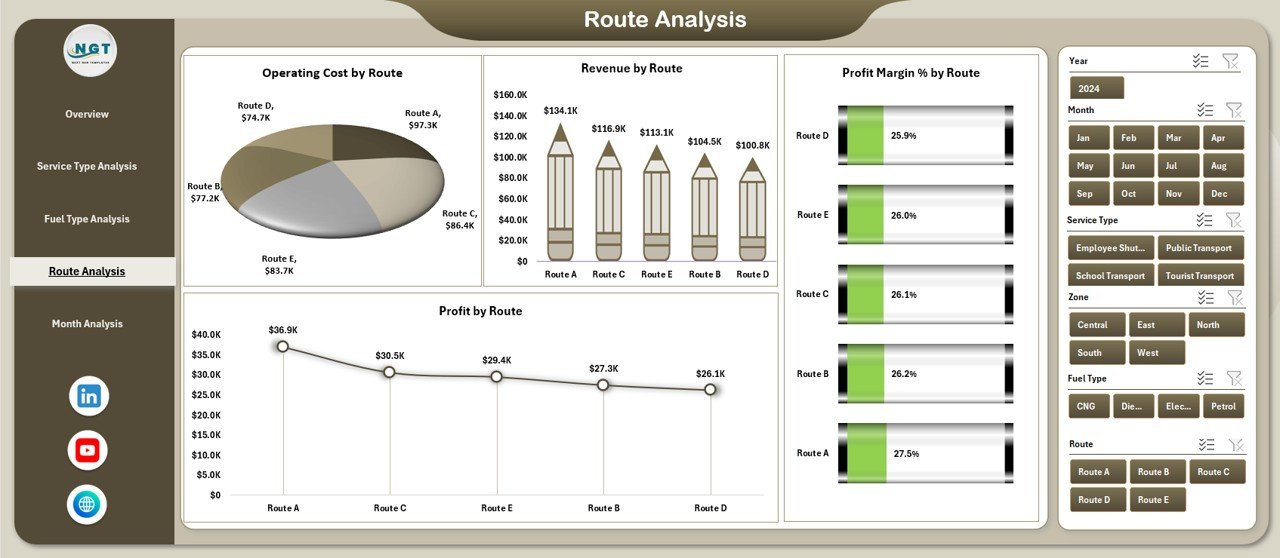
🗺️ Route Analysis Page – Route-wise cost, revenue, and profit tracking
📆 Month Analysis Page – Time-based trends for planning and forecasting
📄 Data Sheet – Central data source for all transportation records
🧮 Support Sheet – Helper calculations and mappings for stable logic
Each page focuses on a specific operational dimension, making analysis fast and intuitive.
🧠 How to Use the Transportation Services Dashboard in Excel
1️⃣ Enter or update transportation records in the Data Sheet
2️⃣ Open the dashboard and refresh pivot tables (if required)
3️⃣ Use right-side slicers to filter by service type, route, fuel type, or month
4️⃣ Navigate between pages using the left-side page navigator
5️⃣ Review KPI cards, charts, and trends
6️⃣ Identify cost drivers, optimize routes, and improve profitability
No advanced Excel skills are required. If you know basic Excel, you can use this dashboard confidently.
👥 Who Can Benefit from This Transportation Services Dashboard in Excel
🚚 Transportation & Logistics Companies – Monitor operational efficiency
📦 Fleet Managers – Optimize routes, fuel usage, and costs
🏭 Supply Chain Teams – Improve delivery reliability and cost control
💼 Finance & Cost Control Teams – Track profit margins clearly
📊 Operations Managers & Owners – Make faster, data-driven decisions
This dashboard works perfectly for small, mid-sized, and growing transportation businesses.
🔗 Click here to read the Detailed Blog Post
🎥 Visit our YouTube channel to learn step-by-step video tutorials
https://www.youtube.com/@PKAnExcelExpert





























Reviews
There are no reviews yet.