

The mobile gaming industry moves at lightning speed. Player installs surge overnight. Engagement drops without warning. Monetization trends shift every month. In such a competitive environment, gut feeling is not enough—performance tracking must be precise, fast, and reliable.
That is where the Mobile Gaming KPI Dashboard in Excel becomes a powerful growth companion for modern gaming teams.
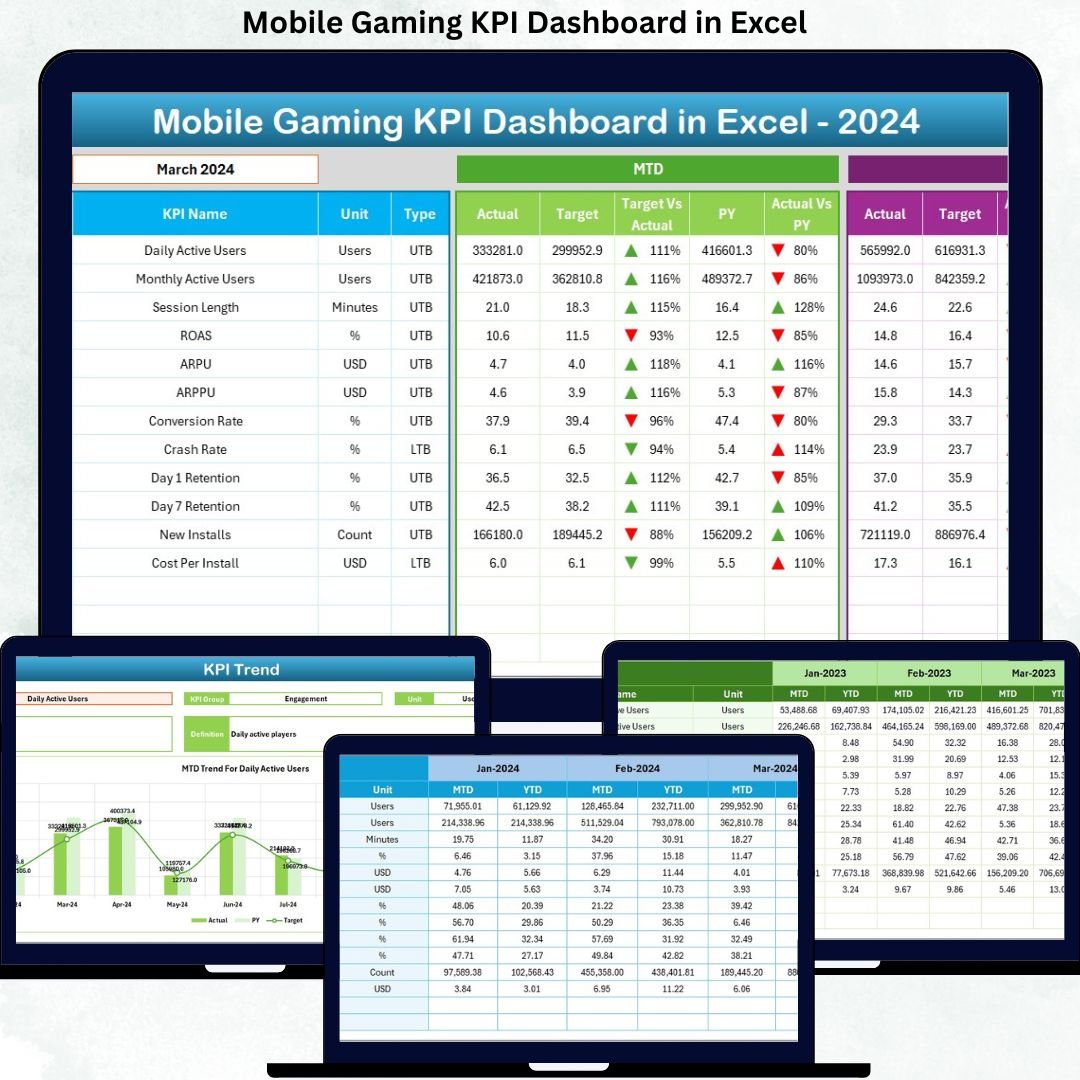
This ready-to-use Excel dashboard converts complex gaming data into clear KPIs, actionable trends, and instant performance insights. Instead of juggling multiple reports or struggling with complex BI tools, you get one structured Excel file that shows exactly how your game is performing month by month and year by year.
Whether you manage a single mobile game or an entire portfolio, this dashboard helps you track engagement, revenue, retention, and growth with confidence—without technical complexity.
🚀 Key Features of Mobile Gaming KPI Dashboard in Excel
📊 All-in-One KPI Tracking
Monitor all critical mobile gaming KPIs in a single, well-structured Excel dashboard.
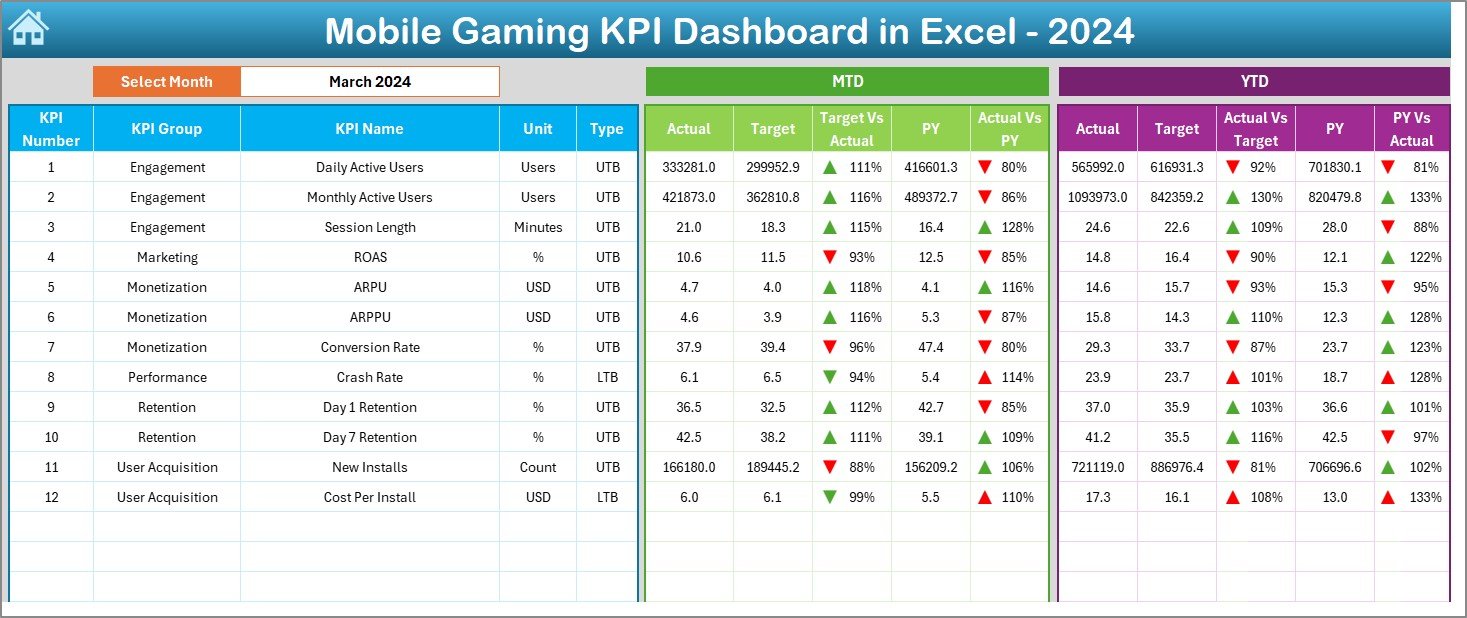
🎯 MTD & YTD Performance Analysis
Track both month-to-date and year-to-date performance for better short-term and long-term decisions.
📈 Target vs Actual Comparison
Instantly identify performance gaps using automated calculations and visual indicators.
🔁 Previous Year Benchmarking
Compare current results with last year’s performance to measure real growth.
🔼🔽 Visual Performance Indicators
Conditional formatting with up and down arrows highlights wins and risks instantly.
🧭 Smart Navigation System
One-click buttons allow smooth movement between dashboard, trends, and input sheets.
🧩 Fully Excel-Based & Flexible
No macros, no plugins—just clean Excel logic that anyone can maintain.
⏱️ Time-Saving Automation
Reduce manual reporting effort and focus on insights that matter.
📦 What’s Inside the Mobile Gaming KPI Dashboard in Excel
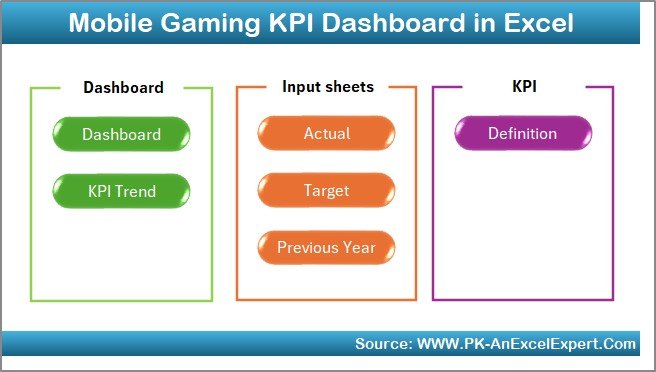
This product includes a professionally designed Excel dashboard file with 7 structured worksheets, each serving a specific purpose.
📌 Home Sheet – Navigation hub with quick-access buttons
📊 Dashboard Sheet – Central view showing all KPIs with MTD & YTD metrics
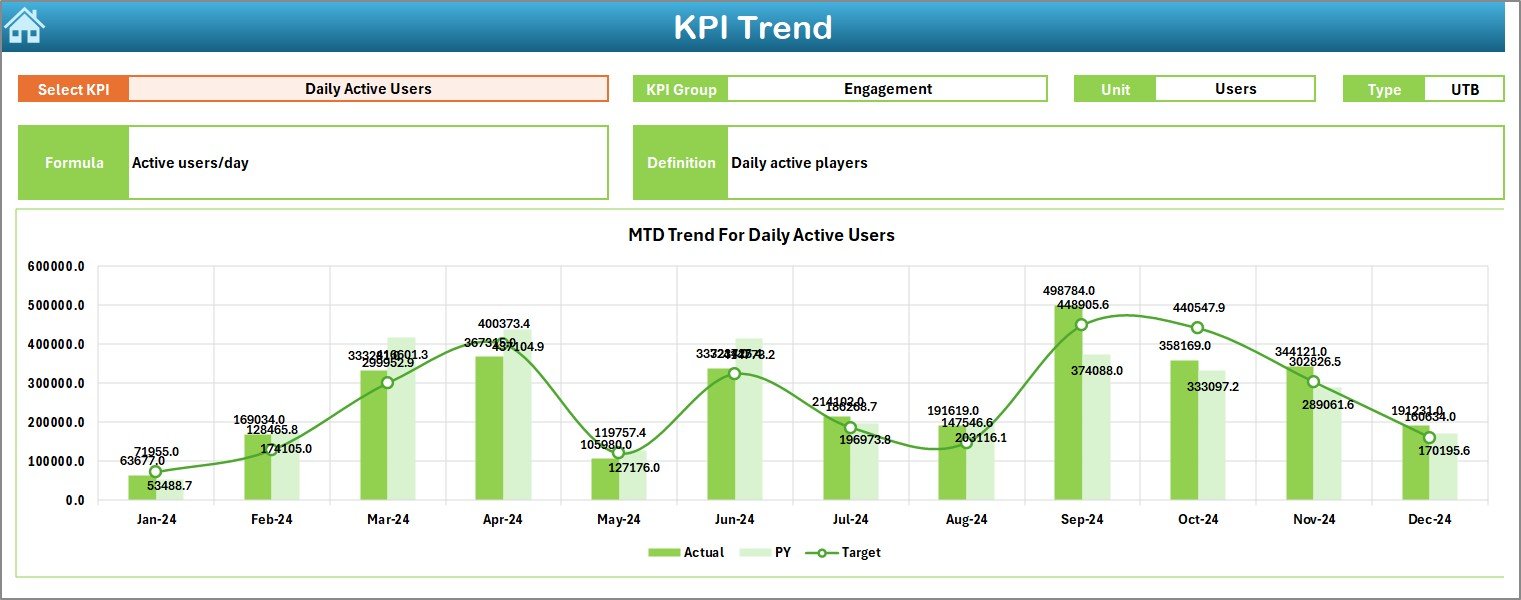
📈 KPI Trend Sheet – Deep-dive analysis with MTD & YTD trend charts
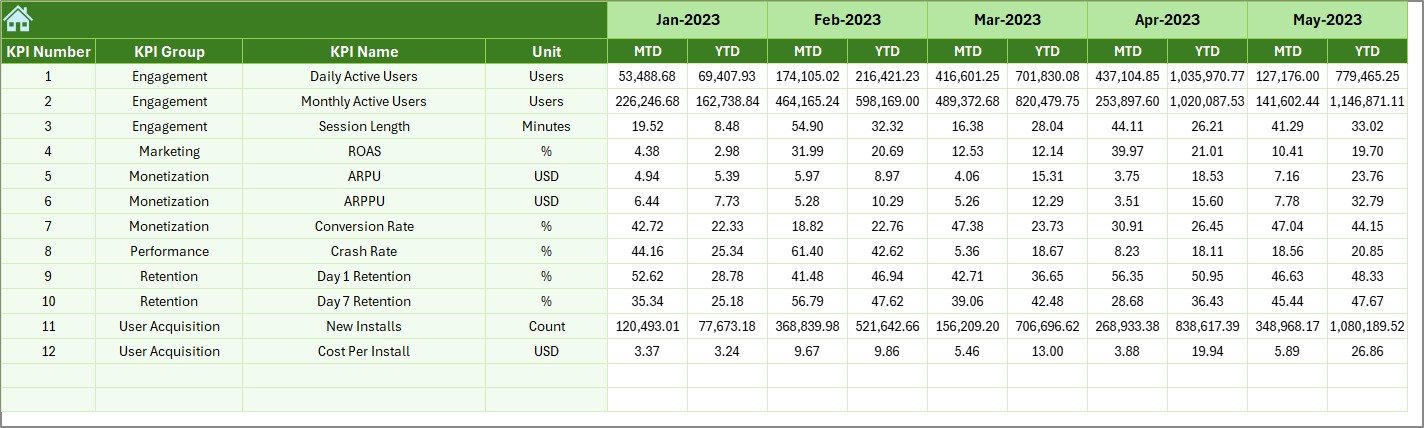
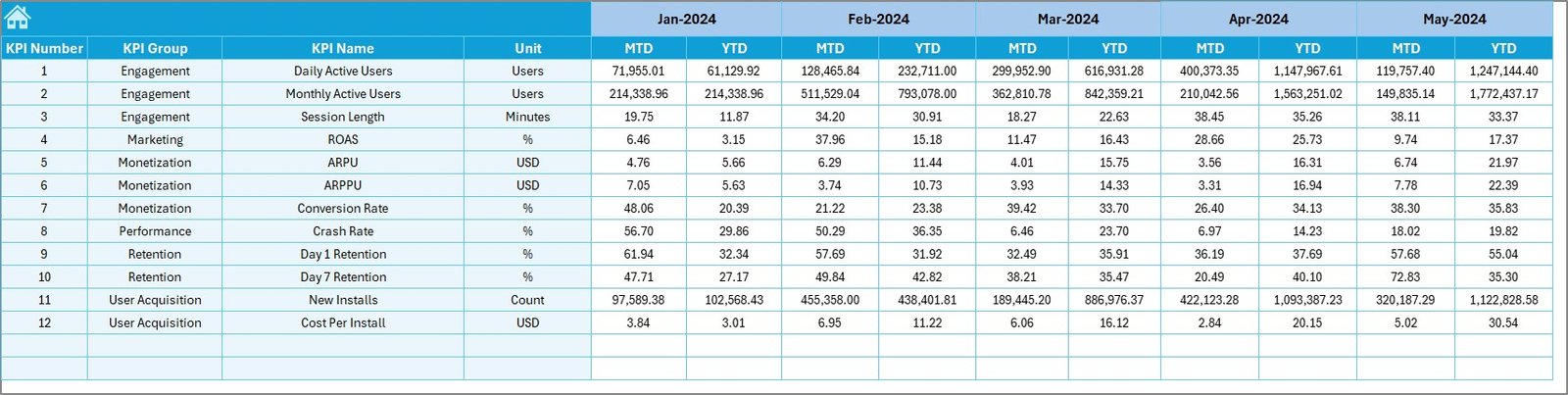
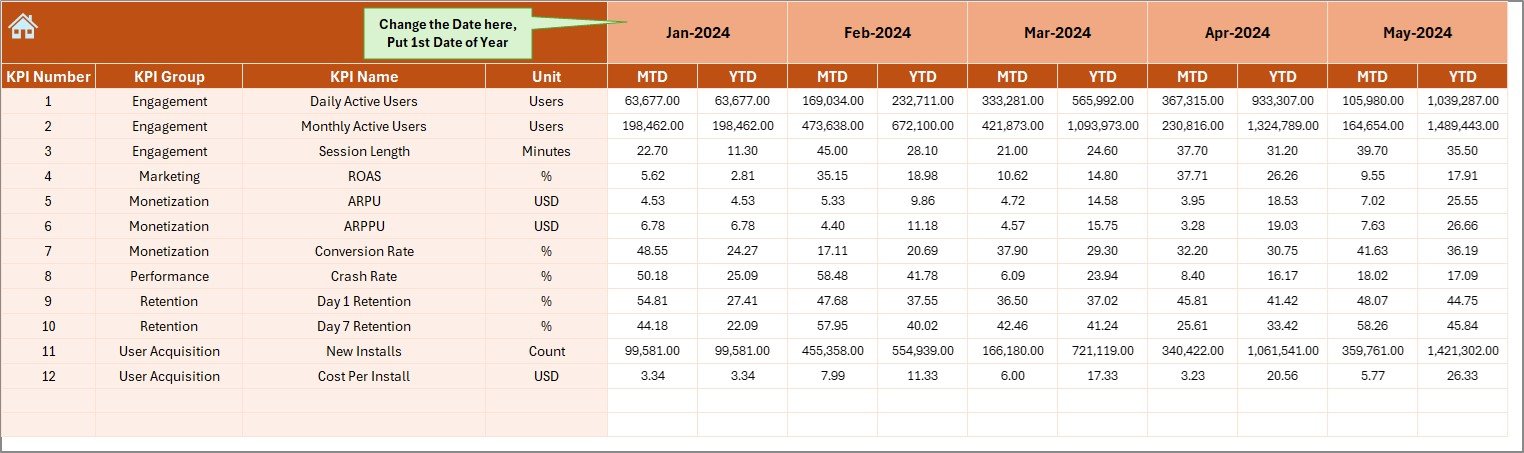
🧮 Actual Numbers Input Sheet – Enter real performance data
🎯 Target Sheet – Maintain monthly targets
📅 Previous Year Number Sheet – Enable year-over-year comparison
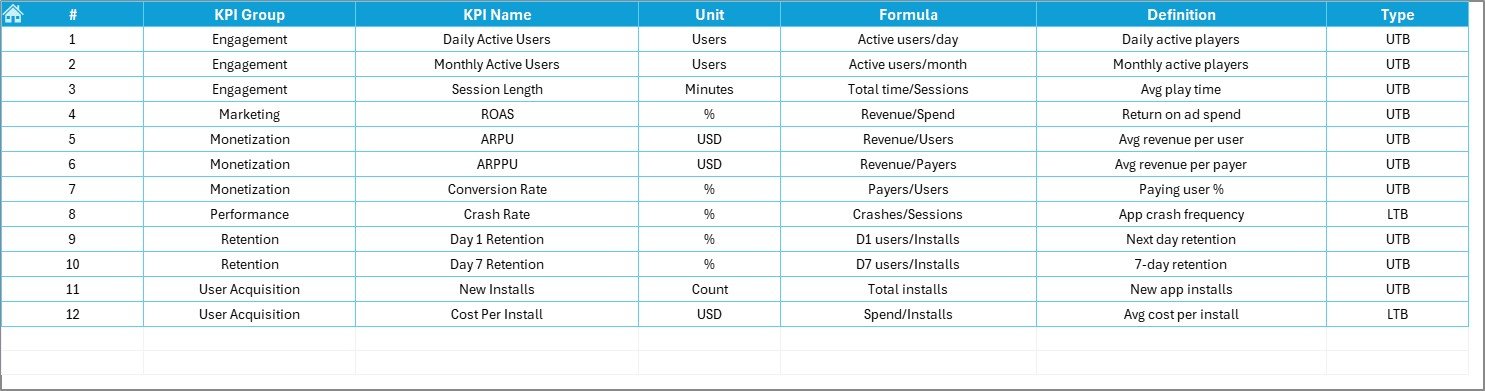
📘 KPI Definition Sheet – Document KPI logic, units, and formulas
Everything is pre-built, structured, and business-ready—you just enter data and analyze.
🛠️ How to Use the Mobile Gaming KPI Dashboard in Excel
1️⃣ Enter actual MTD and YTD values in the Actual Numbers Input Sheet
2️⃣ Update targets in the Target Sheet
3️⃣ Maintain last year’s data in the Previous Year Number Sheet
4️⃣ Define or modify KPIs in the KPI Definition Sheet
5️⃣ Select the month from cell D3 on the Dashboard
6️⃣ Instantly view updated KPIs, trends, and indicators
No advanced Excel skills required—ideal for both analysts and business users.
👥 Who Can Benefit from This Mobile Gaming KPI Dashboard in Excel
🎮 Game Developers
📊 Product Managers
📈 Growth & Marketing Teams
💰 Monetization Analysts
🏢 Gaming Studio Leaders
🚀 Startup Founders
If your success depends on player engagement, revenue optimization, and retention control, this dashboard is built for you.
🔎 Click here to read the Detailed blog post
👉 Visit our YouTube channel to learn step-by-step video tutorials and see real dashboard demos.































Reviews
There are no reviews yet.