
In today’s fast-paced work environment, employee wellness is not just an HR initiative — it’s a business strategy. Organizations that actively monitor and support employee well-being enjoy higher productivity, stronger engagement, and lower turnover. But how can wellness be measured effectively?
That’s where the Employee Wellness KPI Scorecard in Excel comes in. 🌟
This ready-to-use Excel template empowers HR leaders, wellness coordinators, and executives to track, analyze, and improve employee well-being through data-driven insights. It combines simplicity, interactivity, and visualization — helping you move from guesswork to actionable strategy.
Whether you’re managing a wellness program for a small team or an enterprise-level workforce, this scorecard provides a 360° view of participation, satisfaction, and health-related metrics — all in one place.
⚙️ Key Features of the Employee Wellness KPI Scorecard in Excel
📊 All-in-One Performance Dashboard – Instantly view MTD (Month-to-Date) and YTD (Year-to-Date) progress for each KPI.
🎯 Actual vs Target Comparison – Evaluate results against benchmarks with automatic calculations and visuals.
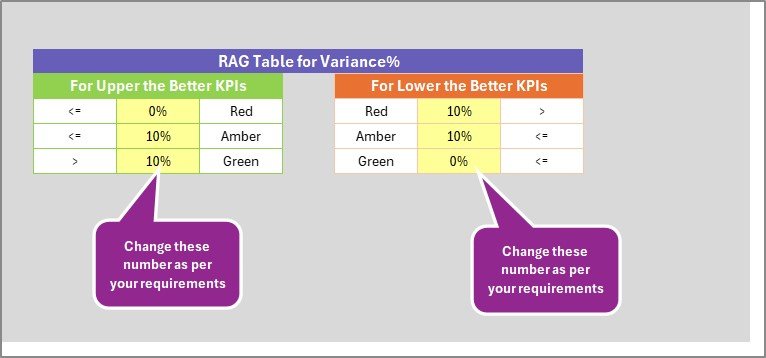
💡 Visual Indicators – Conditional formatting with green, yellow, and red icons helps identify high, average, and low performance.
📈 Trend Analysis Charts – Track progress over time to spot improvements or declines in wellness initiatives.
📋 KPI Definitions – Every metric includes formula, unit, and classification (UTB or LTB) for consistent understanding.
🧾 Easy Data Entry – Structured input sheet for updating monthly data without editing formulas.
🧮 Automated Calculations – Formulas handle ratios and variances automatically, reducing manual effort.
⚙️ Fully Customizable – Add new KPIs, departments, or visuals easily to match your organization’s needs.
🔒 No Coding Needed – 100% Excel-based — no macros or add-ins required.
📂 What’s Inside the Employee Wellness KPI Scorecard in Excel
💻 1. Scorecard Sheet:
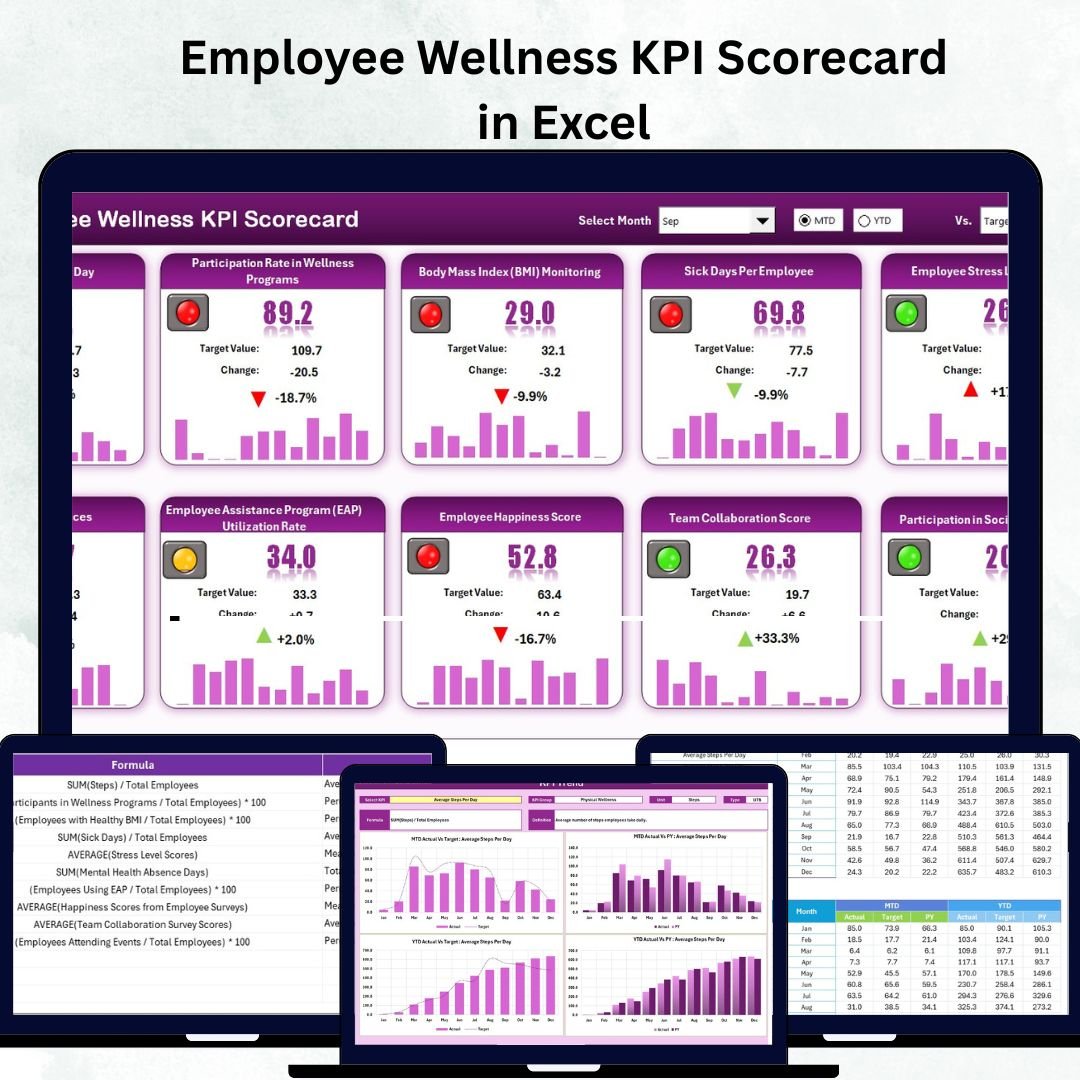
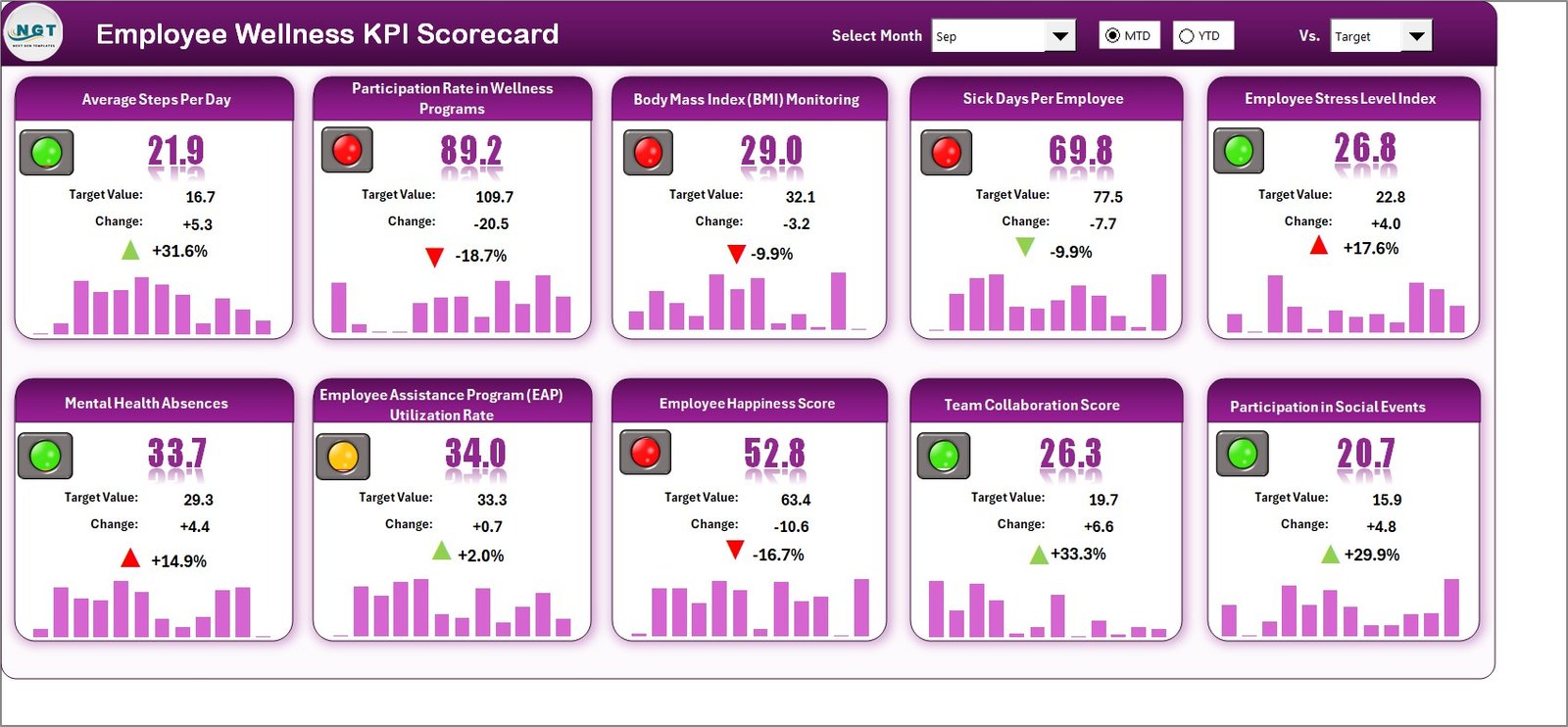
The central dashboard that displays all key metrics with dropdowns for Month and Data Type (MTD/YTD). Compare Actual vs Target values, visualize performance using traffic-light indicators, and get instant insights.
📊 2. KPI Trend Sheet:
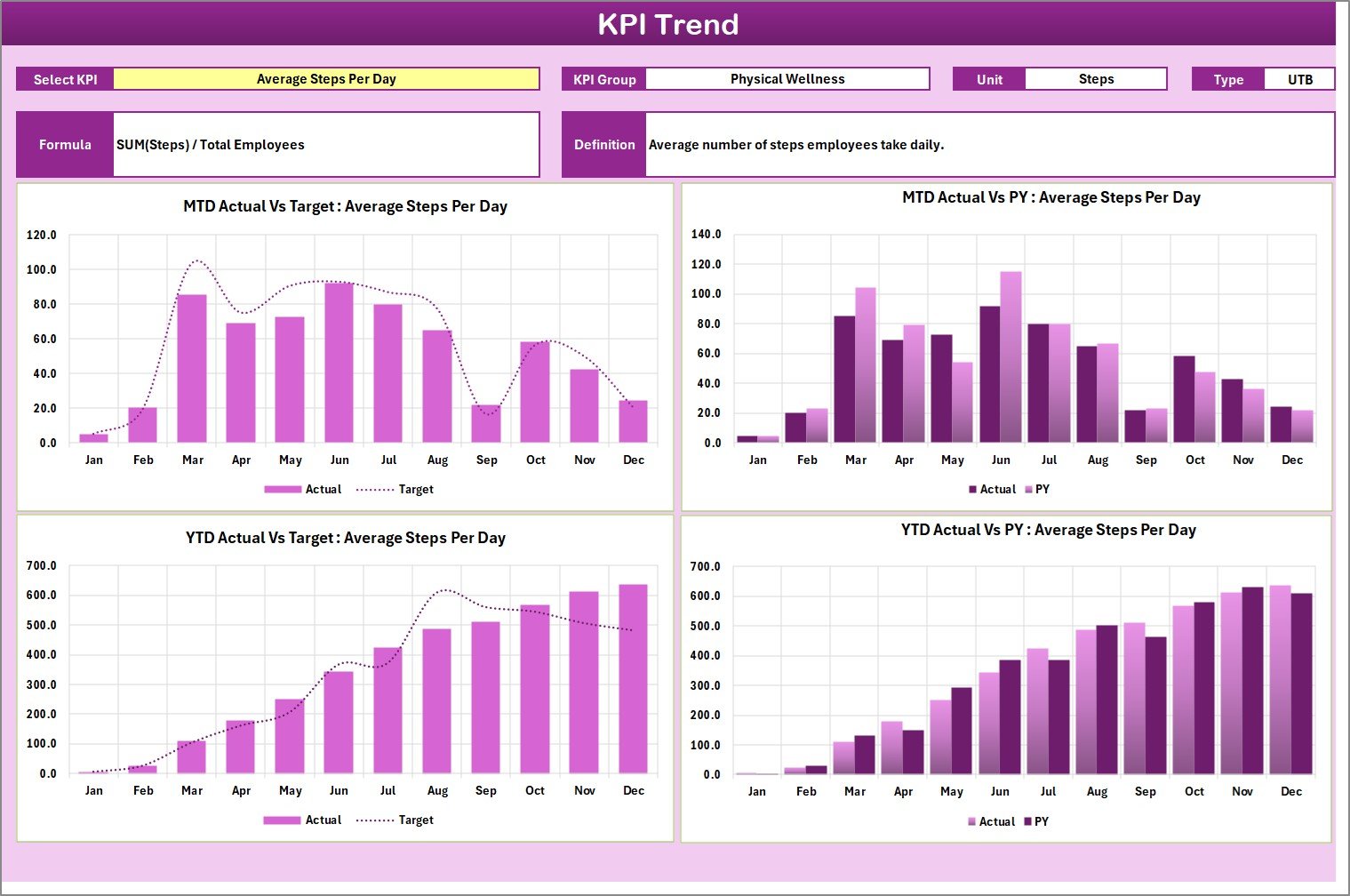
Select any KPI from a dropdown (cell C3) and view interactive trend charts for MTD and YTD results, comparing Actual, Target, and Previous Year data. Perfect for spotting performance patterns and seasonal changes.
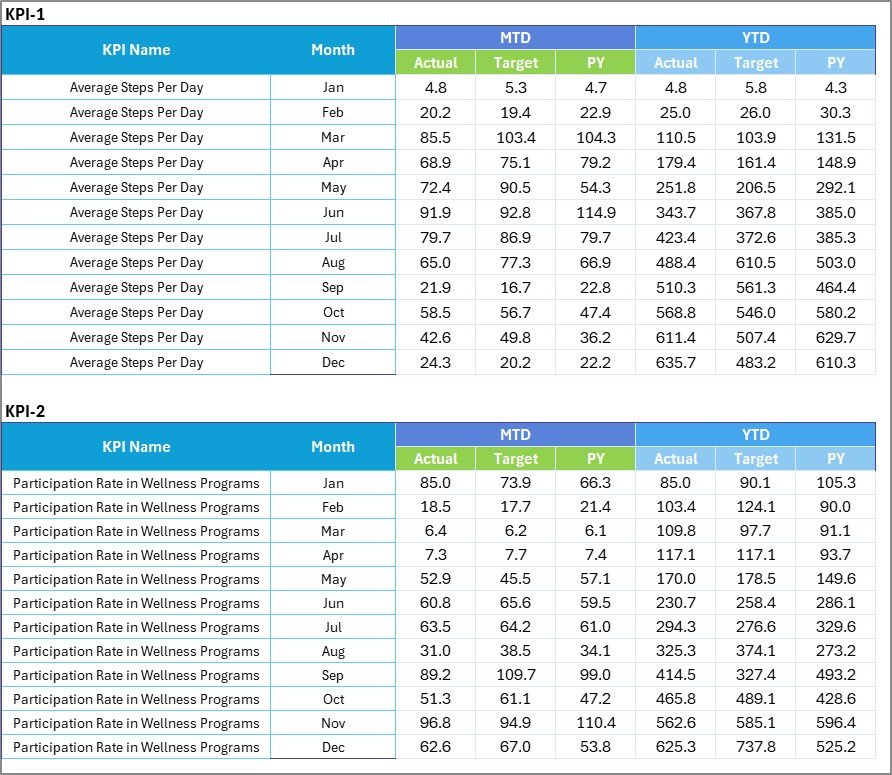
🧾 3. Input Data Sheet:
The data backbone of the scorecard. Enter your monthly actuals, targets, and relevant wellness KPIs here. Every update automatically feeds the Scorecard and Trend sheets.
📘 4. KPI Definition Sheet:
Acts as your reference guide, defining each KPI clearly — with columns for KPI Name, Group, Unit, Formula, and Definition. This ensures organization-wide clarity on every metric.
This 4-sheet structure ensures smooth data entry, accurate calculations, and powerful visualization — all within Excel.
🧭 How to Use the Employee Wellness KPI Scorecard in Excel
1️⃣ Define Your KPIs: Use the KPI Definition Sheet to list wellness indicators like participation rate, absenteeism, or engagement.
2️⃣ Enter Data: Record MTD and YTD actuals and targets in the Input Data Sheet.
3️⃣ Select Month & View Type: In the Scorecard Sheet, choose a month and MTD/YTD mode.
4️⃣ Analyze Performance: Review color-coded visuals showing KPIs that met, missed, or are close to targets.
5️⃣ Track Trends: Open the KPI Trend Sheet to explore long-term progress.
6️⃣ Share & Collaborate: Distribute the Excel file across HR teams or departments for joint analysis.
💡 Pro Tip: Combine this Excel scorecard with Power BI for advanced visualizations and automated updates.
👥 Who Can Benefit from This Scorecard
👩💼 HR Professionals: Monitor participation, engagement, and absenteeism rates.
🏢 Corporate Leaders: Gain strategic insights into workforce well-being and productivity.
🧘♀️ Wellness Coordinators: Identify program effectiveness and employee participation trends.
💰 Finance & Operations Teams: Assess wellness ROI and healthcare cost per employee.
🎓 Educational Institutions & SMEs: Encourage health-focused initiatives and boost morale.
Whether for monthly reporting or annual wellness evaluations, this scorecard delivers clarity, consistency, and confidence.