

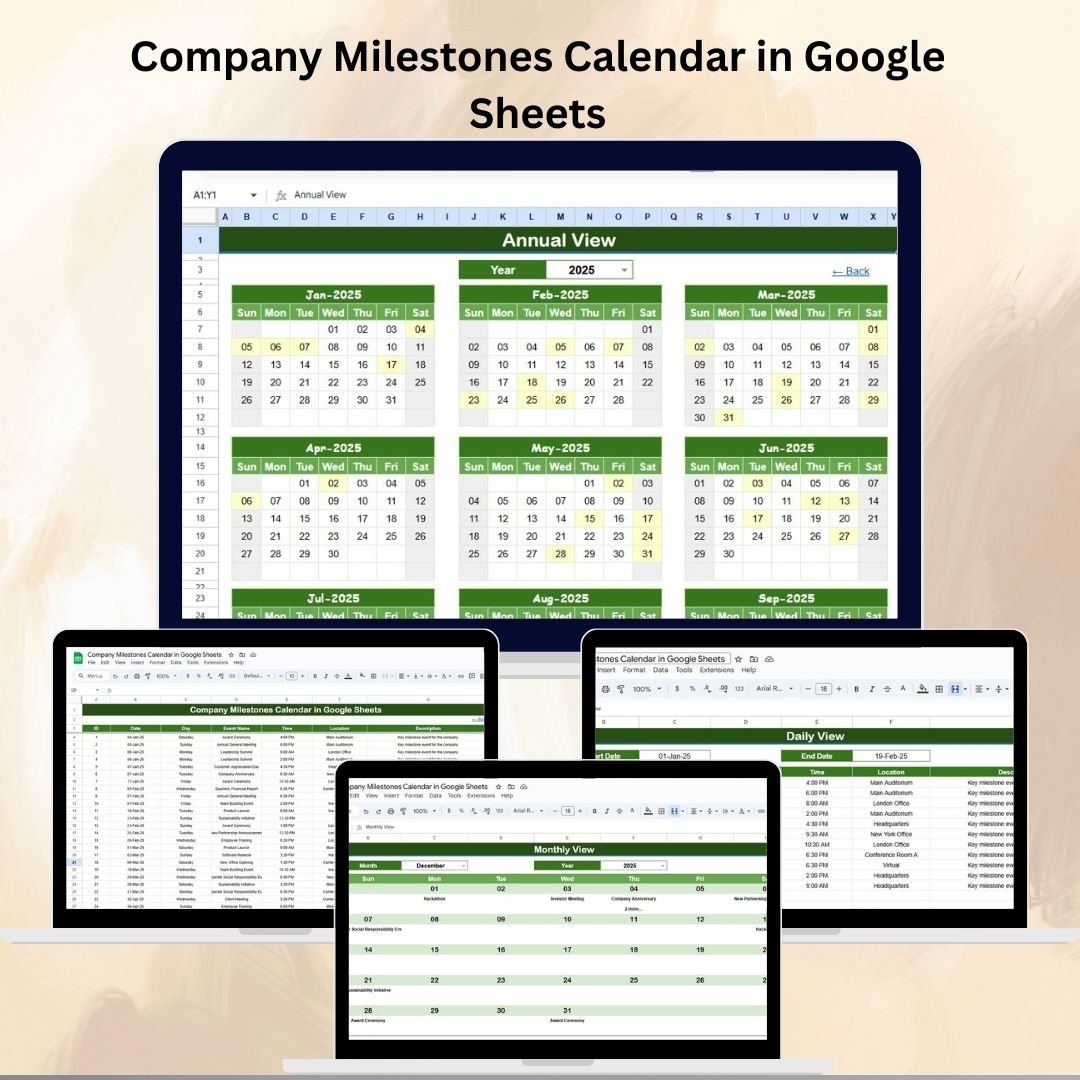

Every organization has key events that shape its journey — from project deadlines and product launches to company anniversaries and team celebrations. 🎉 Missing these critical milestones can disrupt planning, reduce team morale, and affect overall productivity. That’s why we created the Company Milestones Calendar in Google Sheets — a ready-to-use, fully customizable template that helps you stay on top of all important dates.
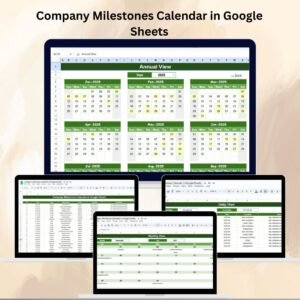
This interactive calendar centralizes company events into a single, structured tool, making it easy for HR teams, managers, and executives to track annual, monthly, and daily milestones. It ensures seamless planning, avoids scheduling conflicts, and provides a clear view of organizational priorities throughout the year.
🔑 Key Features of the Company Milestones Calendar
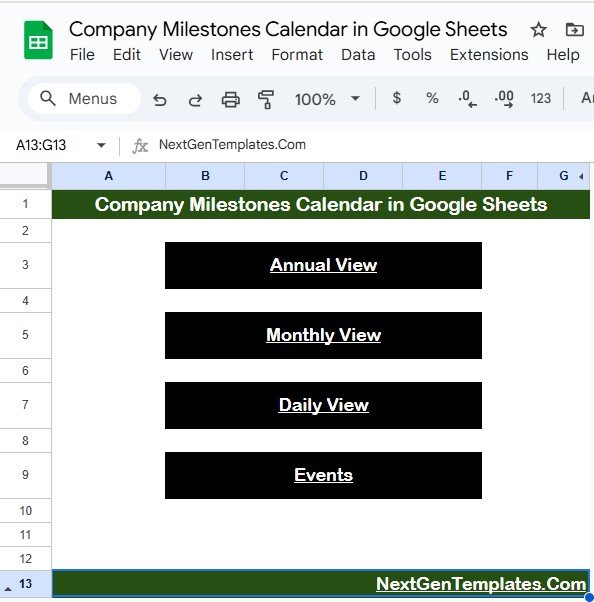
🏠 Home Sheet Tab – Centralized Navigation
Four quick-access buttons: Annual View, Monthly View, Daily View, and Events
Saves time by allowing users to jump directly to relevant views
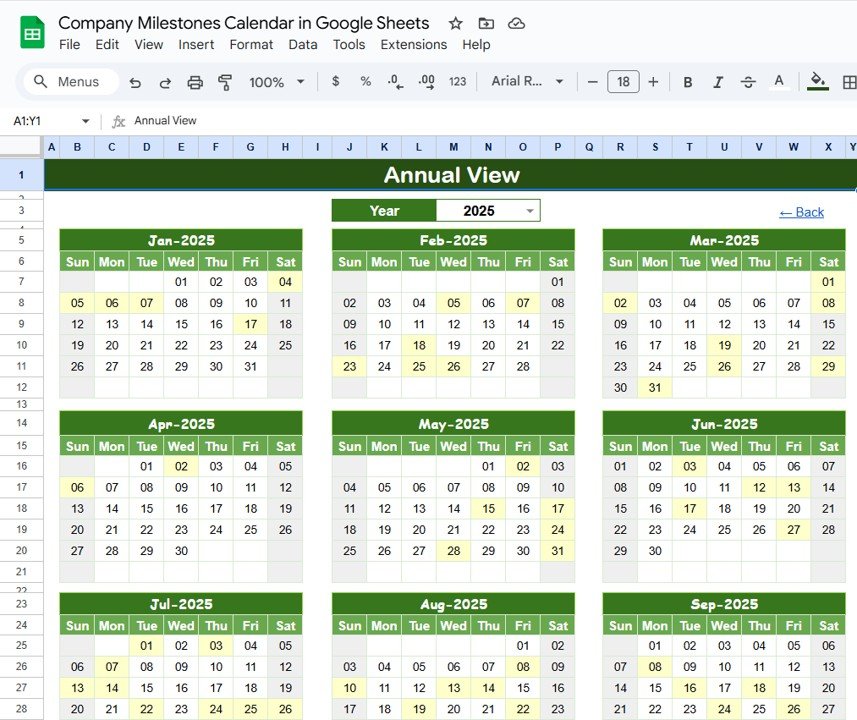
📅 Annual View Sheet Tab – Full-Year Overview
Displays all 12 months on a single page
Year selector automatically updates the calendar
Flexible settings: choose the starting month and the first day of the week
Ideal for executives and HR managers to plan the year ahead
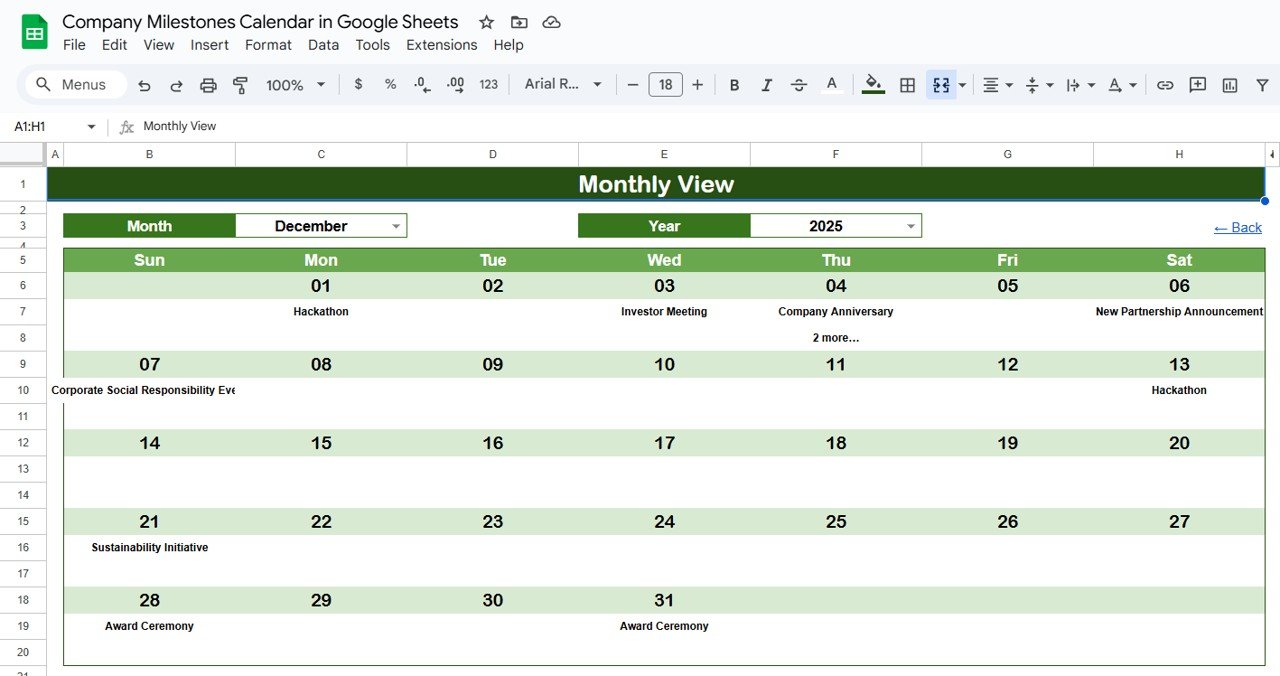
🗓 Monthly View Sheet Tab – Month-Specific Planning
Select Month & Year from dropdowns
View all events for the selected month
Compact display: “more than 1…” indicates multiple events per date
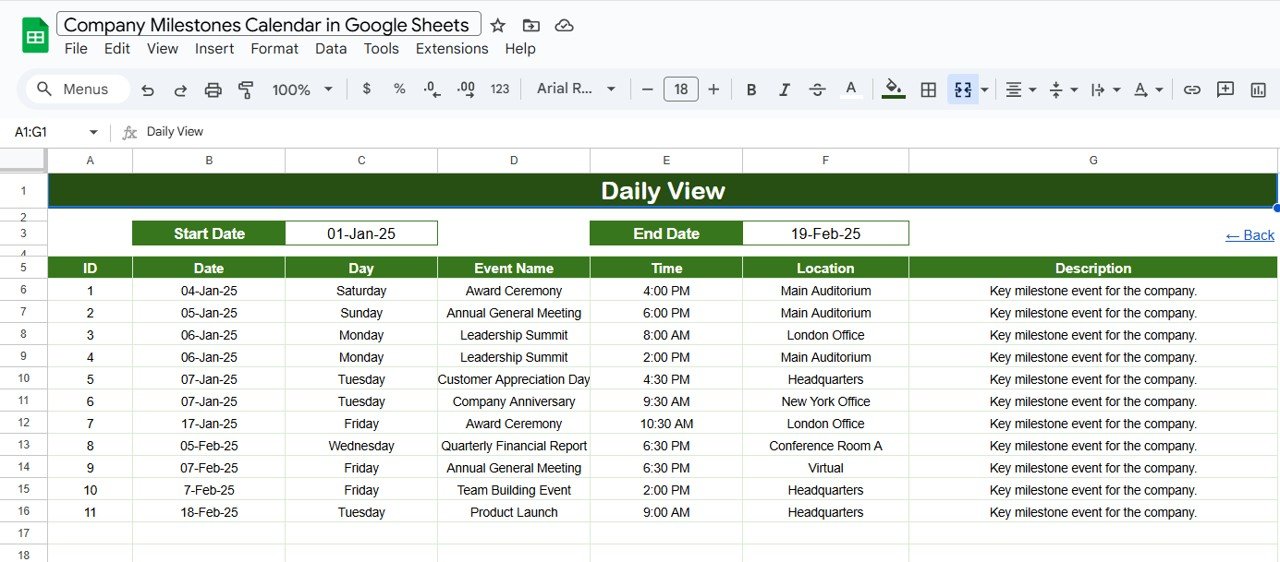
📆 Daily View Sheet Tab – Detailed Date Range Tracking
Select a start and end date using the calendar picker
Generates a full list of events within that range
Includes details such as time, location, and description
Perfect for managers handling day-to-day operations
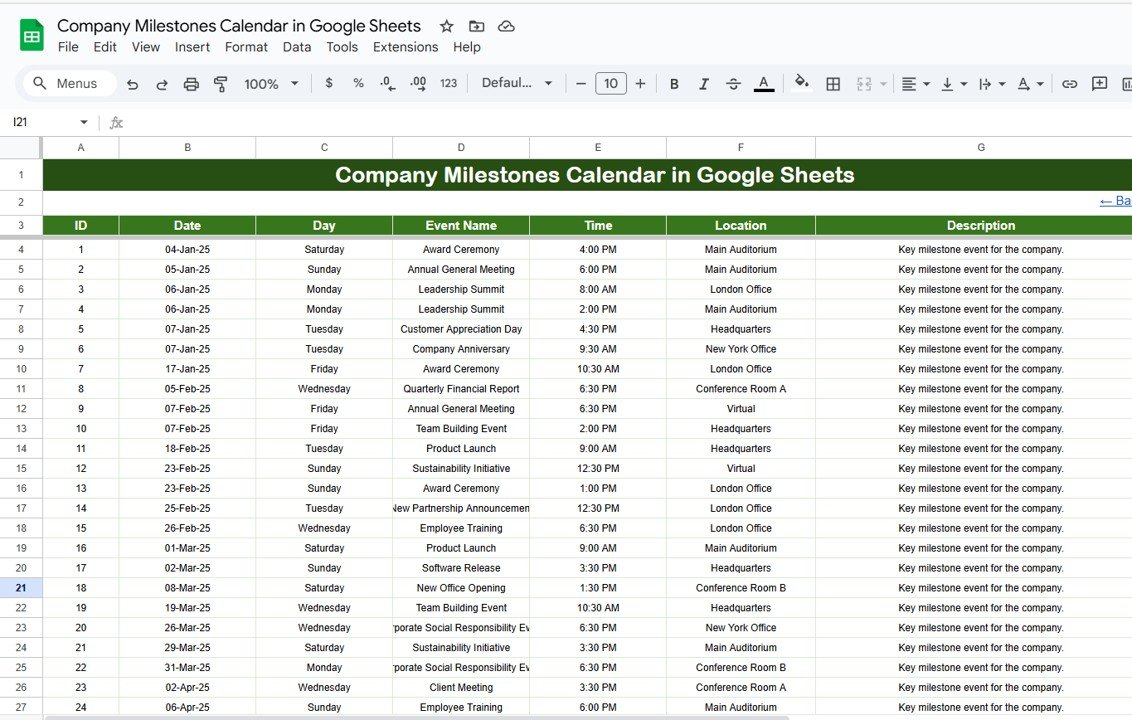
📋 Events Sheet Tab – Centralized Database
Core data sheet powering all other views
Fields include: ID, Date, Day, Event Name, Time, Location, and Description
Ensures accuracy, consistency, and easy updates
📦 What’s Inside the Calendar?
✅ Home Tab – Quick navigation dashboard
✅ Annual View Tab – Yearly milestone overview
✅ Monthly View Tab – Month-specific calendar
✅ Daily View Tab – Detailed planning over date ranges
✅ Events Tab – Master database for all milestones
✅ Sample Data – Pre-filled examples to demonstrate usage
✅ Customizable Format – Add departments, color codes, or event types
🧠 How to Use the Company Milestones Calendar
Log Events – Enter milestones in the Events sheet with details like date, time, and description.
Navigate Easily – Use the Home sheet buttons to jump to Annual, Monthly, or Daily views.
Plan Strategically – Review the Annual View at the start of each year for long-term planning.
Track Details – Switch to Daily View for short-term operational checks.
Collaborate – Share with your team for real-time updates in Google Sheets.
👥 Who Can Benefit from This Calendar?
HR Teams – Track employee anniversaries, onboarding, and leave milestones
Project Managers – Monitor deadlines, deliverables, and key milestones
Corporate Teams – Manage company-wide celebrations, announcements, and events
Executives – Quickly review the year’s critical milestones at a glance
Small Businesses – Simplify planning without expensive scheduling software
⭐ Advantages of Using the Company Milestones Calendar
📑 Centralized Tracking – All company events in one sheet
📊 Visual Clarity – Annual, monthly, and daily breakdowns
⏱ Time-Saving – Quick navigation across multiple views
🛠 Customizable – Adjust to match company needs and themes
🤝 Collaboration-Ready – Share in real time with teams
✅ Error-Free Planning – Avoid conflicts and missed deadlines
🔗 Click here to read the Detailed blog post
Watch the step-by-step video Demo:
🔗 Visit our YouTube channel to learn step-by-step video tutorials
Compatibility and Requirements
- Works in Google Sheets. You need a free Google account and a web browser.
- You pick the month and year from dropdowns in the Monthly View. Google explains dropdowns in Create an in-cell dropdown list.
Frequently Asked Questions
Which sheets are included?
Five sheets: Home, Annual View, Monthly View, Daily View and Events. The Events sheet holds the data that the other views read from.
Where do I enter my milestones?
Enter them in the Events sheet. Each row has an ID, Date, Day, Event Name, Time, Location and Description.
Can I change the first day of the week or the starting month?
Yes. The Annual View has settings for the starting month and the first day of the week, and a year selector updates the calendar.
What happens when two events fall on the same date?
The Monthly View shows “more than 1…” on that date. Open the Daily View and pick a start and end date to see every event in the range with its time, location and description.
Is there an Excel version?
Yes. See the Company Milestones Calendar in Excel.
Related Calendar Templates
- Company Milestones Calendar in Excel: the same milestone calendar for Excel
- Dynamic Holiday and Event Calendar in Google Sheets: another Google Sheets calendar for holidays and events
- Printable Holiday and Event Calendar in Excel: a free printable event calendar
- Employee Recognition Calendar in Excel: for tracking recognition dates
- Calendar & Planner Pack: 12 calendar and planner templates in one download
Browse all Google Sheets calendar templates.













Reviews
There are no reviews yet.