



Managing employee shift changes shouldn’t be a headache — and with our Employee Shift Change Request Tracker in Excel, it won’t be! 💡 This VBA-powered Excel tool is the ultimate scheduling assistant for HR teams, shift managers, and operations coordinators. Say goodbye to confusing emails, messy spreadsheets, and lost requests. ✅
With secure login, automated data entry, and a dashboard full of visual reports, this tracker gives you full control over every shift change — from request to approval.
✨ Key Features of the Employee Shift Change Request Tracker
🔐 Login Form for Access Control
Start with a secure login screen to ensure only authorized users can access the system.
👤 Default Admin Login:
User ID: Admin1
Password: abcd
Perfect for maintaining data privacy and role-based access.
📋 Main Form – Your Command Center
This is the hub for navigating everything:
🔘 Add, update, or delete records
📊 View summary stats
📎 Access dashboard, forms, and settings from one screen
📈 Dashboard Sheet – Visual Reporting Made Easy

Instant insights with interactive charts:
🍩 Requests by Approval Status (Doughnut chart)
🕓 Current Shift Breakdown (Pie chart)
📌 Requests by Supervisor
🏢 Requests by Department (Column chart)
Use slicers to filter data instantly and make informed decisions fast!
🗃️ Data Entry Sheet – Track Every Request
Manage each request with detailed fields like:
Employee Name
Department
Current & Requested Shift
Supervisor
Request Date & Effective From
Approval Status & Remarks
Plus, use top buttons for:
✅ Add New Record
🔁 Update Existing Record
❌ Delete Record
🧾 Manage List Sheet
Maintain dropdown values like:
Department
Shifts
Supervisors
Approval Statuses
Stay consistent and eliminate entry errors.
🛠️ Support Sheet & Pivot Tables
Powering the dashboard silently in the background. No user interaction required!
👥 User Management Module
Admins can:
Add/edit/delete users
Set roles
Change passwords
Multiple users = personalized access for everyone!
⚙️ Settings Sheet
Configure internal tool settings as your business evolves.
📌 What’s Inside the Tracker?
🧩 Secure login module
📝 Automated request forms
📊 Slicer-driven dashboards
📚 Structured data sheets
🛠️ Editable lists for dropdowns
👨💼 Multi-user capability
🧠 Fully documented for ease of use
All wrapped into a single Excel workbook, ready to deploy.
🧑💼 Who Can Benefit from This Tool?
This tracker is perfect for:
✅ HR Managers – for centralized shift change control
✅ Shift Supervisors – for approval tracking
✅ Operations Teams – for daily shift performance insights
✅ Admin Staff – for easy record-keeping
✅ IT & Support Teams – for backend data control
Whether you’re managing 20 employees or 2000, this tool adapts to your workflow!
📚 How to Use the Tracker
📥 Download the Excel file
🔓 Enable Macros when prompted
🔐 Login using Admin credentials
🛠️ Set up departments, shifts, and users in the Manage List tab
📝 Start logging requests using the form
📊 Review reports in the Dashboard tab for actionable insights
💎 Why Choose This Excel Tool?
🧠 No need for expensive software
📦 All-in-one solution with automation
🔐 Role-based access for data security
🔄 Easily customizable fields
💼 Ideal for hybrid or rotating shift environments
🏆 Built for real-world HR and operations teams
📘 Click here to read the detailed blog post
🎥 Visit our YouTube channel to learn step-by-step video tutorials
👉 YouTube.com/@PKAnExcelExpert
Watch the step-by-step video tutorial:
Compatibility and Requirements
- Works in Microsoft Excel desktop on Windows with macros enabled. The login form and request forms use VBA, so the file does not run in Excel for the web, Google Sheets or mobile apps. Microsoft explains the setting in Enable or disable macros in Microsoft 365 files.
- The Dashboard sheet uses slicers and pivot tables, and the dropdown values come from the Manage List sheet.
Frequently Asked Questions
Do I need to enable macros?
Yes. Enable macros when Excel prompts you, otherwise the login form and the Add, Update and Delete buttons will not work.
What is the default login?
The default admin login is User ID Admin1 and Password abcd. Admins can add, edit and delete users, set roles and change passwords in the User Management module.
Which charts are on the dashboard?
The Dashboard sheet has a doughnut chart for requests by approval status, a pie chart for the current shift breakdown, a chart of requests by supervisor and a column chart of requests by department. Slicers filter all of them.
Can I change the departments, shifts and supervisors?
Yes. Edit the dropdown values for departments, shifts, supervisors and approval statuses on the Manage List sheet.
Is there a Google Sheets version?
Yes. See the Employee Shift Change Request Tracker in Google Sheets. A printable Shift Change Request Form Template in MS Word and Google Docs is also available.
Related HR Templates
- Employee Shift Change Request Tracker in Google Sheets: the same tracker for Google Sheets
- Shift Change Request Form Template in MS Word and Google Docs: a free request form for employees
- Overtime Request Form Template in MS Word and Google Docs: a free form for overtime requests
- Employee Database Tracker in Excel: keep employee records in one workbook
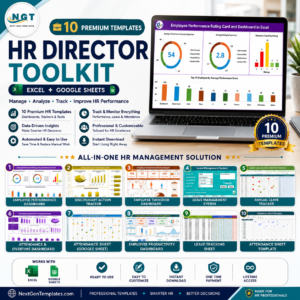
- HR Director Toolkit: 10 HR templates in one download
Browse all Excel trackers and Excel VBA tools.











Reviews
There are no reviews yet.