



AI & Machine Learning KPI Dashboard in Google Sheets
As AI and machine learning (ML) continue to shape industries, it becomes critical to measure the performance of these systems effectively. The AI & Machine Learning KPI Dashboard in Google Sheets offers an intuitive and efficient way to track key performance indicators (KPIs) that reflect the success of your AI/ML models. This tool enables you to measure model accuracy, track prediction performance, monitor training times, and evaluate the operational efficiency of your models, all in one easy-to-use platform.
Designed for data scientists, engineers, and business leaders alike, the dashboard makes it simple to track performance, identify bottlenecks, and ensure continuous improvement. With customizable features and real-time updates, this dashboard is perfect for optimizing AI/ML processes and improving decision-making.

Key Features of the AI & Machine Learning KPI Dashboard
🔑 Real-Time Model Monitoring
Track your AI/ML models’ performance with real-time updates. Whether it’s model accuracy, recall, or inference time, the dashboard ensures you always have the latest data at your fingertips.
📊 Customizable KPIs
The dashboard includes a wide range of KPIs such as accuracy, precision, recall, training time, and cost per prediction. Customize it to suit your specific model requirements and business objectives.
📅 Historical Performance Analysis
Evaluate long-term trends and monitor changes in model performance over time using the KPI Trend Sheet, making it easy to spot patterns and make informed decisions.
💼 Comprehensive Data Sheets
With six key sheets, this template offers a comprehensive approach to tracking AI/ML model performance:
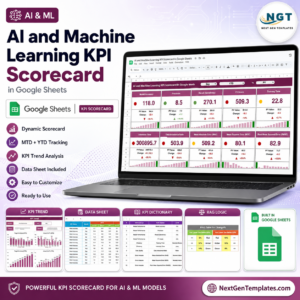
Overview Sheet: Displays key metrics and performance indicators.
KPI Trend Sheet: Tracks historical performance trends over time.
Actual Numbers Sheet: Enter real-time performance data for MTD and YTD metrics.
Target Sheet: Set and track performance targets for each KPI.
Previous Year Sheet: Compare current data with past year’s metrics to measure progress.
KPI Definition Sheet: Provides definitions and formulas for each KPI.
📈 Data Visualization and Insights
Visualize KPIs with dynamic charts and graphs. See at a glance whether your model is meeting the desired benchmarks and take action accordingly.
What’s Inside the AI & Machine Learning KPI Dashboard
📋 Customizable Data Sheets
The dashboard’s data sheets are designed to make entering and tracking data simple. Each sheet is equipped with clear instructions, so you can easily input and manage the data.
🧑💻 Easy-to-Use Interface
No advanced technical skills required. This dashboard is designed for ease of use, ensuring that anyone on your team can access and utilize the system.
📅 Real-Time Updates with Data Integration
Update the data regularly and keep the dashboard up-to-date to make real-time decisions. You can also integrate with machine learning platforms like TensorFlow or PyTorch for automated updates.
How to Use the AI & Machine Learning KPI Dashboard
1️⃣ Download and Open the Template
Download the AI & Machine Learning KPI Dashboard and open it in Google Sheets.
2️⃣ Input Data for MTD and YTD
Enter the actual performance numbers for each KPI in the Actual Numbers Sheet. The data will automatically reflect in the charts and graphs across the dashboard.
3️⃣ Set Performance Targets
Use the Target Sheet to input your KPIs’ target values, then track your progress toward meeting these goals.
4️⃣ Track Trends Over Time
Use the KPI Trend Sheet to monitor performance over time. Whether you’re analyzing model accuracy or inference time, historical trends give valuable insights.
5️⃣ Collaborate Across Teams
Share the dashboard with team members, business leaders, or stakeholders to foster collaboration and alignment on performance goals.
Who Can Benefit from This AI & Machine Learning KPI Dashboard
💼 Data Scientists
Track and optimize AI/ML model performance with ease, using KPIs such as accuracy, training time, and inference speed.
🧑💻 Machine Learning Engineers
Evaluate model performance, detect issues early, and ensure your AI models are running efficiently across various metrics.
📊 Business Leaders
Get a high-level view of your AI initiatives and make data-driven decisions to align AI goals with business objectives.
📈 AI/ML Project Managers
Oversee project progress and ensure that targets for model performance and operational efficiency are met.
Click here to read the Detailed blog post
Watch the step-by-step video Demo:
Visit our YouTube channel to learn step-by-step video tutorials
YouTube.com/@NeotechNavigators
Compatibility and Requirements
- Works in Google Sheets with a free Google account and a web browser.
- You can share the dashboard with your team and stakeholders.
- New to charts in Google Sheets? See Add & edit a chart or graph.
Frequently Asked Questions
Which KPIs can I track?
Model accuracy, precision, recall, training time, inference time and cost per prediction, plus any KPIs you add.
What sheets are included?
Six: Overview, KPI Trend, Actual Numbers, Target, Previous Year and KPI Definition.
How do MTD and YTD figures work?
You enter actual numbers in the Actual Numbers sheet, and the dashboard shows MTD and YTD results against your targets and the previous year.
Is there an Excel or Power BI version?
Yes. See the AI & Machine Learning KPI Dashboard in Excel and the Power BI edition.
Related AI and Machine Learning Templates
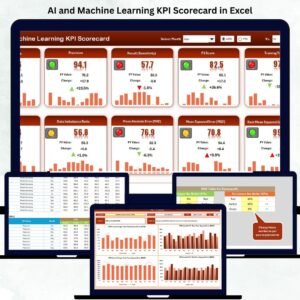
- AI & Machine Learning KPI Dashboard in Excel: the same KPIs in Excel
- AI & Machine Learning KPI Dashboard in Power BI: for Power BI reporting
- AI and Machine Learning KPI Scorecard In Google Sheets: a scorecard view in Google Sheets
- Machine Learning Labs KPI Dashboard in Excel: KPIs for ML lab teams
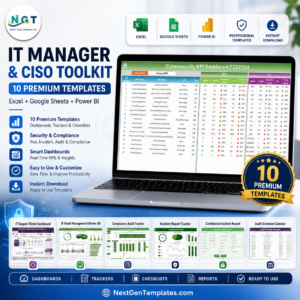
- IT Manager & CISO Toolkit: 10 IT templates across Excel, Google Sheets and Power BI
Browse all Google Sheets KPI dashboards or the Excel KPI dashboards.








Reviews
There are no reviews yet.