

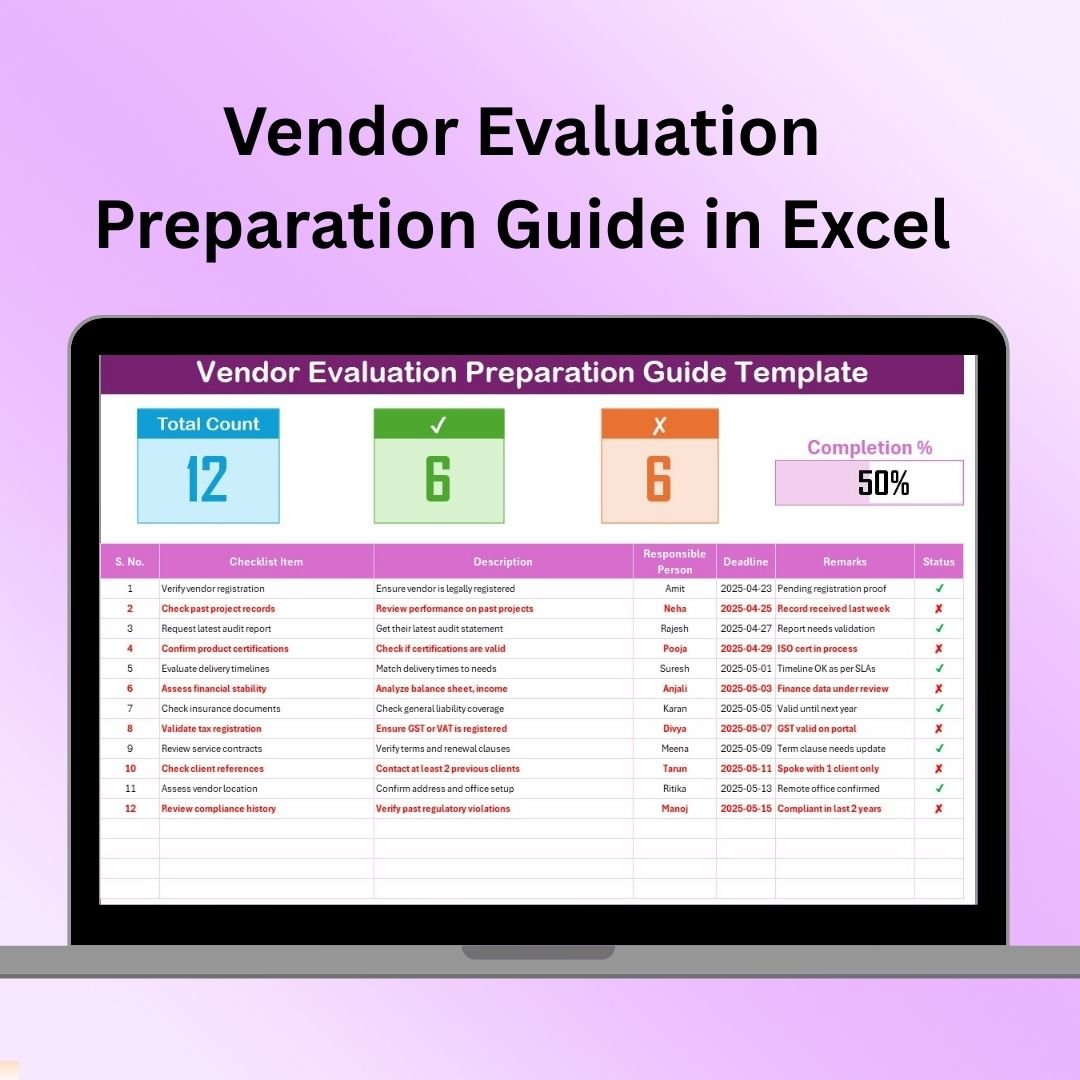

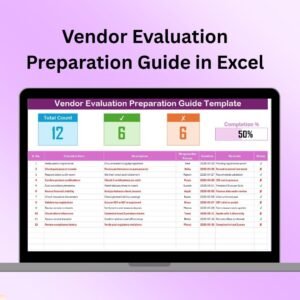
The Vendor Evaluation Preparation Guide in Excel is a structured and user-friendly tool designed to help businesses prepare for and conduct a thorough vendor evaluation process. Whether you’re sourcing new suppliers or reviewing existing ones, this Excel-based guide offers a step-by-step approach to assessing vendor capabilities, performance, and suitability for your company’s needs.
This guide ensures that all the critical factors are considered during vendor evaluations, including financial stability, compliance, quality standards, and delivery performance. By organizing all the necessary information in one place, the guide streamlines the evaluation process and helps businesses make informed decisions about which vendors to engage with, ensuring that the right partners are selected for long-term success.
Key Features of the Vendor Evaluation Preparation Guide in Excel
📋 Comprehensive Evaluation Criteria
The guide includes a comprehensive list of evaluation criteria to assess potential vendors, such as financial health, compliance records, product quality, and customer service performance. Use this information to make well-rounded, data-driven decisions.
📊 Vendor Scoring System
The guide features a scoring system that helps you objectively rate vendors based on predefined criteria. This scoring method ensures transparency and consistency in evaluating all suppliers, helping you to compare and rank vendors effectively.
🔍 Vendor Comparison Tracking
Easily compare multiple vendors based on the same set of criteria. The tool allows you to track scores and make side-by-side comparisons of various vendors, which aids in selecting the most suitable vendor for your business.
📅 Deadline & Task Management
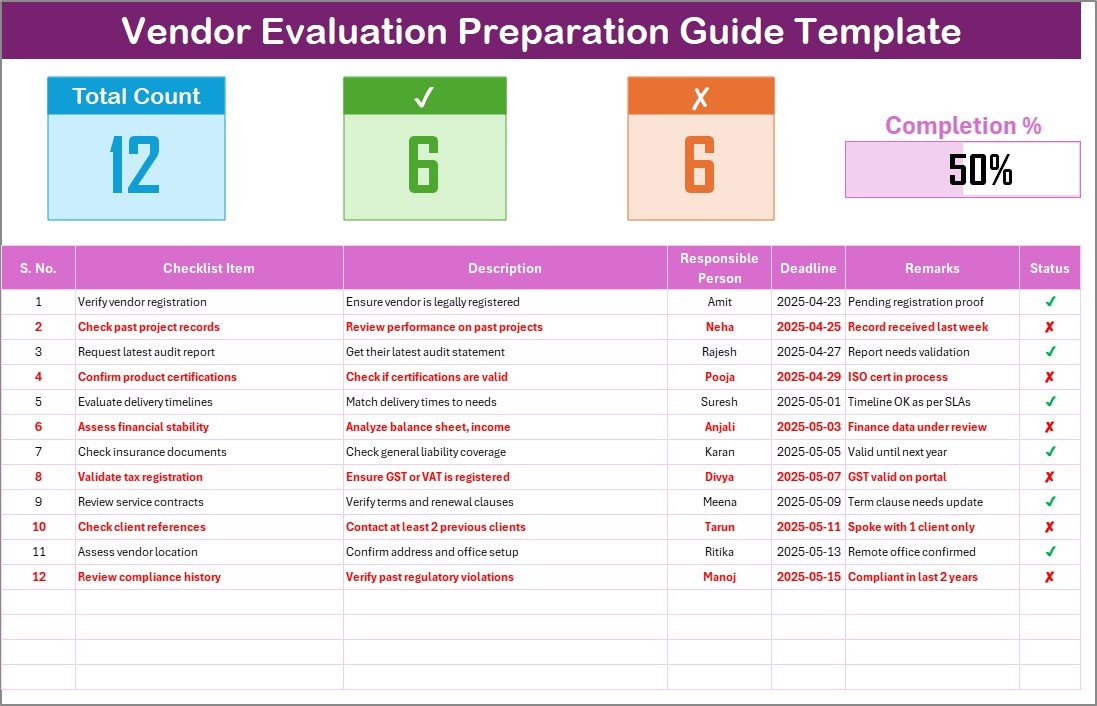
Stay on top of the vendor evaluation process by setting deadlines for each stage of the evaluation. Track task completion to ensure that the entire evaluation process is completed on time and that all necessary steps are followed.
⚙️ Customizable Evaluation Template
The guide can be customized to suit your organization’s specific needs. Modify the criteria, scoring system, and sections as needed to reflect the unique factors relevant to your industry and business requirements.
🔑 Actionable Insights for Decision Making
Gain actionable insights based on the evaluation results. Use the data collected in the guide to make informed decisions that will lead to better vendor relationships and improved procurement processes.
Why You’ll Love the Vendor Evaluation Preparation Guide in Excel
✅ Streamline the Vendor Evaluation Process
Organize and standardize your vendor evaluation process, making it more efficient and effective. Ensure that you assess all critical factors when choosing a supplier or partner.
✅ Make Data-Driven Decisions
The structured approach and scoring system help you make informed decisions based on real data. Reduce the risk of selecting the wrong vendor by relying on objective criteria.
✅ Increase Vendor Selection Efficiency
With the guide, you can quickly and easily compare vendors, track evaluation results, and select the best supplier for your business. Save time and effort while improving the accuracy of your decision-making.
✅ Ensure Compliance & Quality Standards
Ensure that your vendors meet the necessary compliance and quality standards. Use the guide to assess whether vendors comply with industry regulations, quality management systems, and sustainability goals.
✅ Customizable & Scalable
Whether you’re managing a small supplier base or evaluating a large number of vendors, this guide is customizable and scalable to fit your needs. It can be adapted to any procurement size or complexity.
What’s Inside the Vendor Evaluation Preparation Guide in Excel?
Comprehensive Evaluation Criteria: A detailed list of factors to evaluate vendors.
Scoring System: A transparent and consistent scoring system for comparing vendors.
Vendor Comparison: Tools to compare multiple vendors side-by-side.
Deadline & Task Management: Manage the evaluation process with set deadlines.
Customizable Template: Adapt the guide to your specific needs.
Actionable Insights: Make informed decisions based on evaluation results.
How to Use the Vendor Evaluation Preparation Guide in Excel
1️⃣ Download the Template: Get instant access to the Vendor Evaluation Preparation Guide in Excel.
2️⃣ Input Vendor Information: Enter vendor details, including name, contact information, and evaluation criteria.
3️⃣ Rate Vendors Based on Criteria: Use the scoring system to evaluate each vendor based on predefined criteria.
4️⃣ Track Evaluation Progress: Monitor task completion and ensure deadlines are met for each evaluation stage.
5️⃣ Compare and Choose Vendors: Use the comparison tool to make data-driven decisions and select the best vendor for your business.
Who Can Benefit from the Vendor Evaluation Preparation Guide in Excel?
🔹 Procurement Teams
🔹 Supply Chain Managers
🔹 Purchasing Departments
🔹 Business Owners & Founders
🔹 Quality Control & Compliance Teams
🔹 E-commerce & Retail Managers
🔹 Large Enterprises & Small Businesses (SMBs)
Ensure that you make the best vendor decisions with the Vendor Evaluation Preparation Guide in Excel. Streamline your evaluation process, make data-driven decisions, and select the best vendor for your business needs.
Click here to read the Detailed blog post
Visit our YouTube channel to learn step-by-step video tutorials
Youtube.com/@PKAnExcelExpert
Watch the step-by-step video Demo:
Compatibility and Requirements
- Works in Microsoft Excel desktop (Excel 2016 or later, or Microsoft 365).
- The scoring and comparison sections are built from standard worksheet cells and formulas. Microsoft’s Excel for Windows training covers the basics if you want to adjust the criteria.
Frequently Asked Questions
What does the guide help me evaluate?
It lists evaluation criteria such as financial health, compliance records, product quality and customer service performance. You rate each vendor against the same criteria.
How does the scoring work?
The guide has a scoring system that rates vendors on predefined criteria. Every vendor is scored the same way, so you can compare and rank them.
Can I compare several vendors at once?
Yes. The comparison section tracks scores for multiple vendors side by side, based on the same set of criteria.
Can I change the criteria?
Yes. You can edit the criteria, the scoring system and the sections to match your industry and business requirements.
Does it track deadlines?
Yes. You can set a deadline for each stage of the evaluation and track task completion.
Is there a checklist version of this guide?
Yes. See the Vendor Evaluation Checklist Template in Excel. A Vendor Evaluation Checklist in Google Sheets is also available.
Related Vendor Evaluation Templates
- Vendor Evaluation in Excel: a full vendor evaluation workbook
- Vendor Evaluation Checklist Template in Excel: a checklist for each evaluation
- Vendor Evaluation Checklist in Google Sheets: the checklist for Google Sheets users
- Vendor Risk Assessment Preparation Guide Checklist in Excel: preparation steps for vendor risk reviews
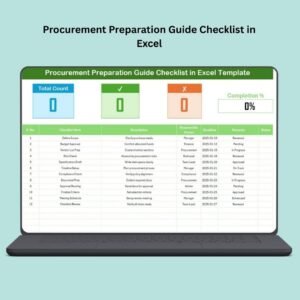
- Procurement Preparation Guide Checklist in Excel: preparation steps for the wider procurement process
Browse all Excel checklist templates.






























Reviews
There are no reviews yet.