

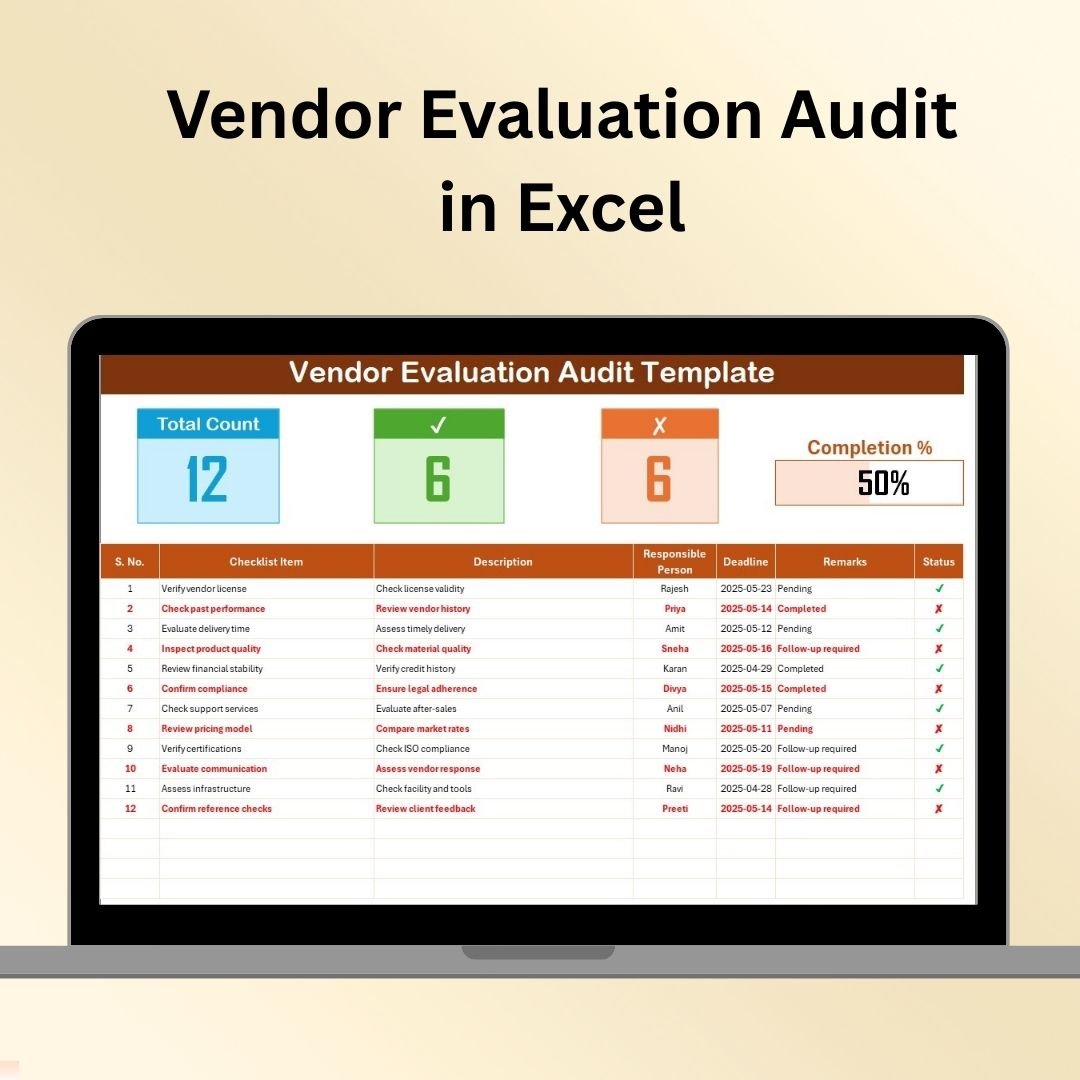

The Vendor Evaluation Audit in Excel is a comprehensive and easy-to-use tool designed for procurement teams, supply chain managers, and businesses to assess and evaluate their vendors. This Excel-based template helps organizations ensure that they are working with the right suppliers, meeting compliance standards, and optimizing vendor performance.
With this template, you can conduct detailed audits of your vendors, track performance over time, and make data-driven decisions on vendor selection and management. By systematically evaluating key metrics, such as delivery time, quality, cost efficiency, and customer service, this tool helps you identify strengths and areas for improvement in your vendor relationships.
Key Features of the Vendor Evaluation Audit in Excel
📋 Comprehensive Vendor Evaluation Criteria
Evaluate vendors across multiple key performance indicators (KPIs) such as product quality, on-time delivery, pricing, customer service, and compliance with contractual terms.
📝 Scoring System for Easy Comparison
Use a scoring system to rate vendors based on their performance across different criteria. This allows for easy comparison and ensures that your evaluations are consistent and objective.
📅 Time-Based Evaluation Tracking
Track vendor performance over different periods, whether it’s monthly, quarterly, or yearly. Use time-based data to identify trends and improvements in vendor performance over time.
🔍 Detailed Audit Report Generation
Generate comprehensive audit reports based on your evaluation results. These reports summarize vendor performance, highlight areas of concern, and provide insights for making informed decisions.
⚙️ Customizable Criteria & Weighting
Tailor the evaluation criteria and weightings to suit your organization’s specific needs. Customize the factors that are most relevant to your industry or business and adjust the scoring system accordingly.
📈 Data Visualization & Insights
Use charts and graphs to visualize vendor performance and make it easier to communicate findings to stakeholders. This feature enhances data presentation and provides clear insights for decision-making.
Why You’ll Love the Vendor Evaluation Audit in Excel
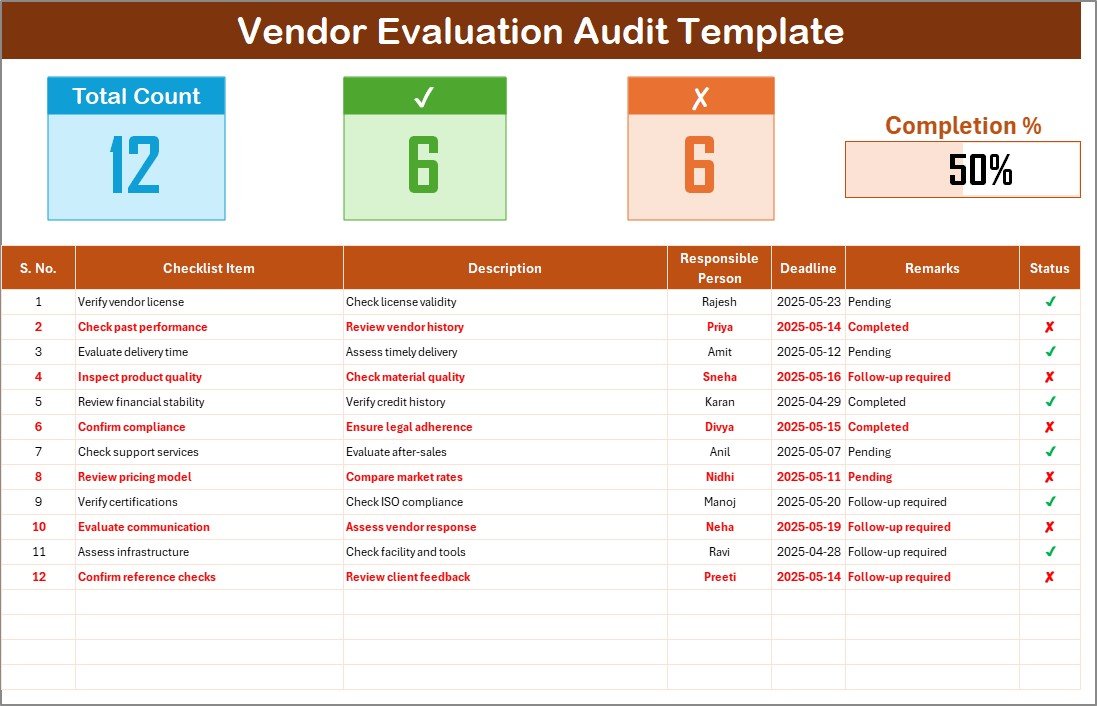
✅ Comprehensive Vendor Evaluation
Track and assess vendors on multiple performance metrics, ensuring you are making data-driven decisions when choosing or renewing vendor contracts.
✅ Objective & Consistent Vendor Scoring
Use a scoring system that helps eliminate bias and provides a clear, objective comparison between vendors.
✅ Improved Vendor Relationships
Identify areas for improvement in your vendor relationships and work with vendors to optimize performance in key areas such as delivery, quality, and service.
✅ Customizable for Your Needs
Tailor the audit criteria to meet the specific needs of your business, whether it’s tracking specific KPIs or adjusting scoring weights for different factors.
✅ Data-Driven Decision Making
With performance reports and data visualization, you can confidently make decisions about vendor selection, retention, and improvement.
What’s Inside the Vendor Evaluation Audit in Excel?
Vendor Evaluation Criteria: Assess vendors based on key factors like quality, delivery, and customer service.
Scoring System: Rate vendors using a consistent and objective scoring system.
Time-Based Tracking: Monitor vendor performance over time and identify trends.
Audit Report Generation: Generate detailed audit reports summarizing vendor performance.
Customizable Criteria & Weighting: Tailor the evaluation criteria to suit your organization’s needs.
Data Visualization: Use charts and graphs to visualize vendor performance and make insights easier to communicate.
How to Use the Vendor Evaluation Audit in Excel
1️⃣ Download the Template: Access the Vendor Evaluation Audit in Excel instantly.
2️⃣ Set Evaluation Criteria: Input the criteria that matter most to your business and adjust the weightings based on your priorities.
3️⃣ Evaluate Vendors: Rate each vendor based on their performance in different areas such as quality, pricing, and service.
4️⃣ Track Performance Over Time: Monitor vendor performance across different periods and identify trends.
5️⃣ Generate Reports & Analyze Results: Create detailed reports to assess vendor performance and make data-driven decisions.
Who Can Benefit from the Vendor Evaluation Audit in Excel?
🔹 Procurement Teams
🔹 Supply Chain Managers
🔹 Business Owners & Managers
🔹 Compliance & Legal Departments
🔹 Vendor Relationship Managers
🔹 E-commerce Platforms & Retailers
🔹 Large Corporations with Multiple Vendors
Make informed decisions about your vendors with the Vendor Evaluation Audit in Excel. Track and assess vendor performance, improve vendor relationships, and optimize your procurement process.
Click here to read the Detailed blog post
Visit our YouTube channel to learn step-by-step video tutorials
Youtube.com/@PKAnExcelExpert
Watch the step-by-step video Demo:
Compatibility and Requirements
- Works in Microsoft Excel desktop (Excel 2016 or later, or Microsoft 365).
- The audit includes a scoring system, time-based tracking and charts. Microsoft explains how to build them in Create a chart from start to finish.
Frequently Asked Questions
What does the Vendor Evaluation Audit measure?
It rates vendors on criteria such as product quality, on-time delivery, pricing, customer service and compliance with contract terms.
Can I change the criteria and weights?
Yes. You can enter the criteria that matter to your business and adjust the weighting of each one in the scoring system.
Can I track a vendor over time?
Yes. The template tracks performance by period, such as monthly, quarterly or yearly, so you can see trends.
Does it produce a report?
Yes. It generates an audit report that summarizes vendor performance and highlights areas of concern, with charts and graphs to present the results.
Is there a dashboard for vendor performance?
Yes. See the Vendor Performance Dashboard in Excel.
Related Vendor and Audit Templates
- Vendor Performance Dashboard in Excel: a dashboard view of vendor performance
- Vendor Evaluation Checklist Template in Excel: a checklist for vendor reviews
- Vendor Evaluation in Excel: another way to score vendors
- Vendor Risk Assessment Audit Checklist in Excel: an audit checklist focused on vendor risk
- Procurement and Vendor Management Kit: 7 procurement templates in one download
Browse all Excel checklist templates.


































Reviews
There are no reviews yet.