





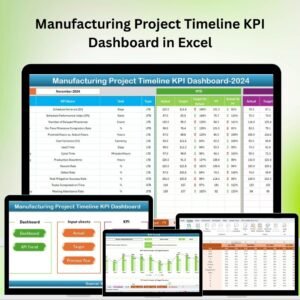
The Manufacturing Project Timeline KPI Dashboard in Excel is a powerful tool designed to help manufacturing managers, project coordinators, and business owners effectively track and manage manufacturing projects. This Excel-based dashboard provides real-time insights into key performance indicators (KPIs) such as project milestones, timelines, resource utilization, production progress, and overall project health.
Designed to streamline manufacturing operations, the dashboard helps in monitoring project timelines, ensuring tasks are completed on time, and identifying bottlenecks early. Whether you’re managing a small production run or overseeing large-scale manufacturing projects, this dashboard ensures that you stay on track, optimize resources, and meet deadlines efficiently.
Key Features of the Manufacturing Project Timeline KPI Dashboard in Excel
📅 Project Timeline Management
Track the progress of manufacturing projects over time, monitor milestones, and ensure timely completion of tasks. The dashboard allows you to set deadlines, track due dates, and manage project phases in one place.
📊 KPI Tracking for Project Performance
Monitor key performance indicators such as resource allocation, production rate, and progress percentage. Evaluate the efficiency of each phase of the project and make data-driven decisions to improve performance.
🔄 Resource Utilization Monitoring
Ensure that resources (personnel, equipment, materials) are being used effectively. The dashboard helps track resource allocation and identify areas where resources may be underutilized or overburdened.
⚙️ Customizable Dashboard
Adapt the dashboard to your specific manufacturing projects by customizing KPIs, tracking categories, and input fields. This flexibility makes it suitable for various industries, from electronics to automotive manufacturing.
📉 Project Health Tracking
Get a visual overview of the project’s health. The dashboard uses color-coded indicators to reflect project progress and status, helping you quickly identify potential delays or issues.
📈 Visual Data Reporting & Trends
Track performance trends over time with dynamic charts and graphs. Monitor key metrics such as production rates, task completion percentages, and overall project efficiency.
Why You’ll Love the Manufacturing Project Timeline KPI Dashboard in Excel

✅ Efficient Project Management
Track every aspect of the manufacturing process, from project timelines to resource utilization, ensuring that your projects stay on track and are completed within the given time frame.
✅ Data-Driven Insights
Utilize real-time data and performance metrics to make better decisions that enhance production efficiency and project outcomes.
✅ Improve Resource Allocation
Track resource usage and ensure that all materials and personnel are optimally allocated, reducing waste and increasing overall productivity.
✅ Visual Progress Tracking
With visual indicators and color-coded progress bars, easily assess project health, identify bottlenecks, and take corrective actions before issues become major problems.
✅ Customizable & Scalable
The dashboard is fully customizable to suit your unique project needs, making it scalable from small projects to large manufacturing operations.
What’s Inside the Manufacturing Project Timeline KPI Dashboard in Excel?
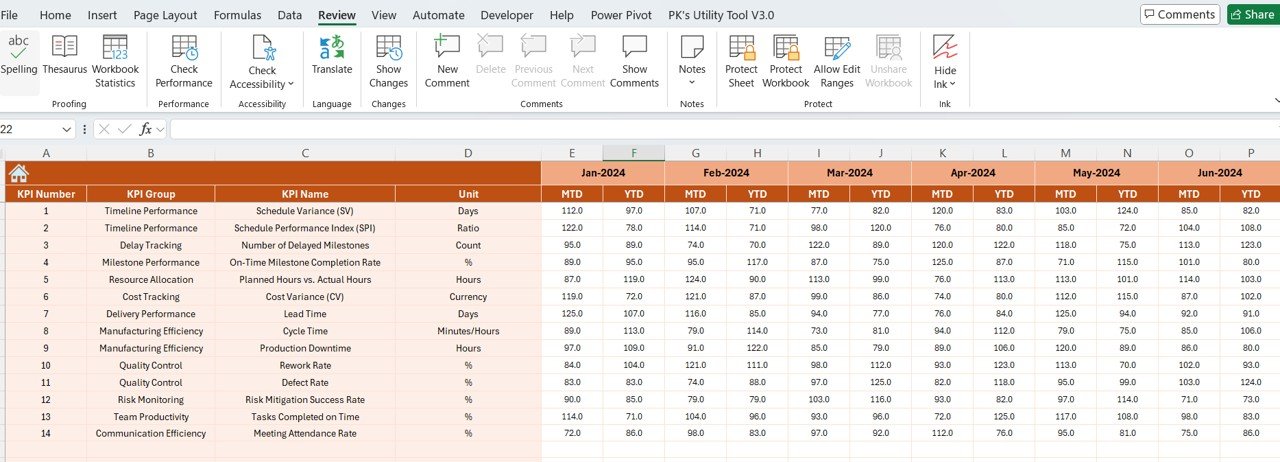
Project Timeline Management: Track project milestones and deadlines.
KPI Tracking for Project Performance: Monitor resource utilization, production rates, and overall progress.
Resource Allocation Monitoring: Track the use of resources and identify inefficiencies.
Project Health Indicators: View color-coded progress indicators for project health.
Data Reporting & Trend Analysis: Use dynamic charts and graphs for visual data analysis.
Customizable Layout: Tailor the dashboard to your specific needs and manufacturing requirements.
How to Use the Manufacturing Project Timeline KPI Dashboard in Excel
1️⃣ Download the Template: Access the Manufacturing Project Timeline KPI Dashboard in Excel instantly.
2️⃣ Input Project Details: Add your project milestones, resource information, and KPIs.
3️⃣ Track Project Progress: Monitor the progress of manufacturing tasks and deadlines in real time.
4️⃣ Analyze Data & Trends: Use the provided charts and graphs to evaluate project performance and identify any issues.
5️⃣ Optimize Resources & Time: Leverage insights to improve resource allocation and streamline your manufacturing project timelines.
Who Can Benefit from the Manufacturing Project Timeline KPI Dashboard in Excel?
🔹 Manufacturing Managers & Supervisors
🔹 Project Coordinators & Production Managers
🔹 Business Owners & Operations Managers
🔹 Supply Chain & Logistics Teams
🔹 Small & Medium Manufacturing Enterprises (SMEs)
🔹 Large-Scale Manufacturing Corporations
Ensure that your manufacturing projects are running smoothly, efficiently, and on schedule with the Manufacturing Project Timeline KPI Dashboard in Excel. Track your project’s health, monitor KPIs, and optimize resources all in one place.
Click here to read the Detailed blog post
Visit our YouTube channel to learn step-by-step video tutorials
Youtube.com/@PKAnExcelExpert






























Reviews
There are no reviews yet.