

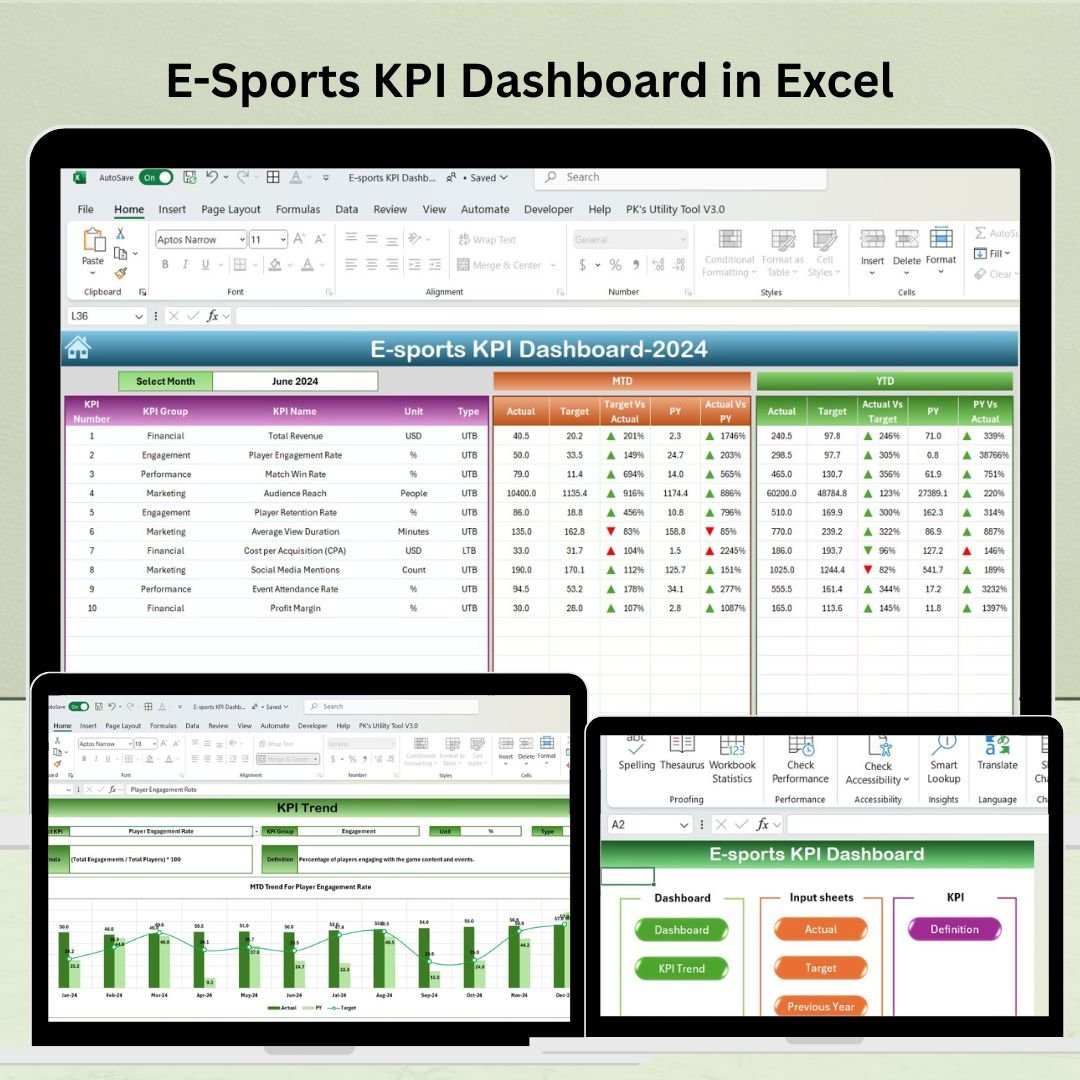
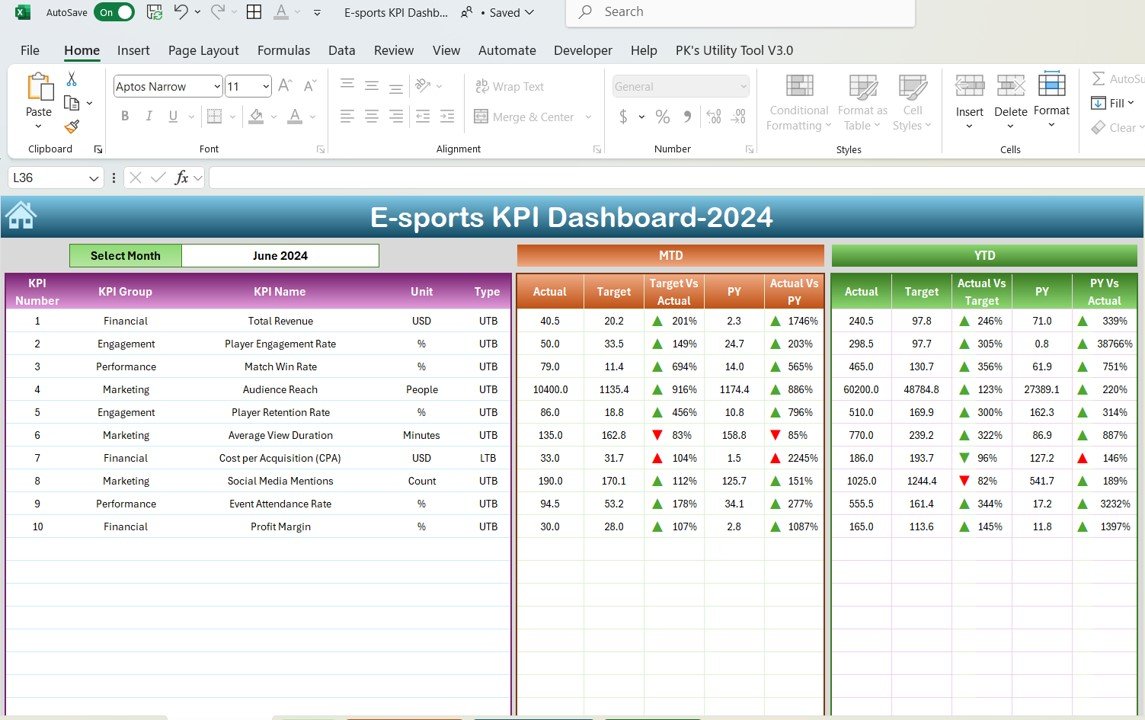
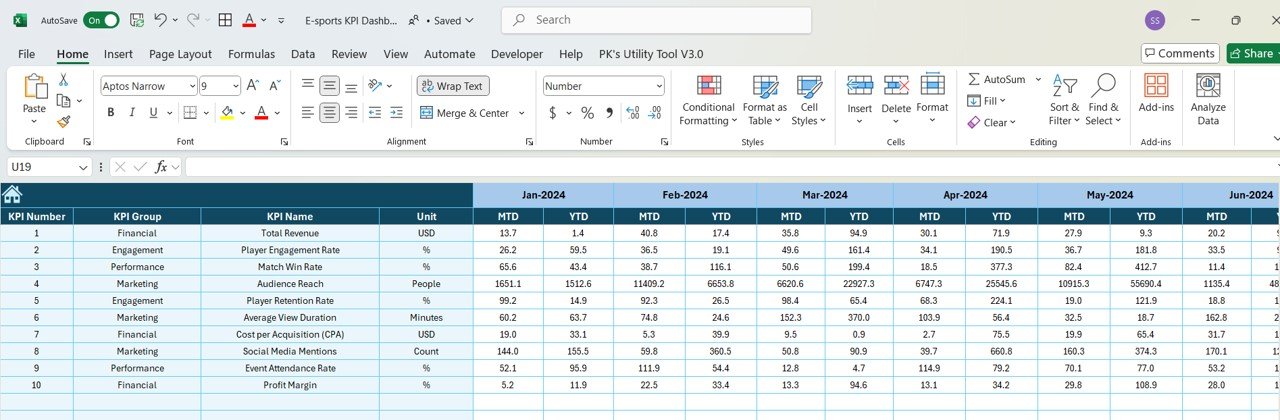
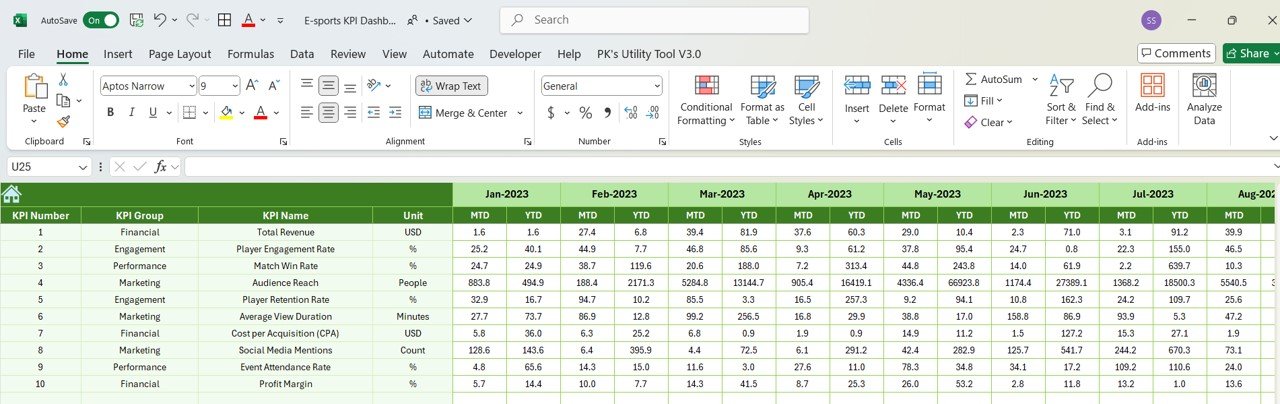
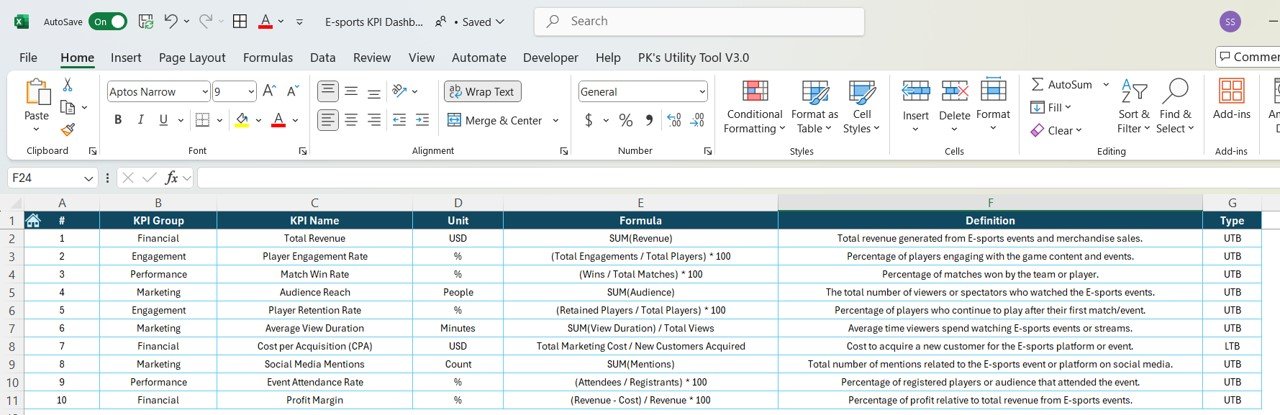

The E-Sports KPI Dashboard in Excel is an essential tool for organizations, e-sports managers, and gaming teams looking to track and analyze key performance indicators (KPIs) in the fast-paced world of competitive gaming. This Excel-based dashboard allows you to monitor team performance, player statistics, tournament results, and financial metrics in one centralized location.
With real-time data updates and customizable features, the dashboard helps you gain insights into player performance, team rankings, sponsorship deals, and much more. Whether you’re managing a professional e-sports team, an event organizer, or a gaming organization, this dashboard will help you stay ahead of the competition by enabling you to make informed, data-driven decisions.
Key Features of the E-Sports KPI Dashboard in Excel
🎮 Team Performance Metrics
Track critical performance metrics such as win rates, losses, and overall team rankings. Monitor the success of different game strategies and adjust accordingly.
📈 Player Statistics Monitoring
Monitor key player statistics such as kills, assists, deaths, and damage per game. Use this data to assess individual player performance and identify areas for improvement.
🏆 Tournament Results Analysis
Track the results of various tournaments, including match results, prize money, and overall rankings. Compare performance across tournaments to identify winning strategies and areas for growth.
💰 Sponsorship & Revenue Tracking
Manage sponsorship deals, track revenue from prize money, and monitor other financial metrics. Stay on top of your financial health and maximize profitability.
⏱ Time-Based Performance Tracking
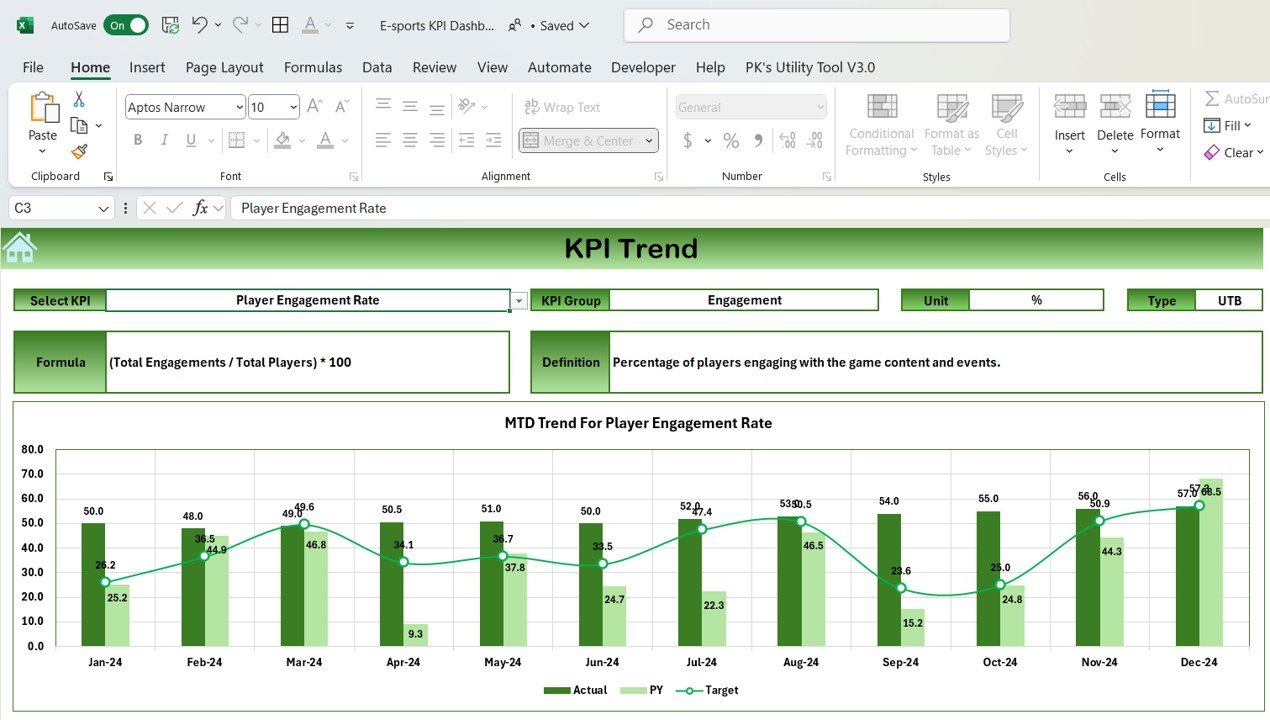
Monitor your team’s performance over different time periods (weekly, monthly, etc.). Track the progress of your players and team over time to identify trends and optimize performance.
⚙️ Customizable Dashboard
Customize the dashboard to suit the specific needs of your e-sports organization. Add or remove KPIs, adjust player statistics, and tailor the dashboard to the games and tournaments you participate in.
Why You’ll Love the E-Sports KPI Dashboard in Excel

✅ Centralized Performance Monitoring
Track all your team’s performance metrics, player statistics, and tournament results in one centralized dashboard, making it easy to monitor progress and make data-driven decisions.
✅ Optimize Player Performance
Identify high-performing players and those in need of improvement with detailed player stats. This helps you enhance team strategies and individual player growth.
✅ Analyze Financial Performance
Track sponsorship revenue, tournament winnings, and other financial KPIs to ensure your e-sports organization stays financially healthy and profitable.
✅ Monitor Team Success Over Time
Use time-based analysis to track improvements, identify winning patterns, and refine strategies over time for long-term success.
✅ Customizable & Scalable
Easily customize the dashboard to reflect your specific gaming events, tournaments, and performance metrics. Scale it according to the size of your team or organization.
What’s Inside the E-Sports KPI Dashboard in Excel?
Team Performance Metrics: Track win rates, losses, and overall rankings.
Player Statistics Monitoring: Monitor player stats like kills, assists, and deaths.
Tournament Results Tracking: Record match results, prize money, and rankings.
Sponsorship & Revenue Tracking: Monitor sponsorship deals and financial metrics.
Time-Based Performance Tracking: Track player and team progress over time.
Customizable Features: Tailor the dashboard to your specific needs and games.
How to Use the E-Sports KPI Dashboard in Excel
1️⃣ Download the Template: Instantly access the E-Sports KPI Dashboard in Excel.
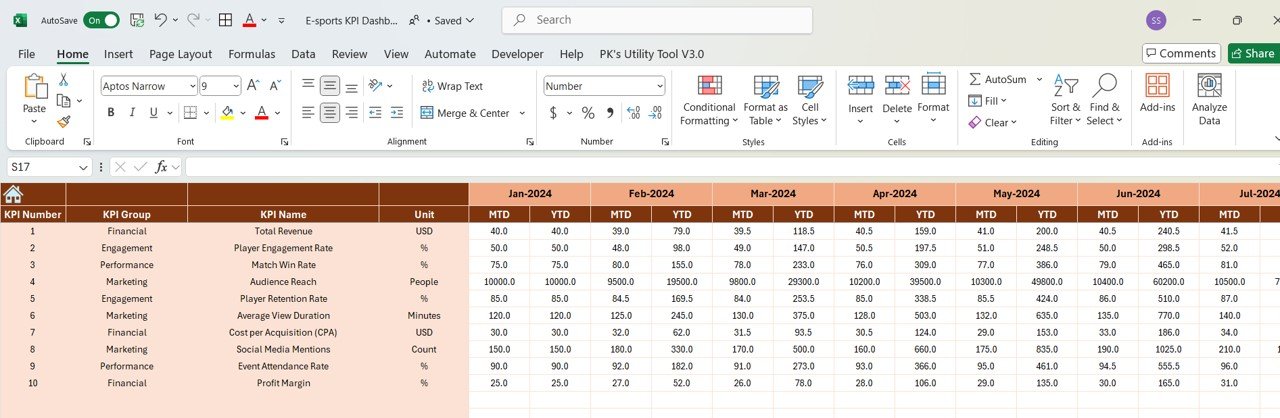
2️⃣ Input Your Data: Enter player stats, team performance, and financial information.
3️⃣ Monitor KPIs & Performance: Track critical KPIs such as win rates, tournament results, and revenue.
4️⃣ Analyze Trends & Performance: Use time-based analysis to track team and player progress.
5️⃣ Make Data-Driven Decisions: Use the insights to optimize team strategies, player development, and financial planning.
Who Can Benefit from the E-Sports KPI Dashboard in Excel?
🔹 E-Sports Teams & Organizations
🔹 Professional Gamers & Coaches
🔹 Tournament Organizers & Event Managers
🔹 Gaming Sponsors & Advertisers
🔹 E-Sports Investors & Stakeholders
🔹 Gaming Industry Professionals
🔹 E-Sports Analysts & Researchers
Stay on top of your e-sports performance with the E-Sports KPI Dashboard in Excel. Monitor player stats, team performance, tournament results, and financial metrics all in one place.
Click here to read the Detailed blog post
Visit our YouTube channel to learn step-by-step video tutorials
Youtube.com/@PKAnExcelExpert






























Reviews
There are no reviews yet.