


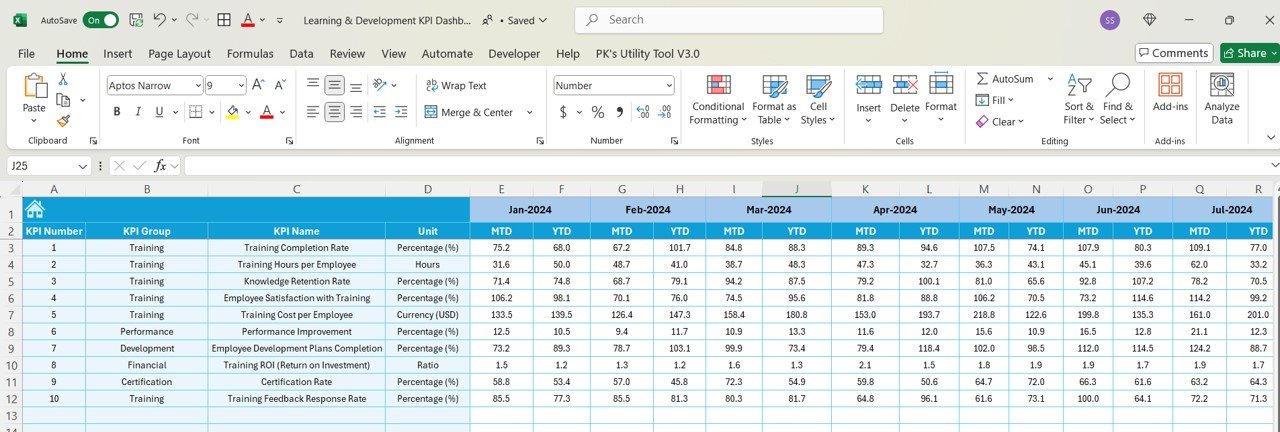
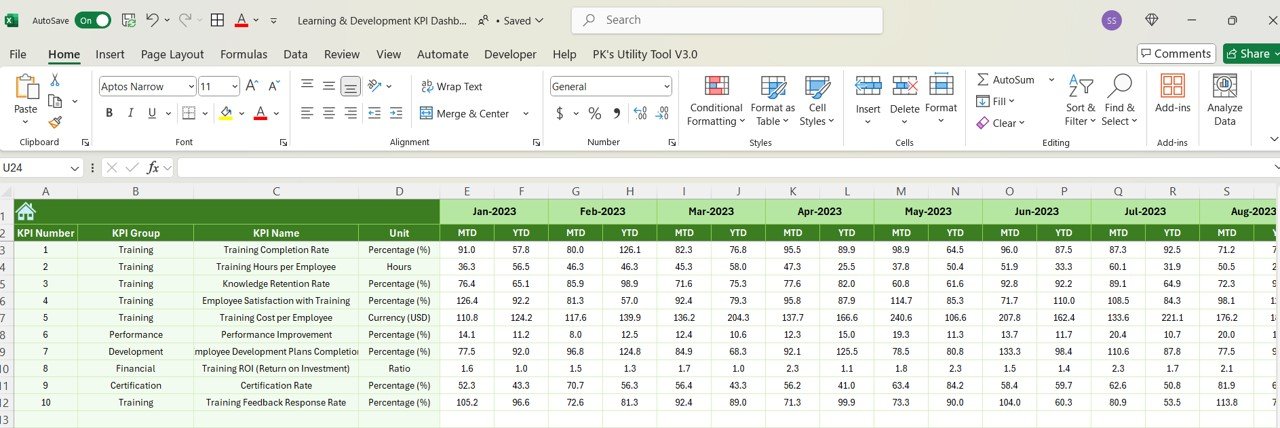
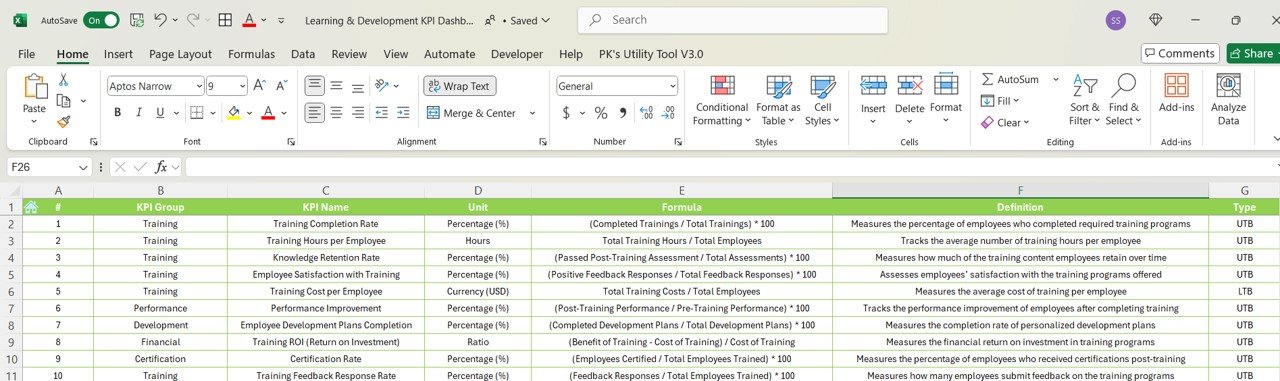

The Learning & Development KPI Dashboard in Excel is a comprehensive tool designed to help organizations track and manage the effectiveness of their employee training programs. This Excel-based dashboard allows you to monitor key performance indicators (KPIs) such as employee learning progress, training completion rates, skill development, and training costs, helping HR managers, team leaders, and organizational development specialists optimize training efforts.
With this dashboard, you can analyze employee development at every stage, from initial onboarding training to continuous skill development. The dashboard is perfect for businesses aiming to enhance employee performance, improve retention, and align workforce skills with organizational goals. Easily track and evaluate training programs, ensuring that your employees are always learning and developing at the right pace.
Key Features of the Learning & Development KPI Dashboard in Excel
📊 Training Progress & Completion Rates
Track the completion rates of training programs, ensuring employees are staying on track and meeting deadlines. This feature helps you monitor training progress and identify any areas that need attention.
📈 Skill Development Tracking
Monitor skill acquisition over time. Keep track of employee progress in mastering new skills, certifications, and competencies gained through training.
💼 Employee Training Overview
Get a comprehensive overview of each employee’s training progress, including the number of courses completed, current training status, and scheduled training sessions.
💰 Training Costs & ROI Analysis
Track the costs associated with employee training, including course fees, training materials, and time investment. Calculate ROI by comparing the training expenses with improved performance metrics.
📅 Time-Based Analysis
Analyze KPIs over specific time periods, whether daily, weekly, monthly, or yearly, to measure trends and assess the long-term effectiveness of your training programs.
⚙️ Customizable Dashboard
Customize the dashboard to suit the specific needs of your organization. Adjust KPIs, data fields, and visualizations to align with your training objectives and business goals.
Why You’ll Love the Learning & Development KPI Dashboard in Excel

✅ Comprehensive Training Overview
Keep track of all aspects of employee learning and development in one place. Monitor training completion, progress, and skill development for better training management.
✅ Maximize ROI on Training Programs
Track the costs of your training programs and compare them to the improvements in employee performance, ensuring that your training investments are paying off.
✅ Boost Employee Engagement & Retention
Measure the effectiveness of your training programs in real-time, helping you enhance employee engagement and retention through continuous learning opportunities.
✅ Data-Driven Decisions for HR
Use the insights from the dashboard to make informed decisions about future training programs, adjust strategies, and focus on the areas that need improvement.
✅ Scalable for Any Organization
The dashboard is fully scalable and customizable, whether you’re managing a small team or a large enterprise. Tailor it to meet the specific needs of your organization.
What’s Inside the Learning & Development KPI Dashboard in Excel?
Training Progress Tracking: Track completion rates, progress, and training milestones.
Skill Development Tracking: Monitor employees’ progress in acquiring new skills.
Employee Training Overview: Overview of each employee’s training progress.
Training Costs & ROI Analysis: Track the cost and effectiveness of training programs.
Time-Based Analysis: Assess KPIs over various time periods to spot trends.
Customizable Dashboard: Adapt the dashboard to suit your organization’s training needs.
How to Use the Learning & Development KPI Dashboard in Excel
1️⃣ Download the Template: Get access to the Learning & Development KPI Dashboard in Excel instantly.
2️⃣ Input Employee Data: Enter employee details, training programs, and training completion statuses.
3️⃣ Track Training Progress: Monitor employee progress in real-time and track completion rates.
4️⃣ Analyze Skill Development: Use the dashboard to track improvements in skill sets and certifications.
5️⃣ Calculate Training ROI: Track the costs and ROI of training programs to ensure the budget is being well spent.
Who Can Benefit from the Learning & Development KPI Dashboard in Excel?
🔹 HR Managers & Learning & Development Teams
🔹 Organizational Development Specialists
🔹 Team Leaders & Department Managers
🔹 Employee Engagement & Retention Teams
🔹 Small & Medium Businesses (SMBs)
🔹 Large Enterprises with Structured Training Programs
Maximize the effectiveness of your training programs with the Learning & Development KPI Dashboard in Excel. Track, monitor, and analyze employee development to drive performance improvements and optimize your organization’s growth.
Click here to read the Detailed blog post
Visit our YouTube channel to learn step-by-step video tutorials
Youtube.com/@PKAnExcelExpert
Compatibility and Requirements
- Works in Microsoft Excel desktop (Excel 2016 or later, or Microsoft 365).
- The charts update from your data. Microsoft’s guide to creating a chart explains how Excel charts work.
Frequently Asked Questions
Which training KPIs does the dashboard track?
Training completion rates, learning progress, skill development, courses completed per employee, scheduled sessions, training costs and training ROI.
How is training ROI shown?
The dashboard compares training costs, such as course fees, materials and time, with improvements in performance metrics.
Can I review results by period?
Yes. KPIs can be analyzed daily, weekly, monthly or yearly to see trends over time.
Can I change the KPIs?
Yes. You can adjust the KPIs, data fields and charts to match your training goals.
Related Training Templates
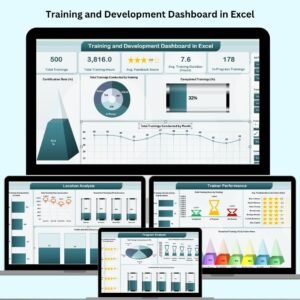
- Training and Development Dashboard in Excel: a full training dashboard with more pages
- Employee Training KPI Dashboard in Excel: training KPIs per employee
- Training Needs Assessment Tracker in Excel: plan which skills to train next
- Training Completion Certification Tracker in Excel: track certificates and completions
- Training Budget Dashboard in Excel: keep training spend on budget
Browse all Excel KPI dashboards or the education templates.




















Reviews
There are no reviews yet.