



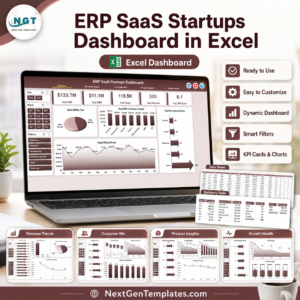
The SaaS Business KPI Dashboard in Excel is a powerful and intuitive tool designed to help SaaS (Software as a Service) business owners, managers, and analysts track key performance indicators (KPIs) essential for business growth and success. This Excel-based dashboard provides real-time insights into critical metrics such as Monthly Recurring Revenue (MRR), Customer Churn Rate, Customer Acquisition Cost (CAC), and Lifetime Value (LTV), empowering you to make data-driven decisions.
With this comprehensive dashboard, you can track your subscription growth, customer retention, and profitability with ease. Whether you’re running a small SaaS startup or managing a large SaaS enterprise, this tool helps you stay on top of your business performance and identify areas for improvement.
Key Features of the SaaS Business KPI Dashboard in Excel
📊 Subscription Metrics Monitoring
Track essential subscription-related KPIs such as Monthly Recurring Revenue (MRR), Average Revenue Per User (ARPU), and customer churn rate to assess the financial health of your SaaS business.
📈 Customer Acquisition Cost (CAC) Analysis
Analyze your customer acquisition costs and optimize your marketing and sales strategies for better customer acquisition efficiency.
💡 Customer Lifetime Value (LTV) Tracking
Measure the lifetime value of your customers to understand long-term revenue potential and inform retention strategies.
📝 Revenue Growth & Profitability Analysis
Monitor the growth of your SaaS business with insights into revenue trends, profitability, and overall financial performance.
⚙️ Dynamic Reporting & Insights
Generate detailed reports on key metrics and trends. Use this data to improve customer retention, pricing strategies, and customer acquisition efforts.
🔑 Customizable Metrics & KPIs
Tailor the dashboard to your specific SaaS business needs by adding custom metrics and KPIs relevant to your business model.
Why You’ll Love the SaaS Business KPI Dashboard in Excel

✅ Track Business Health & Growth
Stay on top of your business’s financial health by tracking recurring revenue, churn rate, and customer acquisition costs, giving you full visibility of your SaaS performance.
✅ Optimize Customer Retention & Acquisition
Track key metrics like churn rate and LTV to optimize customer acquisition strategies, improve retention, and maximize long-term value.
✅ Improve Profitability & Efficiency
Monitor revenue growth and CAC to optimize marketing and sales spending. Make better decisions to enhance profitability and business efficiency.
✅ Make Data-Driven Decisions
Use the insights provided by the dashboard to inform strategic decisions, such as pricing adjustments, marketing spend, and customer success initiatives.
✅ Customizable & Scalable
The dashboard is fully customizable and can scale with your SaaS business. Add new metrics, adjust KPIs, and modify the layout as your business grows.
What’s Inside the SaaS Business KPI Dashboard in Excel?
Subscription Metrics Tracking: Monitor MRR, ARPU, and churn rate to track your business’s subscription performance.
Customer Acquisition Cost (CAC): Analyze customer acquisition efficiency and costs.
Customer Lifetime Value (LTV): Measure the long-term value of customers to refine your retention strategies.
Revenue & Profitability Tracking: Track revenue growth and assess your business’s profitability over time.
Dynamic Reporting: Generate reports on key business metrics and trends.
Customizable KPIs: Add and modify KPIs relevant to your specific SaaS business model.
How to Use the SaaS Business KPI Dashboard in Excel
1️⃣ Download the Template: Get access to the SaaS Business KPI Dashboard in Excel instantly.
2️⃣ Input Business Data: Enter your monthly recurring revenue, customer acquisition costs, churn rate, and other relevant data.
3️⃣ Monitor Key Metrics: Track your SaaS business’s performance across critical KPIs, including MRR, CAC, LTV, and more.
4️⃣ Analyze Trends: Use time-based data analysis to identify trends and make data-driven decisions for long-term growth.
5️⃣ Optimize Business Performance: Leverage the insights to improve customer retention, optimize marketing strategies, and increase profitability.
Who Can Benefit from the SaaS Business KPI Dashboard in Excel?
🔹 SaaS Business Owners & Founders
🔹 SaaS Product Managers & Team Leads
🔹 Marketing & Sales Managers in SaaS
🔹 Customer Success & Retention Teams
🔹 Data Analysts & Business Intelligence Professionals
🔹 Startups & Established SaaS Enterprises
Optimize your SaaS business performance with the SaaS Business KPI Dashboard in Excel. Track and analyze the essential KPIs that drive growth and profitability, and make informed decisions to take your business to the next level.
Click here to read the Detailed blog post
Visit our YouTube channel to learn step-by-step video tutorials
Youtube.com/@PKAnExcelExpert
Compatibility and Requirements
- Works in Microsoft Excel desktop (Excel 2016 or later, or Microsoft 365).
- You enter your own business data, and the dashboard reports on it. New to Excel? Start with Microsoft’s Excel for Windows training.
Frequently Asked Questions
Which SaaS metrics does this dashboard track?
Monthly Recurring Revenue (MRR), Average Revenue Per User (ARPU), customer churn rate, Customer Acquisition Cost (CAC) and Customer Lifetime Value (LTV), plus revenue growth and profitability.
What data do I need to enter?
Your monthly recurring revenue, customer acquisition costs, churn figures and the other numbers behind each KPI.
Can I add my own KPIs?
Yes. You can add custom metrics and KPIs that fit your SaaS business model and adjust the layout.
Is there a Google Sheets or Power BI version?
Yes. See the SaaS Business KPI Dashboard in Google Sheets and the SaaS Metrics Dashboard in Power BI.
Related SaaS Templates
- SaaS Business KPI Dashboard in Google Sheets: the same KPIs in Google Sheets
- SaaS Business KPI Scorecard In Excel: a scorecard view of SaaS KPIs
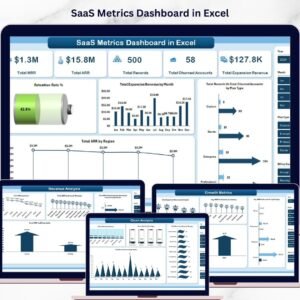
- SaaS Metrics Dashboard in Excel: a full SaaS metrics dashboard
- SaaS Renewal KPI Dashboard in Excel: track subscription renewals
- SaaS Metrics Dashboard in Power BI: SaaS metrics in Power BI
Browse all Excel KPI dashboards or the Excel IT templates.



















Reviews
There are no reviews yet.