



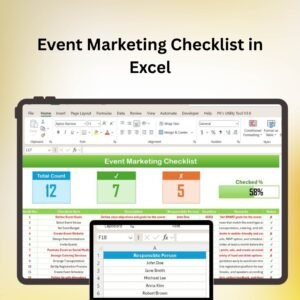
The Event Marketing Checklist in Excel is a comprehensive, easy-to-use tool designed to help event planners, marketing teams, and business owners efficiently plan, execute, and track all marketing tasks for their events. Whether you’re hosting a small seminar, a corporate conference, or a large-scale exhibition, this checklist ensures that you cover every aspect of event marketing, from pre-event promotion to post-event analysis.
This Excel-based checklist allows you to organize tasks, assign responsibilities, and monitor progress at every stage. With customizable fields and clear sections for marketing activities, budgeting, and timelines, the checklist helps streamline the process, reduce oversight, and ensure your event’s success.
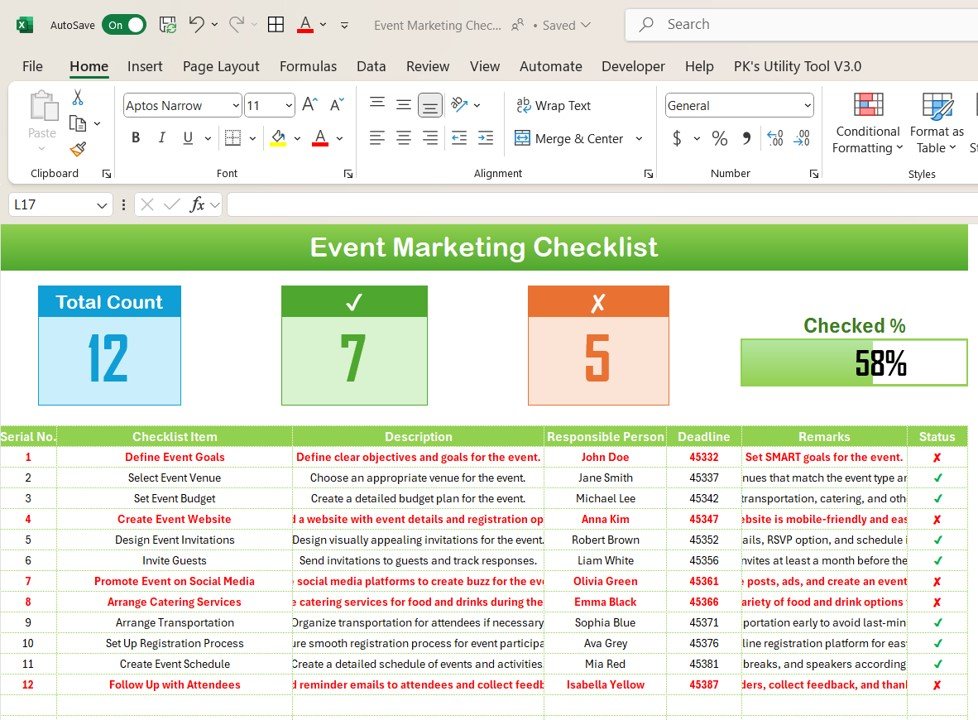
Key Features of the Event Marketing Checklist in Excel
📅 Comprehensive Task Tracking
Organize marketing tasks for every phase of the event, from initial planning and promotion to event execution and post-event follow-up. The checklist ensures that no detail is overlooked.
💡 Event Marketing Channels
Track marketing efforts across multiple channels, including email marketing, social media campaigns, print advertising, and influencer partnerships. Ensure that all promotional strategies are covered and scheduled.
📝 Budget & Resource Management
Monitor the event marketing budget, track expenses, and allocate resources efficiently. Keep a clear overview of your marketing spending and make data-driven decisions to stay within budget.
📊 Timeline & Deadline Monitoring
Set and track key deadlines and milestones leading up to the event. Stay organized with time-based task management to ensure that everything is completed on time.
🔑 Team Collaboration & Responsibility Assignment
Assign tasks to team members and track the progress of each task in real time. This helps foster collaboration, accountability, and smooth event execution.
⚙️ Customizable Fields & Sections
Customize the checklist to fit your event marketing needs. Add additional tasks, adjust categories, and modify the checklist to align with the unique requirements of your event.
Why You’ll Love the Event Marketing Checklist in Excel
✅ Stay Organized & On Track
Keep all your event marketing tasks organized in one place. Track each task from start to finish to ensure smooth execution and avoid last-minute rushes.
✅ Optimize Your Marketing Strategy
Monitor your marketing campaigns across multiple channels and track the effectiveness of each strategy. Analyze data and make informed decisions to improve event attendance and engagement.
✅ Manage Budget & Resources Effectively
Stay on top of your event marketing budget, track expenses, and optimize resource allocation to ensure that your event marketing efforts are cost-effective and within budget.
✅ Ensure Timely Execution
Use the timeline feature to track deadlines, milestones, and deliverables, ensuring that all tasks are completed on time and that the event runs smoothly.
✅ Collaborate Seamlessly with Your Team
Assign tasks, set deadlines, and track progress in real time to improve collaboration among your team members, ensuring every part of the marketing plan is executed efficiently.
What’s Inside the Event Marketing Checklist in Excel?
Comprehensive Task Tracking: Manage tasks from pre-event to post-event.
Marketing Channels Management: Track and schedule tasks for email, social media, and other promotional efforts.
Budget & Resource Management: Monitor expenses and allocate resources effectively.
Timeline & Deadline Monitoring: Stay on track with time-based task management.
Team Collaboration: Assign tasks and track progress to ensure a coordinated effort.
Customizable Features: Adapt the checklist to suit the specific needs of your event.
How to Use the Event Marketing Checklist in Excel
1️⃣ Download the Template: Access the Event Marketing Checklist in Excel instantly.
2️⃣ Input Event Details: Add key event information such as the event name, date, and marketing goals.
3️⃣ Assign Tasks & Set Deadlines: Organize marketing tasks by phase and assign them to team members.
4️⃣ Track Budget & Expenses: Input your marketing budget and track your spending.
5️⃣ Monitor Progress & Timelines: Use the timeline and deadline features to ensure timely completion of each task.
Who Can Benefit from the Event Marketing Checklist in Excel?
🔹 Event Planners & Coordinators
🔹 Marketing Managers & Teams
🔹 Small & Medium Enterprises (SMBs)
🔹 Corporate Event Organizers
🔹 Non-Profit Organizations & Charities
🔹 Conferences & Trade Show Organizers
🔹 Business Owners & Entrepreneurs
Ensure your event marketing campaigns are well-organized and executed efficiently with the Event Marketing Checklist in Excel. Streamline your planning process, stay on top of budgets, and drive higher engagement for your events.
Click here to read the Detailed blog post
Visit our YouTube channel to learn step-by-step video tutorials
Youtube.com/@PKAnExcelExpert
Compatibility and Requirements
- Works in Microsoft Excel desktop (Excel 2016 or later, or Microsoft 365).
- The checklist is a regular workbook for tracking tasks, deadlines and budget. Microsoft’s Excel for Windows training covers the basics if you want to adjust it.
Frequently Asked Questions
What does the checklist cover?
It covers marketing tasks for every phase of an event, from pre-event promotion to post-event follow-up. It also has sections for marketing channels, budget and resources, timelines and deadlines, and team task assignment.
Which marketing channels can I track?
You can track email marketing, social media campaigns, print advertising and influencer partnerships, and schedule the tasks for each channel.
Can I track my event marketing budget?
Yes. You enter your marketing budget, record expenses and see how resources are allocated, so you can keep spending within the budget.
Can I assign tasks to my team?
Yes. You assign each task to a team member, set a deadline and follow its progress.
Can I change the tasks and categories?
Yes. The fields and sections are customizable, so you can add tasks and adjust categories to fit your event.
Is there a Google Sheets version?
Yes. See the Event Marketing Checklist in Google Sheets.
Related Event and Marketing Templates
- Event Marketing Checklist in Google Sheets: the same checklist for Google Sheets
- School Event Checklist in Excel: a checklist for school events
- Corporate Event Planning Report in Excel: a report view for corporate events
- Marketing Dashboard in Excel: a dashboard for marketing results
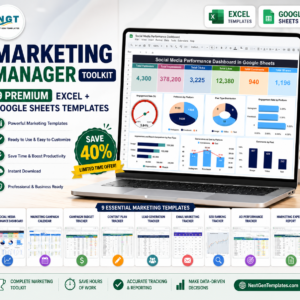
- Marketing Manager Toolkit: 9 marketing templates in one download
Browse all Excel checklists.
































Reviews
There are no reviews yet.