



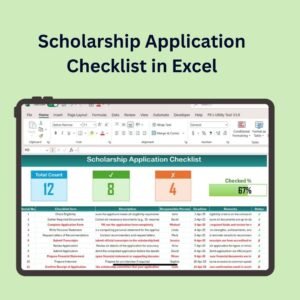
The Scholarship Application Checklist in Excel is a simple yet powerful tool designed for students, academic advisors, and scholarship coordinators. This Excel-based checklist helps you keep track of all the essential steps in the scholarship application process, ensuring that you never miss a deadline or important requirement. From gathering required documents to submitting your application, this checklist covers all the critical tasks, making it easy to stay organized and focused on securing your scholarship.
Whether you are applying for one or multiple scholarships, this tool helps you manage your applications efficiently, keeping track of deadlines, application statuses, and necessary documents.

Key Features of the Scholarship Application Checklist in Excel:
📅 Application Deadlines and Milestones
Track important application deadlines and milestones for each scholarship, ensuring you stay on top of submission dates and required actions.
📑 Document Management
Monitor and organize the documents needed for each scholarship, such as transcripts, recommendation letters, and personal statements, to ensure nothing is overlooked.
📬 Application Status Tracking
Keep track of the status of each scholarship application, from submission to approval, and ensure you follow up when needed.
🎯 Scholarship Requirements
Understand the eligibility criteria and other specific requirements for each scholarship, helping you tailor your application accordingly.
📊 Customizable Tracking
Customize the checklist to include additional scholarship-specific requirements, making it adaptable to any scholarship application process.
🚀 Why You’ll Love the Scholarship Application Checklist in Excel:
✅ Stay Organized – Keep track of multiple scholarship applications, ensuring no deadlines or documents are missed.
✅ Monitor Progress – Track the status of each application, from submission to outcome, to stay updated on where you stand.
✅ Ensure Complete Applications – Ensure you have all necessary documents and fulfill all requirements for each scholarship application.
✅ Customize for Your Needs – Tailor the checklist to match the unique requirements of each scholarship you are applying for.
✅ Track Multiple Applications – Manage multiple scholarship applications with ease, making it simple to organize your applications for different opportunities.
What’s Inside the Scholarship Application Checklist in Excel:
Deadline Tracking: Track the application deadline for each scholarship to ensure timely submission.
Document Checklist: Monitor required documents such as transcripts, essays, and reference letters for each application.
Application Status: Keep track of the status of each scholarship, such as “Submitted,” “In Review,” or “Accepted.”
Eligibility and Requirements: View the eligibility criteria and other specific requirements for each scholarship to ensure you meet the qualifications.
Custom Tracking Fields: Add additional scholarship-specific details or notes to ensure your application is complete and well-prepared.
Reminder System: Set up reminders to follow up on applications and check status updates.
How to Use the Scholarship Application Checklist in Excel:
1️⃣ Download the Template – Instantly access your Excel file upon purchase.
2️⃣ Input Scholarship Information – Enter scholarship names, deadlines, and requirements to start organizing your applications.
3️⃣ Track Documents and Status – Use the checklist to track which documents you’ve gathered and the status of each application.
4️⃣ Stay on Schedule – Monitor deadlines, set reminders, and track your progress to ensure timely submission of each scholarship.
5️⃣ Generate Reports – Create customized reports to summarize application statuses and keep track of your progress for each scholarship.
Who Can Benefit from the Scholarship Application Checklist in Excel:
Students Applying for Scholarships
Academic Advisors and Counselors
Scholarship Coordinators
Parents Assisting Students with Applications
Educational Institutions Offering Scholarships
Nonprofit Organizations Managing Scholarships
The Scholarship Application Checklist in Excel is the perfect tool to help students stay organized and efficient during the scholarship application process. By ensuring that all tasks, documents, and deadlines are tracked, this checklist helps students increase their chances of securing financial support for their education.
Click here to read the Detailed blog post
https://www.pk-anexcelexpert.com/scholarship-application-checklist-in-excel/
Visit our YouTube channel to learn step-by-step video tutorials
Youtube.com/@PKAnExcelExpert
Compatibility and Requirements
- Works in Microsoft Excel desktop (Excel 2016 or later, or Microsoft 365).
- You enter scholarship names, deadlines and requirements in the checklist yourself. Microsoft’s Excel for Windows training covers the basics if you are new to Excel.
Frequently Asked Questions
What can I track in this checklist?
You can track application deadlines, required documents such as transcripts, essays and reference letters, the status of each application, and the eligibility rules for each scholarship.
Can I track more than one scholarship?
Yes. The checklist is built for managing several scholarship applications at once.
Can I add my own fields?
Yes. The template has custom tracking fields where you can add scholarship-specific details or notes.
Is there a Google Sheets version?
Yes. See the Scholarship Application Checklist in Google Sheets.
Related Education and Checklist Templates
- Scholarship Application Checklist in Google Sheets: the same checklist for Google Sheets
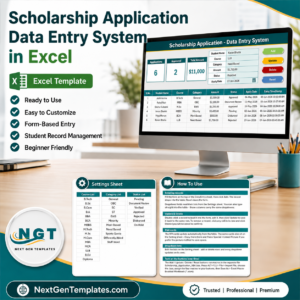
- Scholarship Application Data Entry System in Excel: a data entry system for scholarship applications
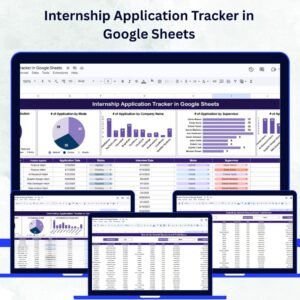
- Internship Application Tracker in Google Sheets: track internship applications and their status
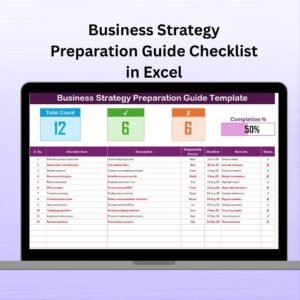
- Loan Application Checklist Template in Excel: a similar checklist for loan paperwork
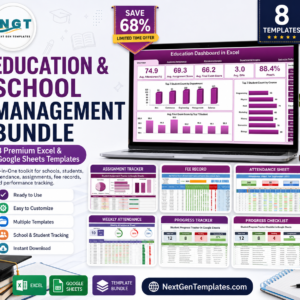
- Education & School Management Bundle: 8 Excel and Google Sheets templates for schools
Browse all Excel checklists and Excel education templates.





























Reviews
There are no reviews yet.