



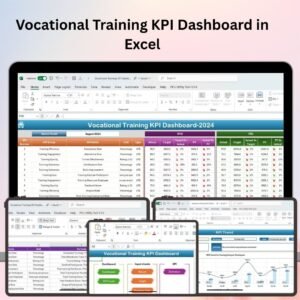
The Vocational Training KPI Dashboard in Excel is a powerful tool designed to help training managers, HR professionals, and educational organizations track and monitor key performance indicators (KPIs) related to vocational training programs. This Excel-based dashboard allows you to measure training effectiveness, track participant progress, monitor training costs, and evaluate instructor performance, ensuring your training programs deliver the desired results.
With real-time tracking, customizable charts, and an intuitive interface, this dashboard helps you optimize your vocational training programs, enhance learner outcomes, and ensure that your training initiatives are aligned with business goals.

Key Features of the Vocational Training KPI Dashboard in Excel:
📊 Training Program Effectiveness
Track key training outcomes such as learner performance, knowledge retention, and skill development, ensuring that your programs are effective and impactful.
👨🏫 Instructor Performance Monitoring
Evaluate instructor performance based on feedback, participant engagement, and training outcomes, helping you ensure high-quality delivery of your programs.
💼 Training Cost and Budget Tracking
Monitor training expenses, including venue costs, materials, and instructor fees, to ensure that your training programs stay within budget while delivering quality content.
📅 Training Completion and Attendance Tracking
Track participant attendance and completion rates for each training session, ensuring that your programs are fully attended and completed as planned.
📈 Participant Progress and Feedback
Monitor learner progress and gather feedback to evaluate the success of your programs and identify areas for improvement.
🚀 Why You’ll Love the Vocational Training KPI Dashboard in Excel:
✅ Track Training Effectiveness – Monitor learning outcomes and skill acquisition to ensure that your training programs are meeting educational objectives.
✅ Monitor Instructor Performance – Track and evaluate the effectiveness of instructors, helping you ensure high-quality training delivery.
✅ Optimize Training Budgets – Keep an eye on training expenses and track cost-effectiveness to ensure that your programs stay within budget.
✅ Increase Learner Engagement – Track participant attendance, completion rates, and engagement to improve overall learner satisfaction and program success.
✅ Customizable and Easy-to-Use – Fully customizable to match your specific training needs, with an easy-to-navigate interface that ensures seamless tracking.
✅ Data-Driven Decision Making – Make informed decisions about future training programs and improve your training strategy based on KPI insights.
What’s Inside the Vocational Training KPI Dashboard in Excel:
Training Program Effectiveness: Track the effectiveness of your training programs by monitoring learner performance, skill development, and knowledge retention.
Instructor Performance: Monitor feedback, engagement, and participant satisfaction to evaluate the quality of training delivery.
Training Costs: Track all expenses related to training, such as venue costs, materials, and instructor fees, to ensure that your programs stay within budget.
Attendance and Completion: Monitor participant attendance and ensure that they complete training sessions as scheduled.
Learner Progress and Feedback: Track learner progress through assessments and gather feedback to improve the training experience and outcomes.
Custom Reports: Generate customized reports to evaluate training effectiveness, budget performance, and participant satisfaction, providing insights for future programs.
How to Use the Vocational Training KPI Dashboard in Excel:
1️⃣ Download the Template – Instantly access your Excel file upon purchase.
2️⃣ Input Training Data – Add data related to training programs, participants, costs, and instructors to begin tracking key metrics.
3️⃣ Monitor KPIs – Use the dashboard to track program effectiveness, attendance, costs, and instructor performance in real-time.
4️⃣ Analyze Learner Progress – Track learner performance and feedback to improve program quality and address areas for improvement.
5️⃣ Generate Reports – Create customized reports summarizing training KPIs, providing insights for better decision-making and continuous improvement.
Who Can Benefit from the Vocational Training KPI Dashboard in Excel:
Training Managers
HR Professionals
Educational Institutions
Vocational Training Centers
Corporate Learning and Development Teams
Government and NGO Training Programs
Small to Large Enterprises Offering Training
The Vocational Training KPI Dashboard in Excel is the ideal tool for organizations looking to optimize their vocational training programs, track participant progress, and manage training costs efficiently. Whether you’re managing a single course or an entire training program portfolio, this dashboard ensures that your training initiatives are effective, cost-efficient, and aligned with business objectives.
Click here to read the Detailed blog post
https://www.pk-anexcelexpert.com/vocational-training-kpi-dashboard-in-excel/
Visit our YouTube channel to learn step-by-step video tutorials
Youtube.com/@PKAnExcelExpert
Compatibility and Requirements
- Works in Microsoft Excel desktop (Excel 2016 or later, or Microsoft 365).
- New to Excel charts? Microsoft explains the basics in Create a chart from start to finish.
Frequently Asked Questions
What does the dashboard track?
Training program effectiveness, instructor performance, training costs, attendance and completion, and learner progress and feedback.
Which costs can I record?
Training expenses such as venue costs, materials and instructor fees.
Can it report on instructors?
Yes. It tracks feedback, engagement and participant satisfaction for each instructor.
Is there a Google Sheets version?
Yes. See the Vocational Training KPI Dashboard in Google Sheets.
Related Vocational Training Templates
- Vocational Training KPI Dashboard in Google Sheets: the same KPIs online
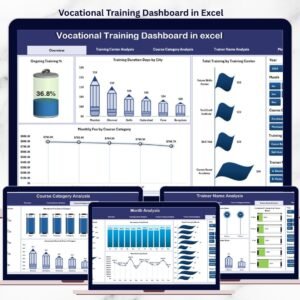
- Vocational Training Dashboard in Excel: a chart dashboard on training data
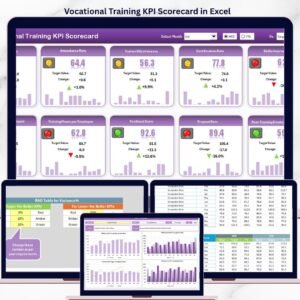
- Vocational Training KPI Scorecard in Excel: a scorecard view
- Employee Training KPI Dashboard in Excel: for in-house staff training
- Education & School Management Bundle: eight education templates in one download
Browse all Excel education templates or the Excel KPI dashboards.












Reviews
There are no reviews yet.