


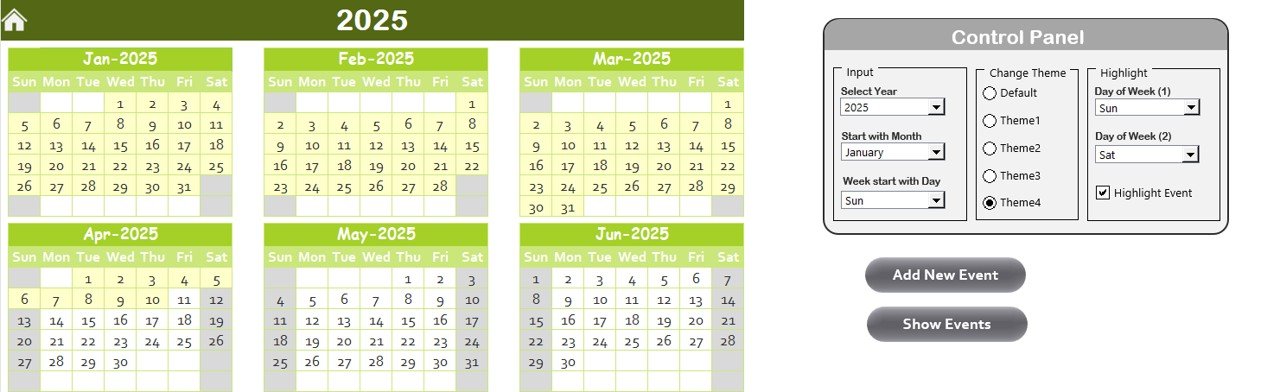



The Health Safety Compliance Calendar in Excel is an essential tool for businesses, HR managers, safety officers, and compliance teams to track and ensure compliance with health and safety regulations. This Excel-based calendar helps you organize and manage key safety compliance activities such as inspections, audits, training, and maintenance schedules. With this calendar, you can ensure that your business meets all safety standards, reduces risks, and fosters a safer work environment.
With an easy-to-use interface and customizable fields, this calendar allows you to schedule and track safety-related tasks, ensuring that they are completed on time and in compliance with regulations. The calendar also helps you manage and report on ongoing safety activities, making it easier to stay audit-ready and maintain workplace safety.
Key Features of the Health Safety Compliance Calendar in Excel:
📅 Compliance Task Scheduling
Easily schedule and track recurring health and safety tasks such as safety inspections, audits, fire drills, and safety training sessions to ensure compliance with regulations.
🔍 Audit Tracking and Reporting
Monitor the progress of internal and external safety audits, ensuring that corrective actions are identified and implemented on time.
📚 Training and Certification Management
Track employee training and certification deadlines to ensure that all employees are up to date with safety protocols and regulations.
🛠 Maintenance Scheduling
Schedule and track routine maintenance tasks for safety equipment, machinery, and facilities, ensuring that they are functioning optimally and safely.
✅ Regulatory Compliance Monitoring
Ensure compliance with local, state, and federal health and safety regulations by tracking all relevant tasks, deadlines, and documentation.
🚀 Why You’ll Love the Health Safety Compliance Calendar in Excel:

✅ Track Compliance Tasks – Easily schedule and track health and safety tasks, inspections, and training to ensure compliance with industry standards.
✅ Stay Audit-Ready – Keep track of safety audits and inspections to ensure that your business is always prepared for regulatory inspections.
✅ Manage Training and Certifications – Monitor training sessions and certifications to ensure all employees are adequately trained in health and safety procedures.
✅ Ensure Equipment Safety – Schedule and track maintenance tasks for safety equipment to ensure everything is functioning properly and safely.
✅ Customizable and User-Friendly – The calendar is fully customizable to fit your business’s specific health and safety needs, and it’s easy to use.
✅ Stay Organized and Proactive – By tracking compliance activities and deadlines, you can reduce the risk of accidents and stay ahead of regulatory requirements.
What’s Inside the Health Safety Compliance Calendar in Excel:
Task Scheduling: Organize safety inspections, audits, training, and maintenance tasks in an easy-to-use calendar format, ensuring timely completion.
Audit and Inspection Tracking: Track internal and external audit schedules, progress, and action items to stay on top of health and safety requirements.
Employee Training Management: Keep track of employee training sessions, certifications, and expiration dates to ensure compliance with safety standards.
Maintenance Management: Schedule and track routine safety equipment, machinery, and facility maintenance tasks to ensure everything is working safely.
Compliance Monitoring: Track key regulatory compliance tasks, ensuring that your business remains compliant with all relevant safety standards and regulations.
Custom Reports: Generate custom reports that summarize compliance activities, inspections, and training sessions to share with management or auditors.
How to Use the Health Safety Compliance Calendar in Excel:
1️⃣ Download the Template – Instantly access your Excel file upon purchase.
2️⃣ Input Safety Data – Add safety tasks, training sessions, audit schedules, and maintenance tasks into the calendar.
3️⃣ Track Deadlines – Set deadlines for safety tasks and monitor their completion status in real-time.
4️⃣ Update Compliance Status – Regularly update the calendar to reflect completed tasks, new deadlines, and ongoing compliance efforts.
5️⃣ Generate Reports – Create detailed reports to review the status of your safety compliance activities and ensure everything is on track.
Who Can Benefit from the Health Safety Compliance Calendar in Excel:
Safety Officers
HR Managers
Compliance Managers
Facility Managers
Operations Managers
Health and Safety Teams
Risk Management Teams
Small and Medium Businesses (SMBs)
Large Enterprises
The Health Safety Compliance Calendar in Excel is an essential tool for businesses looking to maintain a safe and compliant workplace. It helps track health and safety tasks, audits, training sessions, and regulatory compliance, ensuring that your organization adheres to safety standards and reduces risks.
Click here to read the Detailed blog post
https://www.pk-anexcelexpert.com/health-safety-compliance-calendar-in-excel/
Visit our YouTube channel to learn step-by-step video tutorials
Youtube.com/@PKAnExcelExpert
Compatibility and Requirements
- Works in Microsoft Excel desktop (Excel 2016 or later, or Microsoft 365).
- The calendar does not replace the forms your regulator asks for. US employers can find the official ones on OSHA injury and illness recordkeeping forms.
Frequently Asked Questions
What can I schedule in the Health & Safety Compliance Calendar?
Safety inspections, internal and external audits, fire drills, training sessions, certification deadlines and maintenance of safety equipment, machinery and facilities.
Can it track training expiry dates?
Yes. The training management part records employee training sessions, certifications and their expiration dates.
How do I mark a task as done?
Update the task’s completion status in the calendar. Keep it current so the reports show which tasks are complete and which are still open.
Is there a Google Sheets version?
Yes. The Health & Safety Compliance Calendar in Google Sheets covers the same tasks in the browser.
Related Health and Safety Templates
- Health & Safety Compliance Calendar in Google Sheets: the same calendar in the browser
- Employee Health and Safety Dashboard in Excel: chart incidents and safety results
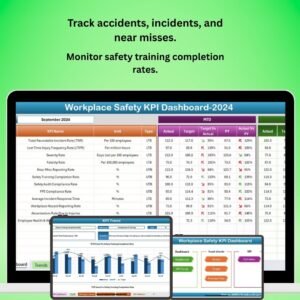
- Workplace Safety KPI Dashboard in Excel: monthly safety KPIs against targets
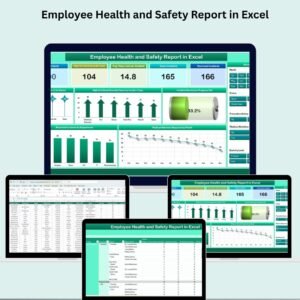
- Employee Health and Safety Report in Excel: a printable safety report
Browse all Health and Safety templates or the Excel calendars.






























Reviews
There are no reviews yet.