



The Keyword Performance KPI Dashboard in Excel is an essential tool for digital marketers, SEO specialists, and content managers who want to track and analyze the performance of keywords across their websites or digital campaigns. This Excel-based dashboard provides an organized and efficient way to monitor your SEO efforts, identify top-performing keywords, and make data-driven decisions to optimize your website’s ranking.
With this powerful dashboard, you can track keyword rankings, search volume, competition, and more. It offers valuable insights into your SEO performance and allows you to pinpoint areas where improvements can be made. Whether you are tracking a few keywords or managing a large portfolio, this tool helps you monitor, analyze, and improve your keyword strategy.
Key Features of the Keyword Performance KPI Dashboard in Excel
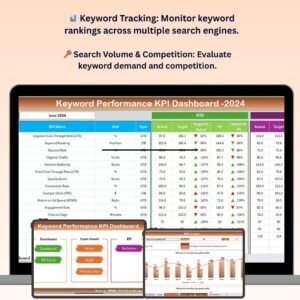
📊 Keyword Ranking Tracking
Track the performance of individual keywords across multiple search engines. Monitor position changes, keyword growth, and the effectiveness of your SEO campaigns in real-time.
🔑 Search Volume & Competition Analysis
Analyze keyword search volume to understand demand and competition levels to help prioritize SEO efforts. Identify high-potential keywords with manageable competition.
📈 SEO Performance Reporting
Generate reports that track keyword performance metrics, including search volume, competition, ranking position, and CTR (Click-Through Rate), all in one place.
⚙️ Customizable Metrics & KPIs
Customize the dashboard to track the most important metrics for your SEO strategy. Choose from a variety of KPIs like keyword difficulty, ranking growth, and organic traffic.
📅 Time-Based Performance Tracking
Analyze keyword performance over different time periods. Track progress weekly, monthly, or quarterly and identify long-term trends to optimize your SEO strategy.
🔄 Real-Time Updates & Automated Data Input
As you update your data, the dashboard automatically recalculates KPIs, ensuring you have the most up-to-date insights to manage your keyword strategy effectively.
Why You’ll Love the Keyword Performance KPI Dashboard in Excel

✅ Efficient Keyword Tracking
Track all your keywords in one place. Stay organized and monitor keyword performance across multiple search engines in real time.
✅ Data-Driven SEO Decisions
Make informed decisions about your SEO strategy with actionable insights based on real-time keyword performance data.
✅ Customizable for Your SEO Needs
Tailor the dashboard to reflect your specific SEO goals. Track the metrics that matter most to your business and adjust your focus as needed.
✅ Save Time with Automated Updates
Save time by automating keyword performance tracking. Enter new data and let the dashboard do the work of updating rankings, search volume, and other key metrics.
✅ Clear, Visual Reporting
Generate easy-to-understand visual reports to communicate keyword performance to your team or stakeholders. Use dynamic charts and graphs to demonstrate the effectiveness of your SEO efforts.
What’s Inside the Keyword Performance KPI Dashboard in Excel?
- Keyword Ranking Tracking: Monitor keyword positions across multiple search engines.
- Search Volume & Competition Analysis: Evaluate keyword demand and competition for better prioritization.
- SEO Performance Reporting: Track CTR, ranking, search volume, and keyword effectiveness.
- Customizable KPIs & Metrics: Tailor the dashboard to suit your SEO goals and track essential metrics.
- Time-Based Performance Analysis: Monitor keyword performance over weekly, monthly, or quarterly periods.
- Real-Time Updates: Keep your data current with automatic calculations and real-time updates.
How to Use the Keyword Performance KPI Dashboard in Excel
1️⃣ Download the Template: Instantly access the Keyword Performance KPI Dashboard in Excel.
2️⃣ Set Up Your Keywords & Metrics: Input your target keywords, define important KPIs, and customize the dashboard for your SEO strategy.
3️⃣ Track Keyword Performance: Monitor your keyword rankings, search volume, and competition levels over time.
4️⃣ Analyze Data & Insights: Use the dynamic visualizations and reports to gain insights into your SEO performance.
5️⃣ Optimize Your SEO Strategy: Use the insights to optimize your SEO campaigns, identify high-potential keywords, and adjust your strategy accordingly.
Who Can Benefit from the Keyword Performance KPI Dashboard in Excel?
🔹 Digital Marketers & SEO Specialists
🔹 Content Managers & Strategists
🔹 E-commerce Businesses & Online Retailers
🔹 Agencies & Freelancers in SEO
🔹 Website Owners & Bloggers
🔹 Marketing Teams & Consultants
🔹 Data Analysts & SEO Performance Analysts
Track and optimize your SEO efforts with the Keyword Performance KPI Dashboard in Excel. Monitor keyword rankings, evaluate search volume, and improve your website’s performance with clear, data-driven insights.
Click here to read the Detailed blog post
Visit our YouTube channel to learn step-by-step video tutorials
Youtube.com/@PKAnExcelExpert
Compatibility and Requirements
- Works in Microsoft Excel desktop (Excel 2016 or later, or Microsoft 365).
- Results are shown in charts. Microsoft explains Excel charts in Create a chart from start to finish.
Frequently Asked Questions
What does the Keyword Performance KPI Dashboard track?
It tracks keyword rankings, search volume, competition, click-through rate and organic traffic for the keywords you enter.
Can I review results by period?
Yes. You can look at keyword performance weekly, monthly or quarterly to spot long-term trends.
Do the KPIs update when I add data?
Yes. When you enter new data, the dashboard recalculates the KPIs and refreshes its charts.
Is there a Google Sheets or Power BI version?
Yes. The Keyword Performance KPI Dashboard in Google Sheets and the Power BI edition cover the same keyword metrics.
Related SEO and Keyword Templates
- Keyword Performance KPI Dashboard in Google Sheets: the same dashboard in Google Sheets
- Keyword Performance KPI Dashboard in Power BI: the same dashboard in Power BI
- SEO Content Performance KPI Dashboard in Excel: track how your content performs in search
- SEO and SEM Services KPI Dashboard in Excel: KPIs for SEO and SEM services
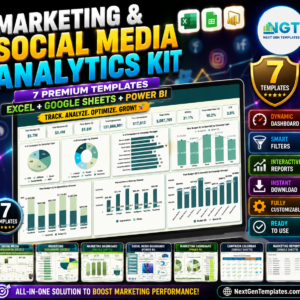
- Marketing and Social Media Analytics Kit: 7 marketing and social media templates in one download
Browse all Excel KPI dashboards or the Excel sales and marketing templates.








Reviews
There are no reviews yet.