



Key Features of Medical Device KPI Scorecard
Introducing the Medical Device KPI Scorecard, a ready-to-use, comprehensive digital template designed to streamline and enhance your medical device performance tracking. This scorecard is built specifically to meet the unique demands of the medical device industry, allowing you to monitor, analyze, and improve your key performance indicators (KPIs) effectively. With an intuitive interface and powerful features, this scorecard ensures you stay on top of your operational goals effortlessly.
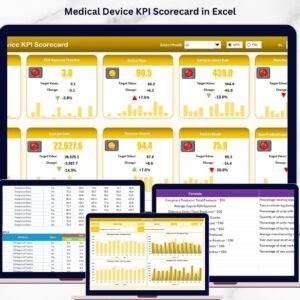
- 📊 Scorecard Sheet: The heart of the template where KPI performance is displayed. It features dropdown menus to select monthly, MTD (Month-to-Date), or YTD (Year-to-Date) data, enabling dynamic and flexible performance analysis.
- 🎯 Actual vs Target Values: Easily compare real results against targets to identify gaps and opportunities for improvement.
- 🌈 Visual Indicators: Color-coded visuals and conditional formatting make it easy to interpret performance status at a glance.
- 📈 KPI Trend Sheet: Analyze trends over time with selectable KPIs, detailed KPI groupings, units, formulas, and definitions, complemented by MTD and YTD trend charts.
- 🗃️ Input Data Sheet: A dedicated space for entering all KPI-related data, allowing seamless and flexible updates to keep your scorecard accurate and timely.
- 📚 KPI Definition Sheet: Store and manage KPI names, groups, units, formulas, and definitions to maintain clarity and consistency across your performance measures.
What’s Inside the Medical Device KPI Scorecard
This digital product contains a fully integrated Excel-based scorecard with four essential worksheets:

- 📋 Scorecard Sheet: Main dashboard for quick KPI performance review.
- 📊 KPI Trend Sheet: Dynamic charts and detailed KPI data for in-depth trend analysis.
- 📝 Input Data Sheet: User-friendly interface for entering and updating KPI values.
- 📖 KPI Definition Sheet: Comprehensive database for KPI descriptions and calculation methods.
Each sheet is carefully designed to provide a seamless user experience and actionable insights tailored to the medical device sector.
How to Use the Medical Device KPI Scorecard
Getting started with your Medical Device KPI Scorecard is simple and straightforward:
- 🔍 Select your analysis period: Use dropdowns on the Scorecard Sheet to choose between Month, MTD, or YTD views.
- 📥 Input your data: Enter current KPI values, targets, and other metrics in the Input Data Sheet to keep data fresh and relevant.
- 📈 Review trends: Navigate to the KPI Trend Sheet to analyze performance over time with detailed charts and KPI definitions.
- 🧾 Define or update KPIs: Use the KPI Definition Sheet to add new KPIs or modify existing ones, ensuring your scorecard evolves with your business needs.
- 📊 Interpret visuals: Leverage color-coded indicators to quickly spot performance issues or successes.
This scorecard empowers teams to make data-driven decisions, improve operational efficiency, and achieve regulatory compliance effortlessly.
Who Can Benefit from This Medical Device KPI Scorecard
Whether you are a medical device manufacturer, quality assurance manager, operation head, or a compliance officer, this KPI Scorecard is crafted to serve your needs perfectly.
- 🏥 Medical Device Manufacturers looking to monitor production and quality KPIs efficiently.
- 📋 Quality Assurance Teams aiming to track compliance and defect rates.
- 📊 Operations Managers who need to evaluate performance trends and optimize processes.
- 🔍 Regulatory and Compliance Officers focused on maintaining standards and audit readiness.
- 💼 Consultants and Analysts working with medical device companies to provide actionable insights.
This scorecard offers a user-friendly, customizable platform that adapts to different roles and organizational needs, making KPI management more transparent and actionable.
Click here to read the Detailed blog post.
Visit our YouTube channel to learn step-by-step video tutorials.
Watch the step-by-step video tutorial:
Compatibility and Requirements
- Works in Microsoft Excel desktop (Excel 2016 or later, or Microsoft 365).
- You pick Month, MTD or YTD from dropdowns on the Scorecard sheet, and the status colors come from conditional formatting. Microsoft explains the feature in Use conditional formatting to highlight information in Excel.
Frequently Asked Questions
Which sheets are included?
Four sheets: Scorecard, KPI Trend, Input Data and KPI Definition.
How do I update the scorecard?
Enter your KPI values and targets in the Input Data sheet. Then choose Month, MTD or YTD from the dropdowns on the Scorecard sheet to see the results.
Can I see how a KPI changes over time?
Yes. Open the KPI Trend sheet and select a KPI. It shows MTD and YTD trend charts along with the KPI group, unit, formula and definition.
Can I add my own KPIs?
Yes. Add or edit KPI names, groups, units, formulas and definitions in the KPI Definition sheet.
Is there a dashboard version for medical devices?
Yes. See the Medical Device KPI Dashboard in Excel, the Medical Device KPI Dashboard in Power BI and the Medical Device KPI Dashboard in Google Sheets.
Related Medical and KPI Scorecard Templates
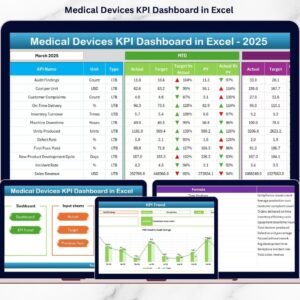
- Medical Device KPI Dashboard in Excel: a dashboard view of medical device KPIs
- Medical Device KPI Dashboard in Power BI: the Power BI edition
- Healthcare KPI Scorecard in Excel: a scorecard for healthcare organizations
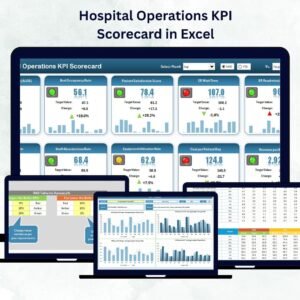
- Hospital Operations KPI Scorecard in Excel: a scorecard for hospital operations
- KPI Dashboard Library (Excel): 15 KPI templates in one download
Browse all Excel KPI dashboards.




Reviews
There are no reviews yet.