


Keyword performance is the foundation of every successful SEO, PPC, and content marketing strategy. Rankings, impressions, clicks, engagement, and conversions all depend on how well keywords perform across search engines. However, many marketing teams struggle because keyword data remains scattered across multiple tools, exports, and reports. As a result, performance tracking becomes slow, inconsistent, and unclear.Keyword Performance KPI Dashboard in Google Sheets
That is exactly why a Keyword Performance KPI Dashboard in Google Sheets becomes a powerful and practical solution.
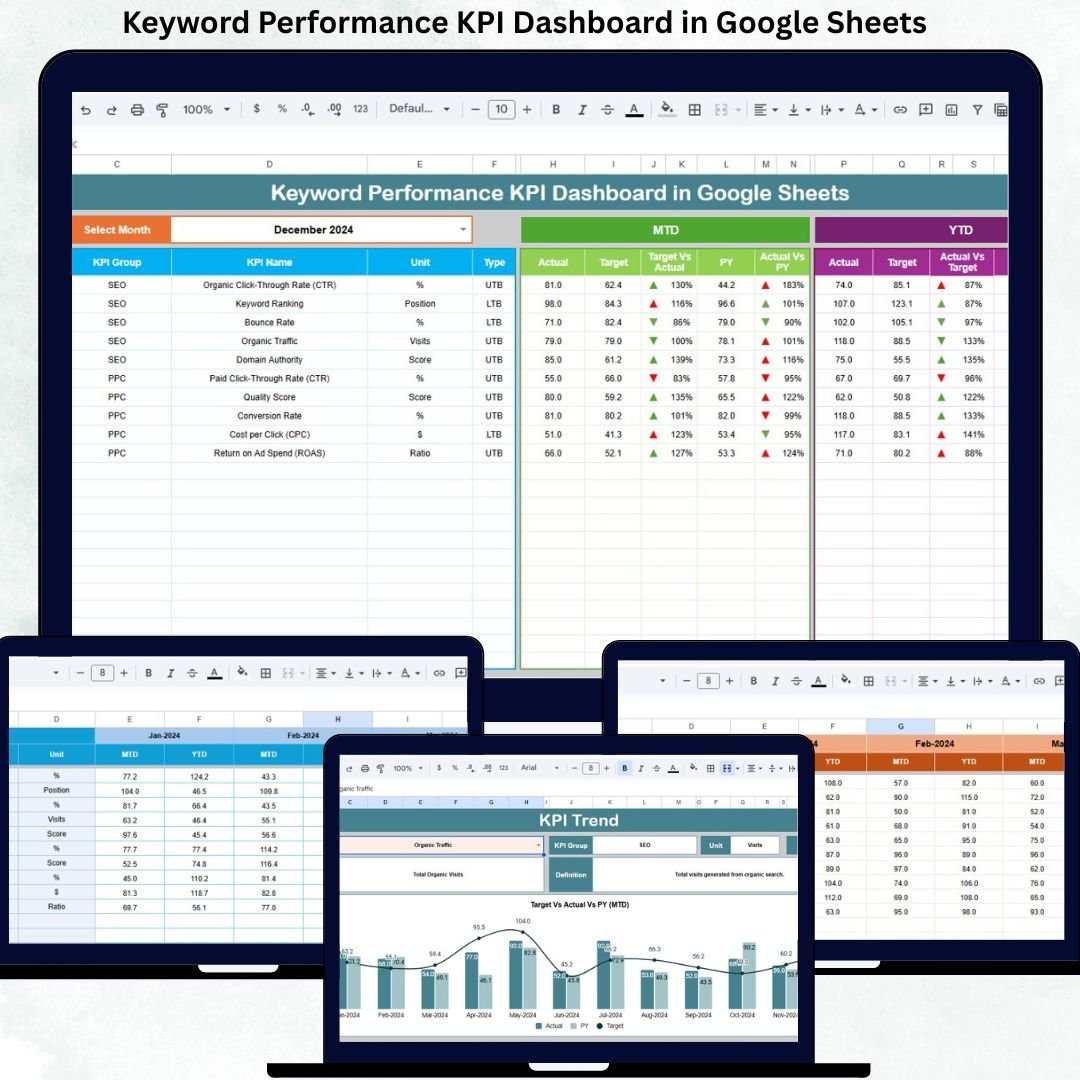
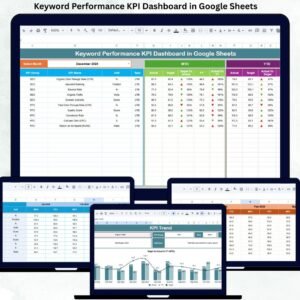
The Keyword Performance KPI Dashboard in Google Sheets is a ready-to-use analytical system that transforms raw keyword data into clear KPIs, trend insights, and performance comparisons. Instead of switching between SEO tools, spreadsheets, and presentations, marketers get a single centralized dashboard to track keyword visibility, traffic, engagement, conversions, and ROI—both month-to-date (MTD) and year-to-date (YTD).
Because the dashboard is built entirely in Google Sheets, it remains cloud-based, collaborative, and easy to maintain. Teams can update data monthly, collaborate in real time, and instantly see performance changes without relying on expensive BI tools or technical integrations.

🚀 Key Features of the Keyword Performance KPI Dashboard
🔎 Centralized SEO & PPC keyword tracking
📊 MTD and YTD performance comparison
🎯 Actual vs Target vs Previous Year analysis
📈 Trend analysis for every KPI
🧮 Automated calculations & visual indicators
🟢🔴 Conditional formatting with up/down arrows
🔄 Real-time updates in Google Sheets
🤝 Easy collaboration for teams & agencies
📂 What’s Inside the Dashboard
The dashboard is structured with 6 interconnected worksheet tabs, each designed for clarity and performance analysis.
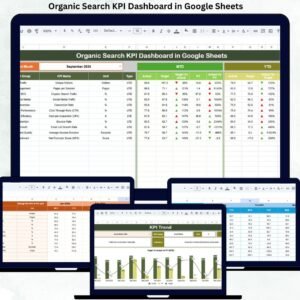
📊 Dashboard Sheet – Main KPI Overview
This is the executive summary page of the dashboard.
🔹 Month Selector
Located in cell D3
Selecting a month automatically refreshes all KPIs
🔹 KPIs Displayed
MTD (Month-to-Date)
Actual
Target
Previous Year
Target vs Actual
Previous Year vs Actual
YTD (Year-to-Date)
Actual
Target
Previous Year
Target vs Actual
Previous Year vs Actual
Conditional formatting arrows instantly highlight performance:
🟢 Green arrow → improvement
🔴 Red arrow → underperformance
This page is perfect for SEO reviews, PPC meetings, and leadership reporting.
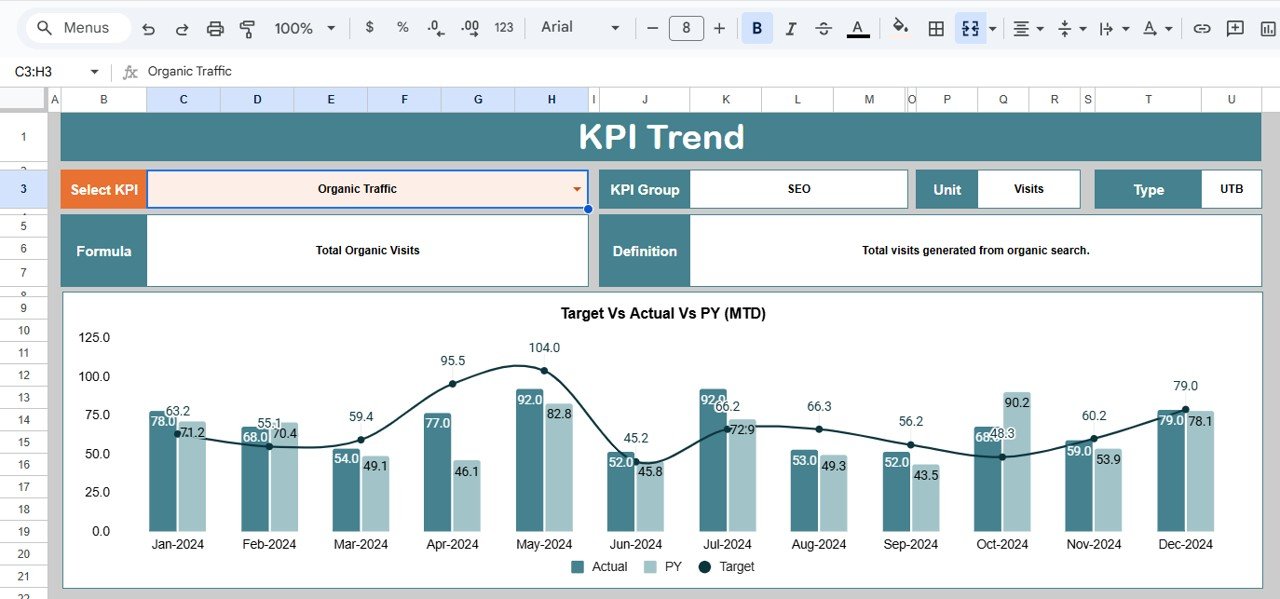
📈 KPI Trend Sheet – Deep-Dive Analysis
The KPI Trend Sheet allows detailed analysis of individual metrics.
🔹 How It Works
Select a KPI from the dropdown in cell C3
The sheet displays:
KPI Group
KPI Unit
KPI Type (Lower the Better / Upper the Better)
KPI Formula
KPI Definition
🔹 Trend Chart
Month-wise trend visualization
Helps identify:
Ranking volatility
Traffic seasonality
CTR improvement or decline
Conversion growth patterns
This sheet supports data-driven keyword optimization decisions.
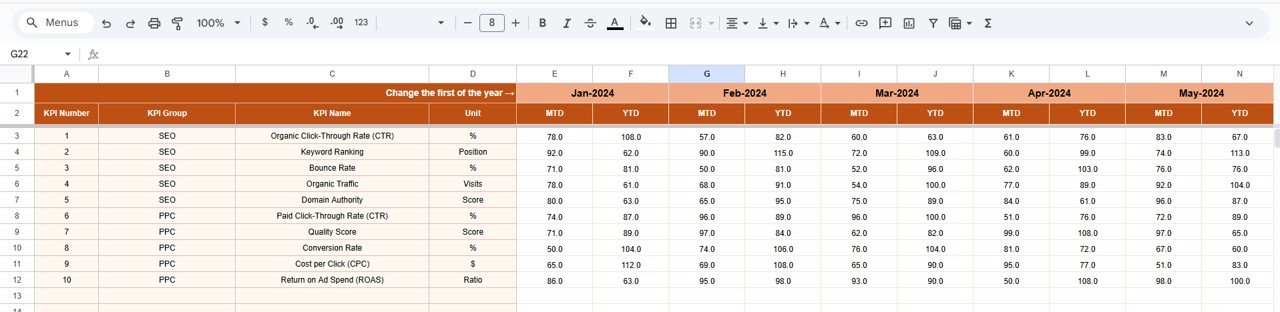
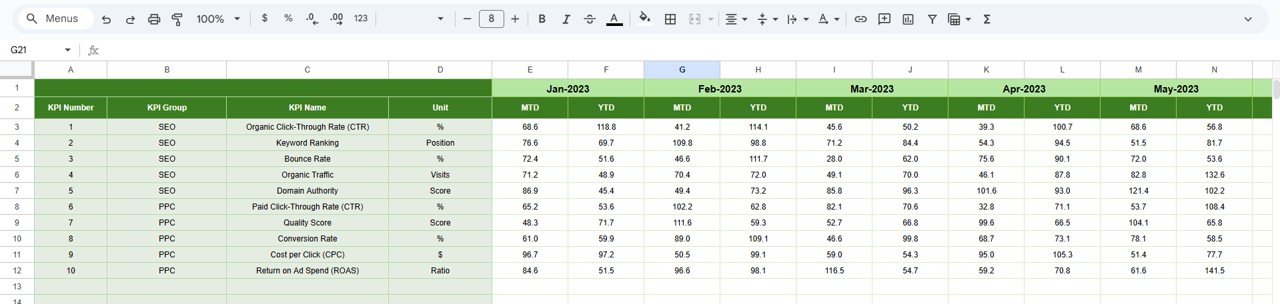
🧾 Actual Number Sheet – Data Entry
This sheet stores actual keyword performance values.
🔹 Key Functions
Select the first month of the year in cell E1
Enter:
MTD Actual values
YTD Actual values
All dashboards and charts update automatically from this sheet.
🎯 Target Sheet – Goal Setting
The Target Sheet defines performance expectations.
Monthly (MTD) keyword targets
Yearly (YTD) keyword targets
Targets allow teams to:
Measure SEO progress objectively
Align keyword goals with business strategy
Track accountability
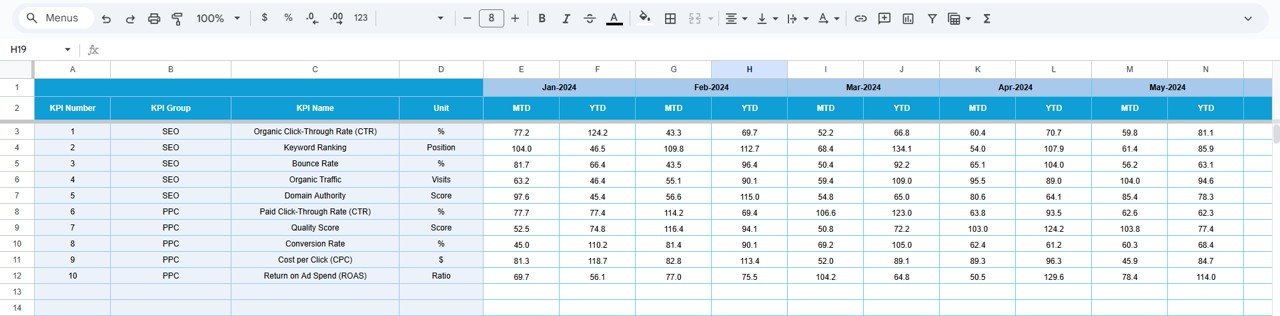
📅 Previous Year Number Sheet – YoY Comparison
This sheet stores last year’s keyword KPIs.
🔹 Why It Matters
Enables year-over-year comparison
Highlights long-term SEO growth
Identifies sustained ranking or traffic improvements
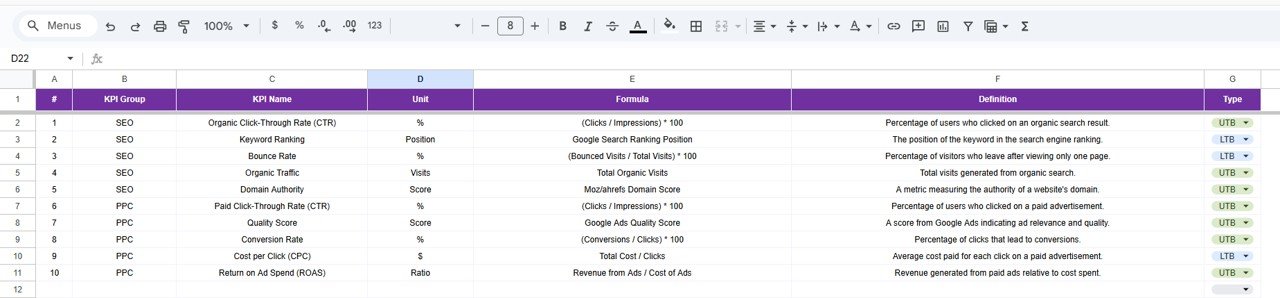
📘 KPI Definition Sheet – KPI Control Center
This reference sheet ensures clarity and consistency.
It contains:
KPI Name
KPI Group
Unit
Formula
Definition
KPI Type (LTB / UTB)
Any update here reflects across the entire dashboard automatically.
🏆 Advantages of the Keyword Performance KPI Dashboard
Centralized keyword performance monitoring
Clear SEO & PPC visibility
Faster reporting cycles
Better keyword prioritization
Strong trend-based insights
Improved budget optimization
No expensive SEO BI tools required
🔧 Opportunities for Improvement
You can further enhance this dashboard by adding:
Google Search Console integration
Google Ads keyword data
Competitor keyword comparison
Landing page performance KPIs
Keyword intent classification
Automated monthly data refresh
🧠 Best Practices for Using the Dashboard
Update keyword data monthly without delay
Review trend charts before SEO changes
Track rankings together with CTR
Focus on non-branded keyword growth
Compare YoY performance quarterly
Set realistic and measurable targets
🎯 Conclusion
A Keyword Performance KPI Dashboard in Google Sheets simplifies complex keyword data into actionable insights. It helps SEO and marketing teams track rankings, traffic, engagement, conversions, and ROI with clarity and confidence. With MTD and YTD tracking, trend analysis, and target comparison, this dashboard becomes an essential tool for consistent keyword growth and smarter SEO decision-making.
Click here to Read detailed blog post
Watch the step-by-step video tutorial:
🎥 Visit our YouTube channel for step-by-step tutorials
👉 https://youtube.com/@NeotechNavigators
Compatibility and Requirements
- Works in Google Sheets. You need a free Google account and a web browser.
- You pick the month from a dropdown on the Dashboard sheet, and the KPI on the KPI Trend sheet. Google explains dropdowns in Create an in-cell dropdown list.
Frequently Asked Questions
Which sheets are included?
Six sheets: Dashboard, KPI Trend, Actual Number, Target, Previous Year Number and KPI Definition.
How do I update the dashboard?
Select the first month of the year in cell E1 of the Actual Number sheet, then enter your MTD and YTD actual values. Add your goals in the Target sheet. The Dashboard and charts update from those sheets.
Can I compare this year with last year?
Yes. Enter last year’s KPI values in the Previous Year Number sheet. The Dashboard shows Actual, Target and Previous Year for both MTD and YTD, with Target vs Actual and Previous Year vs Actual comparisons.
How do I see the trend for one KPI?
Open the KPI Trend sheet and choose a KPI from the dropdown in cell C3. It shows a month-wise trend chart plus the KPI group, unit, type (Lower the Better or Upper the Better), formula and definition.
Is there an Excel or Power BI version?
Yes. See the Keyword Performance KPI Dashboard in Excel and the Keyword Performance KPI Dashboard in Power BI.
Related Dashboard Templates
- Keyword Performance KPI Dashboard in Excel: the same keyword KPIs in Excel
- Keyword Performance KPI Dashboard in Power BI: the Power BI edition
- Social Media Performance Dashboard in Google Sheets: track social channel performance in Google Sheets
- Marketing and Social Media Analytics Kit: 7 marketing analytics templates in one download
Browse all Google Sheets KPI dashboards.





























Reviews
There are no reviews yet.