


The best quality inspection checklist for most manufacturing teams is the Quality Control Checklist Template in Excel ($3.49). It tracks inspection items, owners, deadlines and completion percentage on one sheet. Teams that also need defect logs, pass/fail dashboards or KPI reporting can step up to the $6.99 tracker or the $79.99 Manufacturing Excellence Bundle.
Last updated: November 2026
Key takeaways
- The Quality Control Checklist Template in Excel costs $3.49 and shows total, completed and pending tasks with a completion percentage.
- The Quality Control Tracker in Excel ($6.99) adds a login, a data entry form and four pivot charts, for teams that need records rather than a list.
- The Manufacturing Excellence Bundle ($79.99) holds 8 Excel and Power BI templates and saves $44.93 against buying them separately ($124.92).
- Google Sheets versions of the checklist and tracker cost $3.49 and $6.99, so remote or multi-site teams are covered too.
- A checklist records that a check happened. It does not calculate yield or defect rate, so pair it with the $12.99 Manufacturing Quality Assurance KPI Dashboard in Excel.
A missed inspection rarely shows up on the day it is missed. It shows up weeks later as scrap, rework, a customer return or a failed audit, and by then nobody can say which shift skipped which check. A written, dated checklist is the cheapest way to close that gap. This post compares eight templates, from a $3.49 checklist to an $79.99 bundle, so you can pick the one that matches how much evidence your team needs to keep.
For a wider set of inspection tools built for EHS teams, see our guide to safety inspection checklist templates in Excel, Sheets and Power BI.
 Launch offer
SUMIFS, XLOOKUP, FILTER, LAMBDA and checking AI-written formulas, with real business projects. 11h 47m of video by PK, with practice files, quizzes and a capstone.
What does a missed quality inspection actually cost?
The standard way to count it is cost of quality, which splits spend into prevention, appraisal, internal failure and external failure. The American Society for Quality explains the model on its cost of quality page. A checklist sits in the appraisal bucket. It is cheap, and it moves defects from the expensive buckets (scrap, returns, warranty) into the cheap one.
Here is a worked example with made-up numbers, so you can swap in your own. A line makes 2,000 units a day. A skipped dimensional check lets 1.5% through with a fault, which is 30 units. If each faulty unit costs $12 to rework after it reaches final inspection, that is $360 a day, or about $7,900 over 22 working days. A $3.49 template does not remove that risk by itself, but it makes a skipped check visible the same day.
Quality inspection checklist templates compared
| Template | Format | Best For | Price |
|---|---|---|---|
| Quality Control Checklist Template in Excel (Best overall) | Excel | Daily inspection lists with status and completion % | $3.49 |
| Quality Control Checklist in Google Sheets | Google Sheets | Shared checklists across shifts or sites | $3.49 |
| Quality Control Action Plan Checklist in Excel | Excel | Defects, corrective and preventive actions | $3.49 |
| Quality Control Tracker in Excel | Excel (VBA) | Secure inspection records with a dashboard | $6.99 |
| Quality Control Tracker in Google Sheets | Google Sheets | Pass/fail tracking with real-time collaboration | $6.99 |
| Manufacturing Quality Assurance KPI Dashboard in Excel | Excel | Defect, yield and rework reporting | $12.99 |
| Manufacturing Excellence Bundle (Best value) | Excel + Power BI | Plants that want QA, KPIs and production in one pack | $79.99 |
| Plant Production Manager Toolkit | Excel + Power BI | Plant managers who also run OEE and planning | $79.99 |
How we picked these
We searched the NGT catalog of roughly 6,900 products for checklist, quality control, QA and manufacturing templates, then kept only paid products whose descriptions clearly cover inspection, defect or quality tracking. We favoured items that cover a different step in the inspection workflow: checking, recording, correcting and reporting. Free or loosely related templates, such as general task lists, were left out. Where the same tool exists in Excel and Google Sheets, both are listed so you can choose your format.
What are the 8 best quality inspection checklist templates for 2026?
1. Quality Control Checklist Template in Excel: best overall
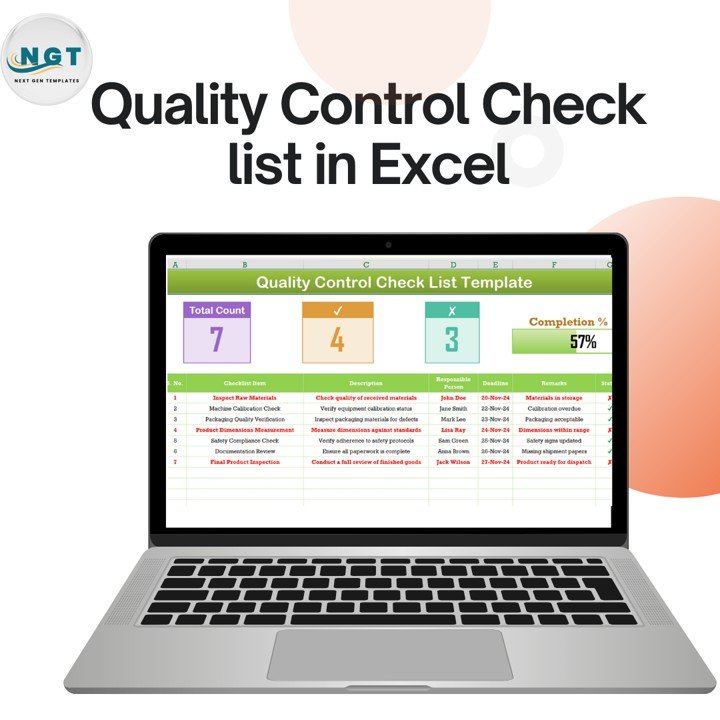
This is a structured checklist with a dashboard on top. Each row holds an inspection item, the responsible person, a deadline and a remark, and the sheet shows done and pending items with check and cross symbols. It ranks first because it solves the core job (did every check happen, and who owns the open ones) for $3.49 and needs only basic Excel knowledge.
Who it is for: manufacturing, production and compliance teams, plus quality assurance staff who need a printable list for audits.
- Pre-built checklist layout with items, owners, deadlines and remarks
- Dashboard showing total, completed and pending tasks and completion percentage
- Red highlights on critical pending items
- No macros or complex formulas; export to PDF or print
Use cases: a 25-item incoming raw material check per delivery; a weekly calibration list for 10 gauges; a final product review signed off before each shipment; a pre-audit sweep where you want to see 100% complete before the auditor arrives.
Price: $3.49. Get the quality control checklist Excel template.
Best for: any team starting a documented inspection routine on a tiny budget.
2. Quality Control Checklist in Google Sheets
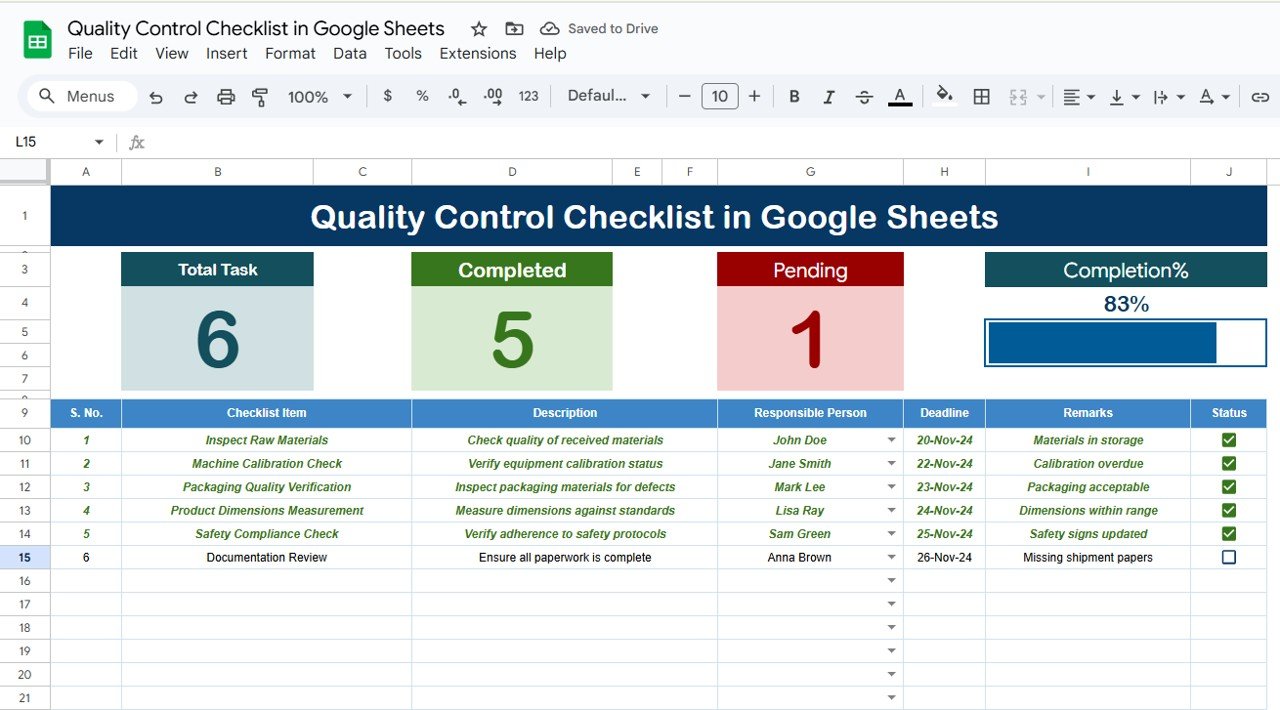
This is the same idea built for shared editing. Several people can update the checklist at once, and color-coded status indicators show what is finished. The template lets you record the inspection date, inspector name, result and whether a task passed or needs further action.
Who it is for: supervisors who split inspection work across shifts, buildings or remote reviewers.
- Customizable checklist: add or remove items and categories
- Inputs for date, inspector, results and follow-up
- Real-time collaboration with team members
- Color-coded status indicators
Use cases: two shifts logging the same 15 start-up checks without emailing files; a quality lead reviewing results from a second site each morning; a supplier visit where the auditor edits live from a tablet.
Price: $3.49. See the Google Sheets quality control checklist.
Best for: teams that already work in Google Workspace and want one live copy.
3. Quality Control Action Plan Checklist in Excel

A checklist tells you what failed. This template tells you what happens next. It covers defect tracking, corrective actions with owners and deadlines, preventive actions, progress tracking and charts for trends.
Who it is for: quality managers, production team leaders and project managers who must close out findings.
- Defect log for issues found in production or service delivery
- Corrective action plan with responsibility and deadlines
- Preventive action planning
- Charts to review trends and results
Use cases: logging a nonconformance from a Monday inspection and assigning a fix by Friday; keeping a list of preventive actions raised after a customer complaint; showing an auditor that each finding has an owner and a date.
Price: $3.49. Open the quality control action plan checklist.
Best for: teams whose inspections already find problems and who need a clean follow-up trail.
4. Quality Control Tracker in Excel
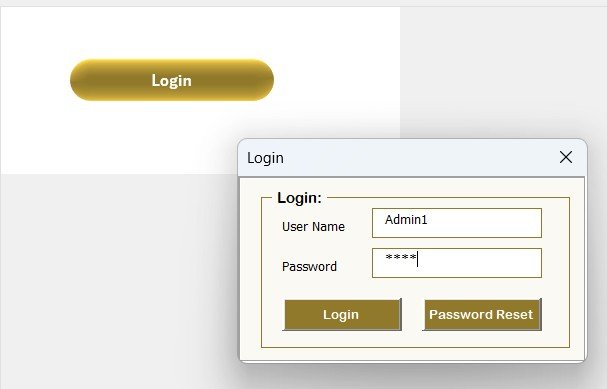
This is a VBA-powered tracker, not a single sheet. It has a login form, a main control form, a data entry form and a dashboard with four pivot charts: QC by status, by inspector, by department and by quality parameter. Slicers filter by date, department, status and inspector.
Who it is for: manufacturing, logistics and pharmaceutical teams that need controlled access to inspection records.
- Login form and user management for admins
- Entry form with ID, date, inspector, department, observation, score, status, parameter and remarks
- Dashboard that refreshes after each change
- Manage-list sheet for inspector names, departments and statuses
Use cases: comparing inspector counts by department; filtering to all failed records in a month; keeping edit rights limited to named users.
Price: $6.99. Get the quality control tracker in Excel.
Best for: teams that want an inspection database inside Excel without writing code.
5. Quality Control Tracker in Google Sheets
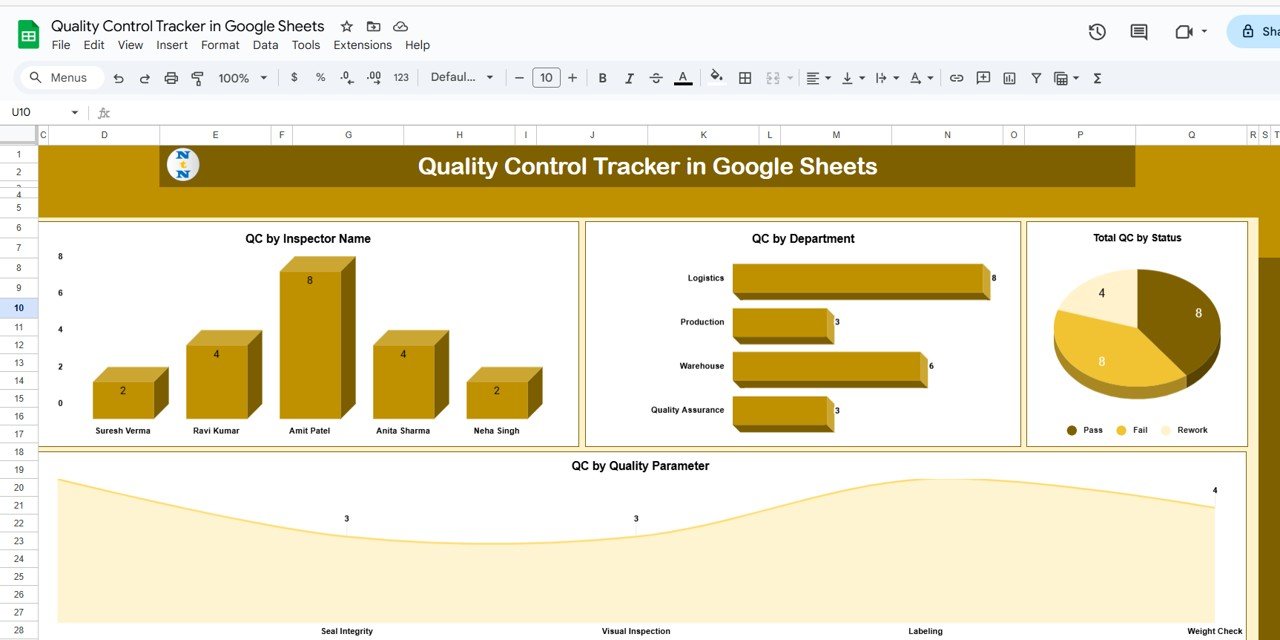
The tracker tab has summary cards for total QC activities, passed and failed, plus charts by inspector, department, status and quality parameter. A search box filters records by keyword and field. A separate data sheet stores every entry in a pivot-table friendly layout.
Who it is for: quality leads who want a pass/fail view and live team input without Excel macros.
- Cards for total, passed and failed inspections
- Charts by inspector, department, status and parameter
- Search by keyword and field name
- Pre-filled sample data and customizable fields
Use cases: a weekly pass/fail review by department; checking one inspector against the team; adding a custom parameter such as packaging or visual inspection.
Price: $6.99. See the Google Sheets quality control tracker.
Best for: collaborative teams that want pass/fail visibility in the browser.
6. Manufacturing Quality Assurance KPI Dashboard in Excel
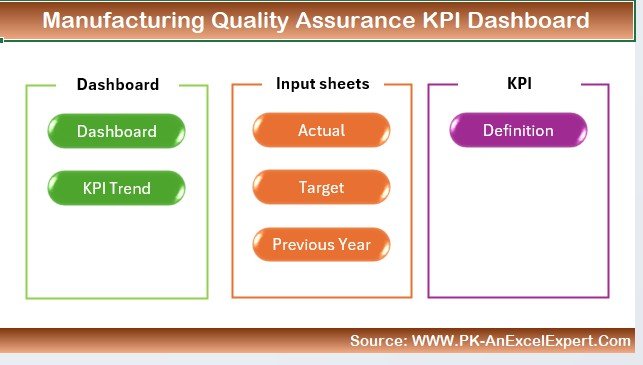
Once checklists are filling up, this dashboard turns results into rates. It tracks defect rates, yield rates, inspection pass rates and rework rates, analyses defects by category, production line or machine, and compares actual with planned output over time.
Who it is for: manufacturers who report quality to management and want to find root causes.
- Defect, yield, pass and rework metrics
- Defect analysis by category, line or machine
- Actual versus planned production
- Customizable layout and time-based views
Use cases: a monthly review where pass rate is calculated as passed inspections divided by total inspections; spotting one machine with the most defects; showing rework trends to a plant manager.
Price: $12.99. Get the manufacturing quality assurance KPI dashboard.
Best for: teams who need numbers on top of the checklist.
7. Manufacturing Excellence Bundle: best value

This pack has 8 templates across Excel and Power BI covering production, quality, KPIs, variance and management systems. It includes a dedicated QA dashboard and a quality control tracker, plus KPI scorecards and a VBA-powered management system. Individually the set totals $124.92, so the $79.99 price saves $44.93 (36%).
Who it is for: manufacturing managers, plant directors and operations leads who want shop floor tracking and executive reporting.
- 8 templates in Excel and Power BI
- QA dashboard and quality control tracker
- KPI scorecards with MTD, YTD and previous year comparisons
- Variance analysis and a complete management system
Use cases: running inspections in the tracker while reporting defect rates in the QA dashboard; presenting KPI scorecards in a monthly review; spotting cost overruns through variance analysis.
Price: $79.99. Get the Manufacturing Excellence Bundle.
Best for: plants that would otherwise buy three or four of the templates above one by one.
8. Plant Production Manager Toolkit
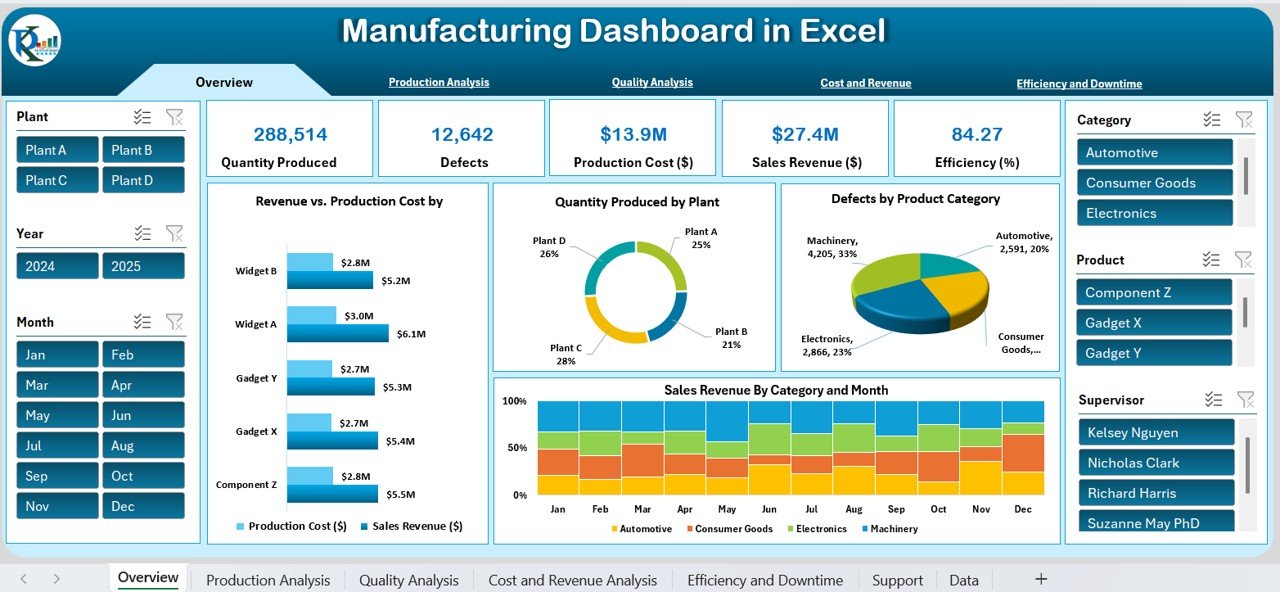
This toolkit has 9 templates covering production, OEE, planning, quality, scorecards and machinery in Excel and Power BI. It lists 15+ manufacturing KPIs, including OEE, FPY, scrap rate, MTBF, MTTR, throughput and capacity utilisation. Bought individually the set is $132.91, so $79.99 saves $52.92 (40%).
Who it is for: plant and production managers whose job extends well past inspection.
- OEE tracking and production planning dashboard
- VBA production management system with forms and reports
- KPI scorecard with traffic lights for MTD and YTD
- Heavy machinery analytics for utilisation, fuel, maintenance and downtime
Use cases: tracking first pass yield next to OEE; running a monthly scorecard review; checking schedule attainment against targets.
Price: $79.99. Get the Plant Production Manager Toolkit.
Best for: managers who want quality inside a full plant analytics stack.
How do I choose the right quality inspection checklist?
| If you need | Choose | Price |
|---|---|---|
| A simple signed-off list per shift | Quality Control Checklist Template in Excel | $3.49 |
| The same list, edited live by several people | Quality Control Checklist in Google Sheets | $3.49 |
| Findings turned into corrective actions | Quality Control Action Plan Checklist in Excel | $3.49 |
| A secure inspection log with charts | Quality Control Tracker in Excel | $6.99 |
| Pass/fail cards in the browser | Quality Control Tracker in Google Sheets | $6.99 |
| Defect, yield and rework rates | Manufacturing Quality Assurance KPI Dashboard | $12.99 |
| All of the above plus production KPIs | Manufacturing Excellence Bundle | $79.99 |
The bundle maths is simple. The three $3.49 checklists, both $6.99 trackers and the $12.99 dashboard come to $37.44 if you buy the six single templates. If you only need quality tracking, buy singles. If you also want production, variance and scorecard reporting, the $79.99 bundle covers 8 templates for less than the $124.92 list total.
For wider reading, see our guides to quality control dashboard templates for ISO 9001 teams, the quality manager template stack and business checklist templates in Excel and Google Sheets. If you want a quality KPI view, read about a quality KPI dashboard or a quality assurance dashboard. Safety teams can compare free safety inspection checklist templates.
Get the right template now
Start with the Quality Control Checklist Template in Excel for $3.49, or take the Manufacturing Excellence Bundle for $79.99 if you want quality, KPIs and production together.
When is a spreadsheet checklist NOT the right answer?
A spreadsheet checklist is the wrong tool in several situations. If hundreds of inspectors enter data at once, or you need a locked audit trail with electronic signatures for regulated industries, buy dedicated quality management software. Examples include tools such as SafetyCulture (iAuditor) or a full QMS suite. Check their current published pricing before you decide.
It is also the wrong answer if inspections happen on a phone at the point of use with photos and barcode scans, or if your customer demands automated SPC charts. Excel files can be edited by anyone with access, unless you use the tracker’s login. A checklist also cannot fix a poor inspection plan. If the checks are wrong, ticking them off faster will not help. Define the checks first, ideally against your ISO 9001 procedures (see the ISO 9001:2015 standard).
Frequently asked questions
What is a quality inspection checklist?
A quality inspection checklist is a written list of checks an inspector completes against a product, process or delivery. Each item records pass or fail, who checked it and when. It creates evidence that inspections happened and makes missed checks visible before defects reach the customer.
What should a quality inspection checklist include?
Include the inspection item, acceptance criterion, responsible person, date or deadline, result and a remarks field. Add a status that shows complete or pending and a place for corrective action. The Quality Control Checklist Template in Excel ($3.49) already has items, owners, deadlines and remarks in one table.
Is there a quality control checklist template in Excel?
Yes. The Quality Control Checklist Template in Excel costs $3.49. It has a pre-built layout, automated status tracking, a dashboard with completion percentage, color-coded remarks and printable output. It needs no macros, so basic Excel knowledge is enough to customize it.
What is the difference between a quality checklist and a quality tracker?
A checklist confirms that required checks were done, usually on one list per run. A tracker stores every inspection as a record and reports on them. The $6.99 Quality Control Tracker adds a data entry form, dashboard charts and slicers for date, department, status and inspector.
Can I use a quality inspection checklist in Google Sheets?
Yes. The Quality Control Checklist in Google Sheets ($3.49) supports real-time collaboration, customizable items and color-coded status indicators. If you also want pass/fail cards and charts, the Quality Control Tracker in Google Sheets costs $6.99 and includes search and a backend data sheet.
How do I calculate inspection pass rate?
Divide passed inspections by total inspections and multiply by 100. For example, 188 passes out of 200 inspections is a 94% pass rate. Track it by line, shift or inspector. The Manufacturing Quality Assurance KPI Dashboard in Excel ($12.99) reports inspection pass rates along with defect, yield and rework rates.
How often should quality inspections be done?
It depends on risk. High-volume or safety-critical steps are usually checked every shift or every batch, while stable low-risk steps are checked weekly. Set the frequency in your inspection plan, then use the checklist deadline and status columns to confirm each check happened on schedule.
Are Excel quality checklists accepted for ISO 9001 audits?
ISO 9001 requires documented information and evidence of control, not a specific software. A well-kept Excel checklist with dates, owners and results can serve as a record. Printable output helps during audits, but you remain responsible for document control and retention under your own procedures.
Is the Manufacturing Excellence Bundle worth it for quality teams?
It is worth it if you also report production KPIs, variance and scorecards. The $79.99 bundle includes 8 Excel and Power BI templates, including a QA dashboard and quality control tracker, and saves $44.93 against the $124.92 individual total. For checklists only, the $3.49 template is enough.
Get more quality inspection checklist templates
Want everything in one download? The Manufacturing Excellence Bundle gives you 8 Excel and Power BI templates for $79.99, a saving of $44.93. For a wider production stack with OEE, the Plant Production Manager Toolkit is $79.99 for 9 templates. Watch walkthroughs on the NextGenTemplates YouTube channel.