

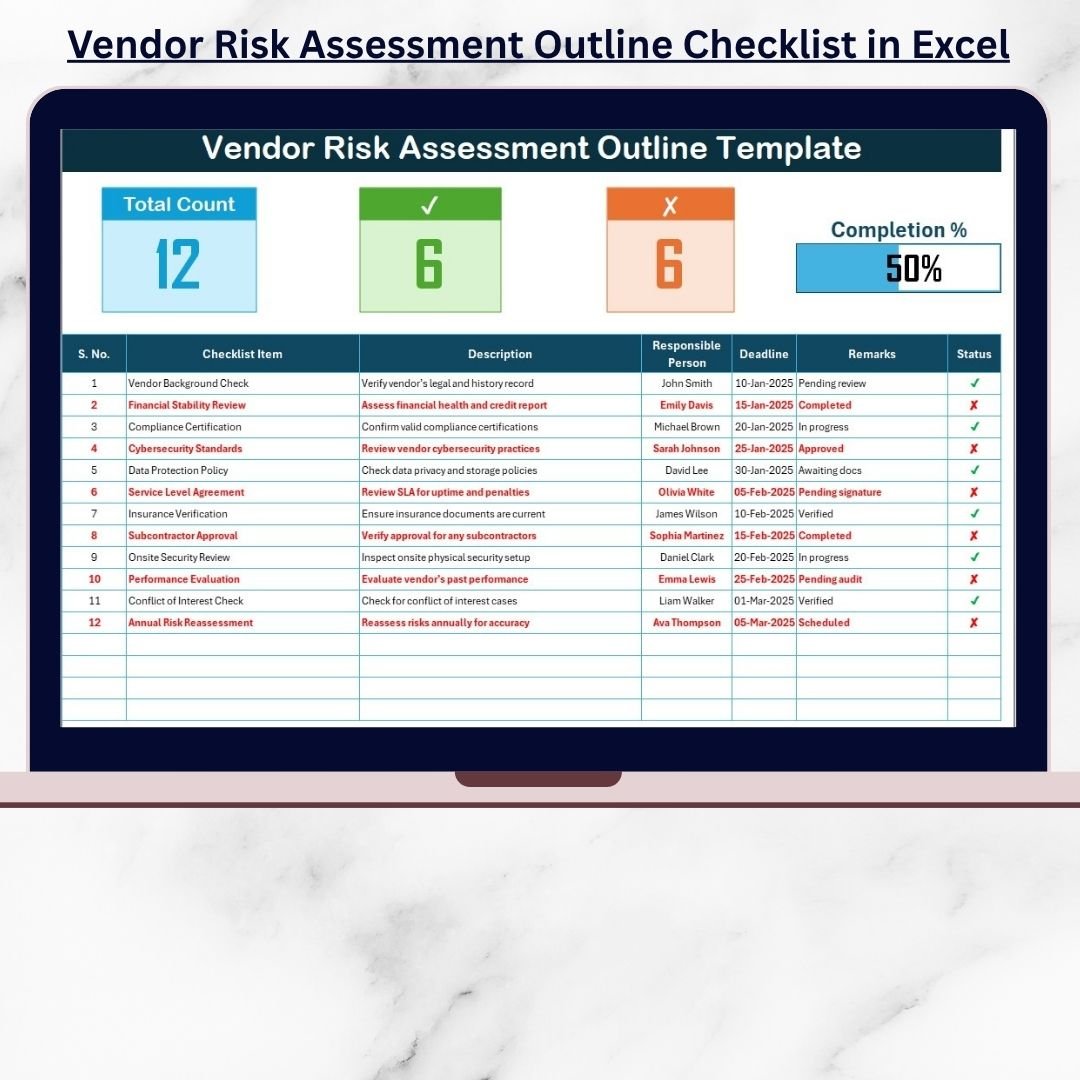
In today’s complex business world, managing third-party vendors is one of the most critical aspects of compliance and risk governance. 🧩 The Vendor Risk Assessment Outline Checklist in Excel provides a structured, easy-to-use framework that helps organizations evaluate, monitor, and mitigate vendor-related risks — all from a single Excel file.
Whether you’re working with IT service providers, logistics partners, consultants, or suppliers, this tool ensures every vendor is assessed fairly and consistently.
It’s the perfect solution for procurement, compliance, and risk management teams who want to stay organized, accountable, and audit-ready — without needing any additional software.
✨ Key Features of the Vendor Risk Assessment Outline Checklist in Excel
✅ Two Pre-Built Sheets: Main Checklist and List Sheet for structured workflow
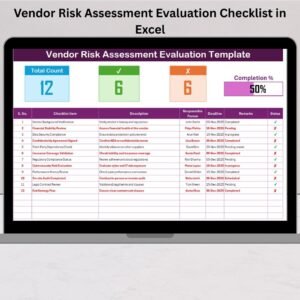
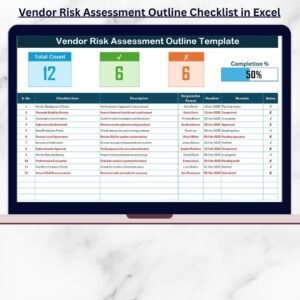
✅ Automated Summary Dashboard: Displays total items, completed tasks, and real-time progress bar
✅ Interactive Checklist Table: Manage vendor risk areas with detailed descriptions and responsible persons
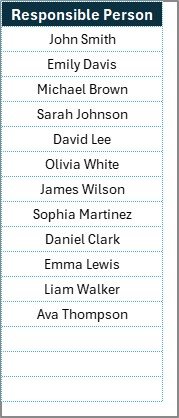
✅ Dynamic Dropdowns: Auto-populate team member names for faster, error-free assignment
✅ Deadline Tracking: Stay on top of key dates with built-in deadline management
✅ Progress Bar Visualization: Watch your completion status update automatically as you check items
✅ Fully Customizable: Add or modify checklist items, categories, or columns to match your organization’s policies
This Excel template is intuitive and powerful — simplifying what used to be a manual, error-prone process into a smooth, automated workflow.
📂 What’s Inside the Vendor Risk Assessment Outline Checklist in Excel
📋 1️⃣ Vendor Risk Assessment Outline Checklist Sheet
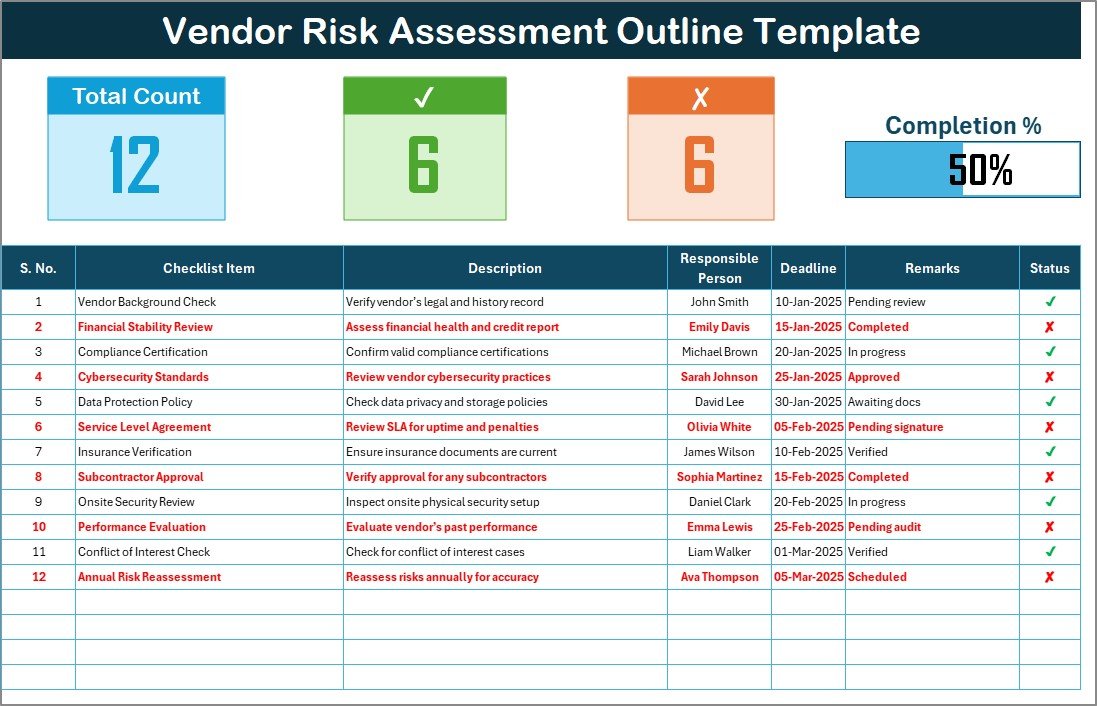
The main worksheet where the actual evaluation happens.
Includes key sections such as:
Top Summary Panel:
Total Checklist Items
Checked (✔) Items
Crossed (✘) Items
Progress Bar (%)
Checklist Table Columns:
Serial No.
Checklist Item
Description
Responsible Person (with dropdown)
Deadline
Remarks
Status (✔ or ✘)
As the status column updates, the top summary and progress bar automatically refresh — giving you a live dashboard view of progress.
📄 2️⃣ List Sheet
Stores the names of responsible team members. This enables a dropdown menu in the checklist tab for consistent and error-free task assignment.
Together, these sheets create a seamless process for tracking vendor risk assessments from start to finish.
🧭 How to Use the Vendor Risk Assessment Outline Checklist
1️⃣ Open the File: Start in Excel — no installation or macros needed.
2️⃣ Set Up Team Names: Go to the List Sheet and add names of all responsible persons.
3️⃣ Enter Checklist Items: In the main sheet, list each risk area with descriptions, deadlines, and assigned personnel.
4️⃣ Update Status: Mark ✔ for completed and ✘ for pending/incomplete.
5️⃣ Monitor Progress: Watch the progress bar auto-update as your checklist advances.
6️⃣ Add Notes: Use the Remarks column for comments or next steps.
In minutes, you’ll have a clear, actionable picture of your vendor risk landscape.
📊 Key Risk Categories You Can Track
1️⃣ Security & Data Protection
Vendor’s cybersecurity measures and data handling practices
2️⃣ Financial Stability
Vendor’s financial strength and long-term reliability
3️⃣ Regulatory Compliance
Adherence to laws like GDPR, HIPAA, or SOX
4️⃣ Operational Performance
Delivery, uptime, and issue resolution efficiency
5️⃣ Reputation & Ethics
Ethical conduct and previous audit findings
6️⃣ Business Continuity
Contingency plans and disaster recovery readiness
Each section ensures your assessment covers all critical risk dimensions — from IT and operations to finance and compliance.
🚀 Advantages of Using This Template
✅ Centralized Vendor Oversight: Track every vendor in one place
✅ Enhanced Accountability: Assign responsibilities clearly with deadlines
✅ Audit-Ready Reports: Maintain transparent records for compliance reviews
✅ Automated Tracking: Progress indicators update without manual effort
✅ Customizable Framework: Adjust checklists, formulas, or visuals to fit your needs
✅ Consistent Evaluation: Standardized format ensures uniform assessments
✅ Quick Setup: Start using immediately — no coding required
With this Excel-based solution, your vendor risk process becomes structured, measurable, and efficient.
👥 Who Can Use This Checklist
🏢 Procurement Teams: Assess vendor reliability before contracts
🧾 Compliance Officers: Monitor regulatory and audit readiness
💰 Finance Departments: Evaluate financial and reputational risk
💻 IT Security Teams: Verify data protection and cybersecurity compliance
🧠 Risk Managers: Oversee enterprise-wide vendor governance
Perfect for organizations of all sizes — from startups to large enterprises.















Reviews
There are no reviews yet.