



In today’s technology-driven world, staying responsive and resilient is key to delivering exceptional customer service. That’s why we created the Technology Customer Service Supply Chain Resilience Calendar in Excel—a dynamic, user-friendly, and fully automated planning tool designed to elevate your operational readiness.
Whether you’re managing planned downtime, vendor meetings, or incident responses, this calendar brings complete visibility into your supply chain events—all in a familiar Excel interface that your team already knows how to use.
Let’s explore why this Excel calendar is more than just a scheduler—it’s your digital command center.
✨ Key Features of the Resilience Calendar
🏠 Centralized Navigation with Home Sheet

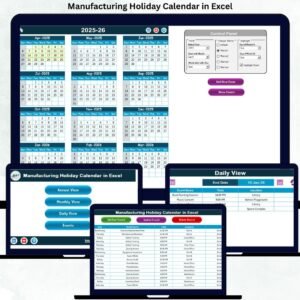
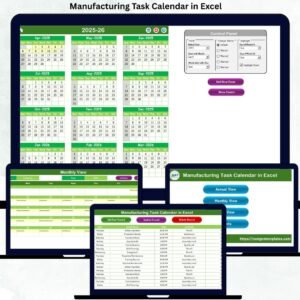
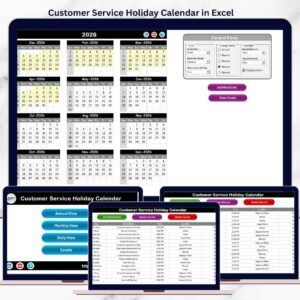
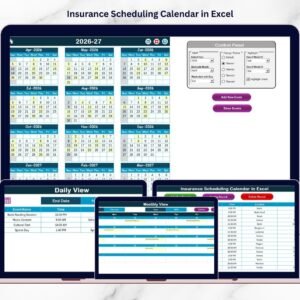
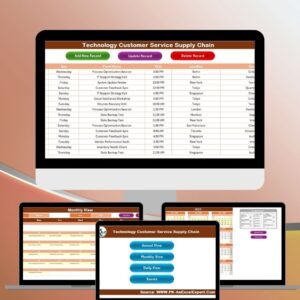
One-click buttons take you directly to Annual, Monthly, Daily Views, and Event Database—no scrolling or tab hunting required!
📆 Annual View with Smart Filters
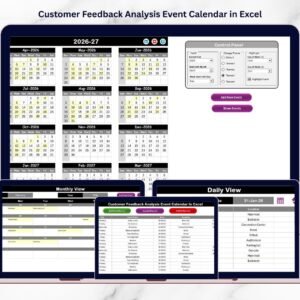
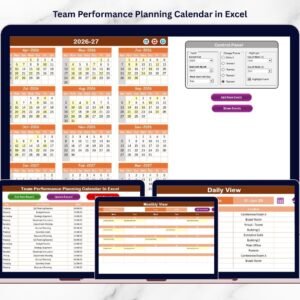
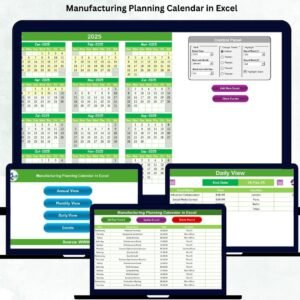
View all 12 months in a single glance. Choose your year, month, and even customize color themes to match your organization’s branding or projects.
📅 Monthly & Daily Zoom Views
See upcoming events, spot busy periods, and review everything from major system upgrades to training sessions—one date at a time or across ranges.
🔔 Built-in Event Management
Add, update, or delete events using interactive forms. No coding required—just click, type, and save!
🎨 Theme & Highlight Controls
Pick from 5 pre-set color schemes, highlight weekends or critical days, and keep your calendar visually organized.
📦 What’s Inside the Calendar
📂 Home Sheet – Quick navigation to any view
📆 Annual View Tab – Full-year visual with highlight & theme controls
🗓️ Monthly View Tab – Detailed month view with event summary
📋 Daily View Tab – See all events for any selected date range
📑 Events Sheet (Database) – Store and manage all event records with auto-generated IDs
🛠️ How to Use the Product
🔧 Select Your Year & Month from the Annual View settings panel
➕ Add Events from any view by clicking the “Add New Event” button
🔍 Show Scheduled Events by date in Monthly or Daily View
📝 Edit/Delete Events in the Event Sheet using ID-based forms
🎨 Customize Themes or highlight weekends and key dates for better planning
💾 Save Regular Backups and share via OneDrive or email with ease
No coding. No extra software. Just Excel + You!
👥 Who Can Benefit from This Calendar?
🖥️ IT Support Teams – Track scheduled maintenance or downtime
🤝 Customer Service Managers – Plan escalations, training, or team rotations
📦 Supply Chain Coordinators – Manage vendor meetings, logistics, and delivery dates
🧑💼 Operations Managers – Oversee task distribution and plan ahead
🛠 SaaS & Tech Startups – Improve response time and service coordination affordably
🔗 Click here to read the Detailed blog post
📺 Visit our YouTube channel to learn step-by-step video tutorials
Watch the step-by-step video tutorial:
Compatibility and Requirements
- Works in Microsoft Excel desktop (Excel 2016 or later, or Microsoft 365).
- The Annual, Monthly and Daily views and the Events sheet all live in one workbook. Microsoft explains how to color-code cells in Use conditional formatting to highlight information in Excel.
Frequently Asked Questions
Which sheets are included?
Five parts: a Home sheet, an Annual View tab, a Monthly View tab, a Daily View tab and an Events sheet that stores every event record.
How do I add an event?
Click the “Add New Event” button from any view, fill in the form and save. The event is stored in the Events sheet with an auto-generated ID.
How do I edit or delete an event?
Open the Events sheet and use the ID-based forms to edit or delete a record.
Can I change the colors?
Yes. You can pick from 5 preset color themes and highlight weekends or key dates in the Annual View.
Is there a version for other teams?
Yes. For example, see the Technology IT Supply Chain Resilience Calendar in Excel and the Technology Operations Supply Chain Resilience Calendar in Excel.
Related Calendar Templates
- Customer Service Supply Chain Resilience Calendar in Excel: the same calendar for customer service teams in any industry
- Technology Customer Service Customer Experience Calendar in Excel: plan customer experience events for a technology service team
- Technology Customer Service Remote Work Calendar in Excel: schedule remote work and coverage for support staff
- Technology Logistics Supply Chain Resilience Calendar in Excel: a logistics view of supply chain events
- Technology Procurement Supply Chain Resilience Calendar in Excel: a calendar for vendor and purchasing events
Browse all Excel calendar templates.

























Reviews
There are no reviews yet.