
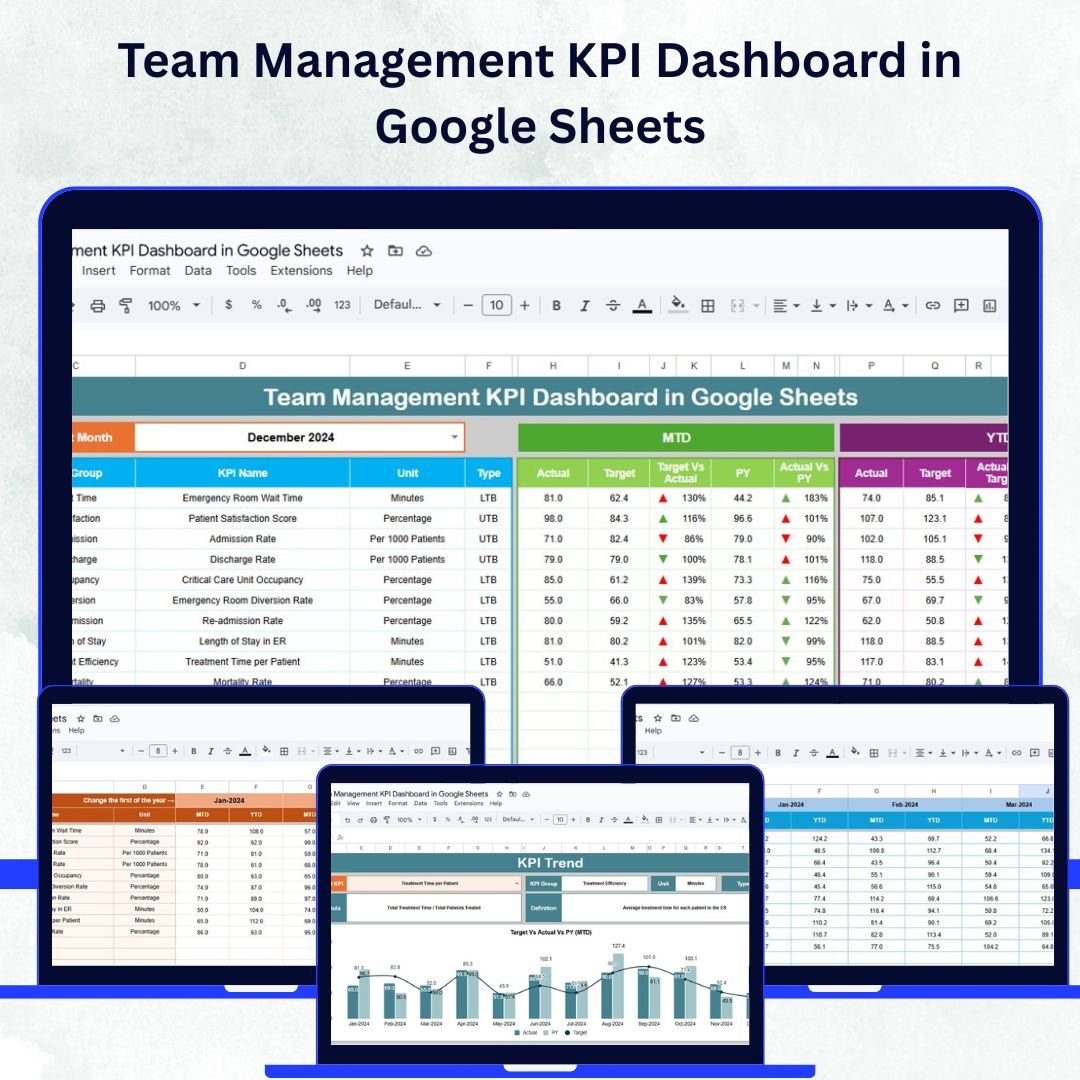
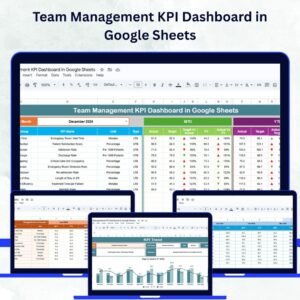
Managing a team effectively means understanding performance trends, spotting challenges early, and celebrating success through measurable results. The Team Management KPI Dashboard in Google Sheets is a ready-to-use solution that empowers managers to track, compare, and analyze team performance using real-time data and visual insights.
This interactive dashboard helps you consolidate all key metrics—such as productivity, attendance, response time, and project success—into a single, easy-to-read platform. With built-in charts, dynamic drop-downs, and automated comparisons, it simplifies complex reporting and supports smarter decision-making. 🚀
🔑 Key Features of the Team Management KPI Dashboard
📋 Dashboard Sheet Tab
-
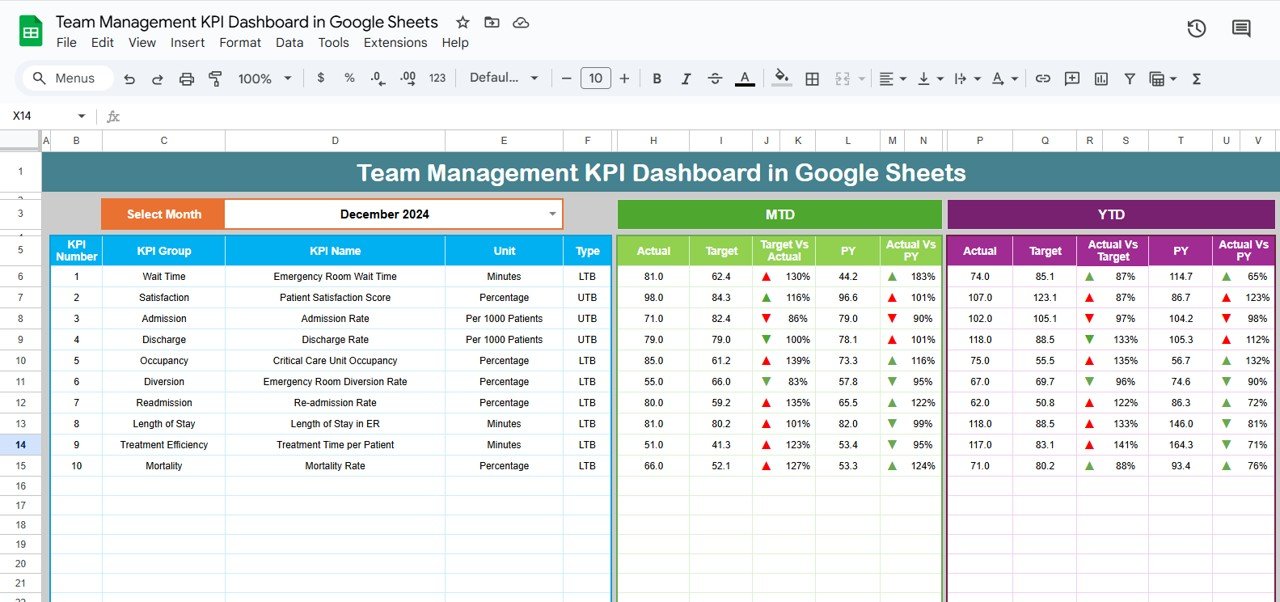
Dynamic Month Selector (D3): Automatically updates all KPI data for the chosen month.
-
MTD (Month-to-Date) & YTD (Year-to-Date) Metrics: Displays Actual, Target, and Previous Year values.
-
Visual Indicators: Conditional formatting arrows instantly highlight performance vs. target and prior year.
-
Comprehensive Overview: Quickly identify progress, challenges, and performance gaps in one view.
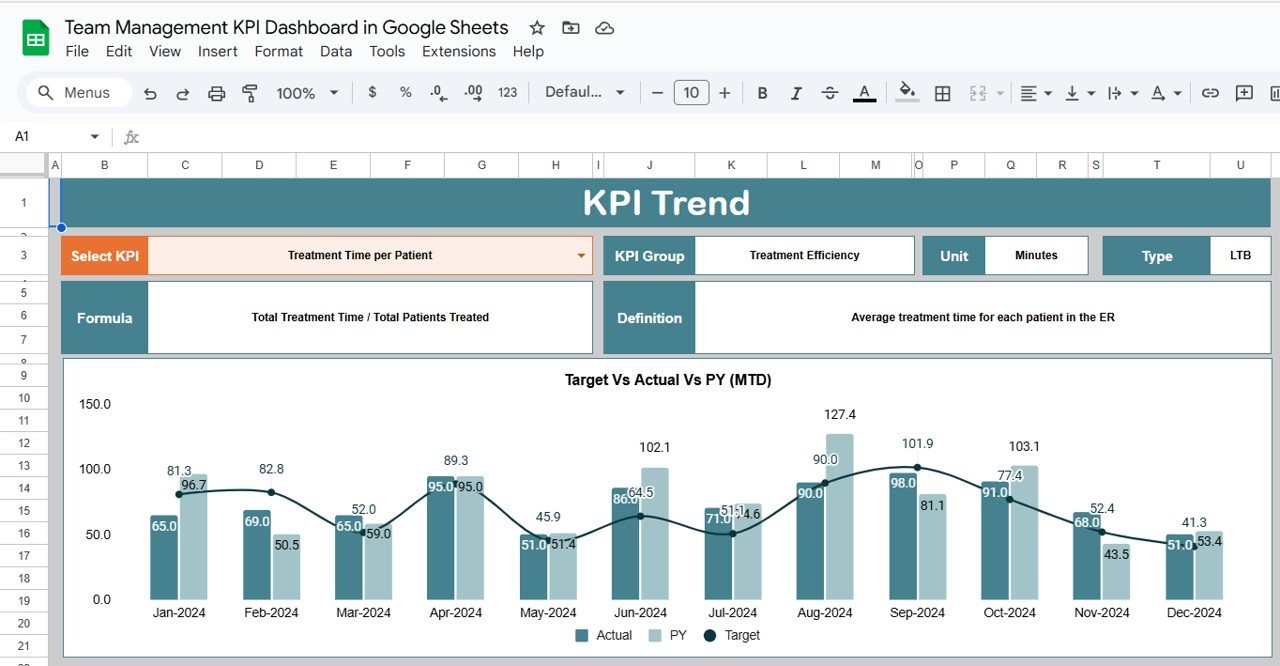
📊 KPI Trend Sheet Tab
-
Select any KPI from a dropdown (C3) to view detailed performance data.
-
Displays KPI Group, Unit, Formula, and Type (Upper-the-Better or Lower-the-Better).
-
Provides trend charts to visualize improvement or decline over time.
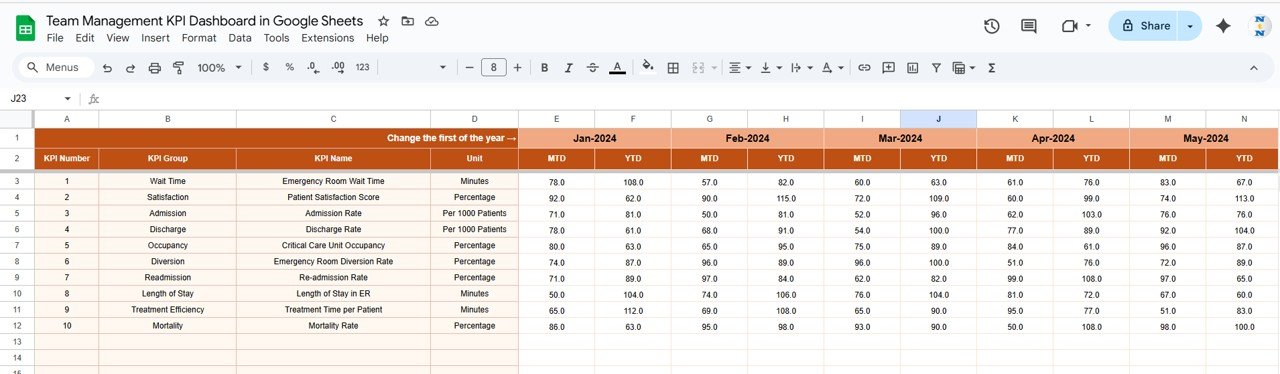
📈 Actual Numbers Sheet Tab
-
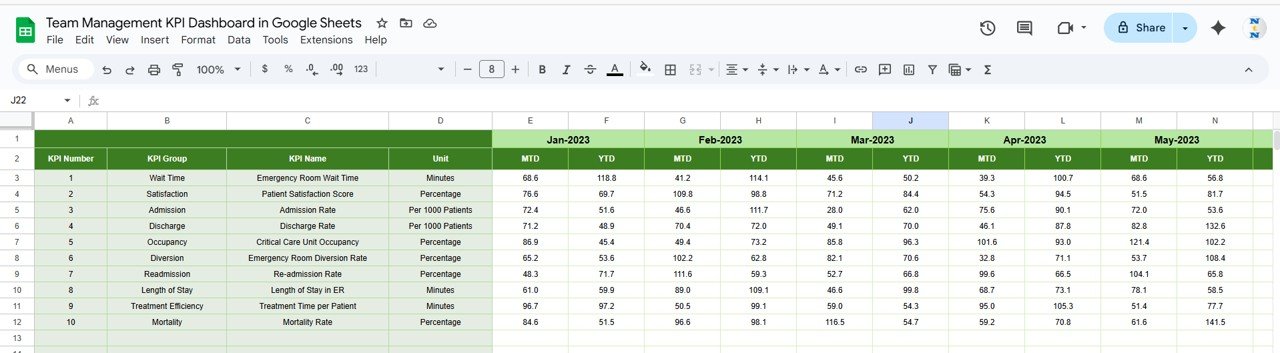
Input monthly and yearly performance figures for every KPI.
-
Changing the first month (E1) updates calculations across the dashboard.
-
Real-time reflection ensures accurate reporting and trend analysis.
🎯 Target Sheet Tab
-
Enter monthly and YTD targets for each KPI.
-
Compare targets vs. actuals to identify achievement gaps.
-
Helps in goal-setting, resource planning, and progress tracking.
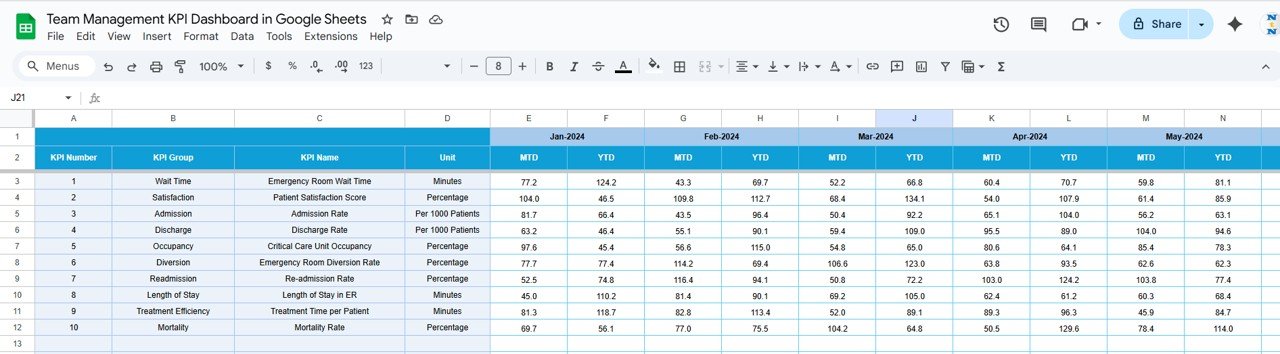
📉 Previous Year Numbers Sheet Tab
-
Record last year’s KPI values for comparison.
-
Track year-over-year growth or decline.
-
Understand seasonal trends and long-term improvements.
📖 KPI Definition Sheet Tab
-
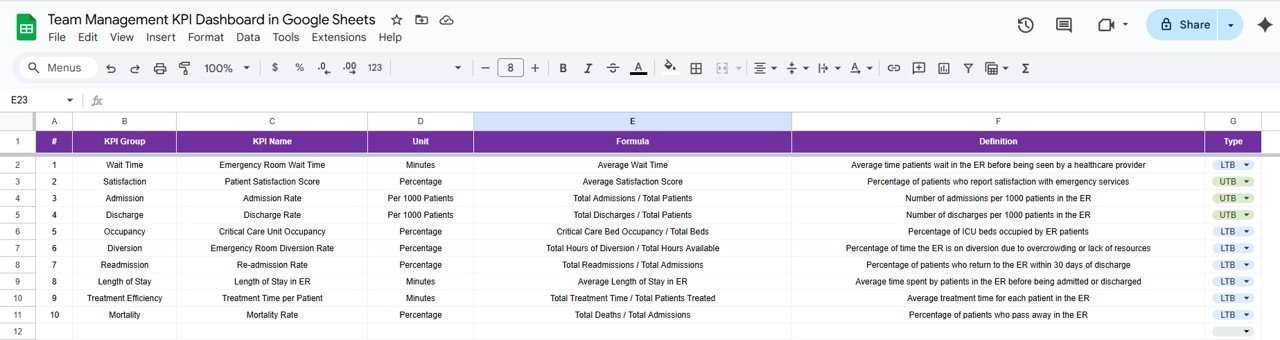
Maintain a standardized list of all KPIs with name, unit, formula, and type.
-
Ensures team-wide clarity on how each KPI is calculated.
-
Avoids confusion and keeps reporting consistent across teams.
📦 What’s Inside the Dashboard?
When you download this Google Sheets template, you’ll get:
✅ A fully automated KPI Dashboard with charts and indicators
✅ KPI Trend Tracker to visualize monthly performance
✅ Actual, Target, and Previous Year sheets for structured analysis
✅ A KPI Definition guide for standardization
✅ Pre-filled sample data for quick setup
✅ A customizable layout to fit your organization’s needs
🧑💼 Who Can Benefit from This Dashboard?
🎯 Team Managers – Track performance and identify productivity gaps
🎯 HR & Operations Leaders – Evaluate attendance, engagement, and training metrics
🎯 Project Managers – Monitor project success rates and task completion
🎯 Executives – Gain a clear view of department-level performance
🎯 Startups & SMEs – Simplify team tracking without costly BI tools
🧪 How to Use the Team Management KPI Dashboard
-
Enter Actual Data: Update the Actual Numbers Sheet regularly with team performance metrics.
-
Set Monthly Targets: Define targets in the Target Sheet for clear performance goals.
-
Add Previous Year Data: Include last year’s figures for year-over-year tracking.
-
View Dashboard: Select the desired month to see MTD and YTD results with auto-updated visuals.
-
Analyze Trends: Explore the KPI Trend Sheet to identify improvement opportunities.
-
Review KPI Definitions: Ensure all users understand the KPIs for consistency.
It’s intuitive, collaborative, and requires no technical skills — simply update the data and let the dashboard do the analysis! ⚡
🌟 Why Choose This Dashboard?
-
Centralized tracking for all key team metrics
-
Real-time MTD and YTD performance comparisons
-
Visual progress indicators for quick insights
-
Fully customizable and scalable for any team size
-
Enables smarter, data-driven leadership decisions
-
Google Sheets-based — no installations or complex software needed
With the Team Management KPI Dashboard in Google Sheets, you can enhance visibility, boost accountability, and turn performance data into actionable insights. 🌟
🔗 Click here to read the Detailed blog post
Watch the step-by-step video Demo:










Reviews
There are no reviews yet.