



The R&D Customer Experience Calendar in Excel is a comprehensive tool designed to help research and development teams, product managers, and customer experience specialists effectively manage and track customer experience initiatives. This Excel-based calendar is designed to keep track of key R&D activities, customer feedback sessions, product testing timelines, and much more, all while ensuring that your team meets crucial deadlines and objectives.
Whether you’re conducting usability testing, analyzing customer feedback, or planning product launches, this calendar provides a clear structure to manage every step of your R&D efforts, helping you stay organized and focused on delivering exceptional customer experiences.
Key Features of the R&D Customer Experience Calendar in Excel
📅 Comprehensive Event Scheduling
Plan and schedule customer experience-related events such as focus groups, user testing, product reviews, and surveys. The calendar helps you keep track of all essential R&D activities and deadlines.
📝 Customer Feedback Tracking
Log customer feedback sessions, track responses, and document any suggestions or issues raised. This helps you gather and analyze valuable insights from your target audience to improve products or services.
📈 Product Testing & Development Timeline
Track the progress of product testing and development. Document key milestones, testing phases, and ensure that your team is meeting all deadlines to launch the best product possible.
🔄 Team Collaboration & Communication
Ensure that all team members are aligned by documenting tasks, deadlines, and progress in one place. Collaborate effectively by using this shared calendar to stay on the same page regarding customer experience goals.
⚙️ Customizable for Your Needs
Adapt the calendar to suit your company’s specific R&D process and customer experience initiatives. Add additional activities or notes, and adjust dates as needed to match your project timelines.
Why You’ll Love the R&D Customer Experience Calendar in Excel

✅ Organized & Clear Planning
Easily schedule and track customer experience activities, product testing, and feedback sessions all in one place. Stay on top of deadlines and key milestones.
✅ Gain Valuable Customer Insights
Track and analyze customer feedback to identify trends, issues, and opportunities for improvement. Use this data to make informed decisions about product development and user experience.
✅ Improve Product Development Efficiency
Keep track of product testing phases and development timelines. Ensure that all testing is completed on time and that customer feedback is effectively incorporated into your product iterations.
✅ Streamline Team Collaboration
Enhance team communication by using a shared calendar. Keep everyone on the same page and ensure that key customer experience activities are completed efficiently and on time.
✅ Customizable & Flexible
The calendar is fully customizable to fit your organization’s specific needs, whether you’re tracking usability testing, customer interviews, or other R&D activities.
What’s Inside the R&D Customer Experience Calendar in Excel?
Event Scheduling: Plan and track customer experience-related events, focus groups, and product reviews.
Customer Feedback Tracking: Log and track customer responses and suggestions.
Product Testing & Development Timeline: Document milestones and key testing phases.
Team Collaboration & Progress Tracking: Stay aligned with your team on tasks and deadlines.
Customizable Layout: Tailor the calendar to meet your specific R&D and customer experience needs.
How to Use the R&D Customer Experience Calendar in Excel
1️⃣ Download the Template: Instantly access the R&D Customer Experience Calendar in Excel.
2️⃣ Input Key Dates & Activities: Add customer experience activities, product testing phases, and feedback sessions.
3️⃣ Track Feedback & Insights: Log customer responses, track suggestions, and document any issues.
4️⃣ Collaborate & Track Progress: Use the calendar to ensure all team members are aligned and tasks are completed on time.
5️⃣ Optimize Customer Experience: Use insights from the calendar to improve product development and customer satisfaction.
Who Can Benefit from the R&D Customer Experience Calendar in Excel?
🔹 R&D Teams & Product Managers
🔹 Customer Experience & UX Teams
🔹 Market Research & Data Analysts
🔹 Project Managers in Product Development
🔹 Small & Medium Enterprises (SMBs)
🔹 Large Corporations Focused on Product Innovation
🔹 Consultants & Research Agencies
Enhance your R&D processes and improve customer experience with the R&D Customer Experience Calendar in Excel. Plan, track, and analyze customer feedback and product testing initiatives in one organized, easy-to-use tool.
Click here to read the Detailed blog post
Visit our YouTube channel to learn step-by-step video tutorials
Youtube.com/@PKAnExcelExpert
Watch the step-by-step video Demo:
Compatibility and Requirements
- Works in Microsoft Excel desktop (Excel 2016 or later, or Microsoft 365).
- New to Excel? Microsoft’s Excel for Windows training covers the basics.
Frequently Asked Questions
Which events can I schedule?
You can schedule focus groups, user testing, product reviews, surveys and other customer experience activities.
Can I log customer feedback?
Yes. You log feedback sessions, responses, suggestions and issues in the calendar.
Can I follow product testing milestones?
Yes. You document testing phases and milestones and check them against your deadlines.
Can my team use it together?
Yes. Tasks, deadlines and progress sit in one shared calendar so the team stays aligned.
Can I add my own activities?
Yes. You can add activities and notes and adjust dates to match your project timelines.
Related R&D and Customer Experience Templates
- R&D Activity Calendar in Excel: schedule all R&D activities
- R&D Supply Chain Resilience Calendar in Excel: plan R&D supply chain events
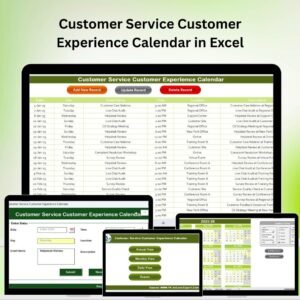
- Customer Service Customer Experience Calendar in Excel: the same calendar for customer service teams
- Customer Experience KPI Dashboard in Excel: measure customer experience results
- Calendar & Planner Pack: 12 calendar and planner templates in one download
Browse all Excel calendars or the Excel project management templates.































Reviews
There are no reviews yet.