



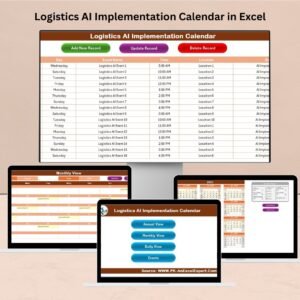
The R&D AI Implementation Calendar in Excel is a comprehensive and organized tool designed to help research and development (R&D) teams, AI project managers, and technology innovators effectively plan and manage AI implementation projects. This Excel-based calendar helps you map out the timeline, key milestones, and tasks required to implement AI solutions, ensuring that you stay on track throughout the development process.
From the initial project scoping to the final deployment, this calendar helps you structure and monitor every phase of your AI implementation. It ensures that all stakeholders are aligned, deadlines are met, and important tasks are completed on time. With the added flexibility of Excel, this calendar can be customized to fit any AI project, regardless of size or complexity.
Key Features of the R&D AI Implementation Calendar in Excel
📅 Project Timeline Management
Create a detailed timeline for your AI implementation project, including deadlines, milestones, and key activities. Track progress and ensure that your project stays on schedule.
📝 Task & Milestone Tracking
Track essential tasks and project milestones. Assign responsibilities, set deadlines, and monitor the completion status of each task to ensure that everything is on track.
🔄 AI Project Phases Breakdown
Break the AI implementation process into manageable phases such as data collection, model training, testing, and deployment. Track the progress of each phase and ensure smooth transitions from one stage to the next.
📊 Team & Resource Allocation
Assign tasks to specific team members and allocate resources efficiently. Ensure that all necessary resources (personnel, tools, and data) are available when needed.
⚙️ Customizable Calendar
Tailor the calendar to your AI project’s specific needs. Adjust timelines, tasks, and milestones to reflect the unique requirements of your project and team.
📈 Progress Tracking & Reporting
Monitor the overall progress of your AI implementation project with real-time updates. Generate reports to assess project health, identify risks, and ensure successful project completion.
Why You’ll Love the R&D AI Implementation Calendar in Excel

✅ Streamlined Project Management
Plan and manage every step of your AI implementation project in one place. Keep track of milestones, tasks, and deadlines to ensure smooth project execution.
✅ Better Team Collaboration
Assign tasks, monitor progress, and share updates with your team. The calendar ensures that everyone is aligned and working towards the same goal.
✅ Efficient Resource Allocation
Monitor resource usage and ensure that the necessary tools, data, and personnel are available at each stage of the project.
✅ Time & Task Efficiency
Break down complex AI tasks into manageable steps and set realistic deadlines. Stay on track and reduce delays by staying organized and focused.
✅ Data-Driven Decision Making
Use the calendar’s reporting and progress tracking features to assess your project’s health and identify areas for improvement. Make informed decisions about your AI strategy.
What’s Inside the R&D AI Implementation Calendar in Excel?
Project Timeline Management: Create and manage a detailed timeline for AI implementation.
Task & Milestone Tracking: Monitor and track important tasks and milestones.
AI Project Phases Breakdown: Break down your project into phases like data collection, model training, and testing.
Team & Resource Allocation: Assign tasks and allocate necessary resources efficiently.
Customizable Calendar: Tailor the calendar to your project’s needs and timelines.
Progress Tracking & Reporting: Track progress and generate reports to assess project health.
How to Use the R&D AI Implementation Calendar in Excel
1️⃣ Download the Template: Get instant access to the R&D AI Implementation Calendar in Excel.
2️⃣ Input Project Details: Enter your project timeline, tasks, milestones, and team members.
3️⃣ Track Tasks & Deadlines: Use the calendar to track deadlines, resources, and task completion.
4️⃣ Monitor Progress: Track the completion of each project phase and ensure the successful implementation of AI.
5️⃣ Generate Reports & Insights: Use progress tracking and reporting to assess the health of your project and adjust strategies if necessary.
Who Can Benefit from the R&D AI Implementation Calendar in Excel?
🔹 AI Project Managers & R&D Teams
🔹 Data Scientists & AI Developers
🔹 Technology Companies & Startups
🔹 Businesses Implementing AI Solutions
🔹 Consultants & AI Strategy Experts
🔹 Product Managers & Innovation Teams
🔹 Researchers & Academic Institutions
Optimize your AI implementation project with the R&D AI Implementation Calendar in Excel. Track tasks, milestones, team activities, and resources to ensure successful AI adoption and development.
Click here to read the Detailed blog post
Visit our YouTube channel to learn step-by-step video tutorials
Youtube.com/@PKAnExcelExpert
Watch the step-by-step video Demo:
Compatibility and Requirements
- Works in Microsoft Excel desktop (Excel 2016 or later, or Microsoft 365).
- New to Excel? Microsoft’s free Excel for Windows training.
Frequently Asked Questions
What can I plan in this calendar?
You can build a timeline for an AI implementation project with deadlines, milestones and key activities, from scoping to deployment.
Can I break the project into phases?
Yes. You can split the work into phases such as data collection, model training, testing and deployment, and track each one.
Can I assign tasks to team members?
Yes. You assign tasks and responsibilities, set deadlines and allocate the people, tools and data each task needs.
Can I change the timeline and tasks?
Yes. You can adjust timelines, tasks and milestones to match your project and team.
Related AI Implementation Calendars
- Operations AI Implementation Calendar in Excel: plan AI work in operations
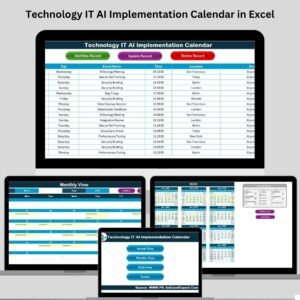
- IT AI Implementation Calendar in Excel: plan AI work in IT
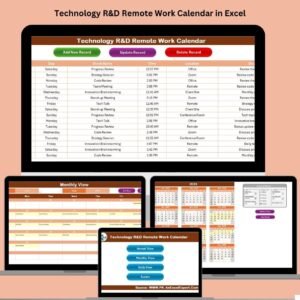
- R&D Remote Work Calendar in Excel: schedule remote R&D teams
- R&D Activity Calendar in Excel: schedule all R&D activities
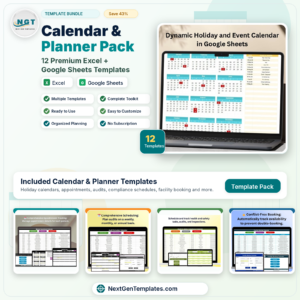
- Calendar & Planner Pack: 12 calendar and planner templates in one download
Browse all Excel calendar templates or the Excel project management templates.














Reviews
There are no reviews yet.