In today’s fast-moving procurement environment, organizations must track purchase orders with speed, accuracy, and full visibility. However, many teams still depend on scattered spreadsheets and manual reports. As a result, procurement managers often struggle to monitor spend, vendor performance, and order status in one centralized view.
That is exactly why the Purchase Order Management Dashboard in Google Sheets is a must-have solution for modern procurement teams.
This powerful, ready-to-use dashboard provides real-time visibility into your entire purchasing process. Instead of manually compiling reports, you can instantly monitor purchase activity, control spending, and evaluate supplier performance — all from one dynamic Google Sheets interface.
Designed for simplicity and scalability, this dashboard transforms raw procurement data into clear, actionable insights that support faster and smarter decisions.
🚀 Key Feature of Purchase Order Management Dashboard in Google Sheets
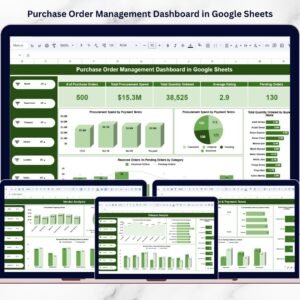
✅ Interactive Slicer Panel – Filter data instantly by Month, Department, Vendor, Category, Location, Status, and Payment Terms.
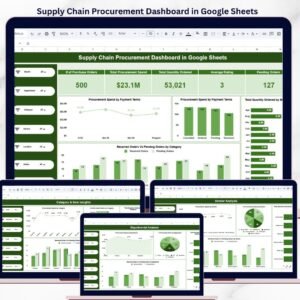
✅ Executive KPI Cards – Get an instant snapshot of total POs, spend, quantity, ratings, and pending orders.
✅ Multi-Dimensional Analysis – Explore procurement performance across departments, vendors, and categories.
✅ Real-Time Spend Monitoring – Track procurement costs and identify overspending quickly.
✅ Vendor Performance Tracking – Evaluate supplier contribution and reliability with ease.
✅ Advanced Search Panel – Locate specific purchase records within seconds.
✅ Google Sheets Collaboration Ready – Share and update procurement data in real time.
Because of these features, procurement teams gain complete operational control without expensive BI tools.
📦 What’s Inside the Purchase Order Management Dashboard in Google Sheets
This professionally designed solution includes multiple analytical pages that work together seamlessly.
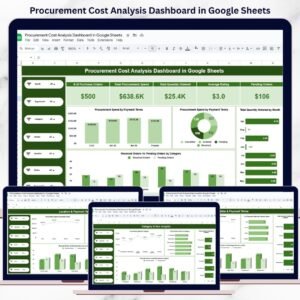
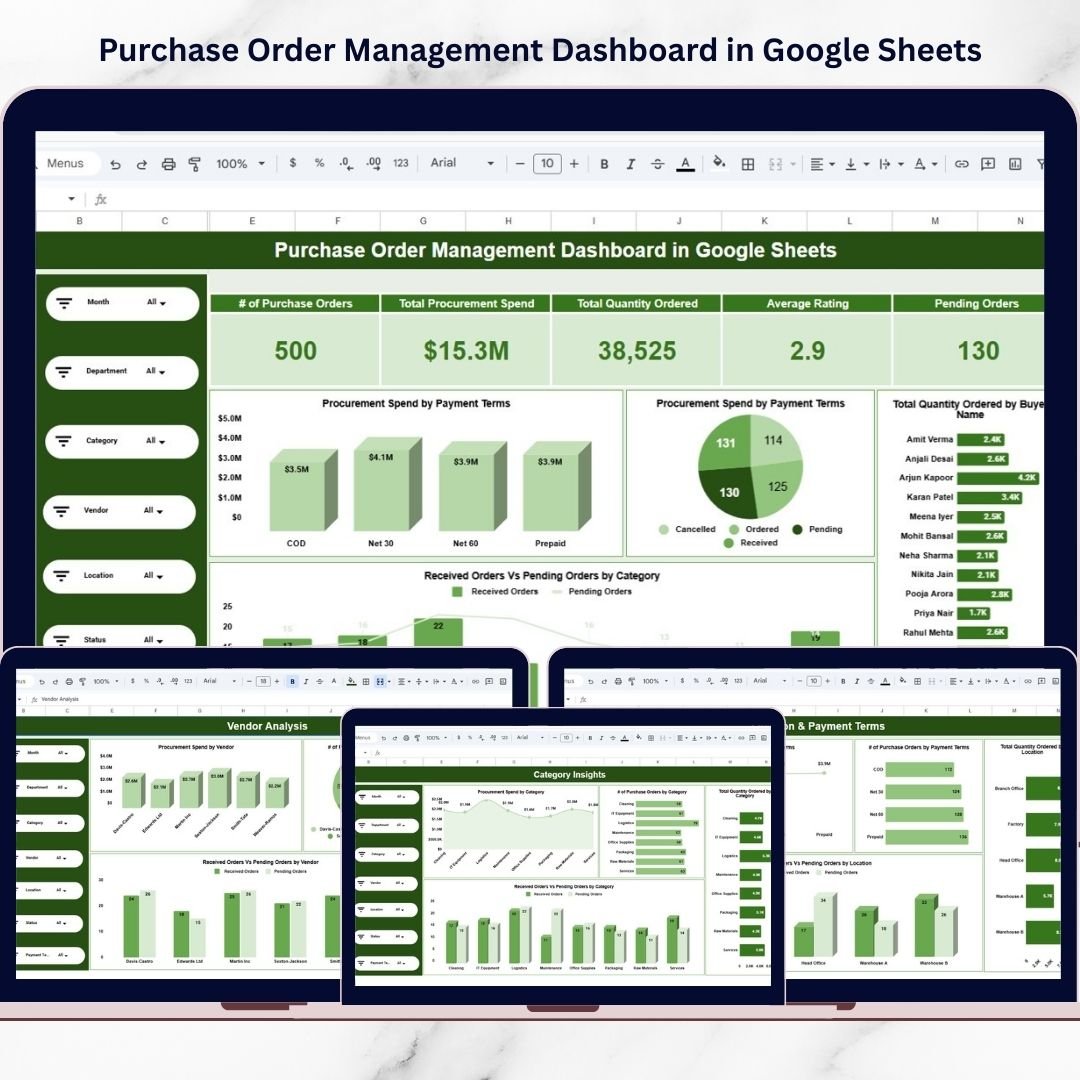
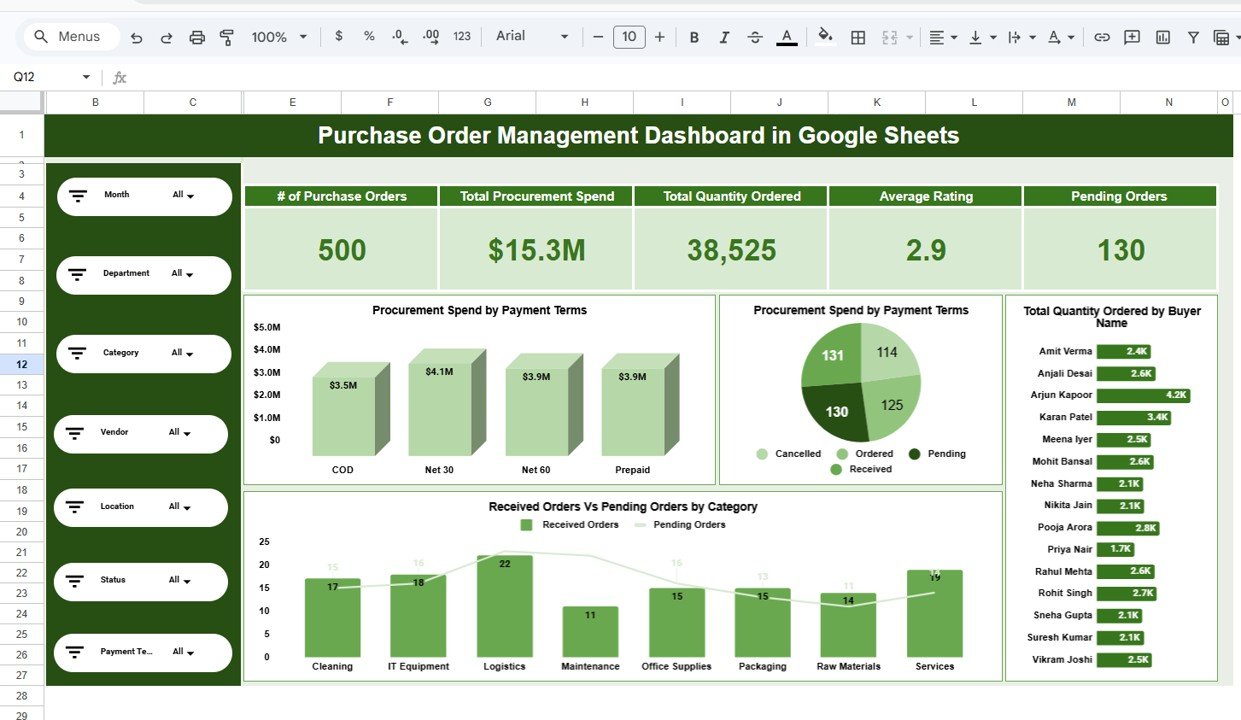
1️⃣ Main Dashboard – Procurement Overview
Your executive summary page showing:
Total Purchase Orders
Total Procurement Spend
Total Quantity Ordered
Average Vendor Rating
Pending Orders Count
Spend by Payment Terms
Order Status Distribution
Quantity by Buyer
Received vs Pending by Category
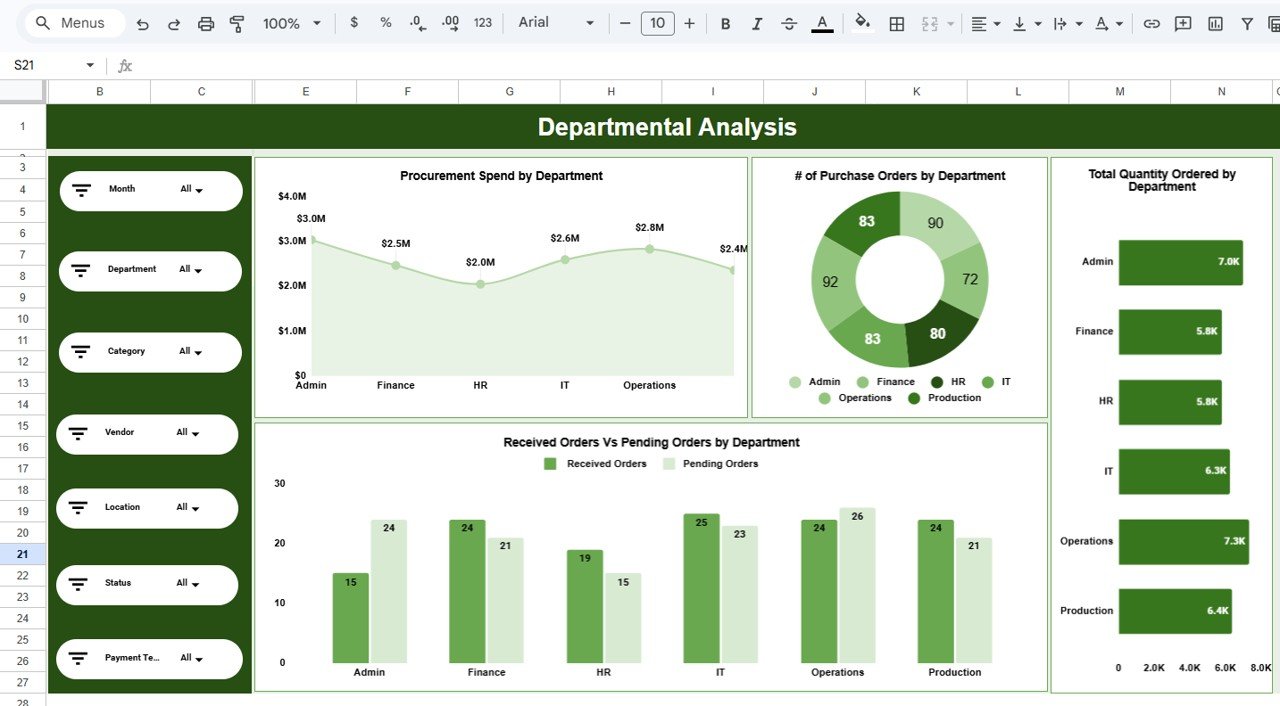
2️⃣ Departmental Analysis – Spend by Department
Understand purchasing behavior across departments with insights into:
Spend by department
Number of POs by department
Quantity ordered by department
Received vs pending comparison
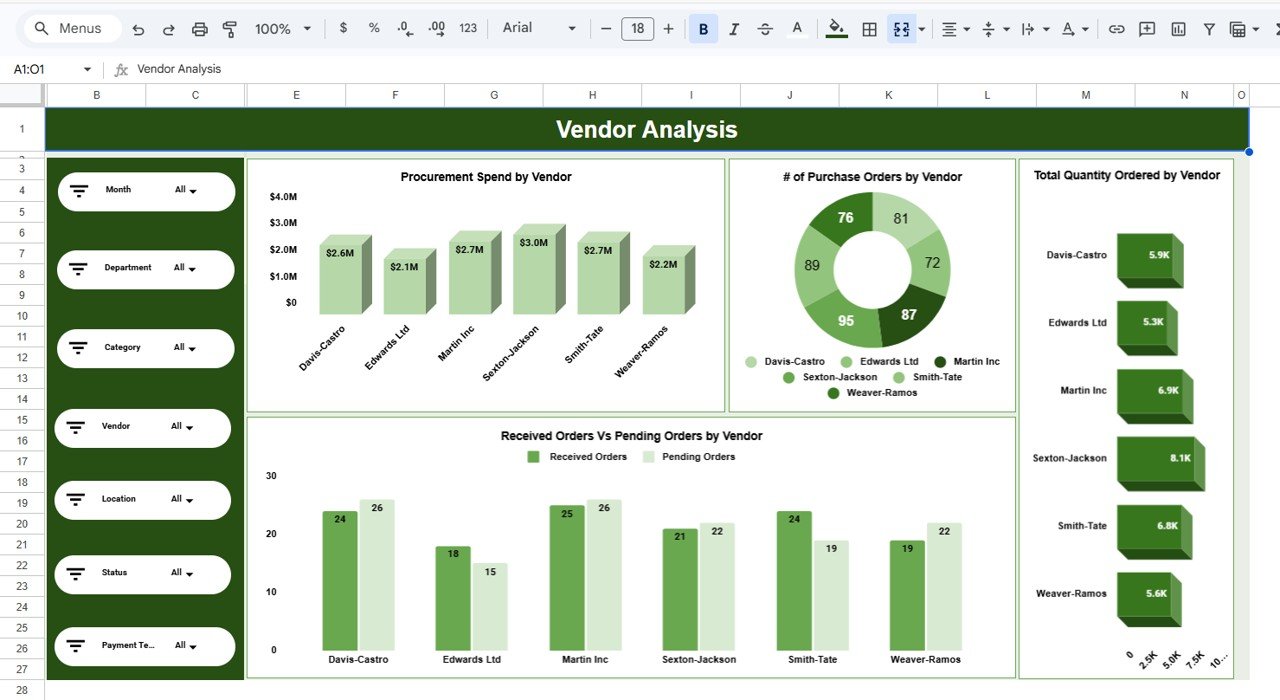
3️⃣ Vendor Analysis – Supplier Performance
Evaluate vendor efficiency and contribution using:
Spend by vendor
Purchase orders by vendor
Quantity ordered by vendor
Pending vs received orders
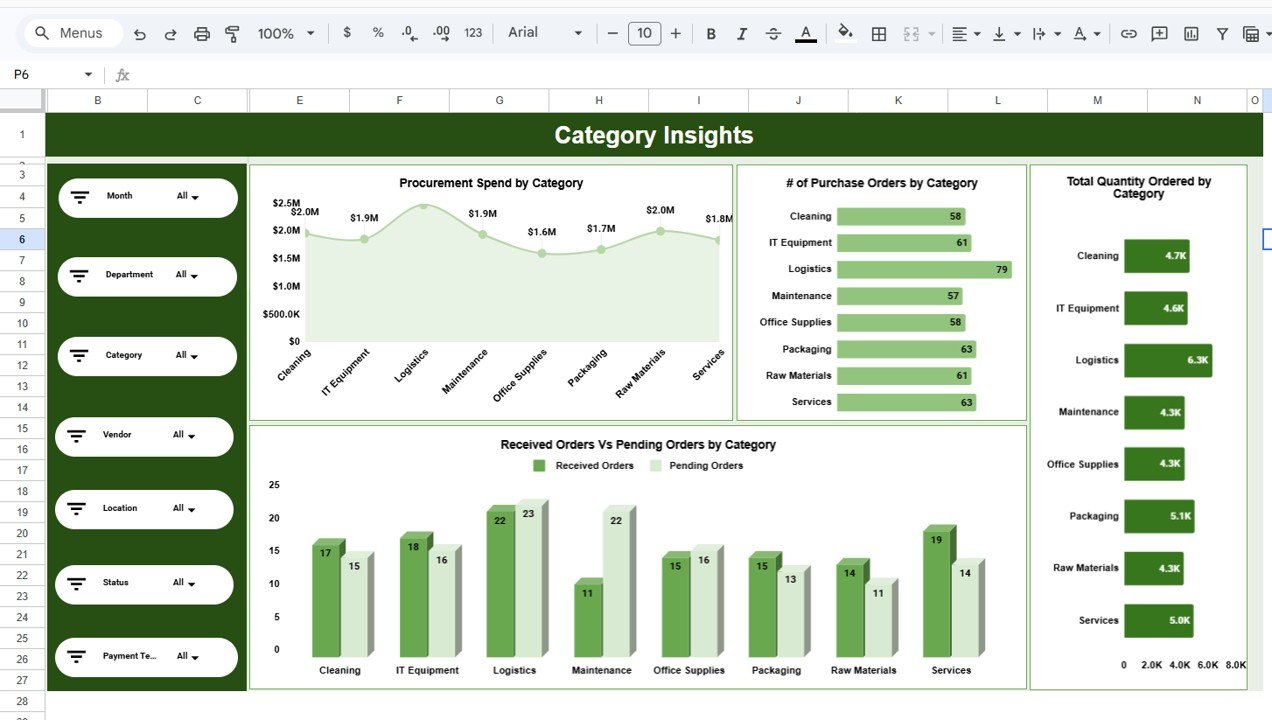
4️⃣ Category Insights – Product Intelligence
Analyze procurement patterns by category, including:
Spend distribution
Order volume
Quantity ordered
Pending vs received comparison
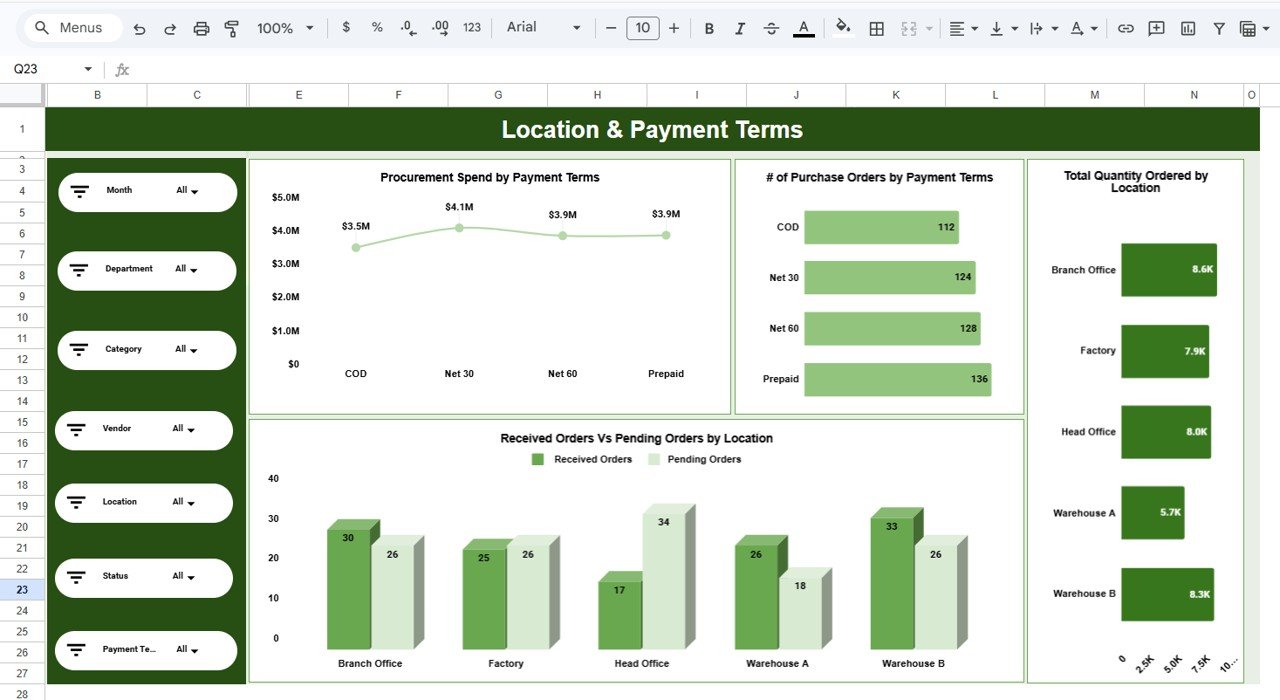
5️⃣ Location & Payment Terms – Operational View
Gain operational clarity with:
Spend by payment terms
Purchase orders by payment terms
Quantity by location
Received vs pending by location
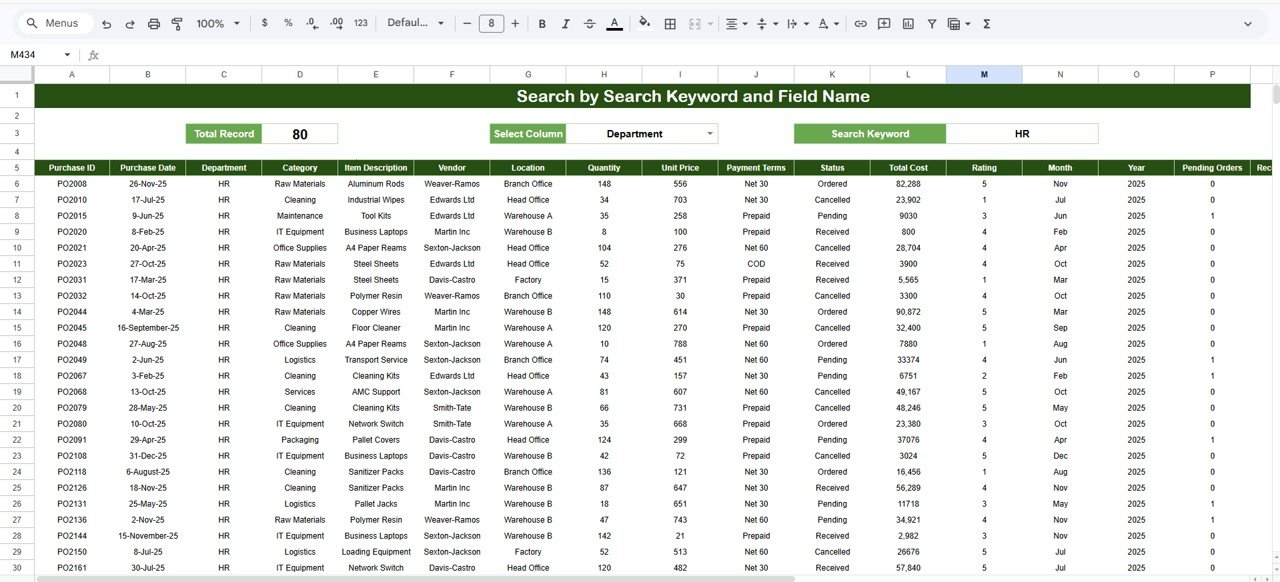
6️⃣ Search Panel – Advanced Record Lookup
Quickly investigate purchase records using:
Total record counter
Column selector
Keyword search
Dynamic filtered results
Together, these pages create a complete procurement intelligence system.
⚙️ How to Use the Purchase Order Management Dashboard in Google Sheets
Getting started is quick and straightforward:
Open the Google Sheets template
Update your purchase order data table
Use slicers to filter by key dimensions
Review KPI cards for instant insights
Explore analysis pages for deeper trends
Use the Search panel for quick lookups
Monitor pending orders regularly
Within minutes, your procurement data becomes decision-ready intelligence.
👥 Who Can Benefit from This Purchase Order Management Dashboard in Google Sheets
This dashboard is ideal for organizations that want better procurement control.
Perfect for:
🧾 Procurement Managers
💰 Finance Teams
🏢 Business Owners
📊 Operations Managers
📦 Supply Chain Teams
🧠 Business Analysts
🏭 Enterprise Purchasing Teams
Because it runs in Google Sheets, teams can collaborate from anywhere with ease.
By implementing the Purchase Order Management Dashboard in Google Sheets, your organization gains:
Centralized procurement visibility
Faster purchasing decisions
Improved spend control
Better vendor accountability
Reduced manual reporting
Real-time operational insights
In today’s competitive business environment, reactive procurement is risky. You need proactive, data-driven purchasing intelligence.
This dashboard delivers exactly that.
🔗 Click here to read the Detailed blog post
Watch the step-by-step video tutorial: