



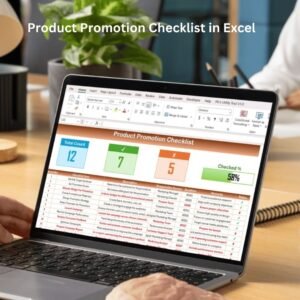
The Product Promotion Checklist in Excel is a streamlined tool designed to help businesses, marketing teams, and brand managers stay organized and ensure that every task is completed during a product promotion. Whether you are launching a new product or running seasonal promotions, this checklist allows you to plan, track, and execute promotional campaigns efficiently.
With sections for planning, marketing strategies, and post-promotion evaluation, this Excel-based checklist helps ensure that every detail is accounted for—from product launch to campaign performance. By using this tool, you can optimize your promotional efforts, measure their success, and identify opportunities for improvement.

Key Features of the Product Promotion Checklist in Excel
📅 Promotion Planning & Timeline
Track each stage of your product promotion with an organized timeline. Ensure that every step—from concept development to final execution—is completed on time and within budget.
📝 Marketing Strategy Tracker
Document all marketing activities related to the promotion, including digital marketing, social media campaigns, print ads, email newsletters, and more. Keep a record of the specific goals and channels used to maximize your promotional reach.
💡 Budget & Resource Management
Track the financial aspects of the promotion, including allocated budgets, spending, and resource distribution. Ensure that your promotional efforts stay within budget and that all necessary resources are used efficiently.
📊 Sales & Performance Tracking
Measure the performance of your promotion by tracking key metrics such as sales numbers, website traffic, and engagement. This allows you to assess the effectiveness of your promotional strategy.
⚙️ Task Assignment & Accountability
Assign tasks and responsibilities to team members and ensure that everyone involved in the promotion is clear on their roles. Keep track of completed tasks and pending actions to maintain smooth operations.
📈 Post-Promotion Analysis
Once the promotion is complete, evaluate its success by comparing actual results against your initial goals. Use insights to plan future promotions and improve marketing strategies.
Why You’ll Love the Product Promotion Checklist in Excel
✅ Comprehensive Promotion Tracking
Stay on top of your product promotion from start to finish. The checklist covers every phase, including planning, execution, and post-promotion analysis.
✅ Budget Control & Resource Optimization
Track spending and resources effectively, ensuring that your promotion remains within budget and that all resources are allocated appropriately.
✅ Improve Marketing Effectiveness
Track marketing strategies and evaluate their success to improve future campaigns. Optimize promotional channels and methods based on real-time data and performance analysis.
✅ Enhanced Team Collaboration & Accountability
Assign tasks to your team and monitor progress to ensure everyone is on the same page. Improve communication and ensure all aspects of the promotion are executed as planned.
✅ Data-Driven Decisions
Use performance metrics to evaluate the effectiveness of your promotion. Track key KPIs such as sales, customer engagement, and website traffic to inform future marketing strategies.
What’s Inside the Product Promotion Checklist in Excel?
Promotion Planning & Timeline: Track each stage of the promotion, ensuring on-time execution.
Marketing Strategy Tracker: Record all marketing activities and strategies used during the promotion.
Budget & Resource Management: Monitor your budget and resource allocation.
Sales & Performance Tracking: Measure the success of your promotion with sales data and other KPIs.
Task Assignment & Accountability: Assign and track tasks to ensure smooth campaign execution.
Post-Promotion Analysis: Evaluate the success of the promotion and gain insights for future efforts.
How to Use the Product Promotion Checklist in Excel
1️⃣ Download the Template: Instantly access the Product Promotion Checklist in Excel.
2️⃣ Plan Your Promotion: Outline your promotion’s goals, strategies, and timelines.
3️⃣ Track Marketing Activities: Document all marketing activities and ensure that every task is completed.
4️⃣ Monitor Budget & Resources: Keep track of the budget and resources allocated to the promotion.
5️⃣ Analyze Campaign Performance: Evaluate the effectiveness of the promotion using key metrics like sales and engagement.
Who Can Benefit from the Product Promotion Checklist in Excel?
🔹 Marketing Teams & Campaign Managers
🔹 Product Managers & Brand Strategists
🔹 Small & Medium Businesses (SMBs)
🔹 Large Enterprises Running Product Promotions
🔹 Retailers & E-commerce Platforms
🔹 Advertising & Marketing Agencies
🔹 Business Owners and Entrepreneurs
Streamline your product promotions with the Product Promotion Checklist in Excel. Track every step, monitor performance, and ensure that your promotional campaigns run smoothly and efficiently.
Click here to read the Detailed blog post
Visit our YouTube channel to learn step-by-step video tutorials
Youtube.com/@PKAnExcelExpert
Compatibility and Requirements
- Works in Microsoft Excel desktop (Excel 2016 or later, or Microsoft 365).
- New to Excel? Microsoft’s Excel for Windows training covers the basics.
Frequently Asked Questions
What does the checklist cover?
It covers the promotion timeline, marketing activities, budget and resources, sales and performance results, task owners, and a post-promotion review.
How do I plan a promotion with it?
Outline the promotion goals, strategies and timelines, then record each marketing activity and check it off when it is done.
Can I assign tasks to my team?
Yes. You can assign tasks and track who is responsible for each one.
Does it help me review results?
Yes. The post-promotion analysis and sales tracking show how well the promotion worked.
Is there a Google Sheets version?
Yes. The Product Promotion Checklist in Google Sheets covers the same tasks on that platform.
Related Promotion and Campaign Templates
- Product Promotion Checklist in Google Sheets: the same checklist in Google Sheets
- Product Launch Checklist Template in Excel: plan a product launch
- Seasonal Promotions Calendar in Excel: schedule seasonal promotions
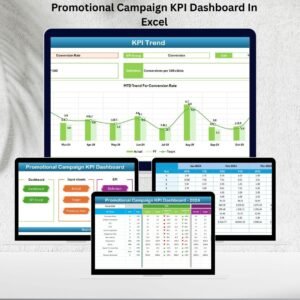
- Promotional Campaign KPI Dashboard In Excel: track promotion KPIs on a dashboard
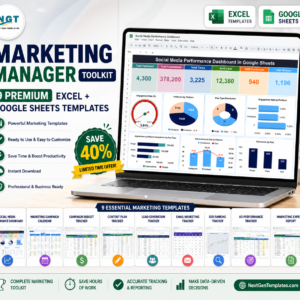
- Marketing Manager Toolkit: 9 Excel and Google Sheets marketing templates in one download
Browse all Excel checklists or the Excel sales and marketing templates.






























Reviews
There are no reviews yet.